1. Производот завршиview
The TABWEE T20 is a versatile 10-inch Android tablet designed for both productivity and entertainment. It features a high-resolution Incell display, a powerful Octa-Core processor, and ample memory and storage, making it suitable for a wide range of applications from content creation to multimedia consumption.
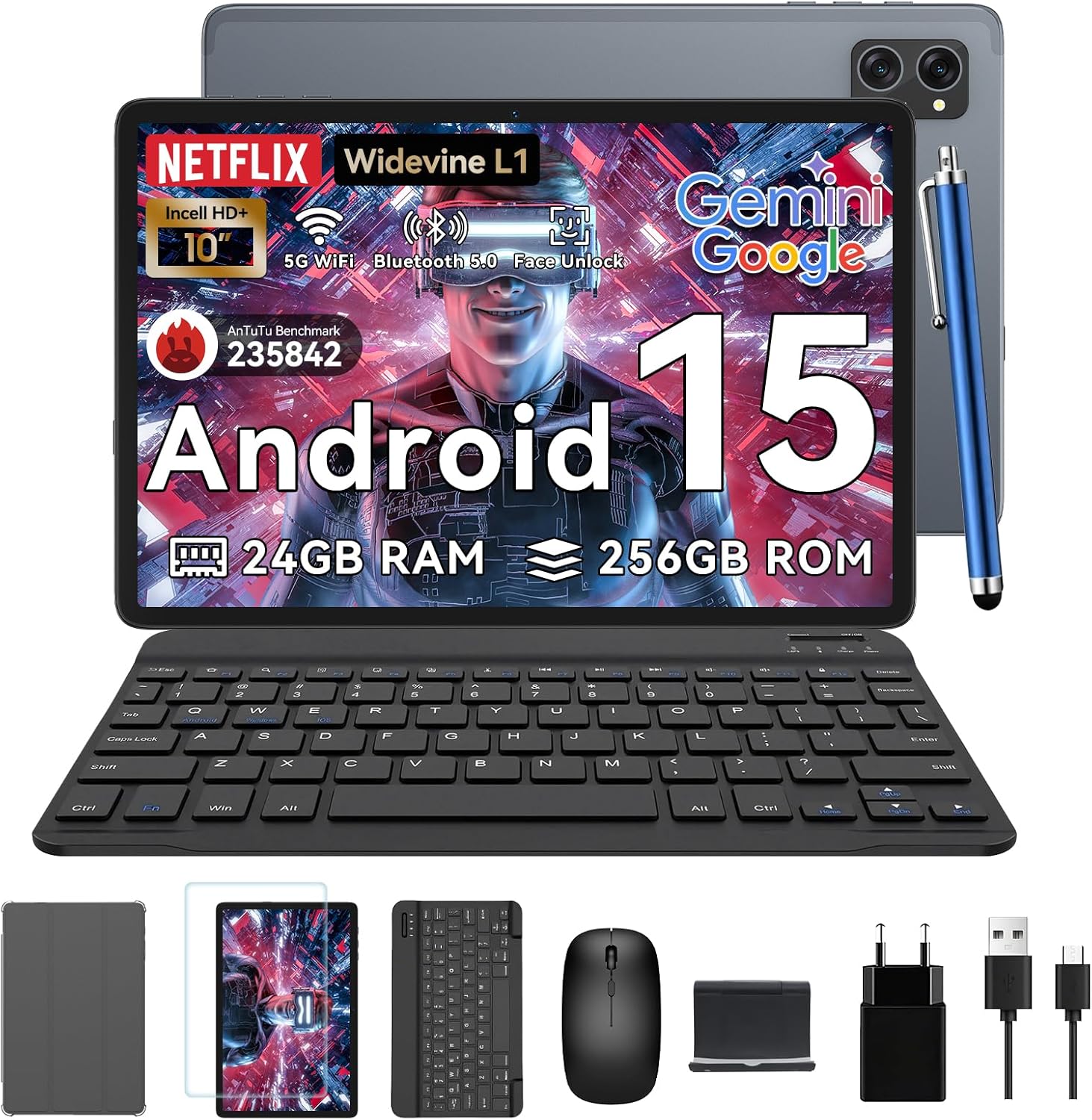
Figure 1.1: TABWEE T20 Tablet and its complete accessory package, including a Bluetooth keyboard, mouse, stylus, protective case, screen protector, charger, and USB cable.
Што има во кутијата
Upon unboxing your TABWEE T20 Tablet, verify that all components are present:

Figure 1.2: Contents of the TABWEE T20 Tablet retail package.
- 1x TABWEE T20 Tablet
- 1x Bluetooth тастатура
- 1x глушец
- 1x пенкало
- 1x Заштитна футрола
- 1x Заштитник за екран
- 1x Tablet Stand
- 1x полнач
- 1x USB кабел
2. Поставување и првична употреба
Полнење на таблетот
Before first use, fully charge the tablet using the provided charger and USB cable. Connect the charger to a power outlet and the USB cable to the tablet's charging port. The charging indicator will illuminate.
Вклучување/исклучување
- За вклучување: Press and hold the Power button until the TABWEE logo appears on the screen.
- За исклучување: Притиснете го и задржете го копчето за вклучување додека не се појави менито со опции за вклучување. Изберете „Исклучи“ и потврдете.
- За рестартирање: Од менито со опции за напојување, изберете „Рестартирај“ и потврдете.
Волшебник за почетно поставување
При првото вклучување, таблетот ќе ве води низ почетниот волшебник за поставување. Следете ги упатствата на екранот за да:
- Изберете го вашиот јазик.
- Поврзете се на Wi-Fi мрежа.
- Најавете се со вашата сметка на Google или креирајте нова.
- Поставете заклучување на екранот (PIN, шема, лозинка или отклучување со лице).
- Review и прифатете ги условите и одредбите.
Поврзување додатоци
The TABWEE T20 comes with a Bluetooth keyboard and mouse for enhanced productivity.
- Bluetooth тастатура:
- Осигурајте се дека тастатурата е наполнета и вклучена.
- На таблетот, одете на Поставки > Поврзани уреди > Bluetooth.
- Turn on Bluetooth and tap "Pair new device".
- Select the keyboard from the list of available devices and follow pairing instructions.
- Bluetooth Mouse:
- Проверете дали глувчето е вклучено и во режим на спарување.
- На таблетот, одете на Поставки > Поврзани уреди > Bluetooth.
- Tap "Pair new device" and select the mouse from the list.
- Стил: The included stylus can be used directly on the screen for navigation, drawing, and note-taking. It features palm-rejection precision.
3. Ракување со таблетот
Оперативен систем Андроид 15
The TABWEE T20 runs on Android 15, offering enhanced privacy controls, seamless cross-device collaboration, and improved multitasking capabilities.

Слика 3.1: Клучни карактеристики на оперативниот систем Android 15.
Интеграција со вештачка интелигенција на Gemini
The tablet integrates Google Gemini AI, which intelligently optimizes tasks, from photo editing to document formatting, while prioritizing security with a dedicated encrypted privacy space.

Слика 3.2: Готовоview of Gemini AI capabilities on the tablet.
Display and Multimedia
The 10.1-inch Incell HD+ display (1280x800 resolution) provides vivid colors and crisp details. With Widevine L1 certification, you can enjoy 1080P streaming on platforms like Netflix, Disney+, and Hulu.

Figure 3.3: Display features and eye-friendly modes.
The tablet also features Dual Smart-K Box Speakers for an immersive audio experience.

Figure 3.4: Dual Smart-K Box Speakers for enhanced audio.
Карактеристики на камерата
Equipped with an 8MP rear camera and a 5MP front camera, the tablet supports Google Lens integration for smart scanning and object recognition. Face Unlock is also supported for convenient security.

Figure 3.5: Camera specifications and features.

Figure 3.6: Smart Google Lens functionalities.
Поврзување
The TABWEE T20 supports dual-band 5G WiFi and Bluetooth 5.0 for fast and stable connections.
- Wi-Fi: Connect to 2.4GHz or 5GHz networks for seamless streaming and quick downloads.
- Bluetooth 5.0: Pair with wireless earbuds, speakers, or other Bluetooth-enabled devices with 20% faster data transfer speed.
- OTG поддршка: Allows for easy transfer of files to and from external storage devices.

Figure 3.7: Advanced Bluetooth 5.0 connectivity.

Figure 3.8: Lightning Fast WiFi 5 Technology.
4. Одржување и грижа
Proper maintenance ensures the longevity and optimal performance of your TABWEE T20 Tablet.
Управување со батерии
Батеријата од 5000mAh овозможува продолжено време на користење. За да го максимизирате животниот век на батеријата:
- Избегнувајте екстремни температури.
- Користете го испорачаниот полнач.
- Enable smart power-saving modes in settings.
- Затворете ги неискористените апликации што работат во позадина.

Figure 4.1: 5000mAh Mega Battery performance metrics.
Чистење на таблетот
- Користете мека крпа без влакненца за чистење на екранот и куќиштето.
- За тврдокорни дамки, малку дampИзмијте ја крпата со вода или средство за чистење екрани.
- Избегнувајте употреба на груби хемикалии или абразивни материјали.
Управување со складирање и меморија
The tablet comes with 256GB of internal storage and supports up to 2TB TF card expansion. It also features 24GB RAM (8GB physical + 16GB virtual) for smooth multitasking.

Figure 4.2: Storage and RAM expansion capabilities.
To optimize performance and storage:
- Редовно бришете го кешот и привременото files.
- Деинсталирајте ги неискористените апликации.
- Utilize the 2TB TF card slot for large files like 4K videos and design documents.
5 Смена на проблеми
This section addresses common issues you might encounter with your TABWEE T20 Tablet.
| Проблем | Можна причина | Решение |
|---|
| Таблетот не се вклучува. | Слаба батерија; пад на системот. | Полнете го таблетот најмалку 30 минути. Ако сè уште не реагира, притиснете и задржете го копчето за вклучување 10-15 секунди за да го рестартирате. |
| Проблеми со Wi-Fi конекција. | Неточна лозинка; проблеми со рутерот; надвор од опсег. | Verify Wi-Fi password. Restart your router. Ensure tablet is within Wi-Fi range. Forget the network and reconnect. |
| Bluetooth accessories not pairing. | Accessory not in pairing mode; Bluetooth off on tablet. | Ensure accessory is in pairing mode. Turn Bluetooth off and on again on the tablet. Restart both devices. |
| Бавни перформанси или падови на апликацијата. | Премногу апликации работат; мал простор за складирање; застарен софтвер. | Close background apps. Clear app caches. Free up storage space. Check for system updates in Поставки > Систем > Ажурирање на системот. |
| Екранот не реагира. | Привремен софтверски дефект. | Force restart the tablet by holding the Power button for 10-15 seconds. |
Ако проблемот продолжи откако ќе се обидете со овие решенија, контактирајте ја корисничката поддршка.
7. Гаранција и поддршка
TABWEE is committed to providing excellent customer service and support for your T20 Tablet.
Информации за гаранцијата
Your TABWEE T20 Tablet is covered by a 2-годишна гаранција from the date of purchase. This warranty covers manufacturing defects and ensures risk-free ownership.
Поддршка за корисници
For any technical assistance, troubleshooting, or warranty claims, please contact our support team:
- Поддршка за е-пошта: serviceplus.linda@gmail.com
- Online Call Support: Available 24/7 for US/CA customers.
- Repair Support: 2-Year Repair Support is provided.

Figure 7.1: TABWEE Customer Support Services.
Please have your purchase details and tablet model number ready when contacting support to expedite the process.


