1. Вовед
Welcome to the TABWEE T80 Tablet user manual. This guide provides comprehensive instructions to help you get the most out of your new Android 15 tablet. The T80 is designed for a seamless and powerful user experience, featuring advanced AI capabilities, a vibrant display, and robust performance for both work and entertainment.
Клучни карактеристики:
- Оперативен систем Андроид 15: Experience the latest features and security enhancements.
- Gemini AI 2.0: Enhanced AI for smarter interactions and controls.
- 10.5-inch HD+ IPS Display: Enjoy clear and vibrant visuals with a wide viewинголен агол.
- Моќни перформанси: Equipped with a 2.0GHz CPU, 12GB RAM, and 64GB ROM (expandable up to 2TB via TF card).
- Долготрајна батерија: 6000mAh mega battery for extended use.
- Напредно поврзување: Supports 5G WiFi and Bluetooth 5.0.
- 5MP Google Lens Camera: For clear photos and smart scene recognition.

Figure 1.1: The TABWEE T80 Tablet, showcasinнеговиот елегантен дизајн и дисплеј.
2. Поставување
2.1 Распакување и почетна наплата
Carefully remove your TABWEE T80 Tablet from its packaging. Before first use, it is recommended to fully charge the device using the provided USB-C cable and power adapter. The charging port is located on the side of the tablet.
2.2 Вклучување и почетна конфигурација
- Press and hold the Power button (located on the side) until the TABWEE logo appears on the screen.
- Следете ги упатствата на екранот за да го изберете вашиот јазик, да се поврзете на Wi-Fi мрежа и да ја поставите вашата сметка на Google.
- Review и прифатете ги условите за да го завршите процесот на поставување.

Слика 2.1: Надview of the TABWEE T80's core specifications and features.
3. Ракување со таблетот
3.1 Карактеристики на Android 15
Your TABWEE T80 runs on the latest Android 15, offering enhanced user experience, improved privacy, and smart features.
Split-Screen Combo
The split-screen feature allows you to run two applications simultaneously, enhancing multitasking and productivity. You can easily save app pairs for quick access.
Video 3.1: Demonstrates how to use the split-screen feature to run two applications concurrently on the TABWEE T80 tablet.
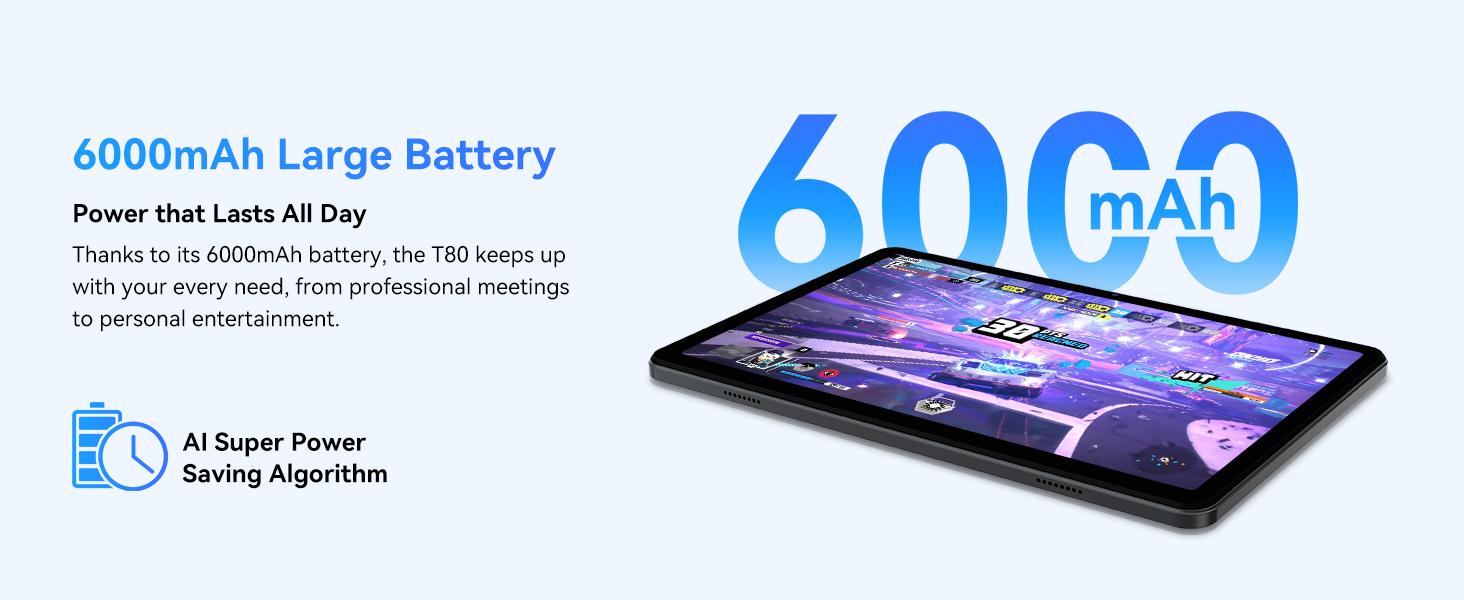
Figure 3.1: Visual representation of the split-screen functionality, allowing for efficient multitasking.
Desktop Customization and Widgets
Personalize your home screen by dragging and grouping apps freely. You can also add various widgets, such as the calendar, to quickly access information and tasks.
Video 3.2: Illustrates how to customize your desktop layout and add widgets for quick access to information.
Контрола на приватност
Android 15 offers enhanced privacy controls, allowing you to manage app permissions and secure your data. You can block app access to sensitive information like location.
Video 3.3: Shows how to manage privacy settings and control app access to your data on the TABWEE T80.
Parental Controls with Gemini AI
Utilize Gemini AI parental controls to manage screen time, automatically lock games during homework, and ensure a safe digital environment for children.
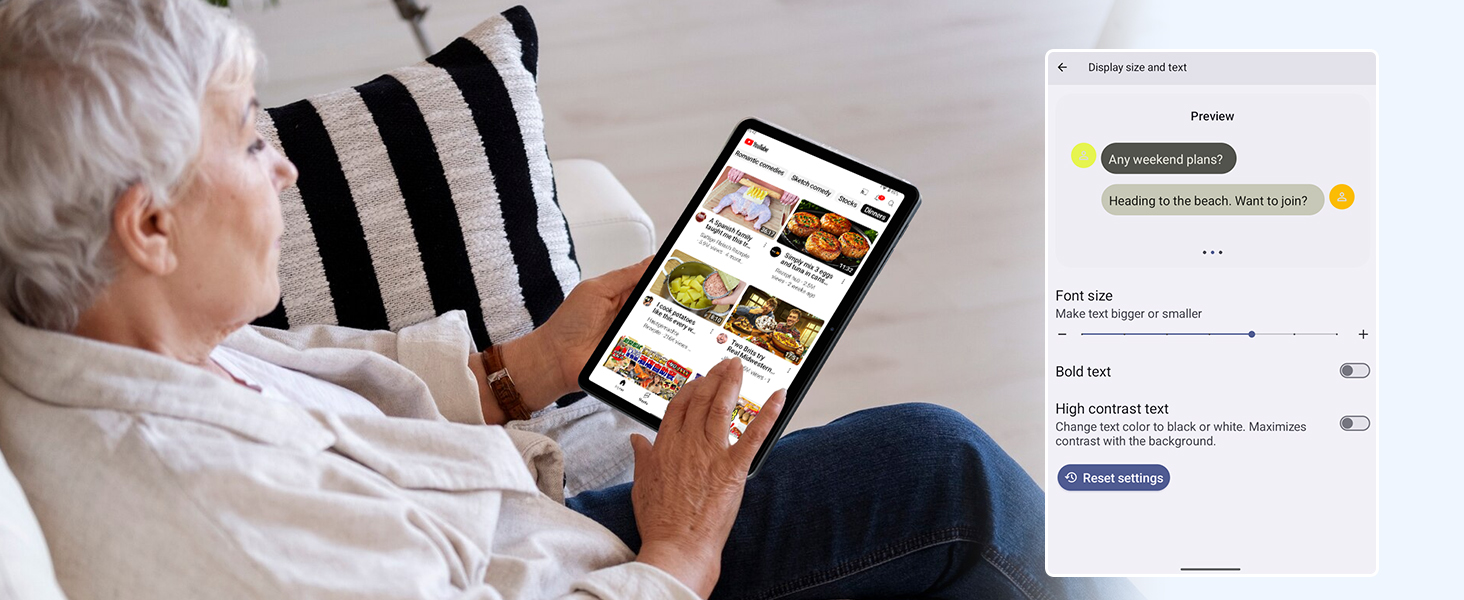
Figure 3.2: The Digital Wellbeing interface, demonstrating options for managing screen time and parental controls.
3.2 Приказ и визуелни елементи
The 10.5-inch HD+ IPS display provides a clear and immersive viewing experience with a 1280x800 resolution and 84.9% screen-to-body ratio. It's ideal for watching videos, browsing, and reading.

Figure 3.3: Details of the tablet's display, highlighting its resolution and IPS full view способности.
3.3 Перформанси и складирање
Powered by a 2.0GHz Unisoc T310 CPU and 12GB RAM (expandable via software memory extension), the T80 ensures smooth multitasking and responsive performance. With 64GB of internal storage and support for up to 2TB TF cards, you have ampпростор за сите ваши files, apps, and media.

Figure 3.4: Illustration of the tablet's processing power and memory, enabling seamless multitasking and productivity.
3.4 Траење на батеријата
The 6000mAh mega battery provides extended usage, offering up to 8 hours of video streaming, 6 hours of gaming, or 30 hours of music playback. Smart power-saving modes further optimize battery longevity.

Figure 3.5: Depiction of the tablet's large 6000mAh battery and its USB-C charging port.
3.5 Карактеристики на камерата
The T80 features a 5MP Google Lens enabled camera. This allows for scene recognition, night mode optimization, and useful functions like text translation and object identification.

Слика 3.6: Надview of the tablet's camera and its integration with Google Lens for smart functions.
4. Одржување
To ensure the longevity and optimal performance of your TABWEE T80 Tablet, follow these maintenance guidelines:
- Чистење: Користете мека крпа што не остава влакненца за чистење на екранот и куќиштето. Избегнувајте абразивни материјали или груби хемикалии.
- Ажурирања на софтверот: Редовно проверувајте и инсталирајте системски ажурирања за да ги искористите најновите функции, безбедносни закрпи и подобрувања на перформансите.
- Нега на батеријата: Избегнувајте екстремни температури. Не дозволувајте батеријата често да се празни целосно. За долгорочно складирање, наполнете ја батеријата до околу 50%.
- Управување со складирање: Периодично бришете непотребно files и апликации за да се ослободи простор за складирање и да се одржи непречено работење.
- Заштита: Размислете за користење заштитна футрола и заштитник за екран за да се заштитите од падови и гребнатини.
5 Смена на проблеми
This section addresses common issues you might encounter with your TABWEE T80 Tablet.
5.1 Уредот не се вклучува
- Проверете ја батеријата: Ensure the tablet has sufficient charge. Connect it to the charger and wait a few minutes before attempting to power on again.
- Тешко ресетирање: Притиснете го и држете го копчето за вклучување околу 10-15 секунди додека уредот не се рестартира.
5.2 Проблеми со Wi-Fi поврзување
- Вклучи/исклучи Wi-Fi: Исклучете го Wi-Fi, а потоа повторно вклучете го во Поставки.
- Рестартирајте го рутерот: Вклучете го и исклучување и исклучување на вашиот Wi-Fi рутер.
- Заборави мрежа: Одете во поставките за Wi-Fi, заборавете ја проблематичната мрежа, а потоа повторно поврзете се.
5.3 Бавни перформанси
- Затвори апликации во позадина: Затворете ги неискористените апликации што работат во позадина.
- Исчисти кеш: Regularly clear app caches in Settings > Apps.
- Ослободете простор за складирање: Избришете ги непотребните files or uninstall rarely used apps.
- Рестартирајте го уредот: A simple restart can often resolve temporary slowdowns.
5.4 Апликациите се уриваат или не реагираат
- Апликација за присилно запирање: Go to Settings > Apps, select the problematic app, and choose 'Force Stop'.
- Clear App Data/Cache: In the same app settings, try clearing its cache or data (note: clearing data will reset the app to its default state).
- Реинсталирајте ја апликацијата: Деинсталирајте ја, а потоа повторно инсталирајте ја апликацијата од Google Play Store.
6. Спецификации
Detailed technical specifications for the TABWEE T80 Tablet:
| Карактеристика | Спецификација |
|---|---|
| Бренд | TABWEE |
| Име на моделот | Т80 |
| Оперативен систем | Андроид 15 |
| Големина на екранот | 10.5 инчи |
| Резолуција на екранот | 1280 x 800 пиксели |
| Процесор | 2.0 GHz Unisoc T310 |
| Меморија (RAM) | 12 GB |
| Складирање (ROM) | 64 GB |
| Складирање што може да се прошири | TF картичка до 2TB |
| Заден дел WebРезолуција на камерата | 5 MP |
| Безжичен тип | 802.11n, 802.11b, 802.11a, 802.11ac, 802.11g (5G WiFi) |
| Bluetooth | Bluetooth 5.0 |
| Капацитет на батеријата | 6000 mAh |
| Просечен век на траење на батеријата | 550 часа (во мирување) |
| Тежина на ставката | 1.1 фунти (приближно 523 грама) |
| Димензии на производот | 9.5 x 6.4 x 0.3 инчи |
| Боја | Греј |
7. Гаранција и поддршка
TABWEE is committed to quality and customer satisfaction. Your T80 Tablet comes with comprehensive support to ensure a worry-free experience.
7.1 Информации за гаранцијата
The TABWEE T80 Tablet is backed by a 2 година гаранција. This warranty covers manufacturing defects and ensures free repair service for eligible issues. Please retain your proof of purchase for warranty claims.
7.2 Поддршка за корисници
За какви било прашања, техничка помош или барања за гаранција, ве молиме контактирајте го нашиот посветен тим за поддршка:
- 24/7 Online Call Support: Достапен за итна помош.
- Доживотна техничка поддршка: Expert help whenever you need it.
- Hassle-Free Service: Assistance available through the TABWEE Official Flagship Store.
We are dedicated to providing prompt and effective solutions to all your inquiries.

Figure 7.1: Our dedicated customer support team is ready to assist you.


