1. Вовед
The iFLYTEK AINOTE Air 2 is an 8.2-inch AI E Ink tablet designed for smart note-taking, document management, and enhanced productivity. It integrates advanced AI features such as real-time voice-to-text transcription, multi-language translation, and intelligent meeting summaries. The device offers a paper-like writing experience with its E Ink display and included stylus, making it suitable for various professional and academic applications.

Image 1.1: The AINOTE Air 2 tablet with its stylus, showcasing its AI-powered note-taking features.
2. Што има во кутијата
Проверете дали сите компоненти се присутни во пакувањето:
- AINOTE Air 2 Main Unit
- Пенкало со игла
- Кабел за полнење (тип-C)
- Упатство за употреба (овој документ)

Image 2.1: Standard accessories included with the AINOTE Air 2.
3. Поставување
3.1 Почетно полнење
Before first use, fully charge your AINOTE Air 2 tablet. Connect the provided USB Type-C cable to the tablet's charging port and a compatible USB power adapter (not included). The charging indicator will illuminate.
3.2 Вклучување/исклучување
- За вклучување: Press and hold the power button located on the top edge of the tablet until the screen activates.
- За исклучување: Притиснете го и задржете го копчето за вклучување, а потоа изберете „Исклучи“ од опциите на екранот.
3.3 Почетна конфигурација
При првото вклучување, следете ги упатствата на екранот за да:
- Изберете го претпочитаниот јазик.
- Поврзете се на Wi-Fi мрежа.
- Set up your iFLYTEK account or log in.
- Complete any system updates.
4. Упатства за работа
4.1 Note-Taking and Writing
The AINOTE Air 2 provides a paper-like writing experience using the included stylus. Open the 'Notes' application to begin a new note or access existing ones.
- Употреба на пенкало: The stylus is designed for precise input. It features a built-in eraser and offers 4096 levels of pressure sensitivity for a natural writing feel. No charging is required for the stylus.
- Handwriting-to-Text: Convert handwritten notes to editable text in 83 languages. Select the conversion option within the notes interface.

Image 4.1: The AINOTE Air 2 demonstrating handwritten notes and their digital transcription.

Image 4.2: Close-up of the stylus in use on the AINOTE Air 2, illustrating the immersive writing experience.
4.2 AI Note-Taking and Transcription
The tablet offers real-time voice-to-text transcription and AI-powered meeting summaries.
- Voice Transcription: Record audio during meetings or lectures. The tablet transcribes spoken words into text in 15 languages, including English, Spanish, Chinese, French, and more.
- Meeting Summaries: Utilize the AI to generate concise summaries of recorded and transcribed meetings, highlighting key points and action items.

Image 4.3: The AINOTE Air 2 displaying multi-language transcription capabilities.

Слика 4.4: Готовоview of the AINOTE Air 2's extensive language support for transcription, translation, and handwriting conversion.
4.3 Reading and Display
The 8.2-inch HD E Ink screen provides a comfortable reading experience, similar to physical paper.
- Приказ за очи: The E Ink technology reduces eye strain, making it suitable for extended reading sessions.
- Прилагодливо осветлување: Features a dual-color temperature reading light with 24 adjustable brightness levels to customize warm/cool tones for various environments.
- Висока резолуција: A 1920x1440 resolution (293 PPI) ensures sharp text and image clarity.

Image 4.5: The AINOTE Air 2's adjustable dual-color temperature lighting for comfortable reading.
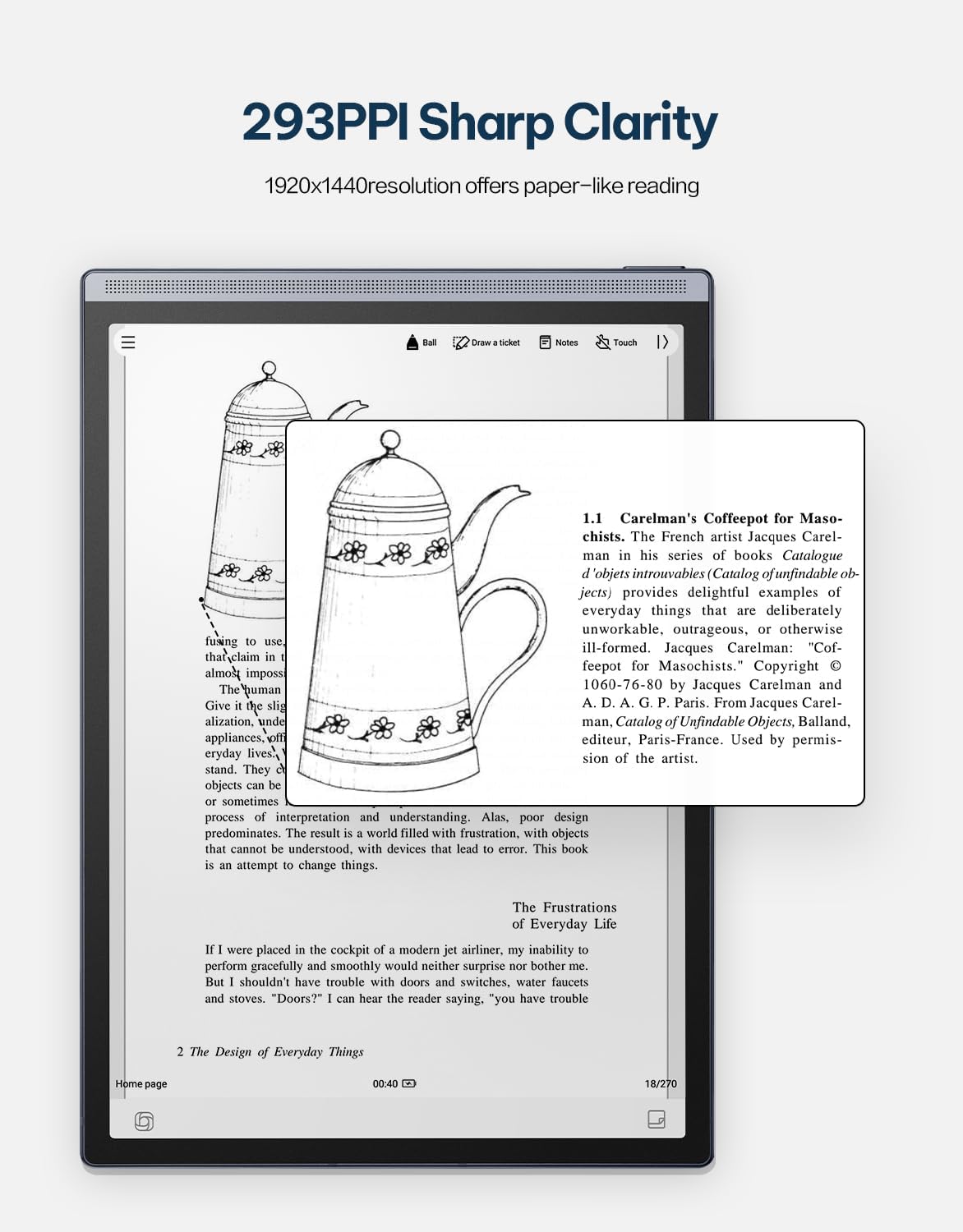
Image 4.6: The AINOTE Air 2's display quality, showing sharp text and images for reading.
4.4 Schedule Management and AI Features
The tablet integrates AI for efficient schedule management and enhanced productivity.
- Паметно закажување: Mark handwritten notes with special symbols (stars, triangles, circles) using the stylus to automatically create to-dos and highlight important items, syncing them with your schedule.
- Интеграција на ChatGPT: Engage in intelligent dialogues with ChatGPT for information retrieval, brainstorming, and task assistance.
- Пребарување со ВИ: Utilize semantic retrieval to quickly locate key points in meetings and documents, supporting text, voice, and handwriting search.

Image 4.7: Various productivity features of the AINOTE Air 2, including smart scheduling and cloud synchronization.

Image 4.8: The AINOTE Air 2's integration with ChatGPT for interactive assistance.
4.5 Cloud Sync and Storage
The AINOTE Air 2 supports secure cloud syncing for your notes and documents.
- OneDrive Integration: Sync your content with OneDrive for access across multiple devices and secure storage.
- Google Play: The tablet integrates with Google Play, allowing access to a wider range of applications.
5. Одржување
5.1 Чистење на уредот
- Користете мека крпа без влакненца за нежно да го избришете екранот и телото на таблетот.
- Do not use abrasive cleaners, alcohol, or chemical solvents, as these can damage the screen and finish.
- Пред чистење, проверете дали уредот е исклучен и исклучен од кој било извор на енергија.
5.2 Грижа за батерии
- Avoid exposing the tablet to extreme temperatures (hot or cold) as this can affect battery life and performance.
- За оптимален век на траење на батеријата, избегнувајте често целосно празнење на батеријата.
- Доколку го складирате уредот подолг временски период, наполнете го до приближно 50% пред складирање.

Image 5.1: The AINOTE Air 2's USB-C port and battery capacity information.

Image 5.2: Visual representation of the AINOTE Air 2's 2600 mAh battery and its extended usage time.
6 Смена на проблеми
6.1 Заеднички прашања и решенија
| Прашање | Можна причина | Решение |
|---|---|---|
| Уредот не се вклучува | Слаба батерија; Пад на системот | Полнете го уредот најмалку 30 минути. Извршете принудно рестартирање со држење на копчето за вклучување 10-15 секунди. |
| Пенкалото не реагира | Stylus tip worn; Software glitch | Check if the stylus tip needs replacement. Restart the tablet. Ensure the stylus is within operating range. |
| Проблеми со Wi-Fi конекцијата | Incorrect password; Router issue; Software bug | Verify Wi-Fi password. Restart your router. Restart the tablet and try connecting again. |
| Бавни перформанси/задоцнување | Премногу отворени апликации; Малку простор за складирање; Застарен софтвер | Close unnecessary applications. Free up storage space. Check for and install system updates. |
7. Спецификации
| Карактеристика | Детал |
|---|---|
| Име на моделот | AINOTE Air 2 (XF-DX-B282E) |
| Големина на екранот | 8.2 инчи |
| Тип на дисплеј | E Ink, 1920x1440 resolution (293 PPI) |
| Оперативен систем | Андроид |
| Процесор | RK3566 Quad-core 1.8 GHz |
| Меморија | 4 GB LPDDR4x |
| Складирање | 32 GB EMMC |
| Батерија | 2600 mAh (Up to 1 week daily use, 3 weeks standby) |
| Поврзување | USB 2.0 тип-C |
| Димензии | 7.5 x 0.2 x 5.3 inches (Ultra-slim 5mm) |
| Тежина | 1.06 фунти (230 g) |
| Пенкало | 4096 pressure sensitivity, built-in eraser, no charging required |
| Осветлување | Dual-color temperature reading light, 24 adjustable levels |

Image 7.1: Physical dimensions and weight of the portable AINOTE Air 2 tablet.

Image 7.2: Internal specifications of the AINOTE Air 2, including CPU, memory, and operating system.
8. Гаранција и поддршка
8.1 Гаранција за производот
The iFLYTEK AINOTE Air 2 comes with a standard manufacturer's warranty. Please refer to the warranty card included in your product packaging or visit the official iFLYTEK webстраница за детални услови за гаранција.
8.2 Поддршка за корисници
For technical assistance, troubleshooting, or general inquiries, please contact iFLYTEK customer support through their official webстраницата или информациите за контакт наведени во документацијата за вашиот производ.
9. Производот завршиview Видео
Погледнете го ова видео за визуелен прегледview of the AINOTE Air 2 tablet's features and functionality.
Video 9.1: An official product video demonstrating the key features and usage of the AINOTE Air 2 tablet.