1. Вовед
This manual provides detailed instructions for the installation, operation, and maintenance of your Olafus 2K QHD Outdoor Flood Light Camera. This device is designed to enhance your home security with advanced features including 2K QHD video, 360° panoramic view, motion detection alerts, two-way audio, and powerful adjustable floodlights. Please read this manual thoroughly before use and retain it for future reference.
2. Информации за безбедност
- Пред инсталација или одржување, осигурајте се дека напојувањето е исклучено за да се спречи електричен удар.
- Инсталацијата треба да ја изврши квалификуван електричар или во согласност со локалните електрични прописи.
- Не обидувајте се да го расклопите или модифицирате уредот. Ова може да ја поништи гаранцијата и да претставува ризик за безбедноста.
- Чувајте го уредот подалеку од запаливи или експлозивни материјали.
- Operate the device within the specified temperature range of -20°C to 50°C (-4°F to 122°F).
- This product is waterproof (IP65 rated) but should not be submerged in water.
3. Содржина на пакетот
Проверете дали сите компоненти се присутни во пакувањето:
- Olafus Flood Light Camera (Model 3-LBC65M)
- Држач за монтирање
- Machine Screws (various sizes)
- Долга машина завртка
- Expansion Rubber Plugs
- Wireични навртки
- Силиконска заптивка
- ЕВА заптивка
- Упатство за употреба

Figure 3.1: Product dimensions and included accessories for installation.
4. Производот завршиview
The Olafus Flood Light Camera combines a high-resolution security camera with powerful, adjustable floodlights. Key features include:
- 2K QHD Video: Снима јасна и детална хранаtage.
- 360° Панорамски View: Offers a 340° horizontal and 120° vertical rotation range for comprehensive coverage.
- Паметно автоматско следење: Automatically tracks moving subjects within its field of view.
- Подобрен ноќен вид во боја: Provides vivid images even in low-light conditions.
- Напредно детекција на движење: 180° PIR motion sensor triggers instant mobile notifications.
- Двонасочно аудио: Овозможува комуникација во реално време преку камерата.
- 55W Adjustable Lighting: Three independently adjustable heads (5500 lumens) controlled via the app.
- Флексибилно складирање: Supports secure cloud storage and local Micro SD card storage (up to 128GB).
- Dual Wi-Fi Connectivity: Compatible with both 2.4G and 5G Wi-Fi networks.
- Водоотпорен дизајн: IP65 rated for outdoor use in various weather conditions.

Слика 4.1: Готовоview of the Olafus 4MP Floodlight Camera's features.
5. Поставување
5.1 Инсталација
The floodlight camera is designed for wall mounting. Refer to the 'Product Size' diagram in Section 3 for dimensions and wiring details. Professional installation is recommended for electrical wiring.
- Choose a suitable outdoor location for mounting, ensuring a stable surface and access to power.
- Secure the mounting bracket to the wall using the provided screws and expansion plugs.
- Connect the Live Wire (L), Neutral Wire (N), and Ground Wire (N) from your electrical supply to the camera's corresponding wires using the wire nuts. Ensure connections are secure and insulated.
- Прикачете ја единицата на камерата на држачот за монтирање.

Figure 5.1: Installation steps for the floodlight camera.
5.2 Преземање на апликација и поврзување
The Olafus Flood Light Camera operates with the Smart Life APP. Ensure your smartphone is connected to a 2.4GHz or 5GHz Wi-Fi network.
- Download the "Smart Life" APP from the App Store (iOS) or Google Play (Android), or scan the QR code provided in the product packaging.
- Регистрирајте се или најавете се на вашата сметка на Smart Life.
- Power on the floodlight camera.
- In the Smart Life APP, tap "Add Device" or the "+" icon.
- Follow the on-screen instructions to connect the camera to your Wi-Fi network. You may need to scan a QR code displayed on your phone with the camera.
- Откако ќе се поврзете, камерата ќе се појави во списокот со уреди.
5.3 Интеграција со паметен дом (Alexa/Google Assistant)
The camera can be integrated with Amazon Alexa and Google Assistant for voice control and live view on compatible devices.
Video 5.3.1: Instructions on how to connect the Smart Life camera with Amazon Alexa.
Video 5.3.2: Detailed guide on connecting the camera with Alexa for voice commands and live viewинг.
To connect with Amazon Alexa:
- Ensure your Alexa device, phone, and floodlight camera are on the same Wi-Fi network.
- Open the Smart Life App, click "Me" (bottom right), then "Alexa" under "Third-Party Services".
- Click "Link to Amazon Alexa". This will redirect you to the Alexa App.
- In the Alexa App, click "Link" to enable the Smart Life skill.
- Once successfully linked, click "Done".
- Alternatively, open the Amazon Alexa App, click "More" (bottom right), then "Skills & Games".
- Пребарај за "Smart Life" and click on it.
- Click "ENABLE TO USE". This will redirect you to the Smart Life App.
- After clicking "Agree and link," you will be redirected back to the Amazon Alexa app.
- Click "Next" to discover devices. Once found, select the connected device and click "Next" to complete the setup.
You can now use voice commands like: "Alexa, show me the Security Camera" or "Alexa, turn on/off the Security Camera."

Figure 5.3: Voice control with Amazon Alexa for live camera feed.
6. Упатства за работа
6.1 Во живо View и Снимање
Access the live feed of your camera through the Smart Life APP. The camera provides 2K QHD resolution for clear images. You can switch between full-color night vision and infrared night vision modes.

Figure 6.1: Demonstrates 2K QHD Color Night Vision and Infrared Night Vision.

Figure 6.2: Illustrates the superior 2K QHD image quality.

Figure 6.3: Different night vision modes available.
6.2 Детекција на движење и известувања
The camera features a 180° PIR motion sensor. When motion is detected, you will receive instant mobile notifications. The smart auto-tracking feature ensures that moving subjects remain in focus.
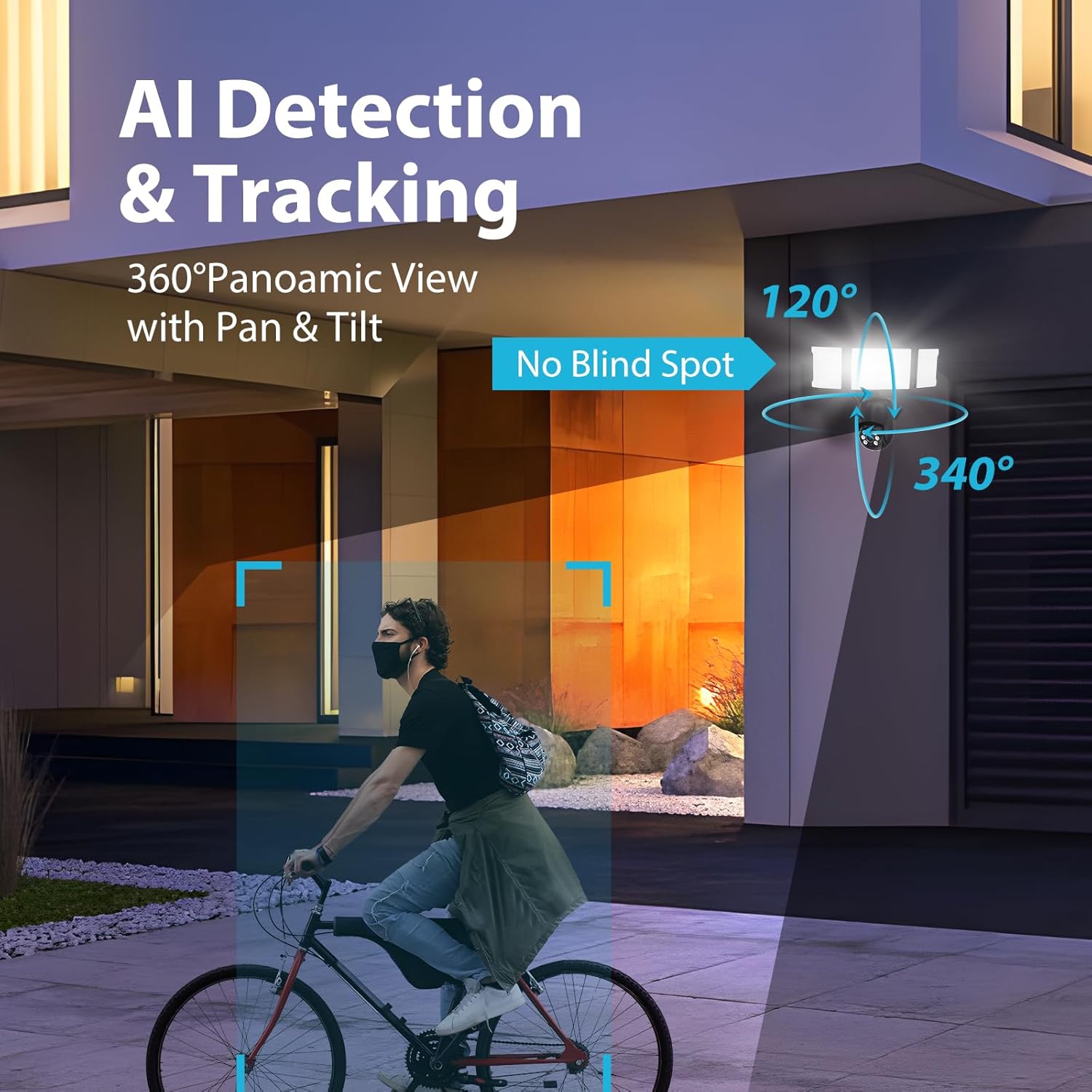
Figure 6.4: AI Detection & Tracking with panoramic view.

Figure 6.5: Motion detection alarm and mobile notification.

Figure 6.6: AI Lock and Tracking in action.

Figure 6.7: Motion detection triggering floodlights and notifications.
6.3 Двонасочно аудио
Utilize the built-in microphone and speaker for two-way communication. This allows you to speak to visitors or deter unwanted guests directly through the app.

Figure 6.8: Two-way audio for communication and deterrence.

Figure 6.9: Real-time two-way audio communication.
6.4 Контрола на осветлување
The 55W floodlights (5500 lumens) can be adjusted for brightness and scheduled via the Smart Life APP. The three light heads are independently adjustable.

Figure 6.10: Adjustable lighting features and coverage.

Figure 6.11: Scheduling options for floodlight activation.
6.5 Storage Options and Playback
The camera supports both cloud storage and local storage via a Micro SD card (up to 128GB, not included). You can review non-stop recordings or event-triggered recordings.

Figure 6.12: Video playback interface and storage options.

Figure 6.13: Cloud and Micro SD card storage for recorded footage.
7. Одржување
Regular maintenance ensures optimal performance and longevity of your floodlight camera.
- Чистење: Gently wipe the camera lens and floodlight surfaces with a soft, damp крпа. Избегнувајте абразивни средства за чистење или растворувачи.
- Ажурирања на фирмверот: Periodically check the Smart Life APP for available firmware updates to ensure your device has the latest features and security enhancements.
- Еколошки услови: The camera is IP65 waterproof, suitable for temperatures between -20°C and 50°C. Ensure proper drainage around the installation area to prevent water accumulation.

Figure 7.1: IP65 Waterproof rating and operating temperature range.
8 Смена на проблеми
If you encounter issues with your Olafus Flood Light Camera, refer to the following common problems and solutions:
- Камерата не се поврзува со Wi-Fi:
- Ensure your Wi-Fi network is 2.4GHz or 5GHz and stable.
- Проверете дали лозинката за Wi-Fi е точна.
- Move the camera closer to the Wi-Fi router to improve signal strength.
- Рестартирајте ја камерата и вашиот рутер.
- Lights not turning off automatically:
- Check the light schedule and motion detection settings in the Smart Life APP.
- Ensure the motion sensor is not obstructed and its sensitivity is set appropriately.
- Лош квалитет на видеото:
- Исчистете ја леќата на камерата.
- Ensure a strong Wi-Fi connection for optimal streaming.
- Check the resolution settings in the Smart Life APP.
- Нема известувања за детекција на движење:
- Verify motion detection is enabled in the Smart Life APP.
- Check the detection zone and sensitivity settings.
- Осигурете се дека известувањата за апликации се овозможени на вашиот паметен телефон.
9. Спецификации
| Карактеристика | Спецификација |
|---|---|
| Број на модел | 3-LBC65M |
| Внатрешна/надворешна употреба | На отворено |
| Резолуција за снимање видео | 2K (4 MP Effective) |
| Viewинголен агол | 360 Degrees (340° horizontal, 120° vertical) |
| Извор на енергија | Електричен со кабел |
| Протокол за поврзување | Wi-Fi (2.4G & 5G compatible) |
| Тип на контролер | Амазон Алекса, апликација |
| Тип на монтирање | Монтирање на ѕид |
| Ватtage | 55 watts (5500 lumens) |
| Материјал | Алуминиум |
| Ниво на отпорност на вода | Водоотпорен (IP65) |
| Работна температура | -20°C до 50°C (-4°F до 122°F) |
| Тип на флеш меморија | Micro SD (до 128 GB) |
| Димензии на производот | 9.5 x 5.7 x 10.7 инчи |
| Тежина на ставката | 2.93 фунти |
10. Гаранција и поддршка
Olafus provides a standard manufacturer's warranty for this product. For specific warranty details, please refer to the warranty card included in your package or contact Olafus customer support. If you require technical assistance or have questions not covered in this manual, please visit the official Olafus webсајт или контактирајте со нивниот тим за услуги на клиентите.
Производител: Олафус


