Вовед
Thank you for choosing the GOBOULT Flex On-Ear Bluetooth Headphones. This manual provides essential information for setting up, operating, and maintaining your headphones to ensure optimal performance and longevity. Please read this manual thoroughly before using the product.
Што има во кутијата
- GOBOULT Flex On-Ear Bluetooth Headphones
- Кабел за брзо полнење од тип C
- Упатство за употреба
- Гарантна картичка
Производот завршиview
The GOBOULT Flex headphones are designed for comfort and high-quality audio. They feature 40mm bass-boosted drivers, Bluetooth 5.4 connectivity, and an adjustable, foldable design.

Слика: Надview of GOBOULT Flex features including 40mm drivers, Bluetooth 5.4, 4 EQ modes, 60ms low latency, 80-hour battery, and ENC calling.
Клучни компоненти:
- Слушалки: Soft, cushioned earcups for comfort.
- Прилагодлив лента за глава: Овозможува персонализирано прилагодување.
- Контролни копчиња: Located on the earcups for power, volume, playback, and call management.
- Пристаниште за полнење од тип C: За полнење на слушалките.
- Влез AUX: За жична аудио врска.
- Микрофон: Integrated Zen™ ENC mic for clear calls.

Image: The adjustable headband and earcups of the GOBOULT Flex headphones, designed for a comfortable fit.
Поставување
1. Полнење на слушалките
Before first use, fully charge your GOBOULT Flex headphones. Use the provided Type-C charging cable.
- Connect the Type-C cable to the charging port on the headphones.
- Поврзете го другиот крај од кабелот со USB извор на напојување (на пр., адаптер за на ѕид, USB порт за компјутер).
- The LED indicator will show charging status (refer to product for specific light patterns).
- A full charge takes approximately 60 minutes and provides up to 80 hours of playtime.
- Fast charging provides 5 hours of playtime with just 10 minutes of charging.
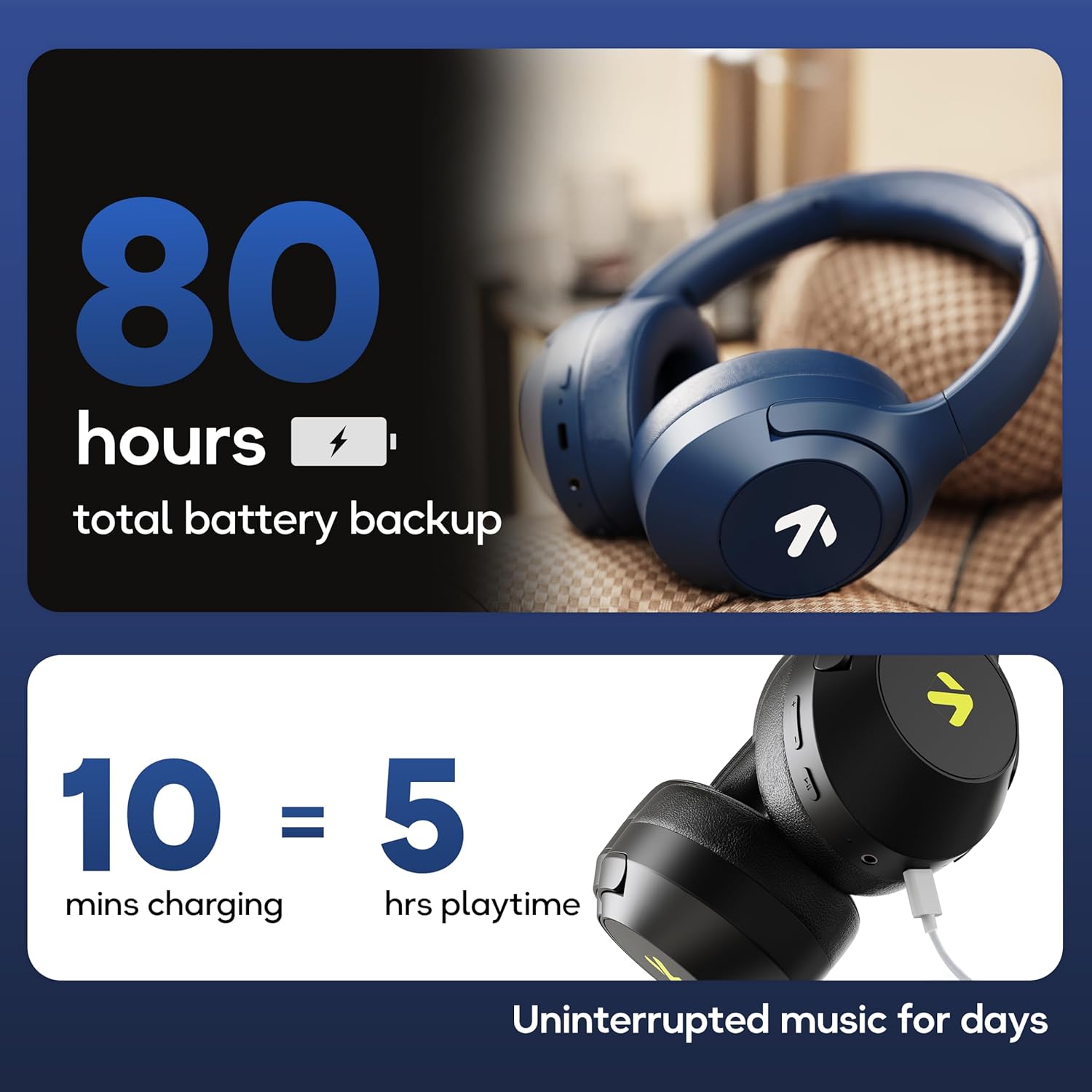
Image: Visual representation of the 80-hour battery life and fast charging capability (10 minutes charge for 5 hours playback).
2. Bluetooth спарување
Спарете ги слушалките со вашиот уред за безжично аудио.
- Осигурајте се дека слушалките се наполнети и исклучени.
- Press and hold the Power button until the LED indicator flashes (usually blue and red alternately), indicating pairing mode.
- На вашиот уред (паметен телефон, таблет, лаптоп), овозможете Bluetooth и пребарајте достапни уреди.
- Select "GOBOULT Flex" from the list of devices.
- Откако ќе се поврзе, LED индикаторот обично ќе покажува непрекинато сино светло или ќе трепка бавно.
- The headphones feature Bluetooth 5.4 and Blink & Pair™ technology for fast and stable connections.

Image: The headphones connected via Bluetooth 5.4, highlighting the Blink & Pair feature for quick device connection.
Упатства за работа
Вклучување/исклучување
- Вклучување: Притиснете и задржете го копчето за вклучување/исклучување приближно 3 секунди.
- Исклучено: Притиснете и задржете го копчето за вклучување/исклучување приближно 5 секунди.
Контрола на музика
- Пушти/Пауза: Притиснете го копчето за повеќе функции еднаш.
- Следна песна: Притиснете и задржете го копчето за зголемување на јачината на звукот.
- Претходна песна: Притиснете и задржете го копчето за намалување на јачината на звукот.
- Јачина на звук нагоре: Кратко притиснете го копчето за зголемување на јачината на звукот.
- Намалување на јачината на звукот: Кратко притиснете го копчето за намалување на јачината на звукот.
Контрола на повици
The Zen™ ENC mic ensures clear communication by reducing environmental noise.

Слика: Детална view of the Zen™ ENC microphone technology for effective environmental noise cancellation during calls.
- Одговори/заврши повик: Притиснете го копчето за повеќе функции еднаш.
- Одбијте го повикот: Притиснете и задржете го копчето за повеќе функции 2 секунди.
- Повторно бирајте последен број: Двапати притиснете го копчето за повеќе функции.
Гласовен асистент
Activate your device's voice assistant (e.g., Google Assistant) directly from the headphones.
- Активирајте го гласовниот асистент: Трипати притиснете го копчето за повеќе функции.

Image: The headphones featuring voice assistant compatibility and IPX5 water resistance for protection against sweat and splashes.
Gaming Mode (60ms Low Latency)
Engage Combat™ Gaming Mode for ultra-low latency audio, ideal for gaming.
- Активирајте го режимот на играње: Refer to the specific button combination in your quick start guide (often a dedicated button or a long press of a volume button).
- This mode reduces audio latency to 60ms for a synchronized gaming experience.
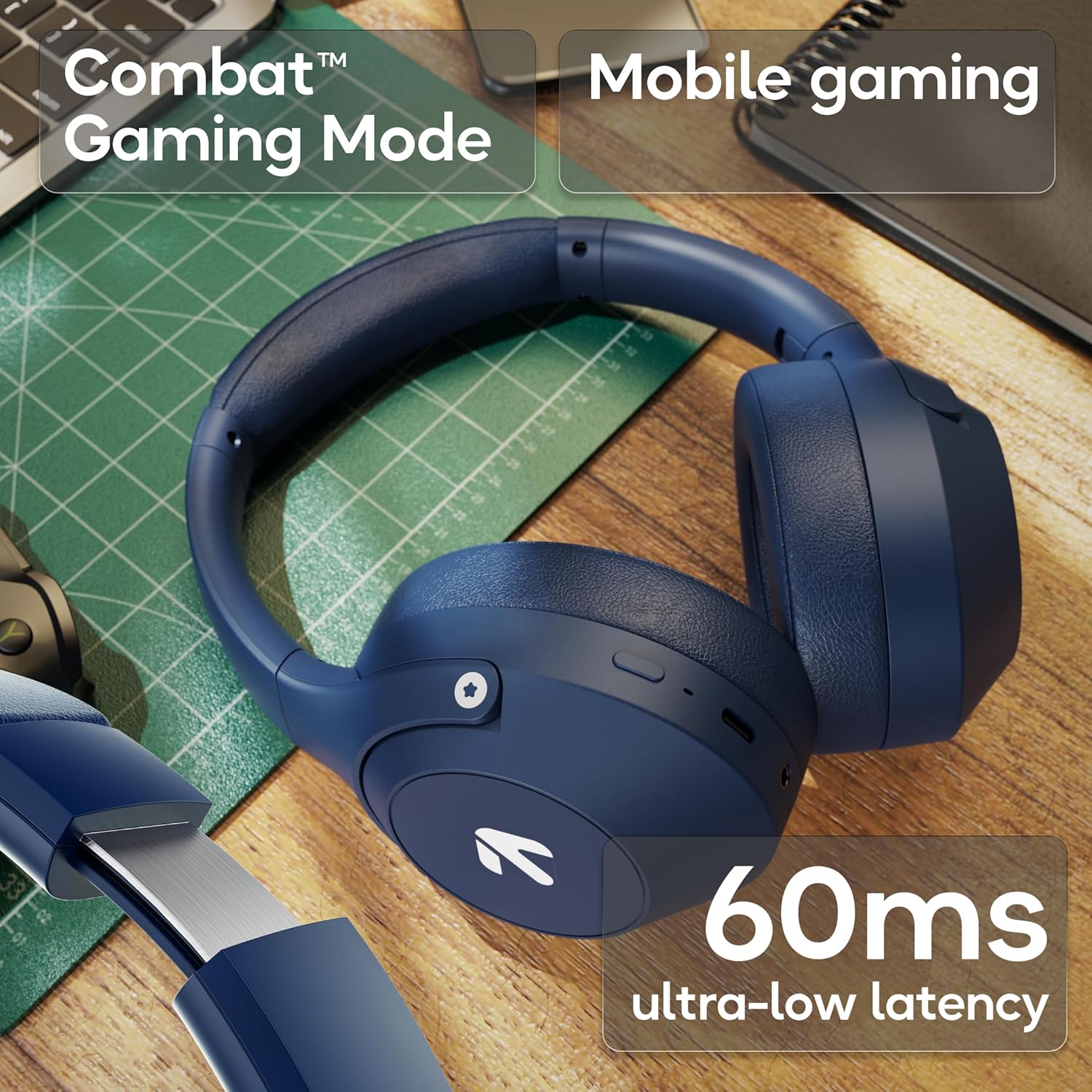
Image: The headphones highlighting the Combat™ Gaming Mode with 60ms ultra-low latency for an enhanced gaming experience.
Iredичен режим
Use the included AUX cable for a wired connection when wireless is not preferred or the battery is low. Note that the microphone is typically off in wired mode.
- Connect one end of the 3.5mm AUX cable to the headphone's AUX port.
- Connect the other end to your audio source's 3.5mm jack.
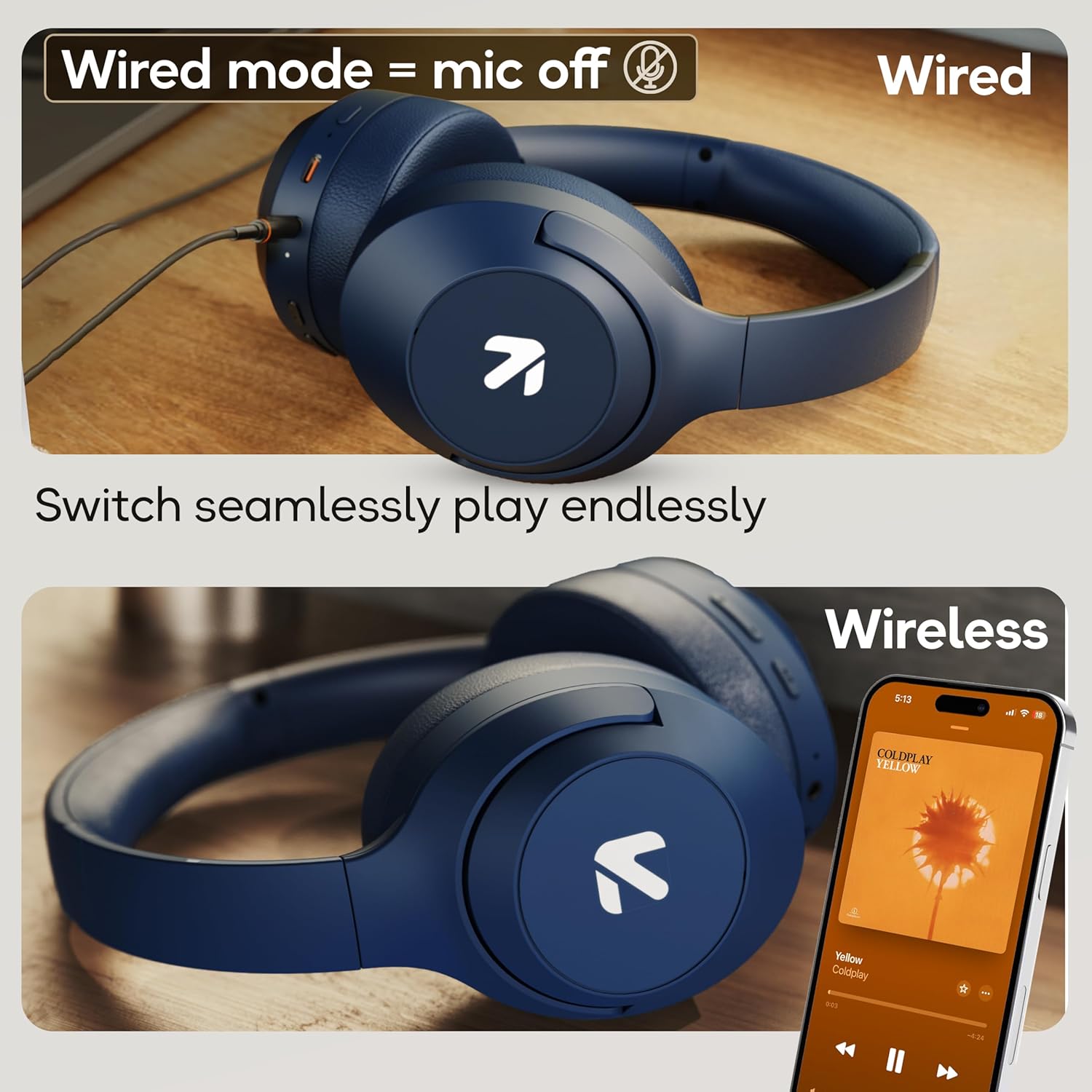
Image: Comparison of wired mode (with mic off) and wireless mode, demonstrating the flexibility of connection options.
EQ режими
The headphones offer 4 Equalizer (EQ) modes to customize your audio experience.
- Достапни режими: Bass, Rock, Pop, Vocal.
- Префрлување режими: Refer to the specific button combination in your quick start guide (often a dedicated EQ button or a combination press).

Image: The headphones emphasizing powerful bass delivered by 40mm boosted drivers with Boomx™ technology, and support for AAC/SBC codecs.

Слика: Внатрешна view of the headphones showing the DSP processor, indicating features like seamless VoIP calls, adaptive audio equalization, and 16-bit dual-audio processing.
Одржување
Proper maintenance ensures the longevity of your headphones.
- Чистење: Избришете ги слушалките со мека, сува крпа. Не користете груби хемикалии или абразивни материјали.
- Складирање: Чувајте ги слушалките на ладно и суво место, подалеку од директна сончева светлина и екстремни температури. Преклопниот дизајн овозможува компактно складирање.
- Отпорност на вода: The headphones are IPX5 rated, meaning they are resistant to sweat and light splashes. Do not submerge them in water or expose them to heavy rain.
Решавање проблеми
Нема моќ
- Осигурајте се дека слушалките се целосно наполнети.
- Проверете го кабелот за полнење и изворот на енергија.
Не може да се спари преку Bluetooth
- Проверете дали слушалките се во режим на спарување (LED светилка трепка сино/црвено).
- Проверете дали Bluetooth е овозможен на вашиот уред и дали е на растојание од 10 метри од слушалките.
- Forget "GOBOULT Flex" from your device's Bluetooth list and try pairing again.
- Рестартирајте ги и слушалките и вашиот уред.
Нема звук
- Проверете ги нивоата на јачина на звук и на слушалките и на поврзаниот уред.
- Проверете дали слушалките се правилно спарени и поврзани.
- If using wired mode, ensure the AUX cable is fully inserted into both the headphones and the audio source.
Лош квалитет на повикот
- Осигурајте се дека микрофонот не е попречен.
- Move to a quieter environment to allow the ENC mic to function optimally.
- Проверете ги поставките за повици на вашиот уред.
Спецификации
| Карактеристика | Спецификација |
|---|---|
| Име на моделот | Флекс |
| Бренд | ГОБУЛТ |
| Технологија за поврзување | Bluetooth, безжичен |
| Bluetooth верзија | 5.4 (Product Title says 5.4, Specs say 5.3, using 5.4 as per title) |
| Опсег на Bluetooth | 10 метри |
| Големина на драјвер за аудио | 40 милиметри |
| Тип на драјвер за аудио | Динамичен драјвер |
| Траење на батеријата | 80 Hours (Playtime) |
| Време на полнење | 60 минути |
| Брзо полнење | 10 минути за 5 часа играње |
| Џек за слушалки | Type-C Fast Charging Jack, 3.5mm AUX |
| Микрофон | Zen™ ENC Mic |
| Режим на ниска латентност | 60ms (Combat™ Gaming Mode) |
| Ниво на отпорност на вода | IPX5 (Sweatproof, Water-resistant, Splashproof) |
| Контрола на бучава | Пасивно поништување на шум |
| Тежина на ставката | 214 грама |
| Димензии на производот | 5 x 19 x 20 cm |
| Вклучени компоненти | Cable, Headphone, Type-C Fast Charging Cable, User Manual, Warranty Card |
Гаранција и поддршка
The GOBOULT Flex On-Ear Bluetooth Headphones come with a 1 години гаранција.
For warranty registration, technical support, or customer service inquiries, please visit the official GOBOULT website or contact their customer support team using the information provided on the warranty card.


