1. Вовед
The CENMATE 4-Bay Hard Drive Enclosure (Model 804PM6G) provides a reliable external storage solution for both 2.5-inch and 3.5-inch SATA HDDs and SSDs. This enclosure supports a maximum capacity of 80TB (20TB per drive bay) and offers high-speed data transfer via USB 3.0 and eSATA interfaces. Designed for ease of use, it features tool-less installation for 3.5-inch drives and wide compatibility with Windows, Mac OS, and Linux operating systems. Please note that this model does not support RAID configurations.

Слика 1.1: напред view of the CENMATE 4-Bay Hard Drive Enclosure, showcasing the four drive bays with blue LED indicators.
2. Содржина на пакетот
Ве молиме проверете дали сите артикли наведени подолу се вклучени во вашиот пакет:
- 1 x CENMATE 4-Bay Hard Drive Enclosure
- 1 x USB 3.0 Cable (USB-A to USB-B)
- 1 x USB-C Cable (USB-C to USB-B)
- 1 x eSATA кабел
- 1 x адаптер за напојување (DC 12V)
- 1 x Screws and Screw Driver (for 2.5-inch drives)
- 1 x Упатство за употреба (овој документ)
3. Карактеристики на производот
- Дизајн со 4 отвори: Поддржува до четири HDD/SSD дискови SATA I/II/III од 2.5 инчи или 3.5 инчи.
- Висок капацитет: Total storage capacity up to 80TB (20TB per drive bay).
- Поврзување со голема брзина: USB 3.0 (up to 5Gbps) and eSATA interfaces for fast data transfer.
- Поддршка за топла размена: Allows drives to be added or removed without powering down the enclosure.
- Широка компатибилност: Compatible with Windows 7 and above, Mac OS 9.1 and above, and Linux.
- Ефикасно ладење: Built-in fan and aluminum-alloy housing for optimal heat dissipation.
- Стабилно напојување: Includes a DC 12V power adapter for reliable operation.
- Tool-less Installation: Easy installation for 3.5-inch hard drives.

Image 3.1: Diagram illustrating the 80TB maximum capacity of the enclosure, supporting 2.5-inch and 3.5-inch SATA HDD/SSD.

Image 3.2: Visual representation of the enclosure's 5Gbps data transfer speed via USB 3.0, connected to a desktop setup.
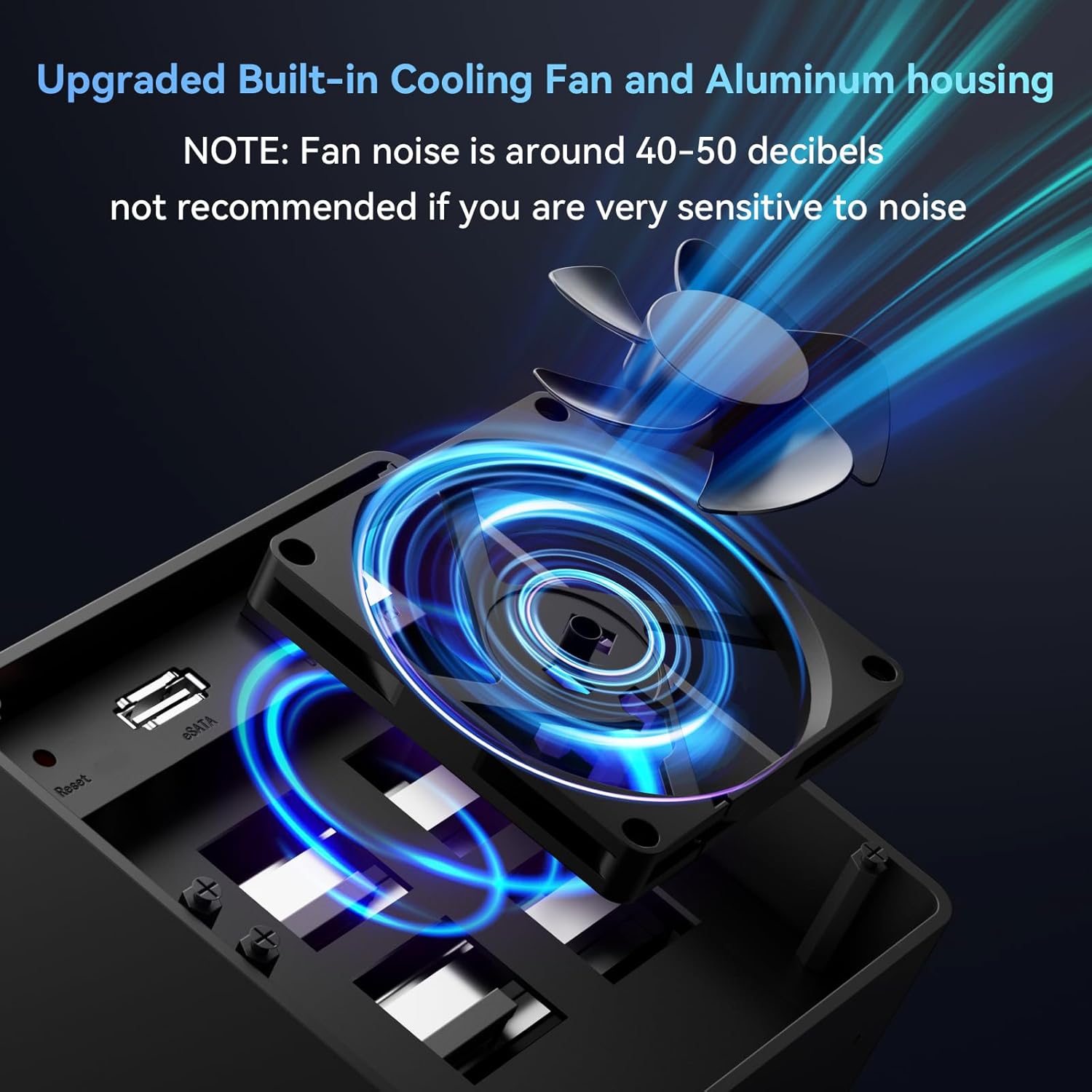
Слика 3.3: Крупен план view of the enclosure's built-in cooling fan and aluminum housing, designed for heat dissipation. Note: Fan noise is approximately 40-50 decibels.
4. Спецификации
| Модел | 804PM6G |
| Материјал | Алуминиум, пластика |
| Надворешен интерфејс | USB 3.0 (USB-A/C), eSATA |
| Максимална стапка на трансфер | 5 Gbps (USB 3.0) |
| Поддржани уреди | 2.5-инчен / 3.5-инчен SATA HDD/SSD |
| Максимален капацитет | 80TB (20TB по диск) |
| Поддршка за ОС | Windows 7 и понов, Mac OS 9.1 и понов, Linux |
| Hot-Swapping | Поддржано |
| Напојување | DC 12V адаптер за напојување |
| Димензии на производот | 20.2 x 13.2 x 14.6 cm |
| Тежина на ставката | 1.37 кг |
5. Поставување
5.1 Инсталирање хард дискови
- Подгответе го куќиштето: Осигурајте се дека куќиштето е исклучено од струја и исклучено од компјутерот.
- Open a Drive Bay: Gently press the release button or lever on the front of a drive bay to open it.
- Install 3.5-inch HDD: For 3.5-inch drives, slide the drive into the bay until it clicks into place. The enclosure supports tool-less installation for these drives.
- Install 2.5-inch HDD/SSD: For 2.5-inch drives, secure the drive to the provided drive tray using the included screws and screwdriver. Then, slide the tray with the drive into the bay until it clicks.
- Close the Bay: Close the drive bay door securely.
- Повторете: Repeat the process for any additional drives you wish to install.

Image 5.1: Illustration of the screwless installation feature for 3.5-inch drives and the non-slip feet on the enclosure's base.
5.2 Connecting the Enclosure to Your Computer
- Поврзете го кабелот за податоци:
- USB 3.0: Connect one end of the USB 3.0 cable (USB-A or USB-C) to the corresponding port on the enclosure and the other end to an available USB 3.0 port on your computer.
- eSATA: Alternatively, connect one end of the eSATA cable to the eSATA port on the enclosure and the other end to an available eSATA port on your computer.
- Поврзете адаптер за напојување: Connect the DC 12V power adapter to the power input port on the enclosure, then plug the adapter into a power outlet.

Image 5.2: The enclosure connected to a laptop, highlighting the DC 12V power supply connection for stable operation.
5.3 Вклучување
Press the power button on the back of the enclosure. The LED indicators on the front panel will illuminate, indicating that the drives are powered on and ready for use. Your operating system should detect the new drives automatically.
If the drives are new or unformatted, you may need to initialize and format them through your operating system's disk management utility before they can be used.
6. Операција
6.1 Дискови со топла замена
The CENMATE 4-Bay Enclosure supports hot-swapping. This feature allows you to remove or insert drives while the enclosure is powered on and connected to your computer, without needing to shut down the system. Ensure that no data transfer is actively occurring to or from the drive you intend to remove to prevent data loss.
6.2 Пренос на податоци
Utilize the USB 3.0 or eSATA connection for optimal data transfer speeds. USB 3.0 offers speeds up to 5Gbps, significantly faster than USB 2.0. The actual transfer speed may vary depending on your computer's hardware, operating system, and the performance of the installed hard drives.
6.3 Компатибилност
Куќиштето е компатибилно со широк спектар на оперативни системи и уреди:
- Оперативни системи: Windows 7 и понов, Mac OS 9.1 и понов, Linux.
- Уреди: Desktop computers, Laptops.

Image 6.1: Diagram illustrating the plug-and-play functionality and wide compatibility with laptops, PCs, and operating systems including Windows, Mac OS, and Linux.
7. Одржување
7.1 Чистење
To maintain optimal performance and longevity, regularly clean the exterior of the enclosure with a soft, dry cloth. Avoid using liquid cleaners or solvents, as they may damage the finish or internal components. Ensure the fan vents are free from dust accumulation to prevent overheating.
7.2 Работа на вентилаторот
The built-in fan helps dissipate heat from the hard drives. While the fan is designed for efficient cooling, it produces a noise level of approximately 40-50 decibels. If you are sensitive to noise, consider the placement of the enclosure. Ensure the fan is not obstructed to allow for proper airflow.
8 Смена на проблеми
- Компјутерот не го откри куќиштето:
- Проверете дали адаптерот за напојување е безбедно поврзан и дали куќиштето е вклучено.
- Verify that the USB or eSATA data cable is firmly connected to both the enclosure and the computer.
- Try connecting to a different USB or eSATA port on your computer.
- Test with a different data cable if available.
- Hard drives not appearing in "My Computer" or "Finder":
- For new drives, they may need to be initialized and formatted. Access Disk Management (Windows) or Disk Utility (Mac OS) to prepare the drives.
- Ensure drives are properly seated in their bays.
- Check the drive's health by connecting it directly to a computer if possible.
- Бавни брзини на пренос на податоци:
- Проверете дали користите USB 3.0 порт на вашиот компјутер и испорачаниот USB 3.0 кабел.
- Verify that your computer's drivers for USB 3.0 or eSATA are up to date.
- The performance of the installed hard drives can affect transfer speeds.
- Enclosure overheating:
- Осигурајте се дека куќиштето е поставено во добро проветрено подрачје.
- Check that the fan vents are not obstructed by dust or other objects.
9. Гаранција и поддршка
CENMATE provides technical support for this product. If you encounter any issues or have questions regarding the CENMATE 4-Bay Hard Drive Enclosure, please do not hesitate to contact our customer support team. We aim to reply and resolve your problem within 24 hours.
For support, please refer to the contact information provided on the CENMATE official webстраницата или вашата документација за купување.


