Вовед
This manual provides essential instructions for setting up, operating, and maintaining your Epson EcoTank L1270 WiFi printer. Please read this guide thoroughly to ensure proper use and to maximize the performance and longevity of your device. The Epson EcoTank L1270 is an inkjet printer designed for efficient printing with a rechargeable ink tank system and Wi-Fi connectivity.
1. Поставување
1.1 Отпакување на печатачот
Carefully remove the printer from its packaging. Ensure all protective tapes and materials are removed from the exterior and interior of the printer. Keep the packaging materials for future transport or storage.
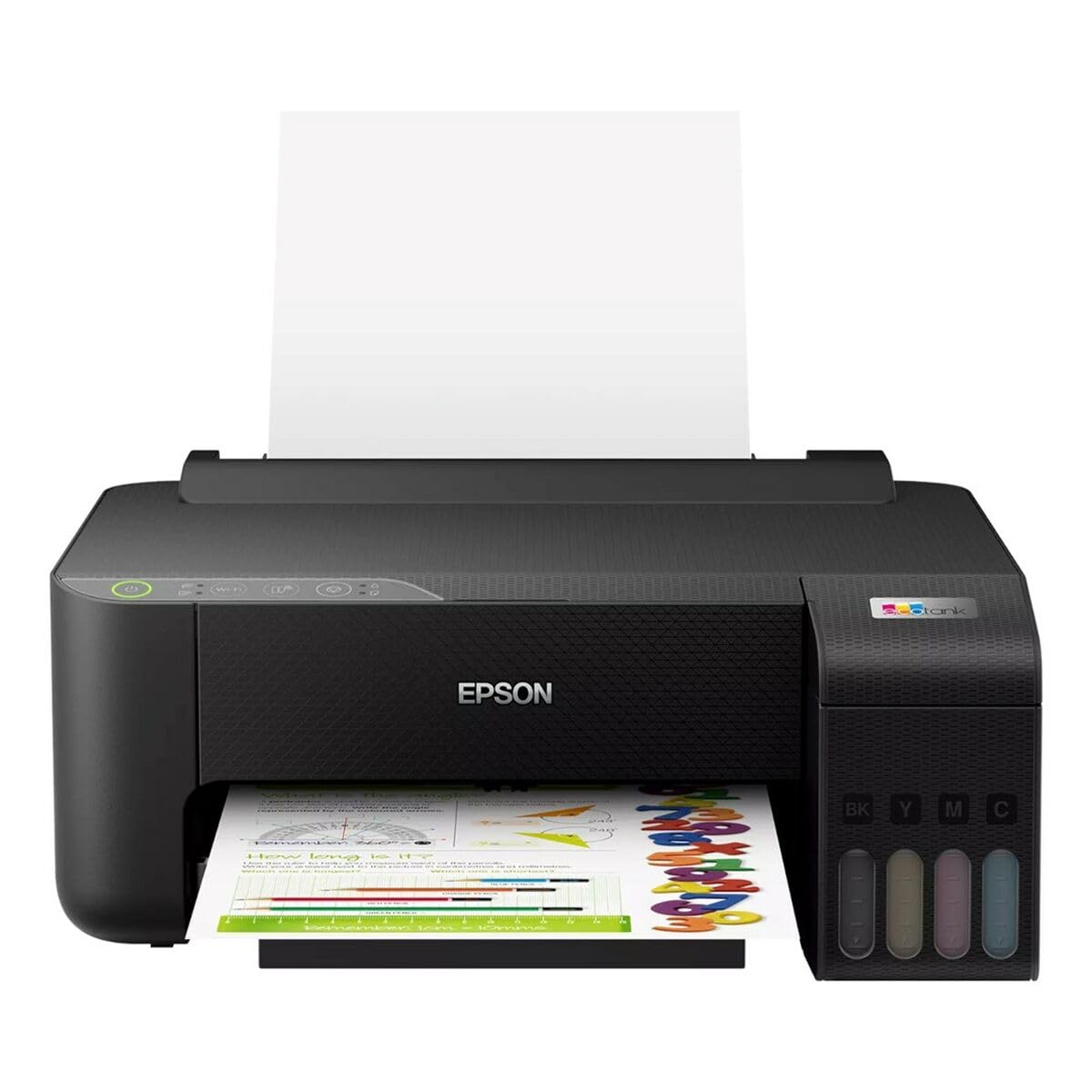
Image 1.1: Epson EcoTank L1270 WiFi Printer. This image shows the printer ready for initial setup after unpacking.
1.2 Полнење на резервоарите за мастило
The EcoTank L1270 uses a refillable ink tank system. Follow these steps to fill the ink tanks:
- Отворете го капакот на резервоарот за мастило на печатачот.
- Uncap the ink bottle for the corresponding color. Each bottle is keyed to fit only the correct tank.
- Вметнете го шишето со мастило во отворот за полнење. Мастилото автоматски ќе почне да го полни резервоарот. Не го стискајте шишето.
- Once the tank is full, remove the bottle and recap it. Close the ink tank unit cover.
- Повторете за сите бои.
Забелешка: Use only genuine Epson ink bottles to prevent damage and ensure optimal print quality.
1.3 Поврзување за напојување
Connect the power cord to the printer and then to a wall outlet. Press the power button to turn on the printer. The printer will perform an initial setup process, which may take a few minutes.
1.4 Инсталација на софтвер и драјвери
To use your printer, you need to install the necessary drivers and software on your computer. Visit the official Epson support website for the EcoTank L1270 model to download the latest drivers and utilities. Follow the on-screen instructions provided by the installer.
- Одете на Поддршка на Epson.
- Пребарај за "EcoTank L1270".
- Download and run the recommended driver package.
1.5 Поставување Wi-Fi
The Epson EcoTank L1270 supports Wi-Fi connectivity. You can connect the printer to your wireless network using one of the following methods:
- Using the Printer's Control Panel: Navigate to the Wi-Fi settings on the printer's control panel, select your network, and enter the password.
- Using EpsonNet Setup: If installed, use the EpsonNet Setup utility on your computer to configure the wireless connection.
- WPS (заштитено поставување преку Wi-Fi): If your router supports WPS, press the WPS button on your router, then follow the instructions on the printer's control panel to establish a connection.
2. Ракување со печатачот
2.1 Ставање хартија
Load paper into the rear paper feeder. Ensure the paper guides are adjusted to the width of the paper. The printer supports various paper types and sizes, up to A4.
- Fan the paper stack before loading to prevent misfeeds.
- Do not overload the paper feeder; refer to the maximum capacity (100 sheets for plain paper).
2.2 Печатење документи
За да испечатите документ од вашиот компјутер:
- Отворете го документот што сакате да го испечатите.
- Изберете „Печати“ од менито на апликацијата (на пр., File > Печати).
- Choose "Epson EcoTank L1270" as your printer.
- Adjust print settings such as paper size, print quality, and number of copies.
- Кликнете на „Печати“.
2.3 Duplex Printing (Two-Sided Printing)
The EcoTank L1270 supports manual duplex printing. To print on both sides of the paper:
- In your print settings, select the option for "Manual Duplex Printing" or "Print on Both Sides".
- Прво испечатете ги страниците со непарни броеви.
- When prompted, reload the printed pages into the paper feeder according to the on-screen instructions to print the even-numbered pages on the reverse side.
3. Одржување
3.1 Проверка на нивоата на мастило
Visually inspect the ink tanks on the front of the printer to check current ink levels. The tanks are transparent, allowing for easy monitoring. Refill ink when levels are low to avoid running out during a print job.
3.2 Дополнување на резервоари за мастило
When an ink tank is low, purchase genuine Epson replacement ink bottles. Follow the same procedure as described in Section 1.2 "Filling the Ink Tanks".
3.3 Чистење на главата за печатење
If print quality declines (e.g., missing lines, faded colors), perform a print head cleaning. This can be done through the printer's utility software on your computer or via the printer's control panel. Refer to the software's help guide for detailed steps.
3.4 Чистење на патеката за хартија
If you experience paper jams or streaks on prints, the paper path may need cleaning. Consult the printer's software utility or the online manual for instructions on how to perform a paper path cleaning.
4 Смена на проблеми
This section addresses common issues you might encounter with your Epson EcoTank L1270 printer.
4.1 Printer Not Printing / Blank Pages
- Проверете ги нивоата на мастило: Ensure all ink tanks have sufficient ink.
- Print Head Clogged: Perform a print head cleaning (see Section 3.3).
- Paper Loaded Correctly: Verify paper is loaded properly and not jammed.
- Инсталација на драјвери: Ensure printer drivers are correctly installed and up to date. Reinstall if necessary.
4.2 Проблеми со Wi-Fi поврзување
- Router Range: Осигурајте се дека печатачот е во опсегот на вашиот Wi-Fi рутер.
- Мрежна лозинка: Double-check that the correct Wi-Fi password has been entered.
- Рестартирајте ги уредите: Try restarting your printer, computer, and Wi-Fi router.
- Reconfigure Wi-Fi: Attempt to set up the Wi-Fi connection again (see Section 1.5).
4.3 Лош квалитет на печатење
- Чистење на главата за печатење: Perform a print head cleaning and nozzle check.
- Тип на хартија: Проверете дали го користите точниот тип хартија за вашите поставки за печатење.
- Ink Quality: Use genuine Epson inks for best results.
For more complex issues, refer to the comprehensive online manual on the Epson support website or contact Epson customer support.
5. Спецификации
| Карактеристика | Детал |
|---|---|
| Бренд | Епсон |
| Име на моделот | EcoTank L1270 WiFi |
| Технологија на печатење | Инкџет |
| Поврзување | Wi-Fi |
| Максимална резолуција за печатење (во боја) | 5760 x 1440 dpi |
| Максимална резолуција за печатење (црно-бело) | 5760 dpi |
| Максимална брзина на печатење (монохроматски) | 15 страници во минута |
| Max Paper Capacity | 100 листови (обична хартија) |
| Дуплекс печатење | Да (рачно) |
| Специјална карактеристика | Rechargeable Ink Tank |
| Димензии (Д x Ш x В) | 26P x 42,5l x 46H cm (approx.) |
6. Информации за гаранцијата
The Epson EcoTank L1270 WiFi printer comes with a limited warranty. For specific terms, conditions, and duration of your warranty, please refer to the warranty documentation included with your product or visit the official Epson support webстраница. Зачувајте го доказот за купување за гаранциски побарувања.
7. Поддршка
За дополнителна помош, техничка поддршка или за преземање на најновите драјвери и упатства, посетете ја официјалната страница за поддршка на Epson. webсајт:
Официјална поддршка на Epson Webсајт
Исто така, можете да најдете корисни ресурси и често поставувани прашања на нивните webсајт.


