1. Вовед
This manual provides detailed instructions for the installation, operation, and maintenance of your Ctronics 2K 3MP Wi-Fi Indoor Surveillance Camera (Model CTIPC-920C-P2). This wireless, battery-powered camera offers flexible surveillance for various indoor environments, featuring 2K 3MP resolution, infrared night vision, smart PIR motion detection, and two-way audio communication.
2. Информации за безбедност
Ве молиме внимателно прочитајте ги и следете ги сите безбедносни упатства за да спречите оштетување на уредот или телесна повреда.
- Use only the specified power adapter and charging cable.
- Не го изложувајте фотоапаратот на екстремни температури, влажност или директна сончева светлина.
- Keep the camera away from water and other liquids. This product is not waterproof.
- Не обидувајте се сами да ја расклопите или поправите камерата. Контактирајте ја службата за корисничка поддршка за помош.
- Осигурајте се дека камерата е безбедно инсталирана за да спречите нејзино паѓање.
3. Содржина на пакетот
Проверете дали сите артикли се присутни во вашиот пакет:
- Ctronics 2K 3MP Wi-Fi Indoor Surveillance Camera
- Mounting Bracket/Support
- USB кабел за полнење
- Упатство за употреба (овој документ)
- Screws and Wall Plugs (if applicable for mounting)
4. Производот завршиview
Familiarize yourself with the main components of your camera.

Слика 4.1: The Ctronics indoor camera, highlighting its 100% wire-free and battery-powered design with a 5000mAh battery capacity. This allows for flexible placement without the need for power cables.
The camera features a compact dome design, equipped with a lens, infrared LEDs for night vision, a microphone, a speaker for two-way audio, and a reset button. It is designed for easy placement on flat surfaces or ceiling mounting using the provided bracket.
5. Поставување и инсталација
5.1 Полнење на камерата
Before initial use, fully charge the camera's built-in rechargeable Lithium-ion battery using the provided USB cable and a compatible 5V power adapter. The charging indicator light will typically change color or turn off when fully charged.
5.2 Инсталација на апликација
Download the official Ctronics Pro app or HiP2P Client software to your smartphone, tablet, or PC. Пребарај за "Ctronics Pro" in your device's app store (Google Play Store or Apple App Store) or visit the official Ctronics website for PC client downloads.

Слика 5.1: Accessing the camera feed via the Ctronics Pro mobile app and HiP2P Client on a PC, demonstrating multi-device compatibility.
5.3 Поврзување на Wi-Fi
- Open the Ctronics Pro app and create an account or log in.
- Допрете ја иконата „+“ за да додадете нов уред.
- Follow the on-screen instructions to connect the camera to your 2.4GHz Wi-Fi network. This usually involves scanning a QR code generated by the app with the camera lens.
- Осигурајте се дека вашата камера е во опсегот на вашиот Wi-Fi рутер за стабилна врска.
5.4 Монтирање на камерата
The camera's 100% wire-free design allows for flexible placement. You can place it on a shelf, table, or mount it to a ceiling using the included support bracket. No drilling is required for tabletop placement.

Слика 5.2: Examples of flexible camera placement in different indoor environments, demonstrating its readiness for use anywhere.
6. Упатства за работа
6.1 Во живо View и Снимање
Откако ќе се поврзете, отворете ја апликацијата за да view the live feed from your camera. The camera records in 2K 3MP resolution, providing clear and stable video. You can manually record video or capture screenshots directly from the app.

Слика 6.1: Demonstrates the camera's 2K HD resolution for clear daytime footage and effective infrared night vision up to 20m.
6.2 Pan/Tilt/Zoom (PTZ) Control
Контролирајте ја камерата viewing angle directly from the app. The camera supports 355° horizontal pan and 80° vertical tilt, allowing for comprehensive room coverage. Use the digital zoom feature to get a closer look at details.
6.3 Smart PIR Motion Detection
The camera features intelligent PIR (Passive Infrared) motion detection, designed to accurately detect human movement and reduce false alarms. When motion is detected, you will receive instant push notifications on your connected device.

Слика 6.2: Illustrates the Smart PIR Motion Detection feature, which only alerts users when relevant motion is detected, such as a person or pet.
You can adjust the motion detection sensitivity settings within the app to suit your environment and preferences.
6.4 Инфрацрвен ноќен вид
The camera is equipped with infrared LEDs for clear night vision up to 20 meters. This feature operates discreetly without bright white light, making it ideal for monitoring nurseries, pet areas, or elderly care without disturbance.
6.5 Двонасочно аудио
Utilize the built-in microphone and speaker for two-way communication. You can listen to what's happening in the camera's vicinity and speak through the camera to interact with family members or pets.

Слика 6.3: Depicts the two-way audio function, allowing users to communicate with individuals near the camera, fostering a sense of closeness.
6.6 Опции за складирање
The camera supports multiple storage methods for your footage:
- Микро SD картичка: Supports up to 128GB Micro SD card (not included). Insert the card into the designated slot on the camera.
- Складирање во облак: Optional cloud storage service available through the Ctronics Pro app for secure, remote backup of your recordings.
- FTP: Configure FTP settings in the app to upload recordings to an FTP server.

Слика 6.4: Highlights the flexible storage options available, including cloud, local 128GB SD card, and FTP, to keep your footagе безбедно.
6.7 Custom Alarm Sounds
Personalize your camera's alarm responses by setting custom alarm sounds through the app. This allows you to choose specific alerts that fit your lifestyle or preferences.
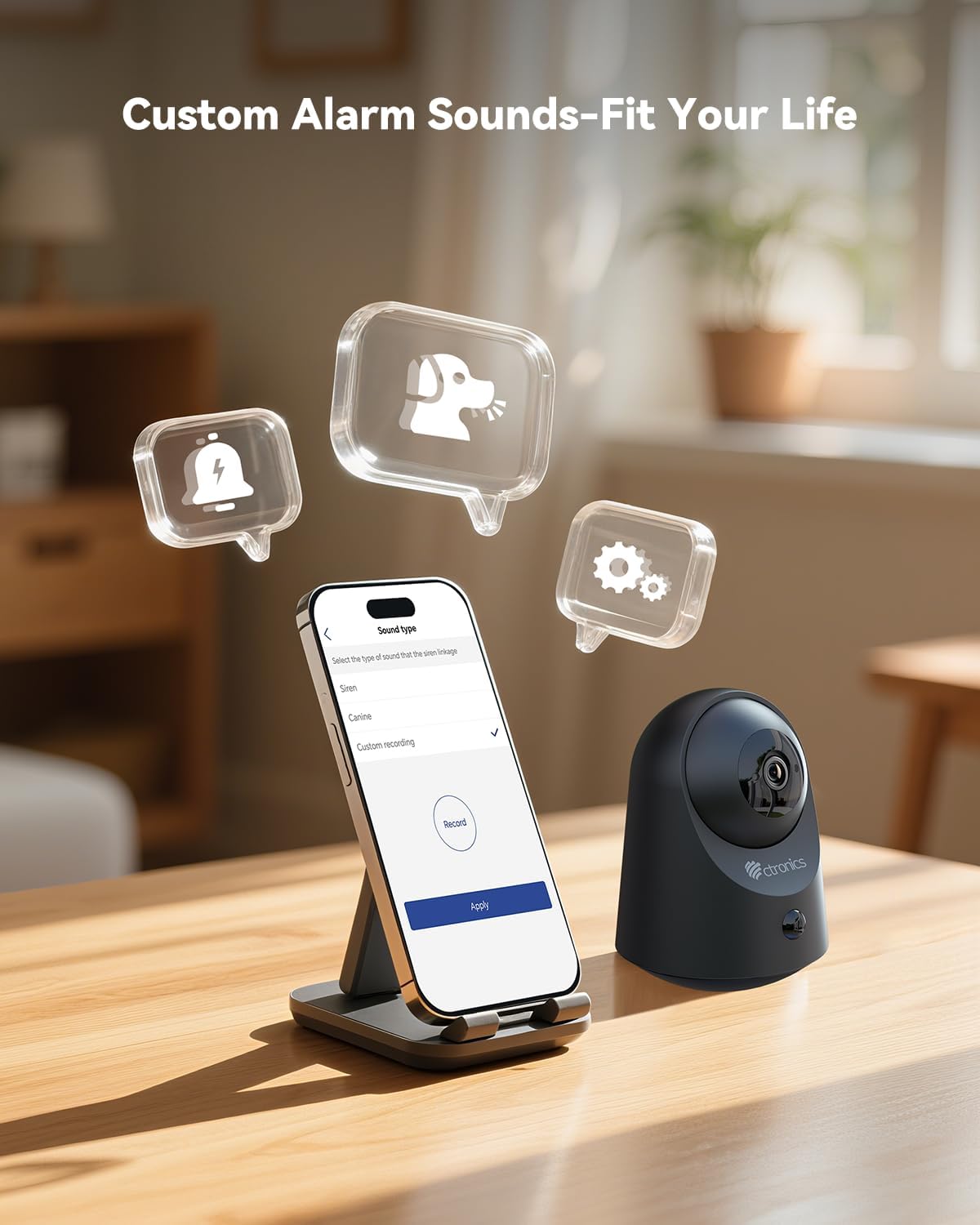
Слика 6.5: Demonstrates the ability to customize alarm sounds via the app, allowing users to tailor alerts to their specific needs.
7. Одржување
- Чистење: Користете мека, сува крпа за чистење на објективот и телото на камерата. Не користете течни средства за чистење или аеросоли.
- Нега на батеријата: For optimal battery life, avoid fully discharging the battery frequently. Recharge the camera when the battery level is low.
- Ажурирања на фирмверот: Regularly check the Ctronics Pro app for available firmware updates to ensure your camera has the latest features and security enhancements.
8 Смена на проблеми
| Проблем | Можна причина | Решение |
|---|---|---|
| Камерата не се вклучува. | Low battery or faulty charging cable/adapter. | Charge the camera for several hours. Try a different USB cable or power adapter. |
| Не може да се поврзе на Wi-Fi. | Incorrect Wi-Fi password, camera too far from router, or 5GHz Wi-Fi network. | Проверете дали лозинката за Wi-Fi од 2.4 GHz е точна. Доближете ја камерата до рутерот. Ресетирајте ја камерата и обидете се повторно да ја спарите. |
| Лош квалитет на видеото. | Weak Wi-Fi signal, dirty lens, or low light conditions. | Improve Wi-Fi signal strength. Clean the camera lens. Ensure adequate lighting or verify night vision is active. |
| Детекторот на движење не работи или има премногу лажни аларми. | Incorrect sensitivity settings, camera placement, or environmental factors. | Adjust PIR sensitivity in the app. Ensure camera is placed to minimize unwanted triggers (e.g., moving branches, direct sunlight). |
| Двонасочното аудио не функционира. | Microphone/speaker muted in app, or network issues. | Check app settings to ensure audio is enabled. Verify stable internet connection. |
9. Спецификации
| Карактеристика | Детал |
|---|---|
| Број на модел | CTIPC-920C-P2 |
| Резолуција | 2K 3MP (2304x1296P) |
| Поврзување | Wi-Fi (2.4 GHz), Bluetooth |
| Извор на енергија | Вградена литиум-јонска батерија што се полни |
| Voltage | 5 волти |
| Потрошувачка на енергија | 5 вати |
| Опсег на пан/навалување | Пан 355 °, Навалување 80 ° |
| Опсег на ноќни визии | До 20 метри (инфрацрвено) |
| Детекција на движење | Smart PIR Human Motion Detection |
| Аудио | Двонасочно аудио |
| Опции за складирање | Micro SD (up to 128GB), Cloud Storage, FTP |
| Димензии (Д x Ш x В) | 11 x 10 x 7 cm |
| Тежина | 544.31 грама (1.2 фунти) |
| Материјал | Акрилонитрил бутадиен стирен (ABS) |
| Ниво на отпорност на вода | Не е водоотпорен (само за внатрешна употреба) |
10. Гаранција и поддршка
Ctronics products come with a standard manufacturer's warranty. Please refer to the warranty card included in your package or visit the official Ctronics webстраница за детални услови за гаранција.
For technical support, troubleshooting assistance, or any inquiries regarding your product, please contact Ctronics customer service through their official webстраницата или информациите за контакт дадени во апликацијата.
Webсајт: www.ctronics.com


