1. Вовед
This manual provides essential information for the proper use and maintenance of your Logic B10L 4G Bar Phone. Please read it carefully to ensure optimal performance and longevity of your device. The Logic B10L is designed for reliable communication with modern 4G connectivity, a user-friendly interface, and essential features.
2. Содржина на пакетот
Проверете дали сите артикли се присутни во пакувањето на вашиот производ:
- Logic B10L 4G Bar Phone
- Ли-јонска батерија од 1800 mAh
- Адаптер за напојување
- Упатство за употреба (овој документ)
3. Phone Layout and Components
Familiarize yourself with the physical components of your Logic B10L phone.

Слика 3.1: Напред и назад view of the Logic B10L 4G Bar Phone. The front displays the 2.4-inch LCD screen and alphanumeric keypad. The back shows the VGA camera with flash and the Logic B10L branding.
- 2.4-inch Curved LCD Display: Main screen for viewинформации
- Алфанумеричка тастатура: За бирање броеви и внесување текст.
- Navigation Key (D-pad): За навигација низ менито.
- Копчиња за повик/завршување: To initiate and end calls.
- VGA Camera with Flash: Located on the rear for capturing photos.
- Микро USB порта: За полнење и пренос на податоци.
- Аудио приклучок од 3.5 мм: За слушалки.
- Torchlight: Integrated flashlight, accessible via a dedicated key.
4. Поставување
4.1. Инсталација на батерија
- Remove the back cover of the phone by gently prying it from the designated notch.
- Align the 1800mAh Li-ion battery with the contacts inside the battery compartment.
- Press the battery down until it is securely in place.
- Вратете го задниот капак, осигурувајќи се дека ќе кликне на своето место.
4.2. Инсталација на SIM картичка
The Logic B10L supports Dual Nano SIM cards.
- Откако ќе ги отстраните задниот капак и батеријата, пронајдете ги слотовите за SIM-картички.
- Insert your Nano SIM card(s) into the designated slot(s) with the gold contacts facing down, following the orientation indicated on the phone.
- Ensure the SIM card(s) are fully seated.
4.3. Инсталација на MicroSD картичка (опционално)
You can expand the phone's storage up to 32GB using a MicroSD card.
- With the back cover and battery removed, locate the MicroSD card slot.
- Insert the MicroSD card into the slot with the gold contacts facing down, following the indicated orientation.
- Нежно притискајте додека не кликне на своето место.
4.4. Полнење на батеријата
- Connect the Micro USB end of the power adapter to the Micro USB port on your phone.
- Приклучете го другиот крај на адаптерот за напојување во ѕиден штекер.
- Индикаторот за батерија на екранот ќе го покаже статусот на полнење.
- Откако ќе се наполни целосно, исклучете го полначот.
5. Упатства за работа
5.1. Вклучување/исклучување
- За вклучување: Притиснете и задржете го Заврши повик/Вклучи копчето додека не светне екранот.
- За исклучување: Притиснете и задржете го Заврши повик/Вклучи key until the power-off options appear, then select 'Power Off'.
5.2. Основна навигација
Use the navigation key (D-pad) to move through menus and options. The center key typically acts as a selection button.
5.3. Остварување повици
- Од почетниот екран, користете ја тастатурата за да го бирате посакуваниот телефонски број.
- Притиснете го Јавете се клуч за иницирање на повикот.
- За да завршите повик, притиснете го Заврши повик клуч.
5.4. Испраќање пораки
- Одете во менито „Пораки“.
- Изберете „Нова порака“ или „Креирај порака“.
- Внесете го бројот на примателот или изберете од контактите.
- Напишете ја вашата порака користејќи ја алфанумеричката тастатура.
- Притиснете „Испрати“.
5.5. Употреба на камера
The Logic B10L features a VGA camera with flash for capturing photos.
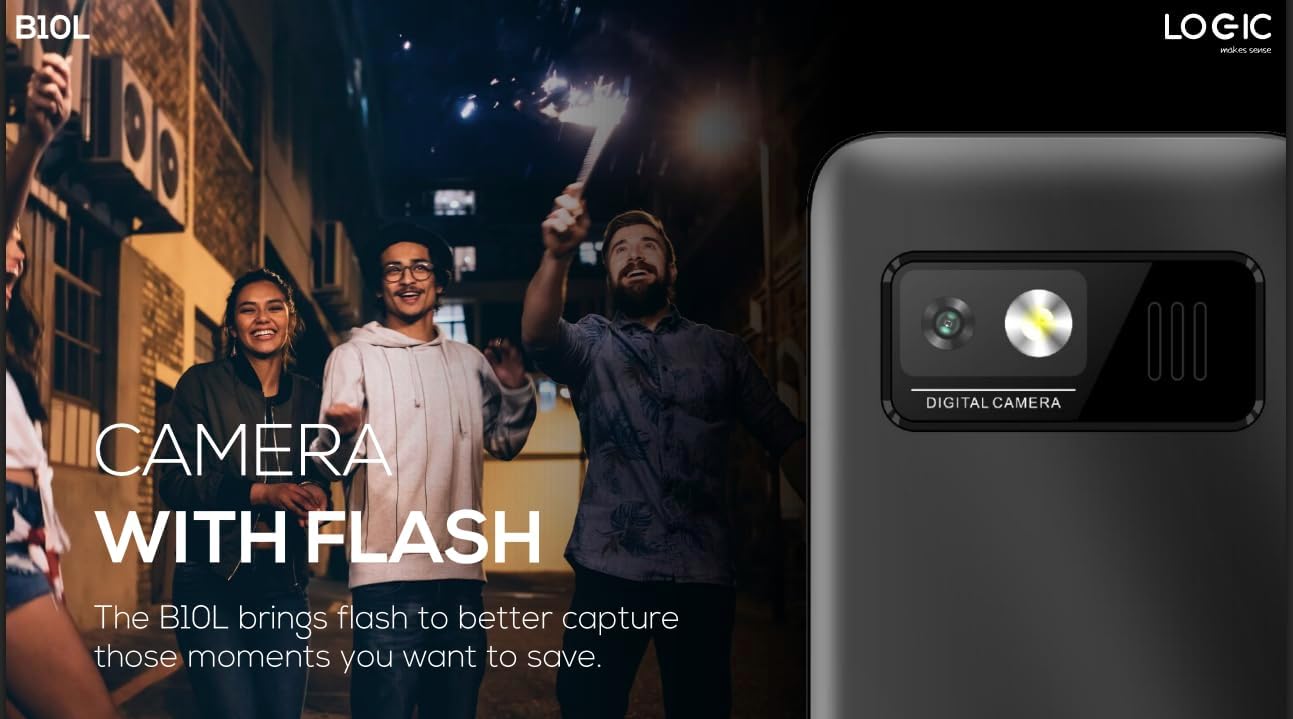
Слика 5.1: Заден дел view of the Logic B10L phone, highlighting the VGA camera and flash module. This feature allows for capturing images even in low-light conditions.
- Navigate to the 'Camera' application from the main menu.
- Кадрирај ја снимката користејќи го екранот како viewпронаоѓач
- Press the designated 'Capture' or 'OK' key to take a photo.
- Photos are saved to the phone's memory or MicroSD card.
5.6. Wireless FM Radio
Enjoy your favorite radio stations without needing headphones.
- Go to the 'FM Radio' application in the menu.
- Use the navigation keys to scan for available stations.
- Select a station to listen.
5.7. Факел
The phone includes a direct access key for the torchlight function.

Слика 5.2: Страна проfile of the Logic B10L phone, illustrating the dedicated direct access key for activating the built-in torchlight. This provides quick illumination.
- Press the dedicated torchlight key on the side of the phone to turn the flashlight on or off.
5.8. Bluetooth поврзување
Connect your phone to other Bluetooth-enabled devices.
- Go to 'Settings' and then 'Bluetooth'.
- Вклучете го Bluetooth „Вклучи“.
- Пребарај за available devices and select the one you wish to pair with.
- Enter the passkey if prompted.
5.9. 4G LTE and VoLTE
The Logic B10L supports 4G LTE for faster data speeds and VoLTE for clearer voice calls.

Слика 5.3: The Logic B10L phone screen showing the 'VoLTE' logo, indicating support for Voice over LTE for enhanced call quality and simultaneous voice and data usage.
- Ensure your SIM card and network provider support 4G LTE and VoLTE services.
- These features are typically enabled by default when available.
5.10. Curved LCD Display
The phone features a 2.4-inch curved LCD screen for clear visuals.
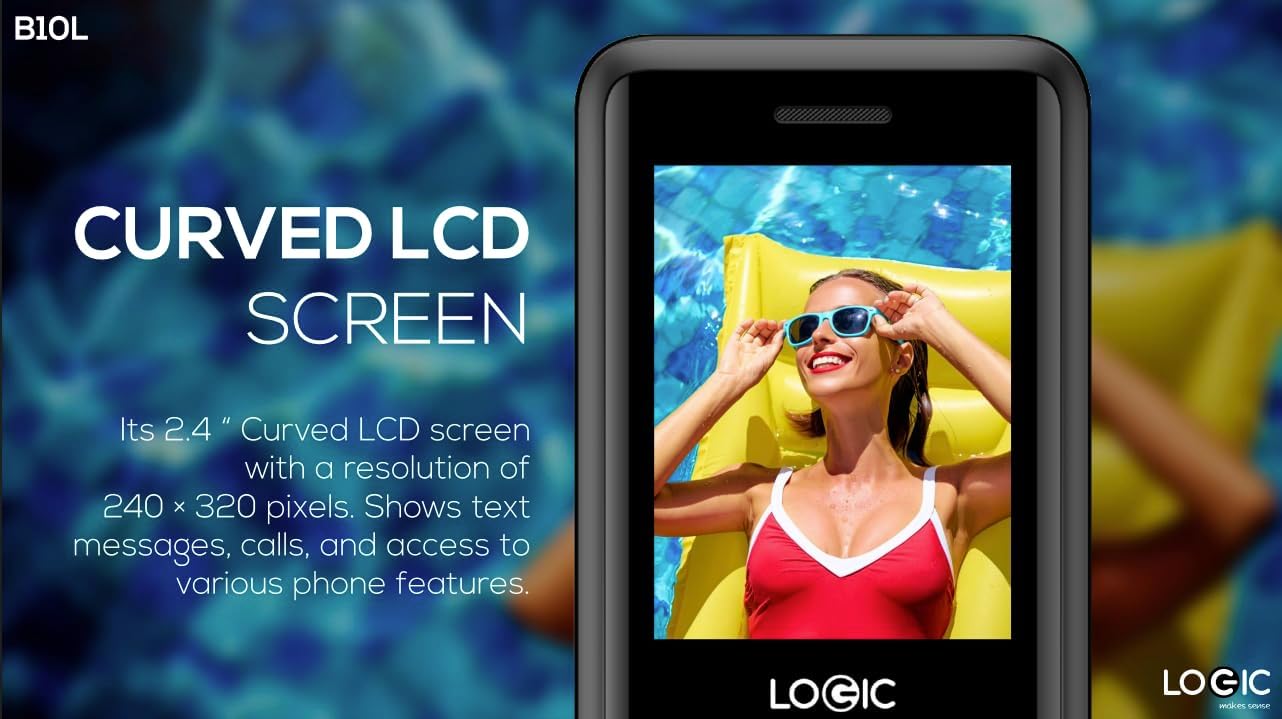
Слика 5.4: Close-up of the Logic B10L's 2.4-inch curved LCD screen, displaying a colorful image. The curved design enhances viewing comfort and aesthetics.
6. Одржување
6.1. Чистење на вашиот телефон
- Користете мека, сува крпа без влакненца за чистење на екранот и куќиштето на телефонот.
- Избегнувајте употреба на груби хемикалии, растворувачи за чистење или абразивни материјали.
6.2. Нега на батерии
- Не ја изложувајте батеријата на екстремни температури.
- Избегнувајте често целосно празнење на батеријата.
- Доколку телефонот нема да се користи подолг период, наполнете ја батеријата до околу 50% пред да го складирате.
6.3. Складирање
- Чувајте го телефонот на ладно и суво место, подалеку од директна сончева светлина и влага.
- Да се чува подалеку од дофат на деца и домашни миленици.
7 Смена на проблеми
This section addresses common issues you might encounter with your Logic B10L phone.
| Проблем | Можно решение |
|---|---|
| Телефонот не се вклучува | Проверете дали батеријата е правилно инсталирана и наполнета. Поврзете го полначот и обидете се повторно. |
| Не може да се остваруваат или примаат повици | Check if the SIM card is properly inserted. Verify network signal strength. Contact your service provider. |
| Батеријата не се полни | Ensure the charger is correctly connected to the phone and a working power outlet. Try a different charger or cable if available. |
| Лош квалитет на повикот | Move to an area with better network coverage. Check for obstructions around the phone's antenna. |
| MicroSD card not detected | Ensure the MicroSD card is correctly inserted. Try reinserting it or using a different card to check for card malfunction. |
8. Спецификации
Detailed technical specifications for the Logic B10L 4G Bar Phone.
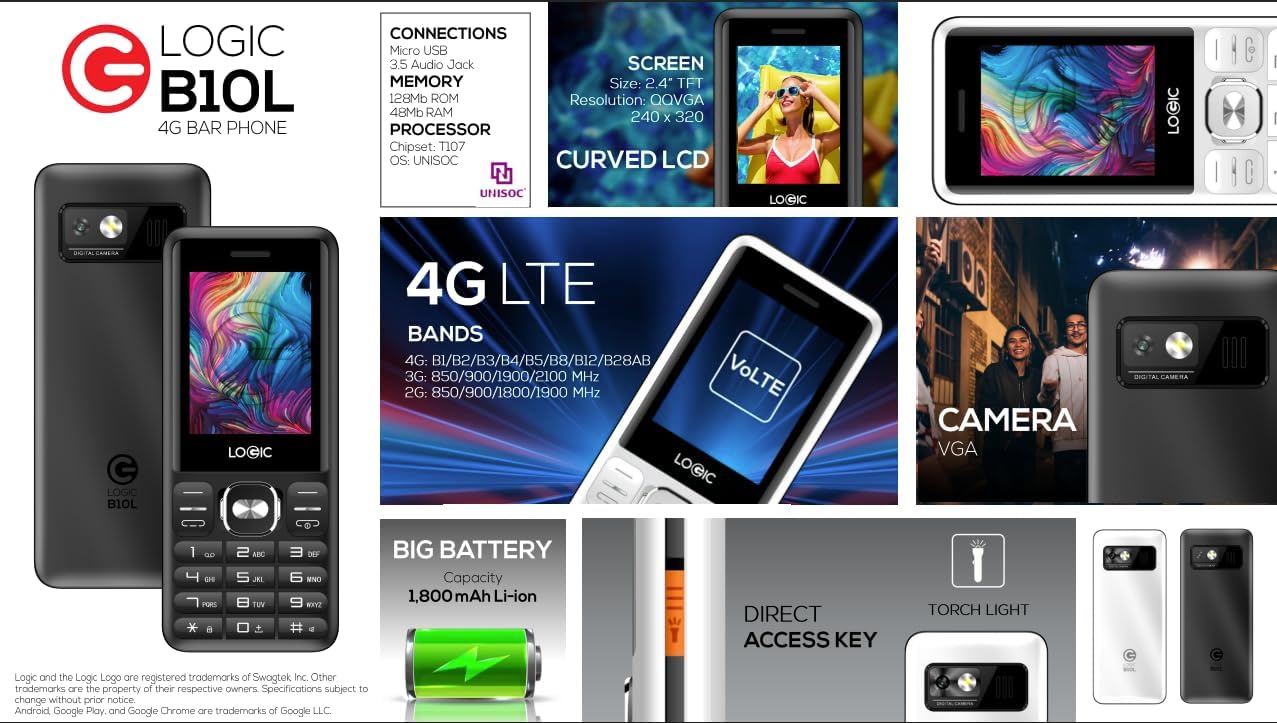
Слика 8.1: A visual summary of the Logic B10L's key features and specifications, including screen size, memory, processor, 4G LTE bands, battery capacity, and direct access torchlight.
- Име на модел: B10L
- Број на модел на ставка: LO-27B10L90-C
- Оперативен систем: Nucleus OS
- Мобилна технологија: 4G LTE, VoLTE
- Безжичен носач: Отклучен
- Прикажи: 2.4-inch Curved LCD (240x320 resolution)
- Камера: VGA Rear Camera with Flash
- Батерија: 1800mAh Li-ion (3.7 Volts)
- RAM меморија: 48 MB
- Внатрешно складирање: 0.13 GB (може да се прошири до 32 GB преку MicroSD)
- Поддршка за SIM картичка: Двојна нано СИМ картичка
- Поврзување: Bluetooth, Micro USB, 3.5mm Audio Jack
- Посебни карактеристики: Wireless FM Radio, Direct Access Torchlight
- Форма фактор: Бар телефон
- Тежина на ставката: 7 унци
- Димензии на пакетот: 5.67 x 2.8 x 2.44 инчи
9. Гаранција и поддршка
For warranty information and technical support, please refer to the warranty card included in your package or visit the official Logic webстраница. Чувајте ја сметката за купување како доказ за купување.
If you encounter issues not covered in this manual, please contact Logic customer support for assistance.


