1. Вовед
This manual provides comprehensive instructions for setting up, operating, and maintaining your ATTACK SHARK X11 Ultra-Light Triple Mode Gaming Mouse. Please read this manual carefully before use to ensure optimal performance and longevity of your device.
2. Содржина на пакетот
Проверете дали сите артикли се присутни во вашиот пакет:
- ATTACK SHARK X11 Gaming Mouse
- Док за магнетно полнење
- USB-C на USB-A кабел
- USB приемник од 2.4 GHz
- Упатство за употреба (овој документ)
3. Производот завршиview
Familiarize yourself with the components of your X11 gaming mouse.

Image 3.1: The ATTACK SHARK X11 Gaming Mouse with its magnetic charging dock.

Image 3.2: Exploded diagram showing internal components like the lightweight material case, engineering curved keys, PCB, lithium battery, TTC encoder, Huano switches, PAW3311 sensor, and mouse bottom case.
Компоненти на глувчето:
- Копчиња за лев/десен клик: Equipped with Huano micro switches for tactile feedback.
- Тркало за лизгање: For navigation and additional programmable function.
- Side Buttons (x2): Programmable for various functions.
- Копче DPI: Located on the underside for adjusting sensitivity.
- Префрлување режим: Located on the underside to select connectivity mode (Wired, 2.4GHz, Bluetooth).
- USB-C порта: За жично поврзување и полнење.
- Оптички сензор: PAW3311 sensor for precise tracking.
Magnetic Charging Dock:
- Magnetic Charging Pins: For effortless wireless charging.
- RGB осветлување: Прилагодливи светлосни ефекти.
- USB-A порта: To store the 2.4GHz USB receiver.
4. Водич за поставување
4.1 Полнење на глувчето
The X11 mouse can be charged using the magnetic charging dock or directly via the USB-C cable.
- Using the Magnetic Charging Dock:
- Connect the USB-C cable to the charging dock and then to a power source (e.g., computer USB port, USB wall adapter).
- Place the mouse onto the charging dock. The magnetic connection will secure it, and charging will begin automatically.
- The dock features touch-sensitive RGB lighting control. Tap the dock to cycle through lighting effects or turn them off.
- Директно полнење преку USB-C:
- Connect the USB-C cable directly to the mouse's USB-C port and then to a power source.
- Глувчето може да се користи во жичен режим додека се полни.

Image 4.1: The X11 mouse charging on its magnetic dock, showcasing the RGB lighting.
A full charge provides approximately 65 hours of usage. Charging time is typically 2-3 hours.
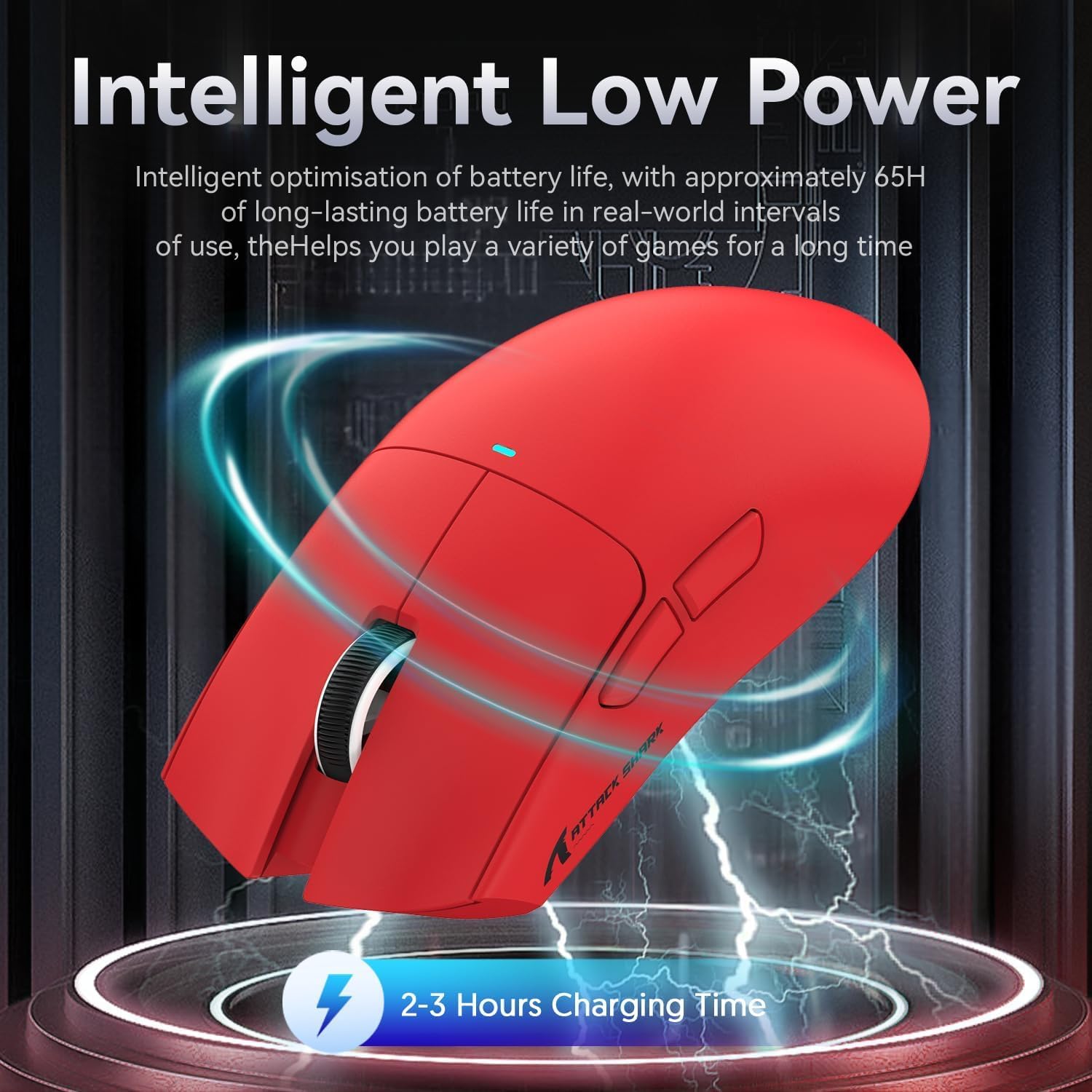
Image 4.2: Visual representation of the X11 mouse's intelligent low power consumption, offering 65 hours of use and a 2-3 hour charging time.
4.2 Connecting the Mouse (Triple Mode Connectivity)
The X11 mouse supports three connection modes: 2.4GHz Wireless, Bluetooth 5.0, and Wired USB-C.

Image 4.3: Illustration of the X11 mouse's triple-mode connectivity options.
- Безжичен режим од 2.4 GHz:
- Locate the 2.4GHz USB receiver, typically stored in the magnetic charging dock's USB-A port or in a compartment on the mouse's underside.
- Приклучете го USB приемникот во слободен USB-A порт на вашиот компјутер.
- Switch the mode selector on the underside of the mouse to "2.4G".
- Глувчето треба да се поврзе автоматски.
- Bluetooth 5.0 режим:
- Switch the mode selector on the underside of the mouse to "BT".
- Press and hold the Bluetooth toggle button (usually near the mode switch) for 3 seconds to enter pairing mode. The mouse's indicator light will flash.
- На вашиот компјутер или уред, одете во поставките за Bluetooth и пребарајте нови уреди.
- Select "ATTACK SHARK X11" (or similar) from the list to pair.
- The mouse supports up to three Bluetooth channels (BT1/BT2/BT3). Short press the Bluetooth key to switch between channels.
- Жичен USB-C режим:
- Connect the USB-C cable to the mouse's USB-C port and the other end to your computer's USB-A or USB-C port.
- Глувчето автоматски ќе се префрли во жичен режим и ќе почне да се полни.
4.3 Driver Installation (Optional)
For advanced customization, including programmable buttons, DPI settings, and macro functions, download the official ATTACK SHARK X11 driver software from the ATTACK SHARK official webсајт or store page.

Image 4.4: The X11 driver software allows for comprehensive customization of mouse settings.
5. Упатства за работа
5.1 Прилагодување на DPI
The X11 mouse features a PixArt 3311 sensor with up to 22,000 DPI and 6 adjustable levels. The DPI button is located on the underside of the mouse.
- Press the DPI button to cycle through the preset DPI levels.
- Customize DPI levels and assign them to specific buttons using the driver software.

Image 5.1: Details of the PixArt PAW3311 sensor, highlighting its precision and adjustable DPI.
5.2 Програмабилни копчиња
The X11 mouse has 5 programmable buttons (left, right, scroll click, and two side buttons). Use the driver software to assign custom functions, macros, or keybinds to these buttons.
5.3 RGB контрола на осветлувањето
The magnetic charging dock and the mouse itself feature customizable RGB lighting. Use the driver software to adjust lighting effects, colors, and brightness. The dock's lighting can also be controlled by tapping its surface.
5.4 Angle Snap Feature
The Angle Snap feature helps to smooth out diagonal mouse movements, which can be useful for certain tasks requiring straight lines. This feature can be toggled On or Off via the driver software.
Video 5.1: Demonstration of the Angle Snap feature, showing how it can be toggled on and off in the software to affect mouse movement precision.
6. Одржување
6.1 Чистење
- Use a soft, dry cloth to wipe the mouse and charging dock.
- За тврдокорна нечистотија, малку дampИзбришете ја крпата со вода или благ раствор за чистење. Избегнувајте груби хемикалии.
- Do not immerse the mouse or dock in water.
6.2 Грижа за батерии
- Избегнувајте често целосно празнење на батеријата за да го продолжите нејзиниот век на траење.
- Чувајте го глувчето на ладно и суво место ако не го користите подолг период.
7 Смена на проблеми
| Проблем | Решение |
|---|---|
| Глувчето не реагира во безжичен режим. |
|
| DPI not changing. |
|
| Magnetic charging dock RGB not working. |
|
| Mouse cursor erratic or lagging. |
|
8. Спецификации
| Карактеристика | Детал |
|---|---|
| Модел | X11 |
| Сензор | Оптички сензор PixArt PAW3311 |
| DPI | До 22,000 DPI (6 нивоа на прилагодување) |
| Поврзување | USB-C кабел, 2.4 GHz безжичен, Bluetooth 5.0 |
| Тежина | 63g (± 3g) |
| Прекинувачи | Huano Micro Switches (20 million click lifespan) |
| Траење на батеријата | Прибл. 65 часа |
| Полнење | Magnetic Charging Dock, USB-C |
| Програмабилни копчиња | 5 |
| Димензии | 7.01 x 4.57 x 2.01 инчи (пакет) |
9. Гаранција и поддршка
For warranty information, technical support, or further assistance, please visit the official ATTACK SHARK Store on Amazon или директно контактирајте ја нивната служба за корисници.
Ве молиме чувајте го вашиот доказ за купување за барањата за гаранција.


