1. Вовед
Thank you for choosing the ILEBYGO Mini Projector B0F83Q1HHT. This portable projector is designed to provide a versatile entertainment experience with its Android 13 operating system, WiFi 6, Bluetooth 5.0, 1080P Full HD resolution with 4K support, 320 ANSI lumens brightness, 270-degree rotation, auto keystone correction, and autofocus. This manual provides essential information for setting up, operating, and maintaining your projector.
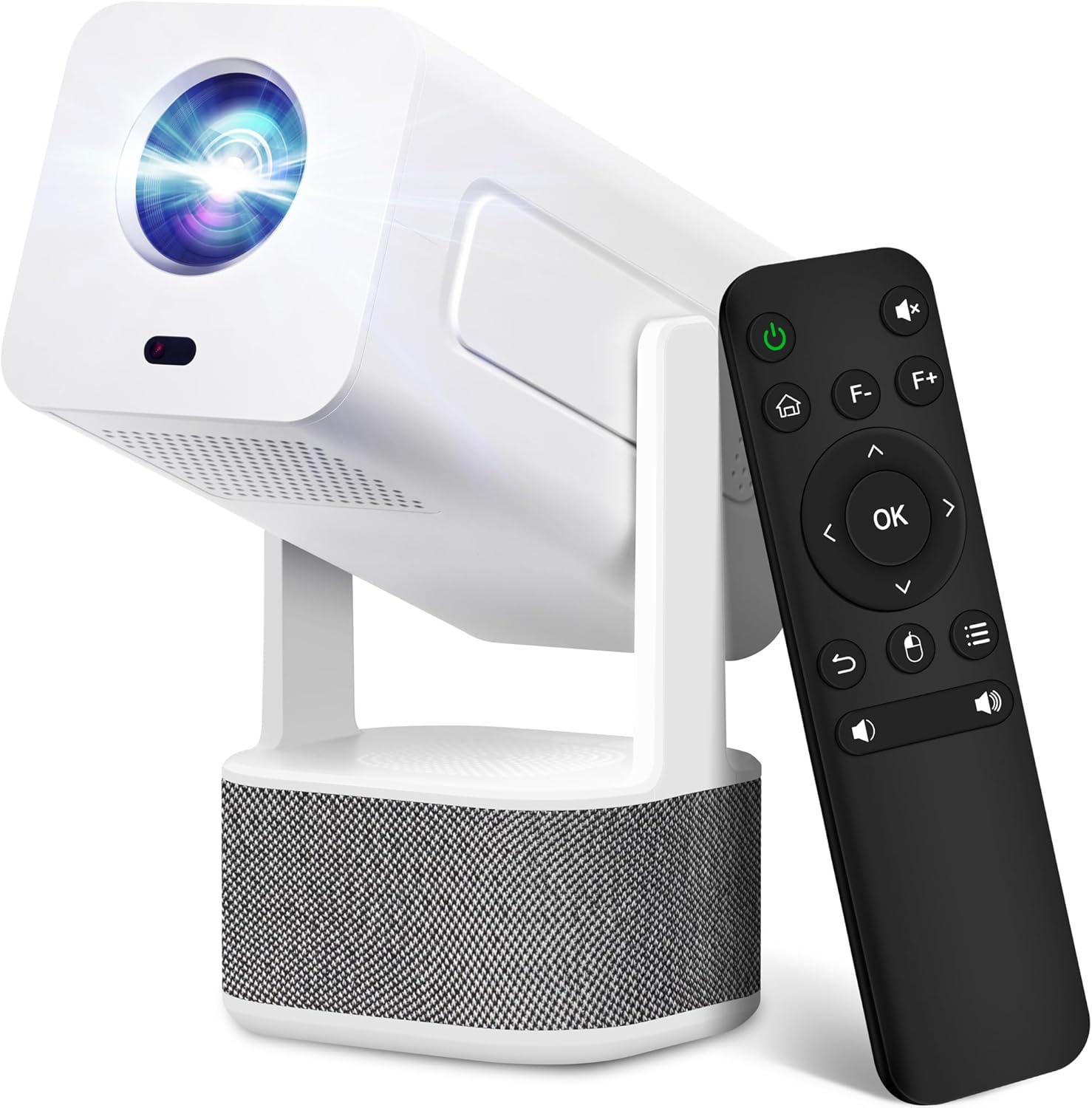
Image 1.1: ILEBYGO Mini Projector and Remote Control
The ILEBYGO Mini Projector B0F83Q1HHT offers a projection size ranging from 30 to 200 inches, making it suitable for various environments from small rooms to outdoor settings. Its dual 5W speakers deliver integrated audio, and multiple connectivity options ensure compatibility with a wide range of devices.
2. Што има во кутијата
Проверете ја содржината на вашиот пакет. Доколку недостасуваат или се оштетени некои предмети, контактирајте ја службата за корисници.
- 1x ILEBYGO Mini Projector
- 1x Упатство за употреба
- 1x адаптер за напојување
- 1x далечински управувач
3. Водич за поставување
3.1. Вклучување
- Поврзете го адаптерот за напојување со влезниот порт за еднонасочна струја на проекторот.
- Приклучете го адаптерот за напојување во ѕиден штекер.
- Притиснете го копчето за вклучување на проекторот или далечинскиот управувач за да го вклучите уредот.

Image 3.1: Projector Connectivity Ports (DC, HDMI, USB, Audio)
3.2. Initial Placement and Adjustment
The projector features a 270-degree rotatable design, allowing flexible placement.
- Ставете го проекторот на стабилна површина.
- Adjust the projector's angle to direct the image onto your desired projection surface (wall, screen, ceiling).
- The projector will automatically perform keystone correction and autofocus to optimize the image clarity and shape.
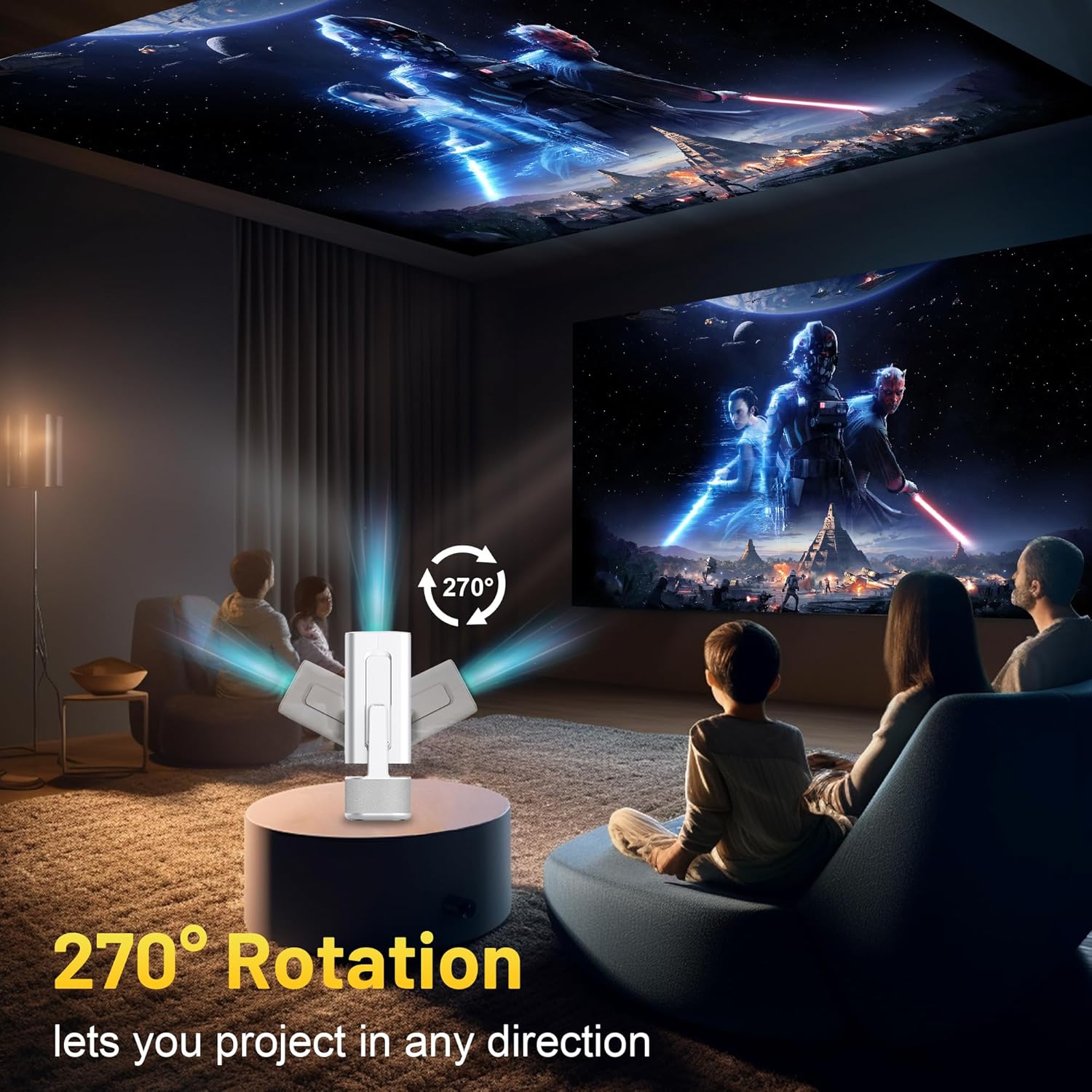
Image 3.2: 270-Degree Rotation Capability
3.3. Network Connection (WiFi)
To access online content and streaming services, connect the projector to a Wi-Fi network.
- Од почетниот екран, одете до „Поставки“.
- Изберете „Мрежа и интернет“.
- Вклучете Wi-Fi и изберете ја саканата мрежа од листата.
- Внесете ја лозинката за Wi-Fi ако е побарано и поврзете се.

Image 3.3: Dual Band WiFi 6 and Bluetooth 5.0
3.4. Bluetooth спарување
Pair Bluetooth devices like external speakers or headphones for enhanced audio.
- Од почетниот екран, одете до „Поставки“.
- Select 'Connected Devices' or 'Bluetooth'.
- Вклучете Bluetooth.
- Ставете го вашиот Bluetooth уред во режим на спарување.
- Select your device from the list of available devices on the projector screen to pair.
4. Упатства за работа
4.1. Навигација
Use the included remote control to navigate the projector's interface. The directional buttons, 'OK' button, 'Back' button, and 'Home' button are primary controls.
4.2. App Usage (Android 13)
The projector runs on Android 13 and comes with pre-installed streaming applications.
- From the home screen, select the desired application (e.g., Netflix, YouTube, Prime Video).
- Најавете се со вашите податоци за сметката доколку е потребно.
- Browse and play content as you would on any Android smart device.
- Additional apps can be downloaded from the Google Play Store.

Image 4.1: Built-in Android 13 System with Apps
4.3. Пресликување/емитување на екран
Mirror content from your smartphone, tablet, or computer wirelessly.
- Уверете се дека и проекторот и вашиот уред се поврзани на истата Wi-Fi мрежа.
- On the projector, select the screen mirroring/casting application (e.g., Miracast, AirPlay).
- On your mobile device, enable screen mirroring or casting and select the projector from the list of available devices.
4.4. Поврзување на надворешен уред (HDMI, USB)
Connect external devices such as laptops, gaming consoles, or USB drives.
- HDMI: Connect an HDMI cable from your device to the HDMI port on the projector. Select the HDMI input source from the projector's input menu.
- USB: Insert a USB drive into the USB port. The projector's file manager will typically open automatically, allowing you to browse and play media files.

Image 4.2: Multi-Device Compatibility
4.5. Прилагодување на сликата
The projector features automatic adjustments for convenience.
- Автоматска корекција на клучот: The projector automatically corrects vertical image distortion. If manual adjustment is needed, navigate to 'Settings' > 'Projection Settings' > 'Keystone Correction'.
- Автоматски фокус: The image will automatically focus when the projector is moved or powered on. Manual focus adjustment can be found in 'Settings' > 'Projection Settings' > 'Focus'.
- Зумирајте: Adjust the projection size from 50% to 100% without moving the projector. This setting is typically found in 'Settings' > 'Projection Settings' > 'Zoom'.

Image 4.3: Auto Keystone Correction and Autofocus
5. Одржување
5.1. Чистење
- Објектив: Користете мека крпа без влакненца, специјално дизајнирана за оптички леќи. Избегнувајте абразивни материјали или груби хемикалии.
- Надворешност: Избришете ја надворешноста на проекторот со мека, сува крпа. Не користете течни средства за чистење директно на уредот.
- Вентилација: Осигурајте се дека отворите за вентилација се чисти од прашина и пречки за да спречите прегревање.
5.2. Складирање
When not in use, store the projector in a cool, dry place away from direct sunlight and extreme temperatures. Use the original packaging or a protective case to prevent dust accumulation and physical damage.
6 Смена на проблеми
Погледнете ја табелата подолу за вообичаени проблеми и нивни решенија.
| Прашање | Можна причина | Решение |
|---|---|---|
| Нема моќ | Кабелот за напојување не е поврзан; дефект на штекерот | Проверете дали кабелот за напојување е безбедно поврзан. Обидете се со друг штекер. |
| Нема слика | Incorrect input source; Device not connected; Projector in standby mode | Select correct input source (HDMI, USB). Ensure external device is powered on and connected. Press power button to wake projector. |
| Заматена слика | Out of focus; Keystone not corrected | Allow autofocus to adjust. Manually adjust focus in settings if needed. Check keystone correction settings. |
| Нема звук | Јачината на звукот е прениска; Исклучено; Надворешниот аудио уред не е поврзан/спарен | Increase volume. Unmute projector. Ensure Bluetooth audio device is paired and connected, or external speakers are properly connected via audio jack. |
| Проблеми со поврзувањето со Wi-Fi | Incorrect password; Network interference; Router issues | Проверете ја лозинката за Wi-Fi. Поместете го проекторот поблиску до рутерот. Рестартирајте го рутерот. |
| Неуспешно спарување преку Bluetooth | Device not in pairing mode; Interference; Device too far | Ensure Bluetooth device is in pairing mode. Keep devices close. Turn off other Bluetooth devices to reduce interference. |
7. Спецификации
| Карактеристика | Детал |
|---|---|
| Бренд | ИЛЕБИГО |
| Модел | B0F83Q1HHT |
| Резолуција на екранот | 1920 x 1080 (Full HD), 4K Support |
| Осветленост | 320 ANSI лумени |
| Технологија за поврзување | Bluetooth 5.0, HDMI, USB, Wi-Fi 6 (2.4G+5G) |
| Оперативен систем | Андроид 13 |
| Посебни карактеристики | Auto Keystone Correction, Autofocus, 270° Rotation, Built-in Dual 5W Speakers |
| Големина на проекција | 30''-200'' |
| Сооднос на аспект | 16:9 / 4:3 |
| Тежина на ставката | 2.72 фунти |
| Димензии на пакетот | 13.54 x 5.39 x 5.2 инчи |
8. Гаранција и поддршка
The ILEBYGO Mini Projector B0F83Q1HHT comes with a standard manufacturer's warranty. Please refer to the warranty card included in your package for specific terms and conditions.
For technical support, troubleshooting assistance, or warranty claims, please contact ILEBYGO customer service through the retailer's platform or the contact information provided in your product documentation.

