1. Вовед
The Ugoos SK2 TV Box is a high-performance streaming media player designed to transform your television into a smart entertainment hub. Running on Android 12.0 with Google TV, it offers seamless access to a vast library of movies, TV shows, and applications. Equipped with a Realtek RTD1325 ARM Cortex-A55 Quad-Core CPU, 4GB RAM, and 32GB ROM, the SK2 ensures smooth 4K HDR playback and efficient multitasking. Its advanced connectivity options, including WiFi 6 and Bluetooth 5.2, provide a stable and fast streaming experience.
2. Содржина на пакетот
Please verify that all items are present in the box:
- Ugoos SK2 TV Box
- BT + IR Remote Control
- 12V/1A Power Adapter (US Plug)
- HDMI кабел
- Англиски кориснички прирачник

Figure 2.1: Ugoos SK2 TV Box and its accompanying remote control.
3. Производот завршиview
The Ugoos SK2 TV Box features a compact design with essential ports for connectivity.
3.1 Предна и странична страна Views

Слика 3.1: Страна view of the Ugoos SK2 TV Box, showing the USB-C, Reset button, and USB 2.0 (5V===) port.
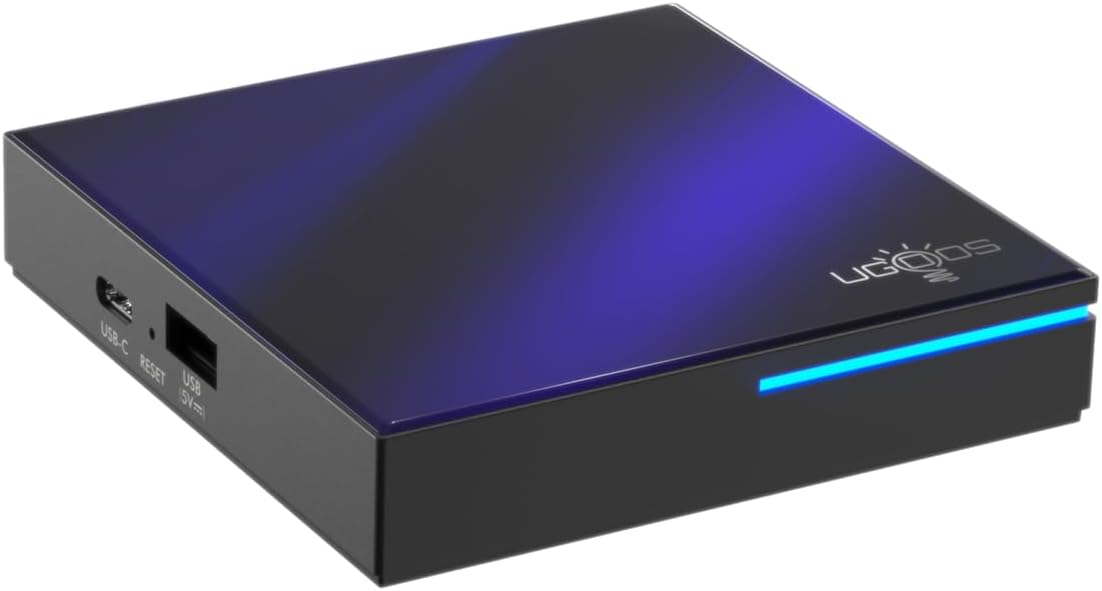
Слика 3.2: Предна и странична view highlighting the indicator light strip, which illuminates when the device is powered on.
3.2 Заден дел View (Порти)
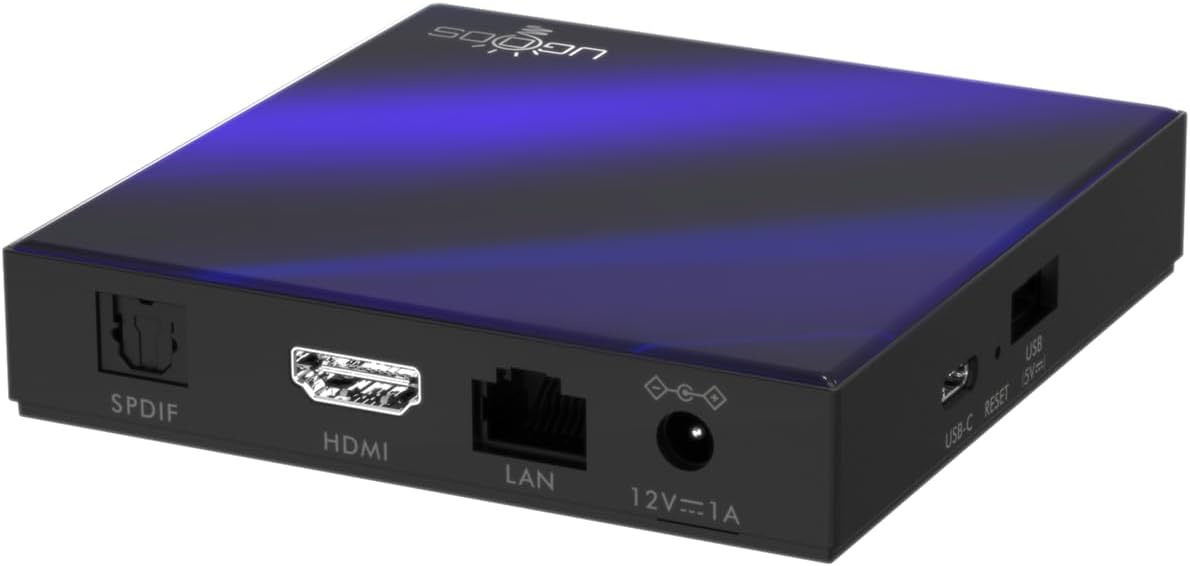
Слика 3.3: Заден дел view of the Ugoos SK2 TV Box, displaying the SPDIF, HDMI, LAN (Ethernet), and 12V/1A Power input ports.
Видео 3.1: Распакување и сè другоview of the Ugoos SK2 ATV Box, showcasing its design and available ports.
4. Водич за поставување
Follow these steps to set up your Ugoos SK2 TV Box:
- Поврзете се со телевизор: Connect one end of the provided HDMI cable to the HDMI port on the Ugoos SK2 TV Box and the other end to an available HDMI input on your television.
- Поврзете напојување: Plug the 12V/1A power adapter into the DC IN port on the TV Box and then plug the adapter into a wall outlet. The indicator light on the front of the device will illuminate.
- Вметнете ги батериите на далечинскиот управувач: Open the battery compartment on the back of the BT + IR Remote Control and insert two AAA batteries (not included), ensuring correct polarity.
- Вклучување: Power on your television and select the correct HDMI input source corresponding to where the TV Box is connected. The Ugoos SK2 TV Box should automatically power on.
- Почетно поставување: Follow the on-screen instructions to complete the initial setup, including language selection, region/country, and network connection (Wi-Fi or Ethernet).
- Спарете далечински управувач: During the initial setup, you may be prompted to pair the remote control. Press and hold the 'Home' and 'Back' buttons simultaneously for 5 seconds until the indicator light on the remote flashes, indicating successful pairing.
- Поврзете се на мрежа: For optimal performance, connect the device to your home network. You can use either the built-in WiFi 6 (2.4/5/6Ghz) or connect an Ethernet cable to the LAN port for a wired connection.
5. Упатства за работа
The Ugoos SK2 TV Box runs on Google TV, providing a user-friendly interface for content discovery and streaming.
5.1 Navigation and Apps
Use the remote control to navigate through the Google TV interface. The home screen provides personalized recommendations, quick access to installed apps like YouTube, Netflix, Prime Video, and Disney+, and a search function powered by Google Assistant.
5.2 Гласовна контрола (Google Assistant)
Press the Google Assistant button on your remote to activate voice control. You can use voice commands to search for content, control playback, get answers, and manage smart home devices.
5.3 Емитување содржина (вграден Chromecast)
The device features Chromecast built-in, allowing you to cast movies, shows, photos, and more directly from your phone or tablet to your TV.
5.4 4K HDR Playback
The Ugoos SK2 supports 4K 60fps resolution, H.265, AV1, and 4K HDR content, including Dolby Vision and HDR10+. This ensures a vibrant and detailed viewing experience with smooth playback.
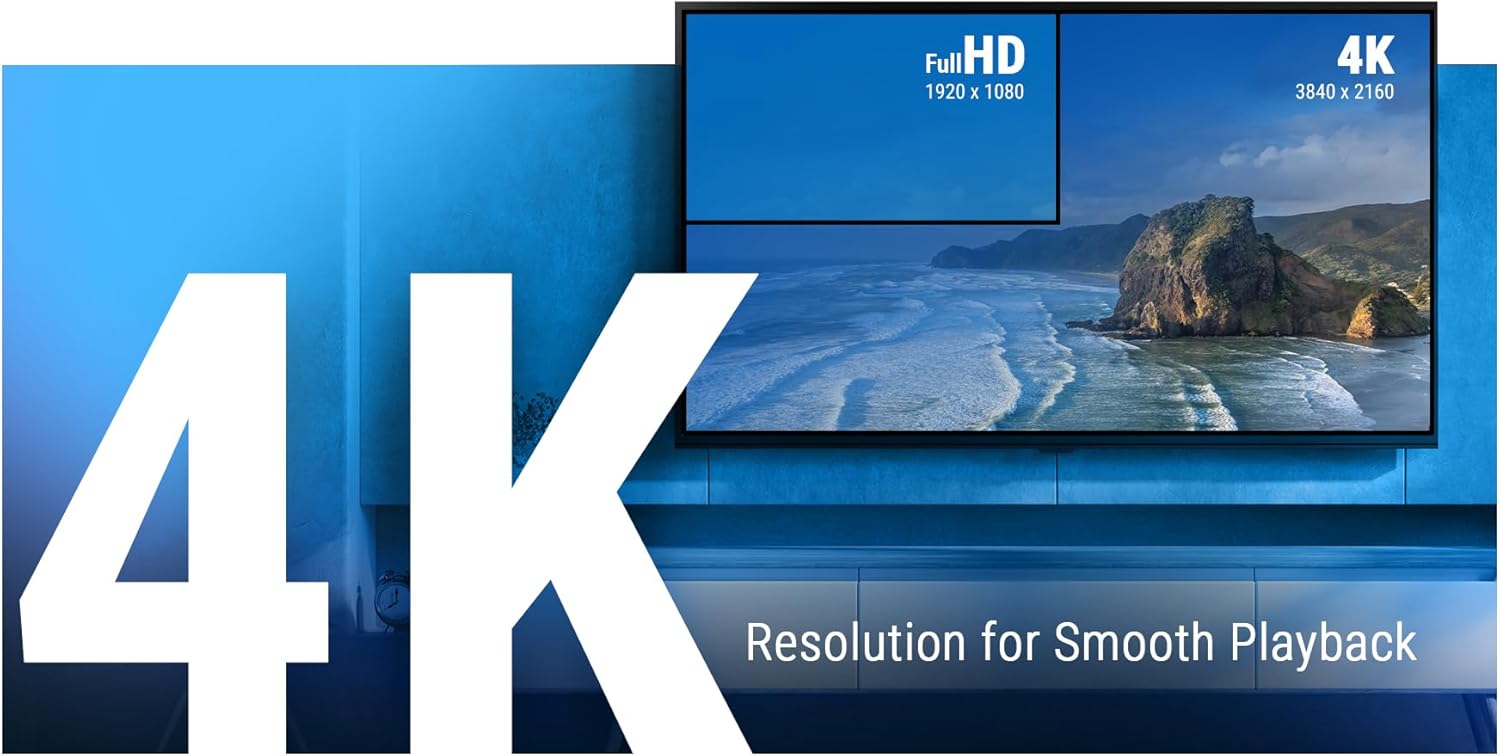
Figure 5.1: The Ugoos SK2 supports 4K resolution for smooth and high-quality video playback.

Figure 5.2: The device supports advanced video technologies like AV1, HDR10+, and Dolby Vision for enhanced visual fidelity.

Figure 5.3: The Automatic Frame Rate (AFR) system ensures optimal resolution and frequency matching for smooth video playback.
6. Одржување
To ensure the longevity and optimal performance of your Ugoos SK2 TV Box, follow these maintenance guidelines:
- Чистење: Користете мека, сува крпа за чистење на надворешноста на уредот. Избегнувајте употреба на течни средства за чистење или абразивни материјали.
- Вентилација: Уверете се дека уредот е поставен во добро проветрено место за да спречите прегревање. Не ги покривајте отворите за вентилација.
- Ажурирања на софтверот: Periodically check for and install software updates to ensure you have the latest features and security patches. This can usually be done through the device's settings menu.
- Управување со складирање: While the device has 32GB of internal storage, regularly manage your installed apps and media to prevent performance degradation due to full storage.
7 Смена на проблеми
If you encounter issues with your Ugoos SK2 TV Box, refer to the following common problems and solutions:
- Без моќност:
- Осигурајте се дека адаптерот за напојување е безбедно поврзан и со уредот и со функционален штекер.
- Проверете дали штекерот е функционален со вклучување на друг уред.
- Нема слика/сигнал:
- Проверете дали HDMI кабелот е безбедно поврзан и со TV Box и со телевизорот.
- Проверете дали вашиот телевизор е поставен на точниот HDMI влезен извор.
- Обидете се со друг HDMI кабел или HDMI порт на вашиот телевизор.
- Далечинскиот управувач не реагира:
- Проверете ги и заменете ги батериите во далечинскиот управувач.
- Re-pair the remote control by pressing and holding the 'Home' and 'Back' buttons simultaneously for 5 seconds.
- Проблеми со поврзувањето со Wi-Fi:
- Проверете дали вашиот Wi-Fi рутер е вклучен и работи правилно.
- Move the TV Box closer to the router or consider using an Ethernet connection.
- Restart both the TV Box and your Wi-Fi router.
- Замрзнување/пад на апликацијата:
- Затворете ја и повторно отворете ја проблематичната апликација.
- Clear the app's cache and data through the device settings.
- Ensure the device's software is up to date.
For persistent issues, consider performing a factory reset (refer to the device settings for this option). Note that a factory reset will erase all personal data and installed applications.
8. Спецификации
Detailed technical specifications for the Ugoos SK2 TV Box:
| Карактеристика | Опис |
|---|---|
| Име на моделот | SK2 |
| Бренд | Ugoos |
| Оперативен систем | Android 12.0 (Google TV) |
| Процесор (SOC) | Realtek RTD1325, ARM Cortex-A55 Quad-Core CPU |
| GPU | Mali-G57 MC1 |
| RAM меморија | 4 GB DDR4 |
| Внатрешно складирање | 32 GB eMMC |
| Безжично поврзување | WiFi 6 (2.4/5/6Ghz, IEEE 802.11 a/b/g/n/ac/ax 2x2 MIMO) |
| Bluetooth | Bluetooth 5.2 |
| Видео излез | HDMI (4K 60fps, HDR, AV1, VP9, H.265) |
| Аудио поддршка | Dolby Vision-Atmos |
| Етернет | 100M LAN порт |
| USB порти | USB-C, USB 2.0 |
| Други пристаништа | SPDIF, Reset |
| Влез на енергија | 12V/1A |
| Димензии | 3.78 x 3.78 x 0.75 инчи |
| Тежина на ставката | 1.35 фунти |
| Посебни карактеристики | Вграден Chromecast, Google Assistant |

Слика 8.1: Готовоview of the Ugoos SK2's core technical specifications.

Figure 8.2: Comparison illustrating the improved data transfer speed of Bluetooth 5.2 supported by the Ugoos SK2.
9. Информации за безбедност
Please read and follow these safety precautions to prevent damage to the device or injury to yourself:
- Користете го само дадениот адаптер за напојување.
- Не го изложувајте уредот на вода, влага или екстремни температури.
- Избегнувајте да го ставате уредот во близина на извори на топлина или на директна сончева светлина.
- Не обидувајте се да го расклопите или менувате уредот.
- Чувајте го уредот и додатоците подалеку од дофат на деца.
10. Гаранција и поддршка
The Ugoos SK2 TV Box is covered by a standard manufacturer's warranty. Please refer to the warranty card included in your package or contact Ugoos customer support for detailed information regarding warranty terms, service, and technical assistance.
For further support, visit the official Ugoos webсајт или контактирајте со нивниот тим за услуги на клиентите.


