1. Вовед
This manual provides detailed instructions for the AULA S99 99-Key Tri-Mode Wireless RGB Gaming Keyboard. Please read this manual thoroughly before use to ensure proper operation and to maximize your experience with the product.
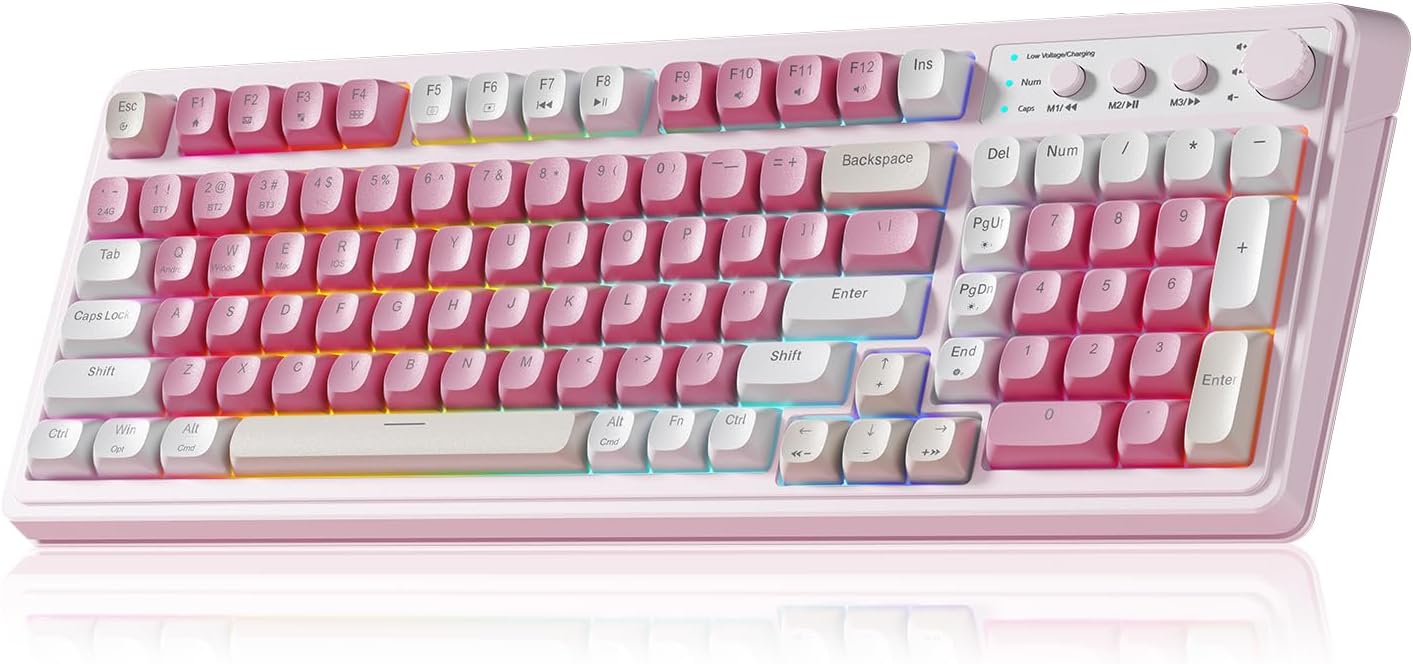
Figure 1: AULA S99 99-Key Tri-Mode Wireless RGB Gaming Keyboard (Pink variant).
2. Што има во кутијата
- 1x AULA S99 99-Key Tri-Mode Wireless RGB Gaming Keyboard - Pink
- 1x Type-C Cable (Please use our original charging cable, otherwise it may damage the keyboard)
- 1x Извлекувач на капачиња
- 1x Упатство за употреба
3. Производот завршиview
The AULA S99 keyboard is designed for versatility and performance, featuring a compact 99-key layout that includes a number pad. It offers multiple connectivity options, vibrant RGB backlighting, and ergonomic considerations for extended use.

Figure 2: Key features of the AULA S99 keyboard.
Клучни карактеристики:
- Распоред со 99 копчиња: Compact design with a dedicated number pad.
- Три-режимска поврзаност: Supports Bluetooth 5.0, 2.4GHz wireless, and USB wired connections.
- RGB позадинско осветлување: 16.8 million colors with 16 pre-set lighting effects, adjustable brightness and speed.
- Програмабилни клучеви: M1/M2/M3 buttons for macro customization.
- Мултифункционално копче: Adjusts volume, connection mode, and backlight settings.
- Ергономски дизајн: Features a foldable 2-stage kickstand for adjustable tilt angles.
- Долготрајна батерија: Equipped with a 2000mAh battery.
- Забелешка: This is a membrane keyboard and does not support hot-swapping of switches.
4. Поставување
The AULA S99 keyboard offers three connection modes: Bluetooth, 2.4GHz wireless, and USB wired. Follow the instructions below to set up your preferred connection.

Figure 3: Triple Mode Connection options for the AULA S99 keyboard.
4.1. Префрлување режими за поврзување
To restore factory settings, press FN + Esc. Then, quickly switch keyboard modes using FN + ' ~ ! 1(1) / @ 2(#) / # 3($) клучеви.
4.2. Безжична конекција од 2.4 GHz
- Switch the mode button on the keyboard to 2.4G.
- Притиснете FN + 4($). The Num indicator (blue) will flash rapidly.
- Insert the 2.4GHz USB receiver into your device.
- The Num indicator will flash slowly upon successful connection.
4.3. Поврзување со Bluetooth
- Switch the mode button on the keyboard to BT.
- Притиснете FN + 1(!), FN + 2(@), или FN + 3(#) to select a Bluetooth channel. The CAP indicator will flash rapidly.
- On your device, search for
Поврзани документи - S99

Упатство за користење на безжичниот гејмерски глушец AULA Wolf Spider SC100
Детално упатство за корисникот за безжичниот гејмерски глушец AULA Wolf Spider SC100, кое опфаќа распоред на копчињата, спецификации на производот, инсталација, упатства за работа, сертификат за заштита на животната средина и информации за гаранцијата.
AULA Mountain S99 Gaming Keyboard User Manual
Discover the features and functions of the AULA Mountain S99 Gaming Keyboard. This manual provides detailed information on connectivity, shortcuts, charging, and mode switching for an optimal gaming experience.
Упатство за користење на механичка тастатура AULA F87
Упатство за корисникот за механичката тастатура AULA F87, со детали за нејзината поврзаност во 3 режими (USB Type-C, 2.4G, Bluetooth), функции против појава на „ghosting“, процес на рачно спарување, индикатори за полнење и RGB осветлување.
AULA S99Pro Tri-Mode Gaming Keyboard User Manual
Comprehensive guide for the AULA S99Pro Tri-Mode Gaming Keyboard, covering wired, 2.4G wireless, and Bluetooth connections, key functions, backlight adjustments, and charging instructions.
Упатство за корисникот на AULA F98 Pro: Поставување, карактеристики и прилагодување
Сеопфатно упатство за користење на безжичната механичка тастатура AULA F98 Pro. Научете како да ја вклучувате/исклучувате тастатурата, да се движите низ функциите на LCD екранот и копчињата, да се поврзувате преку Bluetooth, 2.4GHz или USB-C, да го прилагодувате RGB осветлувањето и да ги користите софтверските функции.
AULA F87 3-Mode Mechanical Keyboard Quick Operation Guidelines
A comprehensive guide to operating the AULA F87 3-Mode Mechanical Keyboard, covering 2.4G and Bluetooth connectivity, as well as wired connection.