1. Вовед
This manual provides essential information for setting up, operating, maintaining, and troubleshooting your Roku Smart TV 2025 – 24-Inch Select Series 720p HD TV. Please read these instructions carefully before using your television.
The Roku Select Series HD TV offers a streamlined entertainment experience. It features bright HD picture quality, auto speech clarity, and a night mode. Access free live television directly from the home screen and utilize the voice remote for content discovery across various applications. This television is suitable for various rooms including bedrooms, living rooms, kitchens, or children's rooms.
2. Што има во кутијата
Проверете дали сите компоненти се присутни во пакувањето:
- Roku Select Series 24" HD TV
- Држачи и завртки
- Roku Voice Remote with batteries
- Водич за брз почеток

Image: The Roku Select Series TV box contents, showing the television, remote, and stand components.
3. Поставување
3.1 Прикачување на држачите за телевизор
- Внимателно поставете го екранот на телевизорот со свртен надолу на мека, чиста површина за да спречите гребнатини.
- Порамнете го секој држач со соодветните дупки за завртки на дното од телевизорот.
- Прицврстете ги држачите со приложените завртки. Уверете се дека се цврсто затегнати.
3.2 Поврзување на периферни уреди
Your Roku TV includes multiple ports for connecting external devices:
- HDMI порти: Connect devices such as cable boxes, gaming consoles, or Blu-ray players. The HDMI 1 (ARC) port supports Audio Return Channel for simplified audio connections.
- USB порта: For media playback from a USB drive or powering compatible devices.
- Влез за антена/кабел: Поврзете антена за емитување преку етерот или кабелска телевизија.
- Оптички аудио излез: За поврзување со саундбар или аудио приемник.
- AV влез: За поврзување на постари уреди со користење на композитни видео и стерео аудио кабли.

Image: Close-up of the back of the Roku TV, highlighting the HDMI, USB, optical, and AV input ports.
3.3 Првично вклучување и мрежно поврзување
- Вклучете го кабелот за напојување во телевизорот, а потоа во ѕидниот штекер.
- Insert the included AAA batteries into the voice remote.
- Притиснете го копчето за вклучување на далечинскиот управувач за да го вклучите телевизорот.
- Follow the on-screen instructions to select your language, connect to your Wi-Fi network, and activate your Roku account.
4. Operating Your Roku TV
4.1 Користење на гласовниот далечински управувач
The Roku Voice Remote simplifies navigation and content search. It features dedicated buttons for popular streaming services and voice control capabilities.
- Гласовно копче: Press and hold to speak commands for searching content, launching apps, or controlling playback.
- Плочка за навигација: Use the directional arrows and OK button to move through menus and select items.
- Кратенки за апликации: Dedicated buttons provide quick access to services like Netflix, Disney+, and Prime Video.
- Контроли на јачина на звук: Adjust TV volume directly from the remote.
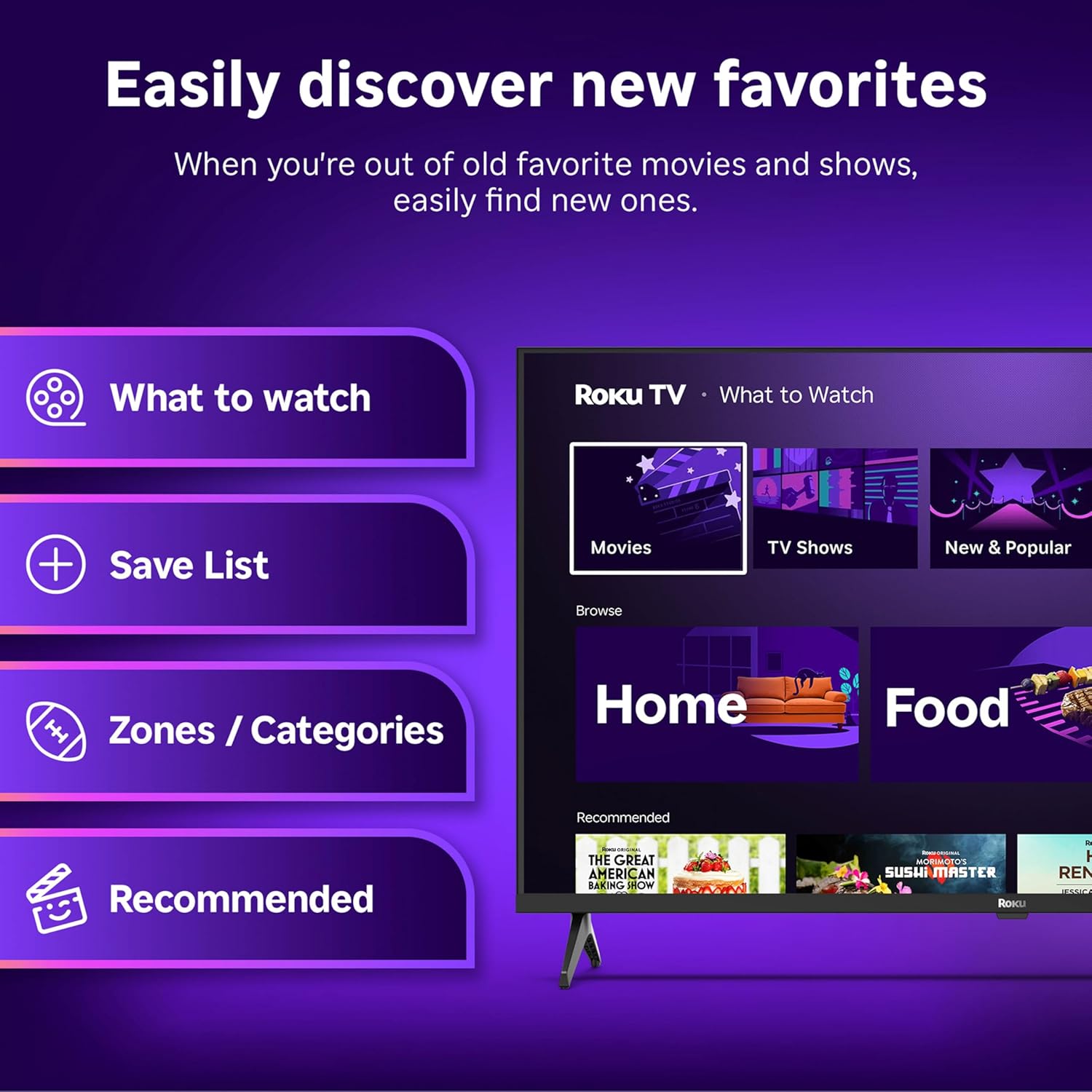
Image: The Roku Voice Remote, showing its layout and key functions.
4.2 Streaming and App Navigation
The Roku TV home screen provides quick access to all your streaming channels and inputs. You can customize the order of your apps for personalized access.
- Почетен екран: Displays your installed apps, recommended content, and TV inputs.
- Продавница за стриминг: Прелистајте и додавајте нови канали за стриминг.
- ТВ во живо: Access free live television channels directly from the home screen.
- Пребарување: Use the search function or voice remote to find movies, shows, actors, or directors across various services.

Image: The Roku TV user interface, showing the home screen with app tiles and menu options.
4.3 Поставки за слика и звук
Your Roku TV features Smart Picture technology to optimize viewing and offers enhanced audio features.
- Smart Picture: Automatically adjusts picture settings based on the content being viewed (e.g., movie, sports, vivid, standard).
- Аудио јасност: Designed for clear speech and louder sound.
- Режим на Bluetooth слушалки: Connect your wireless headphones for private listening.

Image: A vibrant nature scene displayed on the Roku TV, demonstrating the clear picture quality.
4.4 Интеграција со паметен дом
The Roku TV integrates with various smart home ecosystems for convenient voice control and content sharing.
- Гласовна контрола: Compatible with Roku Voice, Siri, Alexa, and Google Assistant for hands-free operation.
- Apple AirPlay: Effortlessly share videos, photos, and music from your Apple devices to your TV.

Image: A Roku TV screen with a smart speaker nearby, illustrating voice control integration with smart home systems.
5. Одржување
5.1 Чистење на ТВ
- Секогаш исклучувајте го телевизорот од струја пред чистење.
- Користете мека крпа без влакненца за нежно да го избришете екранот и куќиштето.
- За тврдокорни траги, лесно дampИзмијте ја крпата со вода или со благ, неабразивен чистач за екран. Никогаш не прскајте средство за чистење директно врз екранот.
- Избегнувајте употреба на груби хемикалии, абразивни сунѓери или растворувачи.
5.2 Ажурирања на софтверот
Your Roku TV receives automatic software updates to provide new features and improve performance. Ensure your TV is connected to the internet to receive these updates.
6 Смена на проблеми
If you encounter issues with your Roku TV, try the following basic troubleshooting steps:
- Без моќност: Проверете дали кабелот за напојување е безбедно приклучен и во телевизорот и во функционален електричен штекер. Обидете се со друг штекер.
- Нема слика/звук: Проверете дали е избран точниот влезен извор. Проверете дали сите кабелски врски (HDMI, AV, итн.) се безбедни.
- Далечинското не реагира: Заменете ги батериите во далечинскиот управувач. Уверете се дека нема пречки помеѓу далечинскиот управувач и телевизорот.
- Проблеми со мрежната конекција: Restart your Wi-Fi router. Go to the TV's network settings to reconnect to your Wi-Fi.
- Апликацијата не се вчитува: Try restarting the app. If the issue persists, remove the app and reinstall it from the Streaming Store.
- Ресетирање на фабриката: As a last resort, a factory reset can resolve many software issues. This will erase all personal settings and installed apps. Access this option through the TV's Settings menu.
7. Спецификации
| Карактеристика | Спецификација |
|---|---|
| Бренд | Року |
| Број на модел | 24R2D5 |
| Големина на екранот | 24 инчи |
| Технологија на прикажување | LED |
| Резолуција | 720 стр |
| Стапка на освежување | 60 Hz |
| Сооднос на аспект | 16:9 |
| Технологија за поврзување | Bluetooth, WiFi |
| Посебни карактеристики | Bluetooth Headphone Mode, Dolby Audio, Voice Remote |
| Тежина на ставката | 5.7 фунти |
| Димензии на производот | 7 x 21.1 x 14.3 инчи |
| Потребни се батерии | 2 AAA батерии (за далечинско) |
8. Гаранција и поддршка
For warranty information and technical support, please refer to the documentation included with your product or visit the official Roku support webсајт. Чувајте ја вашата потврда за купување за барања за гаранција.
Roku offers various support resources, including online FAQs, troubleshooting guides, and customer service contact options.