Вовед
This manual provides detailed instructions for the safe and efficient operation of your CLOKOWE Mini Projector. Please read this manual thoroughly before using the product and retain it for future reference. The CLOKOWE Mini Projector is a portable device designed for versatile projection, featuring built-in streaming apps, Wi-Fi 6, Bluetooth 5.2, 180° rotation, and automatic keystone correction.

Image: The CLOKOWE Mini Projector, a compact white cylindrical device with a lens, shown projecting content onto a curved screen displaying various streaming app logos and a movie scene.
Што има во кутијата
Проверете дали сите предмети се присутни при распакувањето:
- CLOKOWE Mini Projector (Model: HY300PRO+)
- Кабел за напојување
- HDMI кабел
- Далечински управувач
- Упатство за употреба (овој документ)
Карактеристики на производот
The CLOKOWE Mini Projector offers a range of features for enhanced viewing experiences:
- Вградени апликации за стриминг: Access platforms like YouTube, Disney+, and more directly via Wi-Fi.
- Разновидно поврзување: Supports wireless mirroring (iPhone, Android, tablet, laptop) and wired connections (HDMI, USB).
- Ротирачка проекција од 180°: The projector body can rotate 180° for flexible projection angles, including ceiling projection.
- Автоматска корекција на клучот: Ensures aligned visuals automatically.
- Рачен фокус: Allows for fine-tuning image clarity.
- Wi-Fi 6 и Bluetooth 5.2: Provides fast, stable wireless streaming and audio pairing with external speakers.
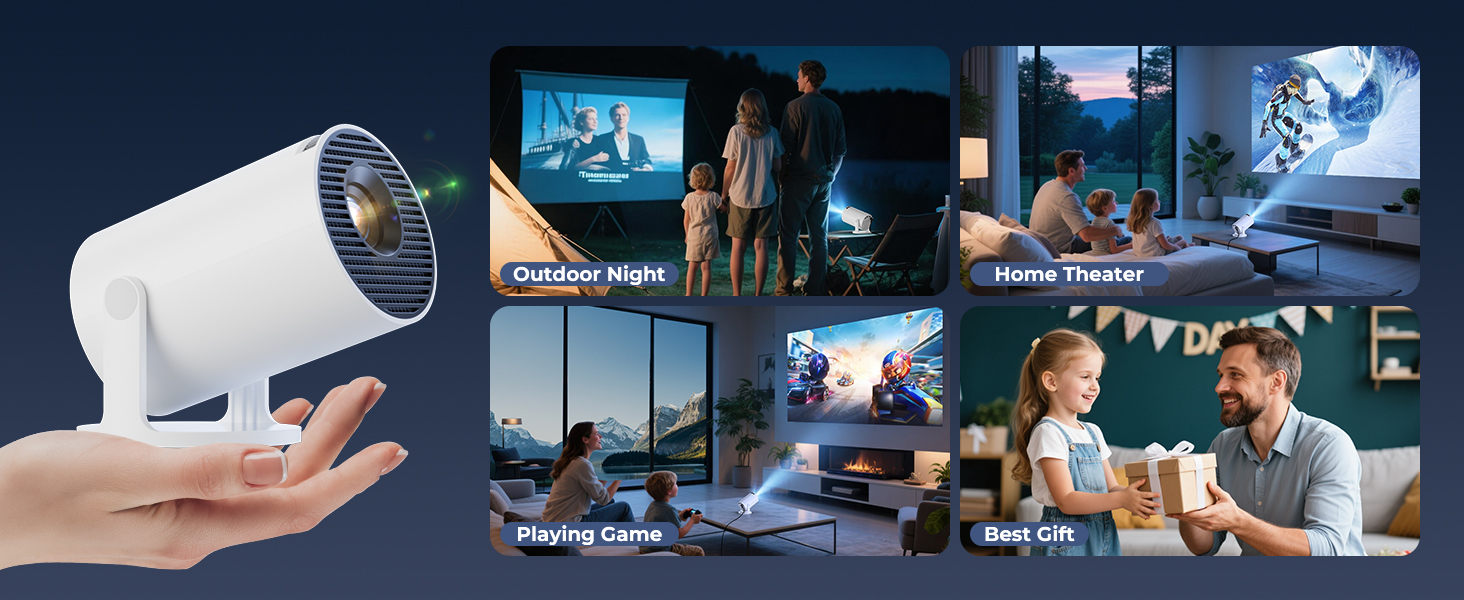
- Ултра-преносен дизајн: Compact size (3.73 × 3.73 × 6.17 inches) and lightweight (0.77 lb).
- High Clarity Display: 8000 Lux brightness, supports 1080P display, with a 0.9:1 short throw ratio.
- Прилагодливи позадини: Upload personal background images via USB.
- Тајмер за автоматско исклучување: Set a timer for controlled usage.

Image: A visual representation of the projector's built-in app store, showing various streaming service icons like Netflix, YouTube, Spotify, and Prime Video on a projected screen.

Image: A family watching a movie projected onto the ceiling of a bedroom, demonstrating the 180° rotation feature for ceiling projection.
Водич за поставување
1. Initial Placement and Power
- Поставете го проекторот на стабилна, рамна површина.
- Поврзете го кабелот за напојување со проекторот, а потоа со штекер.
- Притиснете го копчето за вклучување на проекторот или на далечинскиот управувач за да го вклучите.
2. Adjusting Projection Angle (180° Rotation)
The projector features a 180° rotatable body, allowing projection onto walls, screens, or ceilings without needing a tripod.
- Gently rotate the projector body to achieve the desired projection angle.
- Ensure the lens is facing the intended projection surface.
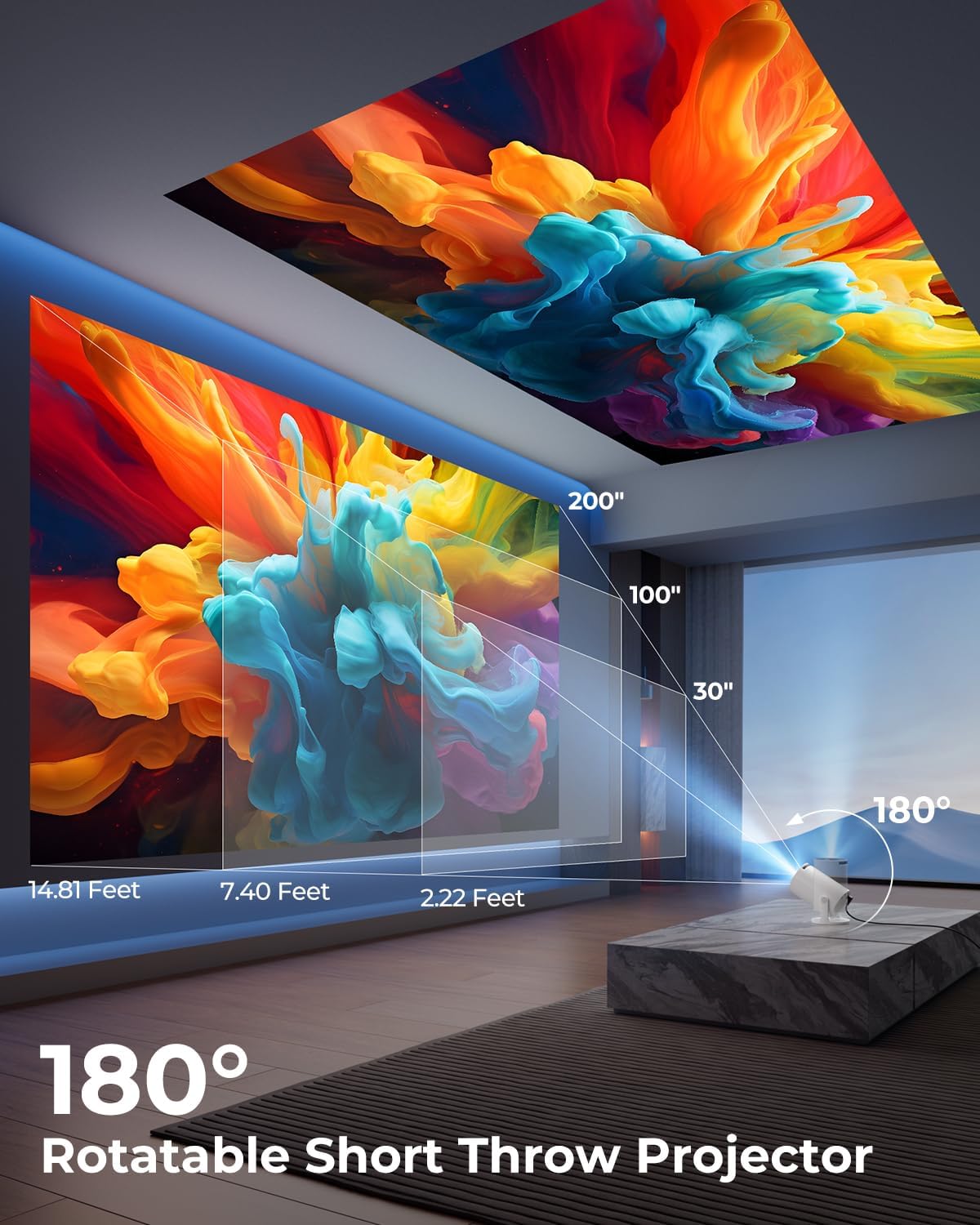
Image: A diagram illustrating the 180° rotation capability of the projector and various projection distances (30", 100", 200") with corresponding throw distances in feet.
3. Фокус и корекција на трапезоидот
- Автоматска корекција на клучот: The projector will automatically adjust the image to be rectangular. If further adjustment is needed, navigate to the settings menu.
- Рачен фокус: Rotate the focus ring around the lens until the image appears sharp and clear.

Image: A projected image on a wall demonstrating automatic keystone correction and manual focus adjustments, with icons for ±45° Auto Keystone, Manual Focus, and 50%-100% Zoom.
4. Network and Bluetooth Connection
- Wi-Fi конекција:
- Navigate to the "Settings" menu on the projector.
- Изберете „Мрежа“ или „Поставки за Wi-Fi“.
- Choose your Wi-Fi network from the list and enter the password. The projector supports Wi-Fi 6 (2.4G and 5G).
- Bluetooth конекција:
- Одете во „Поставки“ и изберете „Bluetooth“.
- Овозможете Bluetooth и побарајте достапни уреди.
- Изберете го вашиот Bluetooth звучник или слушалки од листата за да ги спарите.

Image: A projected image showing Wi-Fi 6 and Bluetooth 5.2 connectivity, with a smartphone mirroring content to the projector and a soundbar connected via Bluetooth.
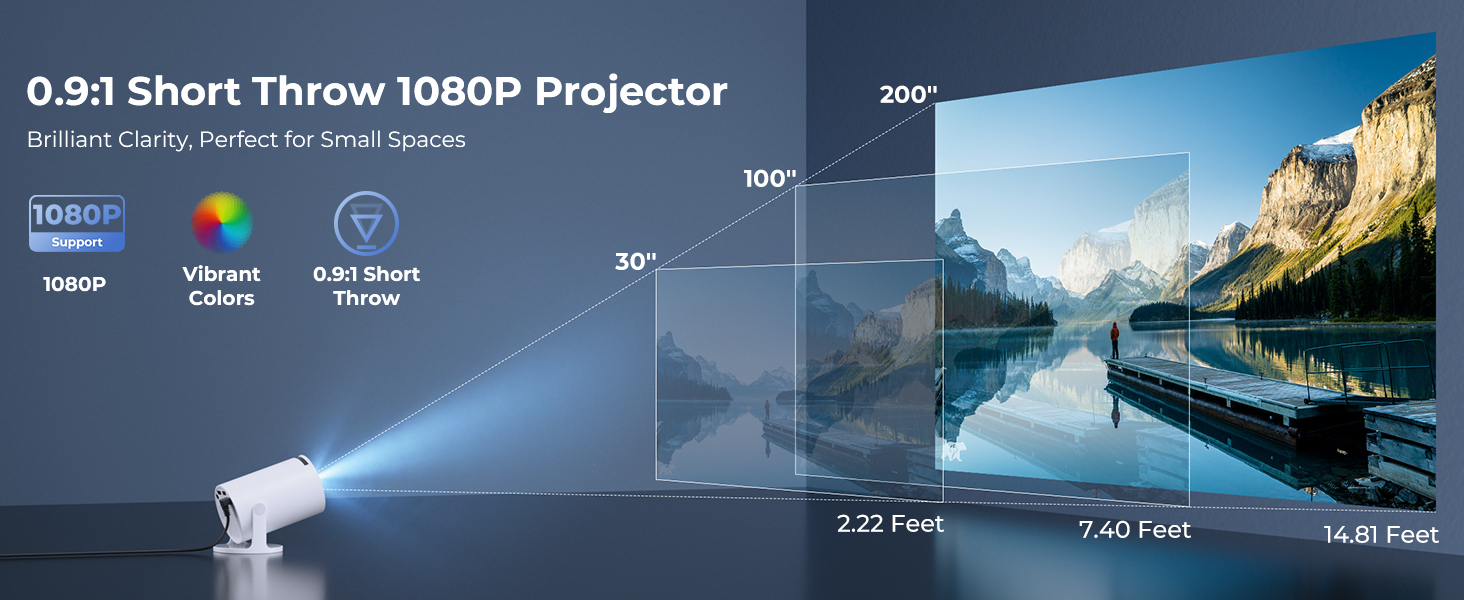
Image: A visual demonstrating Bluetooth 5.2 audio connection, showing the projector wirelessly paired with headphones and a portable speaker.
Упатства за работа
1. Навигација низ интерфејсот
- Use the provided remote control to navigate through menus and select options.
- Basic navigation buttons are also available on the projector unit.
2. Користење на вградени апликации
- Once connected to Wi-Fi, access the main interface to find pre-installed streaming applications.
- Select an app (e.g., YouTube, Disney+) and log in with your credentials to start streaming.
3. Пресликување на екранот
The projector supports wireless mirroring from compatible smartphones, tablets, and laptops.
- Проверете дали вашиот уред и проекторот се поврзани на истата Wi-Fi мрежа.
- Изберете ја опцијата „Screen Mirroring“ или „Wireless Display“ во менито на проекторот.
- On your mobile device, activate its screen mirroring feature (e.g., AirPlay for iOS, Smart View за Android) и изберете го проекторот од листата на достапни уреди.
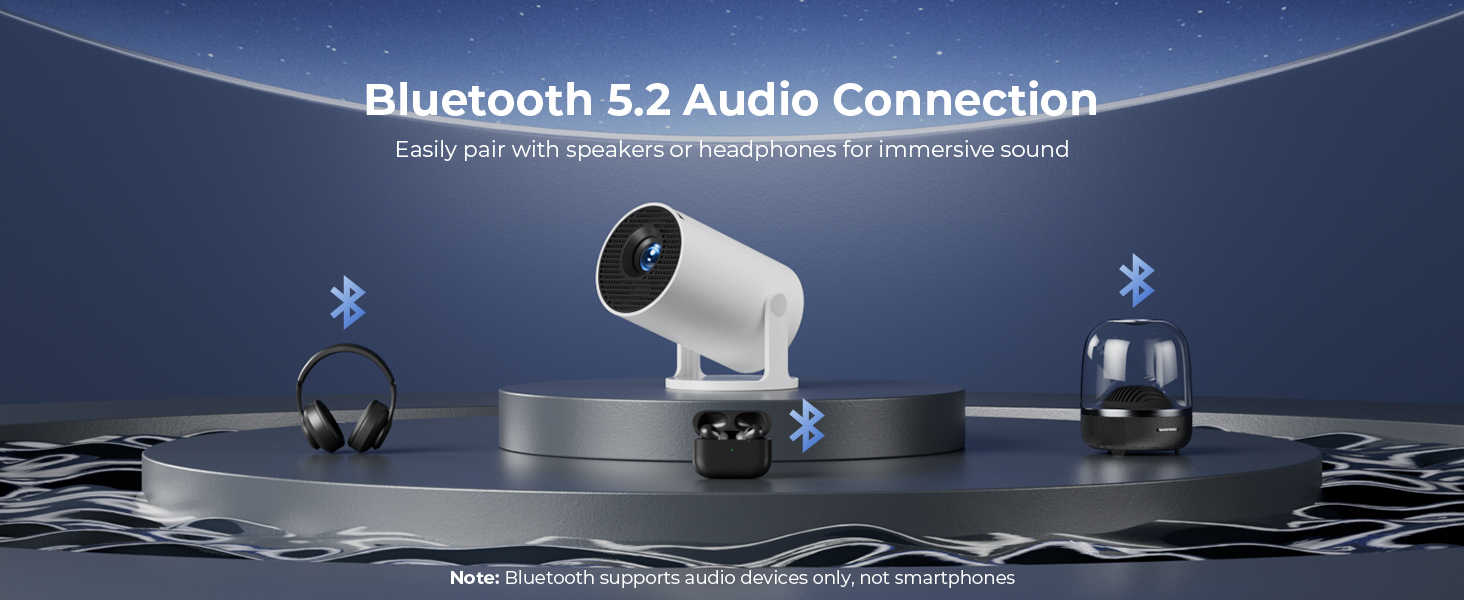
Image: A diagram illustrating Dual-Band Wi-Fi 6 connection for faster, smoother screen mirroring from various devices like smartphones, tablets, and laptops to the projector.
4. Wired Connections (HDMI/USB)
- Connect devices like game consoles, TV sticks, or computers using the HDMI port.
- Користете го USB-портот за репродукција на медиуми files directly from a USB drive or to upload custom wallpapers.
- To select the input source, press the "Source" button on the remote control and choose HDMI or USB.
Слика: Крупен план view of the projector's rear panel, highlighting the HDMI, USB, and power ports, along with an ON/OFF switch and manual focus ring.
5. Custom Wallpapers and Timer
- Custom Wallpapers: Insert a USB drive containing your desired background images. Navigate to the settings to select and apply them.
- Тајмер за автоматско исклучување: Access the system settings to set a timer for the projector to automatically power off after a specified duration.
Одржување
- Чистење на објективот: Користете мека крпа без влакненца, специјално дизајнирана за оптички леќи. Не користете абразивни средства за чистење или растворувачи.
- Чистење на надворешноста: Wipe the projector's exterior with a soft, dry cloth. For stubborn marks, lightly dampmk крпата со вода.
- Вентилација: Осигурајте се дека отворите за вентилација на проекторот не се блокирани за да спречите прегревање.
- Складирање: Кога не го користите подолго време, чувајте го проекторот на ладно и суво место, подалеку од директна сончева светлина и екстремни температури.
Решавање проблеми
| Проблем | Можна причина | Решение |
|---|---|---|
| Нема слика или сликата е заматена | Incorrect focus; lens cap on; input source not selected; projector too far/close. | Adjust manual focus; remove lens cap; select correct input source; adjust projection distance. |
| Сликата е трапезоидна или искривена | Проекторот не е нормален на екранот. | Utilize automatic keystone correction or manually adjust in settings. Ensure projector is on a level surface. |
| Нема звук или низок волумен | Volume too low; external audio device not connected/paired; projector's internal speaker off. | Increase volume on projector/source device; ensure Bluetooth speaker is paired; check audio settings. |
| Далечинскиот управувач не реагира | Batteries low/dead; obstruction between remote and projector; remote sensor blocked. | Replace batteries; ensure clear line of sight to projector's IR sensor. |
| Проблеми со Wi-Fi конекцијата | Неточна лозинка; надвор од опсег; мрежно мешање. | Re-enter password; move projector closer to router; restart router and projector. |
Спецификации
| Карактеристика | Детал |
|---|---|
| Број на модел | HY300PRO+ |
| Бренд | ClokoWe |
| Димензии на производот | 3.73 x 6.17 x 3.73 инчи |
| Тежина на ставката | 1.61 фунти (0.73 кг) |
| Резолуција на екранот | 1280 x 720 (Supports 1080P) |
| Осветленост | 8000 лукс |
| Технологија за поврзување | Bluetooth 5.2, HDMI, USB, Wi-Fi 6 (2.4G & 5G) |
| Посебни карактеристики | Built-in Apps, Digital Keystone Correction, Short Throw (0.9:1), 50%-100% Zoom, 180° Rotatable Projection, Mini Portable Design |
| Препорачана употреба | Home Cinema, Gaming, Business, Education |
Гаранција и поддршка
The CLOKOWE Mini Projector includes 2-years factory support. For technical assistance, troubleshooting, or warranty claims, please contact ClokoWe customer support through the retailer where the product was purchased or visit the official ClokoWe webсајт за информации за контакт.
Ве молиме зачувајте го доказот за купување за потврда на гаранцијата.


