Вовед
This manual provides essential information for the safe and efficient use of your SUPVAN T50M Pro Label Maker. Please read these instructions carefully before operating the device and retain them for future reference.
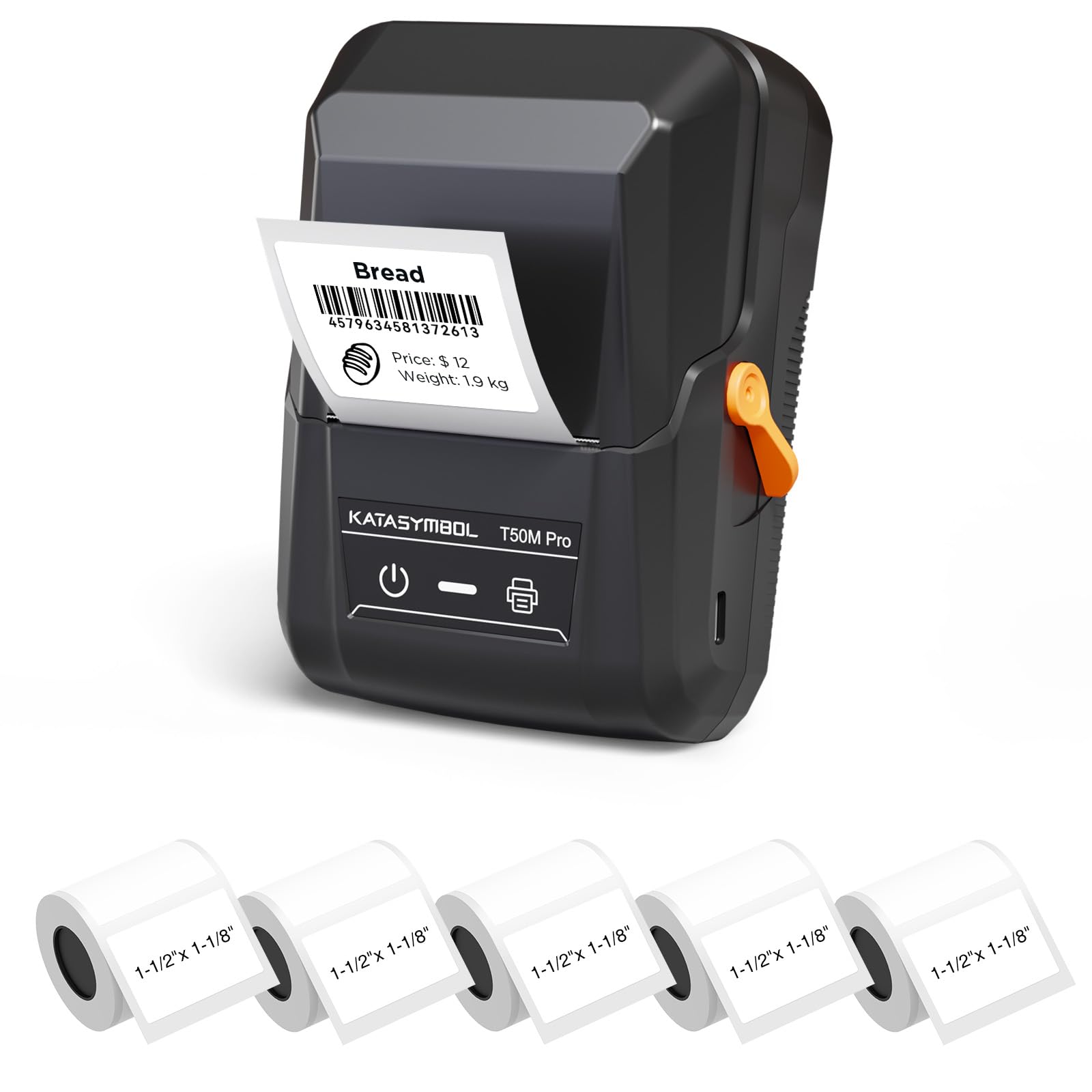
Image: The SUPVAN T50M Pro Label Maker, a compact thermal printer.
Содржина на пакетот
Проверете дали сите артикли се присутни во вашиот пакет:
- SUPVAN T50M Pro Label Maker
- 5 rolls of 1.57'' × 1.18'' (40mm × 30mm) white labels (250 labels/roll)
- USB Cable (for charging and connectivity)
- Упатство за употреба (овој документ)
Водич за поставување
1. Полнење на уредот
Before first use, fully charge the label maker using the provided USB cable. The device features a 1200 mAh built-in rechargeable battery, offering extended use on a single charge.
2. Installing the Label Roll
The T50M Pro uses thermal paper, eliminating the need for ink or toner. Follow these steps to install a label roll:
- Open the label compartment cover.
- Вметнете ја ролната за етикети со површината за печатење свртена нагоре.
- Ensure the label edge is aligned with the printer's feed mechanism.
- Close the cover. The device's Smart RFID Auto-Detection will recognize the label size automatically.

Image: Illustration of loading thermal paper into the label maker. The device uses thermal printing technology, requiring no ink or toner.
3. Инсталација и поврзување на апликацијата
Download the official SUPVAN app from your device's app store. The app provides all editing functions and is free to use.
- Вклучете го апаратот за правење етикети.
- Open the SUPVAN app on your smartphone or tablet.
- Follow the in-app instructions to connect to your T50M Pro via Bluetooth or USB.
Упатства за работа
1. Creating Labels with the App
The SUPVAN app offers a comprehensive suite of editing tools:
- Уредување на текст: Choose from over 40 fonts.
- Image & Picture Integration: Add custom images and logos.
- Шаблони: Access over 140 free, constantly updated templates for various uses.
- Auto Label Size Recognition: The app automatically detects the loaded label size, reducing errors.

Image: The SUPVAN app's editing interface, demonstrating font choices, image integration, and automatic label size detection.

Image: A selection of over 140 free templates available within the SUPVAN app, suitable for diverse labeling needs.
2. Печатење на етикети
After designing your label in the app, select the "Print" option. Ensure the label maker is connected and has sufficient battery. The T50M Pro supports various label styles and sizes, printing 3/4 to 2-inch wide labels.

Слика: Прamples of labels created with the T50M Pro, including address labels, price tags, and decorative labels, demonstrating support for various styles.

Image: A visual comparison highlighting the high-quality image output from the SUPVAN T50M Pro's app compared to other label makers.
3. Вообичаени апликации
The SUPVAN T50M Pro is suitable for a wide range of labeling tasks:
- Small Business: Shipping addresses, product information, QR codes, brand logos.
- Office & School: Име tags, folder labels, documentation, asset tagџингирање.
- Домашна организација: Pantry labels, storage bins, personal items.

Image: Demonstrates diverse uses for the label maker, such as labeling containers in a pantry, creating product labels, printing shipping labels, and organizing school supplies.
Одржување
1. Чистење на главата за печатење
За да обезбедите оптимален квалитет на печатење, периодично чистете ја термичката глава за печатење. Користете мека крпа без влакненца, нежно тријте ја.ampened with isopropyl alcohol. Do not use abrasive cleaners or sharp objects.
2. Нега на батерии
Recharge the device when the battery indicator is low. Avoid fully discharging the battery frequently to prolong its lifespan. Store the device in a cool, dry place when not in use for extended periods.
3. Label Storage
Store label rolls in a cool, dry place away from direct sunlight and heat to prevent degradation of the thermal material.
Решавање проблеми
1. Уредот не се вклучува
- Уверете се дека уредот е целосно наполнет. Поврзете го со извор на енергија користејќи го USB кабелот.
- Притиснете и задржете го копчето за вклучување неколку секунди.
2. Printing Issues (Blank or Faint Prints)
- Check if the label roll is installed correctly with the printing surface facing up.
- Ensure the label roll is not empty.
- Исчистете ја главата за печатење како што е опишано во делот Одржување.
- Verify that the label type is compatible with the T50M Pro.
3. App Connectivity Problems
- Проверете дали Bluetooth е овозможен на вашиот мобилен уред.
- Make sure the label maker is turned on and within range.
- Restart both the label maker and the app.
- Ако проблемите продолжат, обидете се повторно да ја инсталирате апликацијата.
4. Label Misalignment
- Проверете дали ролната со етикети е правилно сместена и порамнета во преградата.
- The Smart RFID Auto-Detection should prevent most misalignment issues; if not, try re-seating the roll.
Спецификации
| Карактеристика | Детал |
|---|---|
| Име на моделот | T50M Pro |
| Бренд | SUPVAN |
| Технологија на печатење | Термички |
| Технологија за поврзување | USB, Bluetooth |
| Хардверски интерфејс | USB |
| Излез на печатач | Monochrome (Black Ink Color) |
| Максимална големина на медиум | 1.57'' × 1.18'' (40mm × 30mm) - 3/4 to 2-inch wide labels supported |
| Специјална карактеристика | Portable, Smart RFID Auto-Detection, BPA-free labels |
| Батерија | Вградена батерија на полнење од 1200 mAh |
| Димензии | Приближно 5" x 3.7" x 2.3" |
| Тежина | Приближно 0.6 кг |
| Вклучени компоненти | Label Maker, Labels, USB Cable |

Image: The compact design of the T50M Pro, highlighting its portability, lightweight nature, and 1200 mAh rechargeable battery.
Гаранција и поддршка
Информации за гаранцијата
For detailed warranty information, please refer to the warranty card included with your product or visit the official SUPVAN webлокација. Условите за гаранција може да се разликуваат во зависност од регионот и продавачот.
Поддршка за корисници
If you encounter any issues or have questions regarding your SUPVAN T50M Pro Label Maker, please contact SUPVAN customer support through their official webлокацијата или продавачот на мало каде што е купен производот.
Можете исто така да ја посетите SUPVAN Store on Amazon за дополнителни информации за производот и ресурси за поддршка.


