1. Вовед
This manual provides essential information for the safe and efficient use of your HP 140W USB-C AC Adapter (Model TPN-LA29). Please read this manual thoroughly before using the product and retain it for future reference.
The HP 140W USB-C AC Adapter is designed to provide reliable power to compatible HP laptops, including the HP Spectre 2-in-1 Laptop 16-aa0023dx, HP OMEN Transcend Laptop 14-fb0000 RTX 4050 4060, and HP Spectre x360 16-aa0000 Ultra 7 RTX 4050 models. It features a USB-C connector for versatile compatibility and fast charging capabilities.
2. Информации за безбедност
Внимавајте на следниве безбедносни мерки за да спречите повреда или оштетување на вашиот уред:
- Користете само со компатибилни уреди како што е наведено во ова упатство.
- Не го изложувајте адаптерот на вода, влага или екстремни температури.
- Избегнувајте испуштање или изложување на адаптерот на силен удар.
- Do not attempt to disassemble or modify the adapter. This will void the warranty and may cause electric shock or fire.
- Ensure the power outlet is easily accessible and properly grounded.
- Disconnect the adapter from the power outlet during lightning storms or when unused for extended periods.
- Чувајте го адаптерот подалеку од деца.
- If the adapter or cable is damaged, discontinue use immediately and seek professional assistance.
3. Содржина на пакетот
Проверете дали сите артикли се присутни во вашиот пакет:
- HP 140W USB-C AC Adapter (Model TPN-LA29)
- Кабел за напојување
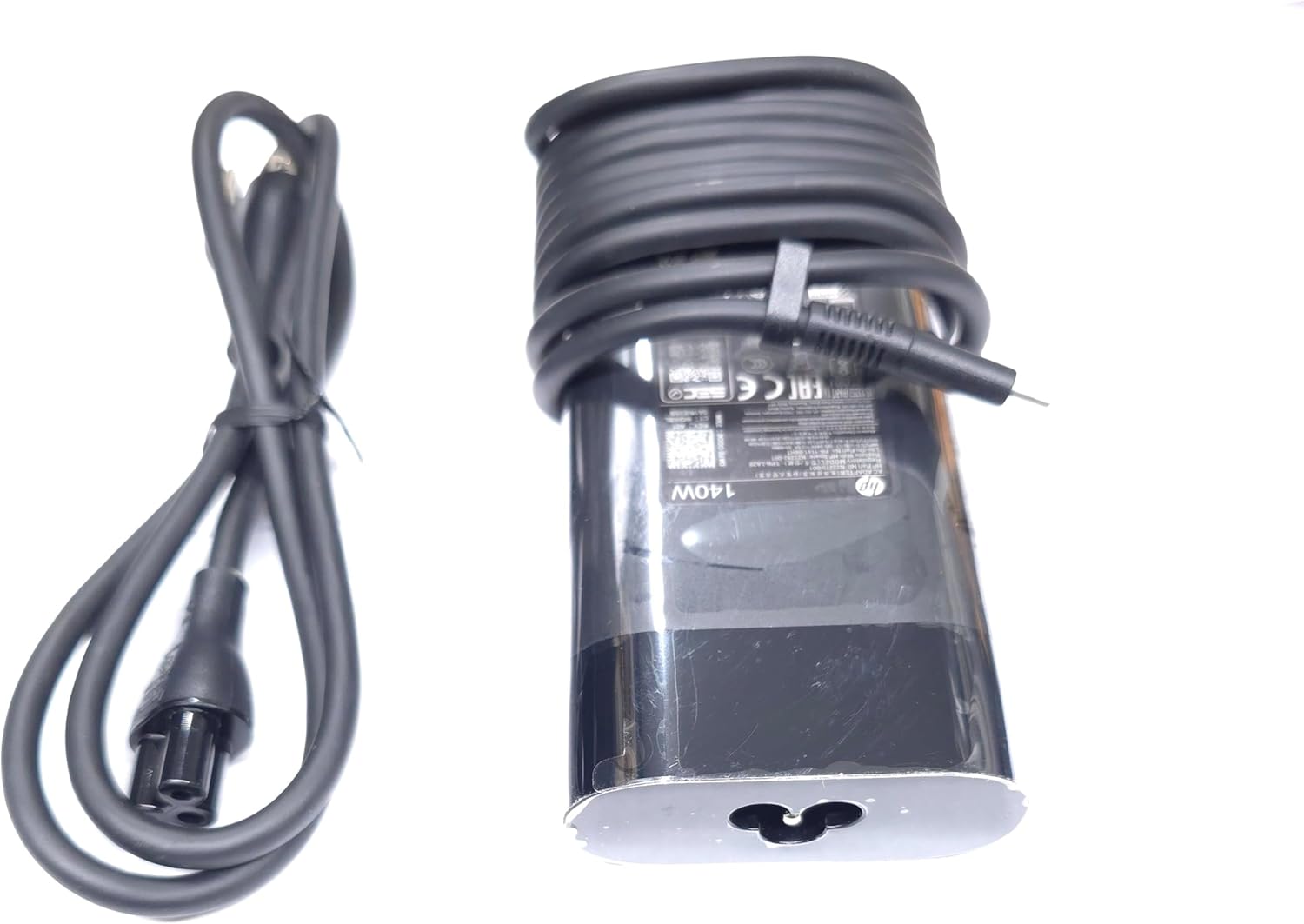
Image: The HP 140W USB-C AC Adapter and its accompanying power cord, as typically found in the product packaging.
4. Упатства за поставување
Follow these steps to set up your HP 140W USB-C AC Adapter:
- Поврзете го кабелот за напојување: Insert the power cord into the AC input port on the HP 140W USB-C AC Adapter. Ensure a firm connection.
- Поврзете се со штекер: Plug the other end of the power cord into a standard AC wall outlet.
- Поврзување со лаптоп: Insert the USB-C connector of the adapter into the USB-C charging port on your compatible HP laptop.
- Потврдете ја врската: Confirm that your laptop indicates it is receiving power or charging.

Image: The USB-C end of the adapter cable, ready to be connected to a compatible laptop's charging port.
5. Упатства за работа
The HP 140W USB-C AC Adapter is designed for automatic operation. Once connected, it will provide power to your laptop and charge its battery.
- Индикатор за полнење: Your laptop's operating system or physical indicator light will show the charging status.
- Оптимални перформанси: For best performance, ensure the adapter is placed in a well-ventilated area to prevent overheating.
- Исклучување: To disconnect, first unplug the USB-C connector from your laptop, then unplug the power cord from the wall outlet.
6. Одржување и грижа
Proper care ensures the longevity and optimal performance of your adapter:
- Чистење: Користете мека, сува крпа за чистење на адаптерот. Не користете течни средства за чистење или растворувачи.
- Складирање: When not in use, store the adapter in a cool, dry place. Avoid tightly wrapping the cables to prevent damage.
- Инспекција: Periodically inspect the adapter and cables for any signs of wear, cuts, or damage. If damage is found, replace the adapter.
7 Смена на проблеми
If you encounter issues with your HP 140W USB-C AC Adapter, refer to the following common problems and solutions:
| Проблем | Можна причина | Решение |
|---|---|---|
| Лаптопот не се полни. | Loose connection, faulty outlet, incompatible device. |
|
| Адаптерот е жежок на допир. | Нормално работење, лоша вентилација, прекумерно оптоварување. |
|
| Sparking at outlet when plugging in. | Normal inrush current, faulty outlet. |
|
8. Спецификации
Detailed technical specifications for the HP 140W USB-C AC Adapter:
- Број на модел: TPN-LA29
- Влез: AC 100V - 240V, 2.5A, 50-60Hz (Worldwide Use)
- Излез:
- 5.0V / 3.0A (15.0W)
- 9.0V / 3.0A
- 12.0V / 5.0A
- 15.0V / 5.0A
- 20.0V / 5.0A
- 28.0V / 5.0A
- Вкупна излезна моќност: 140 W
- Тип на конектор: USB-C (тип-C)
- Боја: Црното
- Тежина на ставката: Приближно 1 фунта (0.45 кг)
- Димензии на пакетот: 7.83 x 6.93 x 1.26 инчи (19.89 x 17.60 x 3.20 см)
- Compatible P/N: TPN-LA29, N22270-001, N22282-001, PA-1141-08HT
- Производител: Lite-On Technology Corp.
- Специјална карактеристика: Брзо полнење
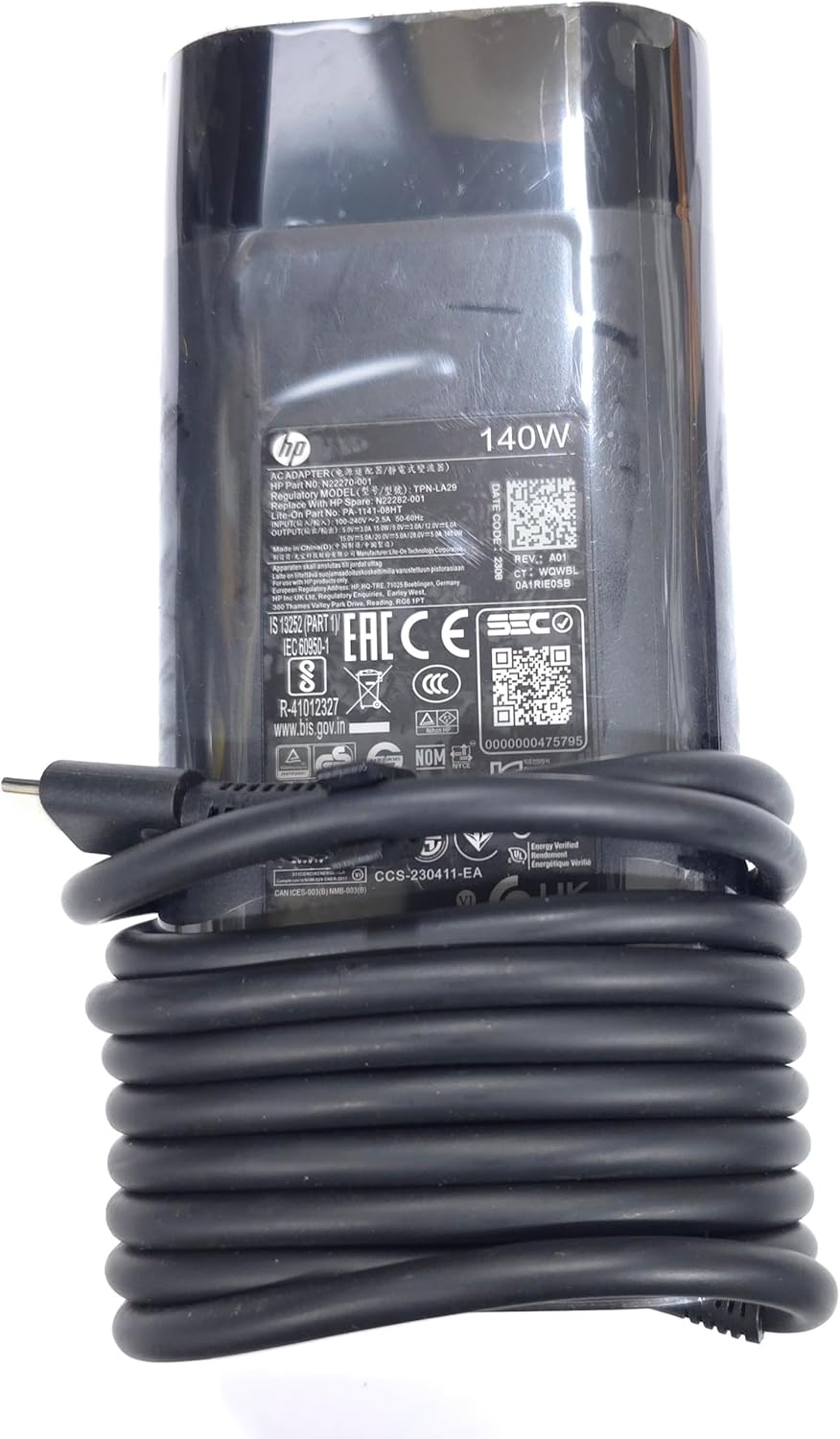
Слика: Крупен план view of the adapter's label, displaying detailed electrical specifications and model information.
9. Гаранција и поддршка
For warranty information and technical support, please refer to the documentation provided with your original HP laptop or visit the official HP support website. The manufacturer, Lite-On Technology Corp., provides the adapter under HP's quality standards.
Поддршка преку Интернет: For the latest drivers, troubleshooting guides, and product information, visit www.hp.com/support.
Контактирајте со поддршката: Refer to your region-specific HP support contact details for phone or chat assistance.