Вовед
Thank you for choosing the GOBOULT Soniq Over Ear Bluetooth Headphones. These headphones are designed to provide a superior audio experience with features like 70 hours of playtime, 40mm bass drivers, Zen™ ENC microphone, Type-C fast charging, and dual device pairing. This manual will guide you through the setup, operation, and maintenance of your new headphones to ensure optimal performance.
Што има во кутијата
Проверете ја содржината на пакувањето за да се осигурате дека сите артикли се присутни:
- Soniq Headphone
- Кабел за полнење Type-C
- Упатство за употреба
- Перничиња за уши (претходно инсталирани)
- Гарантна картичка
Карактеристики на производот завршиview
The GOBOULT Soniq headphones come equipped with several advanced features:
- Продолжено време за играње: До 70 часа репродукција на аудио со едно полнење.
- Customizable EQ Modes: Прилагодување на звукотfiles for bass boost, balanced audio, or vocal clarity.
- Поништување на еколошки шум (ENC): Ја подобрува јасноста на повикот со намалување на бучавата во позадина.
- Спарување со два уреди: Seamlessly connect and switch between two devices simultaneously.
- Powerful Audio Drivers: 40mm bass-boosted drivers for rich sound.
- Најнова Bluetooth технологија: Bluetooth 5.4 for faster pairing and stable connections.
- Удобен дизајн: Lightweight build with cushioned earcups for prolonged wear.
- Отпорност на вода: IPX5 rating for splash, rain, and sweat protection.
- Tactile Controls: Easy-to-use physical buttons for volume, playback, and mode switching.
- Поддршка за гласовен асистент со вештачка интелигенција: Compatible with Google Assistant and Siri.

Слика: Надview of key features including 70H battery, EQ modes, ENC, dual pairing, 40mm drivers, and Bluetooth 5.4.

Image: Close-up of the GOBOULT Soniq headphone earcup highlighting the 40mm power-packed bass neodymium drivers with BoomX™ Technology and Memory Foam.
Водич за поставување
1. Полнење на слушалките
Before first use, fully charge your GOBOULT Soniq headphones. Use the provided Type-C charging cable to connect the headphones to a compatible USB power source.
- Целосно полнење овозможува до 70 часа време за репродукција.
- Fast charging feature: 10 minutes of charge provides approximately 8 hours of playtime.
- LED индикаторот ќе го покаже статусот на полнење и ќе се исклучи или ќе ја промени бојата кога ќе се наполни целосно.

Image: GOBOULT Soniq headphones connected via Type-C cable, illustrating 70 hours playtime and fast charging capability.
2. Вклучување/исклучување
To power on, press and hold the Power button for approximately 3 seconds until the LED indicator lights up. To power off, press and hold the Power button again for 3 seconds until the LED indicator turns off.
3. Bluetooth спарување
Следете ги овие чекори за да ги спарите слушалките со уред со Bluetooth:
- Осигурајте се дека слушалките се целосно наполнети и исклучени.
- Притиснете го и држете го копчето за вклучување 5-7 секунди додека LED индикаторот не трепка наизменично црвено и сино, што укажува на режим на спарување.
- На вашиот уред (паметен телефон, таблет, лаптоп), овозможете Bluetooth и пребарајте достапни уреди.
- Select "GOBOULT Soniq" from the list of found devices.
- Откако ќе се поврзе, LED индикаторот ќе трепка сино бавно или ќе остане постојано син.

Image: GOBOULT Soniq headphones highlighting Bluetooth 5.4 for fast and stable connection.
Упатства за работа
1. Основни контроли
The headphones feature tactile buttons for easy control:
- Копче за вклучување: Притиснете и задржете за вклучување/исклучување. Кратко притиснете за репродукција/пауза.
- Јачина на звук (+): Кратко притискање за зголемување на јачината на звукот. Долго притискање за следната песна.
- Намалување на јачината на звукот (-): Кратко притискање за намалување на јачината на звукот. Долго притискање за претходната песна.
- Multi-function Button (often combined with Power or a dedicated button): Answer/End calls, activate voice assistant.

Image: Close-up of the right earcup showing tactile button controls for volume and play/pause.
2. Режими на еквилајзер
Customize your audio experience with multiple EQ modes. Press the dedicated EQ button (or a specific combination, refer to quick start guide if available) to cycle through modes:
- Режим на засилување на басот: Enhances low frequencies for a deeper bass sound.
- Балансиран режим: Обезбедува неутрален звукfile suitable for various genres.
- Вокален режим: Ги оптимизира средните фреквенции за појасни вокали.
- Режим на игра: Reduces latency for a more synchronized gaming audio experience (60ms ultra-low latency).
- Музички режим: Стандарден аудио професионалецfile за општо слушање музика.
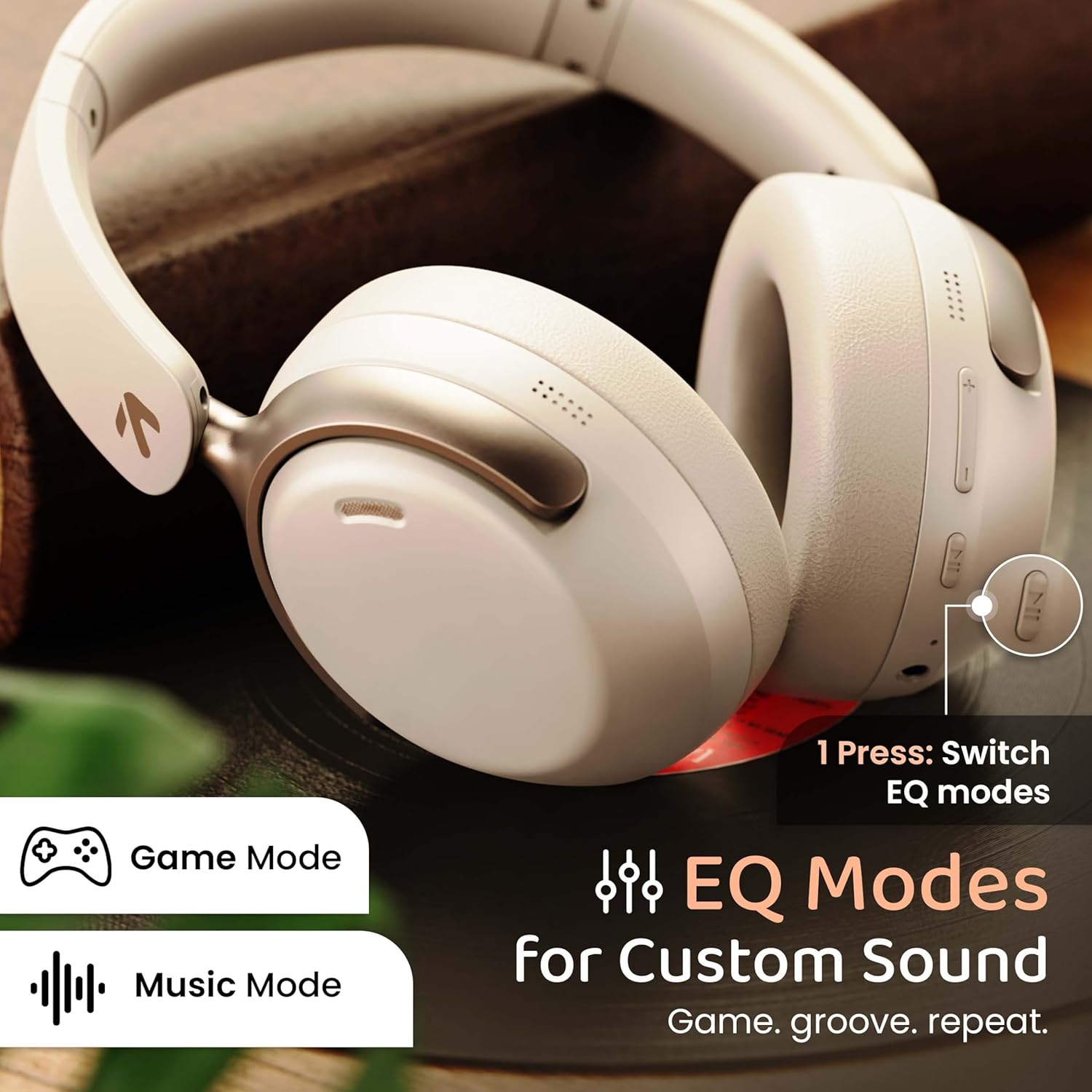
Image: GOBOULT Soniq headphones illustrating the EQ modes for custom sound, including Game Mode and Music Mode.

Image: GOBOULT Soniq headphones highlighting Combat™ Gaming Mode with 60ms ultra-low latency, tailored for mobile gaming and real-time sound accuracy.
3. Спарување на два уреди
The headphones support dual device pairing, allowing you to connect to two devices simultaneously and switch between them seamlessly.
- Спарете ги слушалките со првиот уред како што е опишано во делот „Bluetooth спарување“.
- Оневозможете го Bluetooth на првиот уред.
- Спарете ги слушалките со вториот уред.
- Повторно овозможете Bluetooth на првиот уред. Слушалките треба автоматски да се поврзат со двата уреди.
- Audio will play from the device currently active. To switch, pause audio on the first device and start playing on the second.

Image: GOBOULT Soniq headphones demonstrating dual device connectivity with a laptop and a smartphone.
4. Wired Mode (AUX)
For a wired connection, use a standard 3.5mm AUX cable (not included) to connect the headphones to your audio source. In wired mode, the headphones operate passively, and the built-in microphone will not function.

Image: GOBOULT Soniq headphones showing the option for wireless mode and an optional wired mode via AUX cable, noting that the mic is off in wired mode.
5. Поништување на бучавата во животната средина (ENC) за повици
The Zen™ ENC microphone technology helps reduce ambient noise during calls, ensuring clearer conversations. This feature is automatically active during phone calls.

Image: Close-up of the GOBOULT Soniq headphone earcup highlighting the Zen™ ENC Mic for processed calling, ambient noise isolation, enhanced call experience, and sharper voice clarity.
6. Гласовен асистент
Activate your device's voice assistant (Google Assistant or Siri) by pressing the multi-function button (or specific button, refer to quick start guide) for approximately 2 seconds.

Image: GOBOULT Soniq headphones with icons for Google Assistant and Siri, indicating personalized AI assistant support.
Одржување и нега
- Чистење: Избришете ги слушалките со мека, сува крпа. Не користете абразивни средства за чистење или растворувачи.
- Отпорност на вода: The headphones are IPX5 water resistant, meaning they are protected against splashes, rain, and sweat. Do not submerge them in water or expose them to strong jets of water.
- Складирање: Кога не ги користите, чувајте ги слушалките на ладно и суво место, подалеку од директна сончева светлина и екстремни температури. Преклопниот дизајн овозможува компактно складирање.
- Нега на батеријата: За да го продолжите траењето на батеријата, избегнувајте често целосно празнење на слушалките. Полнете ги редовно, дури и ако не се во постојана употреба.
Image: GOBOULT Soniq headphones illustrating IPX5 water resistance, indicating protection against splash, rain, and sweat.

Image: GOBOULT Soniq headphones showcasing their adjustable headband, foldable design, and movable earcups for maximum comfort and portability.
Решавање проблеми
| Проблем | Можно решение |
|---|---|
| Слушалките не се вклучуваат. | Проверете дали слушалките се наполнети. Поврзете ги на извор на напојување користејќи кабел од тип C. |
| Не може да се спари со уредот. |
|
| Нема звук или има ниска јачина на звук. |
|
| Микрофонот не работи во жичен режим. | The built-in microphone is not active when using the AUX wired connection. This is normal operation. |
| Прекината врска. |
|
Спецификации
| Карактеристика | Детал |
|---|---|
| Име на моделот | AirBass |
| Технологија за поврзување | Bluetooth, Wired, Wireless |
| Технологија на безжична комуникација | Bluetooth 5.4 |
| Опсег на Bluetooth | 10 метри |
| Големина на драјвер за аудио | 40 милиметри |
| Тип на драјвер за аудио | Динамичен драјвер |
| Траење на батеријата | 40 часа |
| Порта за полнење | Type-C Fast Charging Jack |
| Контрола на бучава | Откажување бучава од околината (ENC) |
| Ниво на отпорност на вода | IPX5 (Splash, Rain, Sweat Proof) |
| Аудио латентност | 60 милисекунди (режим на игра) |
| Облик на слушалката | Над уво |
| Материјал | Memory Foam (Ear Cushions) |
| Тежина на ставката | 227 грама |
| Димензии на производот (ДxШxВ) | 17 x 5.5 x 19 сантиметри |
| Тип на контролер | Button, Google Assistant |
| Импеданса | 32 оми |
| Чувствителност | 118 dB |
Гаранција и поддршка
Your GOBOULT Soniq Over Ear Bluetooth Headphones come with a 1-годишна гаранција на производителот from the date of purchase. This warranty covers manufacturing defects and ensures the reliability of your product.
For warranty claims, technical support, or any inquiries, please refer to the contact information provided on the warranty card included in your package or visit the official GOBOULT support webсајт.
Ве молиме зачувајте ја вашата сметка за купување како доказ за потврда на гаранцијата.