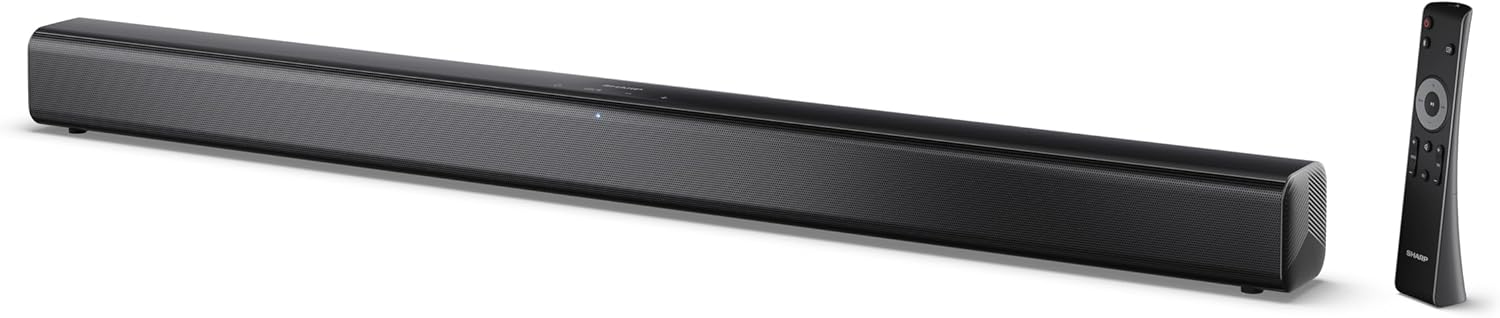
Image 0.1: The SHARP HT-SB145 2.0 Channel Soundbar shown alongside its remote control.
1. Вовед
This manual provides essential instructions for the safe and efficient operation of your SHARP HT-SB145 2.0 Channel Soundbar. Please read this manual thoroughly before use and retain it for future reference.
2. Информации за безбедност
Следете ги следниве безбедносни мерки за да спречите електричен удар, пожар или оштетување на уредот:
- Не го изложувајте овој апарат на капење или прскање.
- Не ставајте предмети полни со течности, како вазни, на апаратот.
- Обезбедете соодветна вентилација. Не ги блокирајте отворите за вентилација.
- Не инсталирајте во близина на извори на топлина како што се радијатори, топлински регистри, шпорети или други апарати (вклучувајќи ampлајфикатори) кои произведуваат топлина.
- Заштитете го кабелот за напојување од одење или штипкање.
- Користете само додатоци/додатоци наведени од производителот.
- Исклучете го овој апарат од струја за време на громови или кога не го користите подолг период.
- Целото сервисирање упатете го на квалификуван сервисен персонал.
3. Содржина на пакетот
Проверете дали сите артикли наведени подолу се вклучени во вашиот пакет:
- SHARP HT-SB145 Саундбар
- Далечински управувач
- Кабел за напојување
- Држачи за монтирање на ѕид (2)
- Screws and Wall Plugs (for mounting)
- ААА батерии (2)
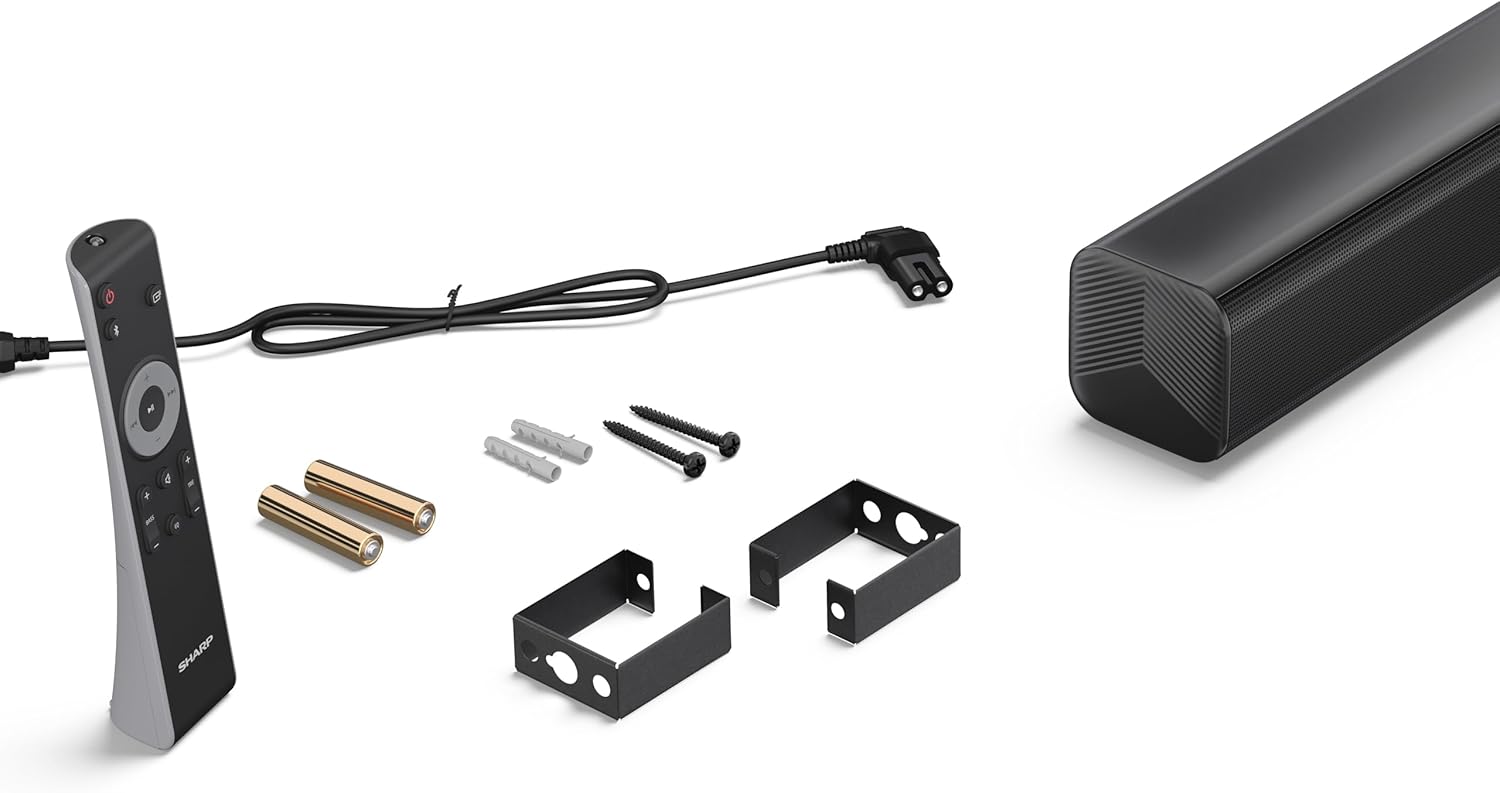
Image 3.1: Contents of the SHARP HT-SB145 Soundbar package, including the soundbar, remote control, power cable, wall mount brackets, screws, and two AAA batteries.
4. Производот завршиview
4.1 Напред и горе View

Слика 4.1: напред view of the SHARP HT-SB145 Soundbar, showcasing the speaker grille and the central LED indicator.
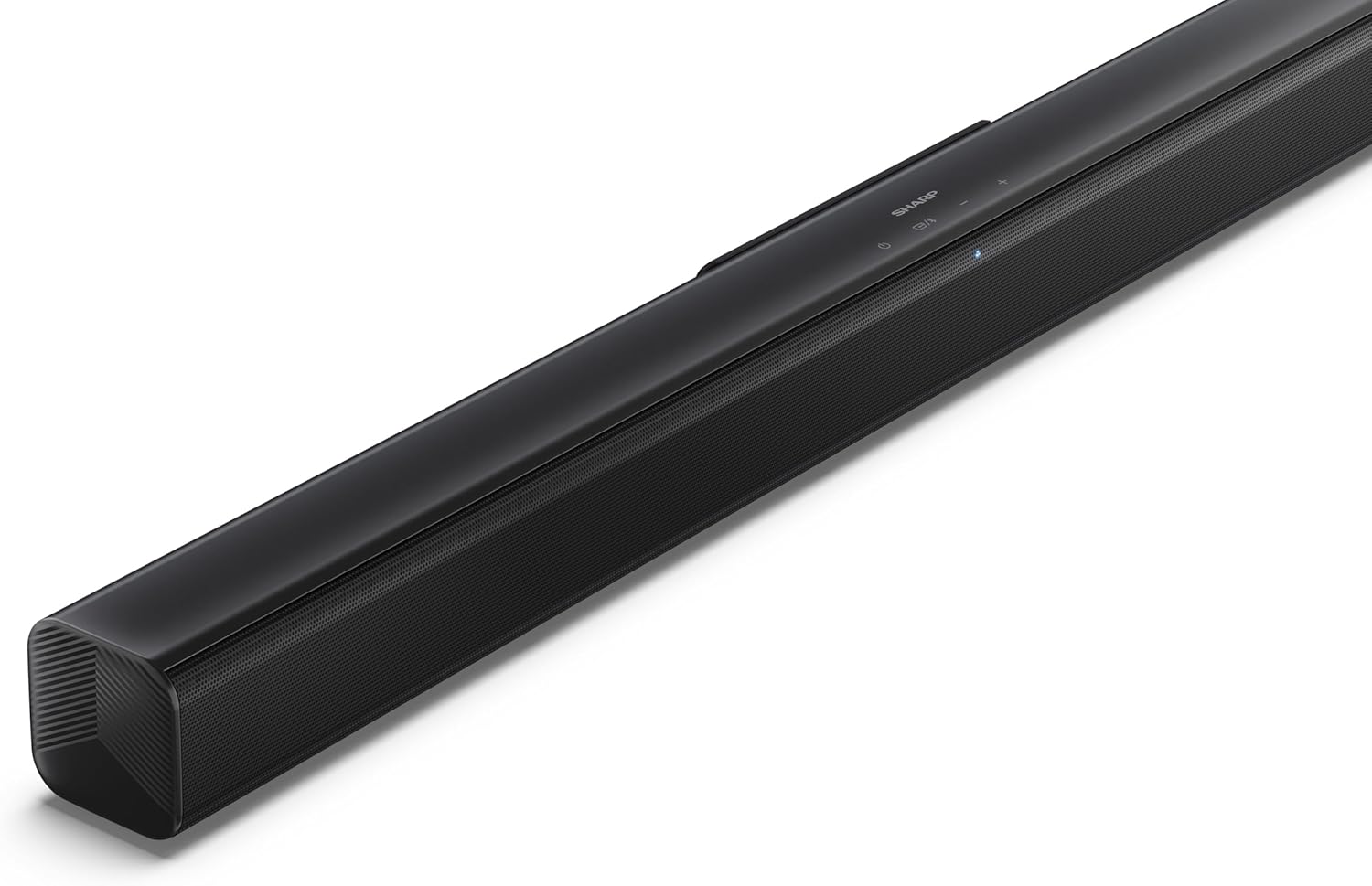
Слика 4.2: Аголен врв view of the soundbar, highlighting the integrated control buttons for power, source selection, and volume adjustment, along with the SHARP logo.

Image 4.3: Close-up of the top-mounted control panel, showing the power button, source/Bluetooth button, and volume up/down buttons.
4.2 Приклучоци на задниот панел

Слика 4.4: Задна страна view of the soundbar, displaying the various input ports and power connection.

Слика 4.5: Детално view of the rear panel connections, including OPTICAL input, USB port (5V 500mA), AUX input, and HDMI ARC (TV) port.
5. Поставување
5.1 Опции за поставување
The SHARP HT-SB145 Soundbar offers flexible placement options:
- Поставување на маса: Place the soundbar on a stable, flat surface in front of your TV. Ensure it does not obstruct the TV's remote sensor.
- Монтирање на ѕид: Use the provided wall mount brackets to attach the soundbar to a wall below your TV. Refer to section 5.4 for detailed wall mounting instructions.

Image 5.1: The soundbar positioned on a media console beneath a television, demonstrating a typical tabletop setup.
5.2 Поврзување со напојување
- Connect the power cable to the AC IN port on the rear of the soundbar.
- Вклучете го другиот крај од кабелот за напојување во ѕиден штекер.
5.3 Аудио врски
Choose one of the following methods to connect the soundbar to your TV or other audio source:
- HDMI ARC/CEC (Recommended):
Connect an HDMI cable (not included) from the HDMI ARC port on the soundbar to the HDMI ARC port on your TV. This connection allows for audio return and control via your TV remote.
- Оптички:
Connect an optical cable (not included) from the OPTICAL port on the soundbar to the optical digital output on your TV or audio source.
- AUX:
Connect a 3.5mm audio cable (not included) from the AUX port on the soundbar to the headphone jack or audio output on your TV or audio source.
5.4 Монтирање на ѕид
Следете ги овие чекори за безбедно монтирање на ѕид:
- Determine the desired mounting location on the wall, ensuring it is level and within reach of power and audio cables.
- Mark the positions for the two wall mount brackets using a pencil. The distance between the brackets should match the mounting points on the soundbar.
- Drill pilot holes at the marked positions. Insert the wall plugs if mounting into drywall or plaster.
- Secure the wall mount brackets to the wall using the provided screws.
- Carefully attach the soundbar to the mounted brackets. Ensure it is securely seated.
6. Упатства за работа
6.1 Вклучување/исклучување
- Притиснете го Моќ копчето на саундбарот или на далечинскиот управувач за да го вклучите или исклучите уредот.
6.2 Избор на извор
Притиснете го Извор button on the soundbar or remote control repeatedly to cycle through the available input sources:
- HDMI ARC: For audio from a TV connected via HDMI ARC.
- ОПТИЧКО: For audio from a device connected via optical cable.
- AUX: For audio from a device connected via 3.5mm audio cable.
- BLUETOOTH: За безжично аудио стриминг.
- USB: For audio playback from a USB drive.
6.3 Контрола на јачината на звукот
- Притиснете го Волумен + копче за зголемување на јачината на звукот.
- Притиснете го Волумен - копче за намалување на јачината на звукот.
6.4 Спарување преку Bluetooth
- Turn on the soundbar and select the Bluetooth source. The LED indicator will flash, indicating pairing mode.
- Овозможете Bluetooth на вашиот паметен телефон, таблет или друг уред.
- Пребарај за "SHARP HT-SB145" in your device's Bluetooth list and select it to pair.
- Once paired, the LED indicator on the soundbar will glow steadily. You can now stream audio wirelessly.
6.5 USB репродукција
The soundbar supports MP3/WAV audio playback from a USB drive.
- Insert a USB drive containing MP3/WAV audio files into the USB port on the rear of the soundbar.
- Select the USB source using the Source button.
- Playback will begin automatically. Use the remote control to navigate tracks (if supported).
The USB port also provides 5V 500mA for charging compatible devices.
7. Одржување
- Чистење: Користете мека, сува крпа за чистење на површината на саундбарот. Не користете течни средства за чистење или абразивни материјали.
- Складирање: Доколку го складирате уредот подолг временски период, исклучете го од штекерот и чувајте го на ладно и суво место.
8 Смена на проблеми
| Проблем | Можна причина | Решение |
|---|---|---|
| Нема моќ | Кабелот за напојување не е поврзан или штекерот не е активен. | Проверете дали кабелот за напојување е безбедно поврзан и дали штекерот е функционален. |
| Нема звук | Incorrect input source selected, volume too low, or cable connection issue. | Изберете го точниот влезен извор. Зголемете ја јачината на звукот. Проверете ги поврзувањата на аудио каблите. |
| Спарувањето со Bluetooth не успеа | Soundbar not in pairing mode, or device too far. | Ensure soundbar is in Bluetooth pairing mode (flashing LED). Move device closer. Try re-pairing. |
| Далечинскиот управувач не работи | Batteries depleted or obstructed signal. | Заменете ги батериите. Осигурајте се дека нема пречки помеѓу далечинскиот управувач и саундбарот. |
9. Спецификации
| Карактеристика | Детал |
|---|---|
| Име на моделот | HT-SB145 |
| Тип на звучник | Звучна лента |
| Канали | 2.0 канал |
| Максимална излезна моќност | 150 вати |
| Bluetooth верзија | 5.3 |
| Поврзување | HDMI ARC/CEC, Optical, AUX, Bluetooth, USB |
| Репродукција преку USB | MP3 / WAV |
| USB излез за полнење | 5V 500mA |
| Димензии на производот (Д x Ш x В) | 80 cm x 6.2 cm x 6.3 cm (31.5 во x 2.4 во x 2.5 инчи) |
| Тежина на ставката | 1.4 килограми (3.1 фунти) |
| Вклучени компоненти | Remote Control, Power Cable, Wall Mount Brackets, AAA Batteries |

Image 9.1: Diagram illustrating the dimensions of the SHARP HT-SB145 Soundbar: 800mm length, 63mm height, and 63mm depth.
10. Гаранција и поддршка
For warranty information and technical support, please refer to the warranty card included with your product or visit the official Sharp webстраница. Зачувајте го доказот за купување за гаранциски побарувања.
For further assistance, contact Sharp customer service.


