1. Вовед
The AOCHUAN Smart M3 is a versatile 3-in-1 device combining a selfie stick, desktop stand, and floor tripod, featuring advanced AI face tracking and remote control capabilities. Designed for content creators and everyday users, it offers hands-free video recording and photography without the need for a dedicated application. This manual provides comprehensive instructions for setting up, operating, and maintaining your Smart M3 tripod.
2. Информации за безбедност
- Не го изложувајте уредот на екстремни температури или директна сончева светлина подолг временски период.
- Чувајте го уредот подалеку од вода и други течности.
- Избегнувајте паѓање или изложување на уредот на силни удари.
- Не обидувајте се сами да го расклопите или поправате уредот. Контактирајте ја поддршката за корисници за помош.
- Ensure your smartphone is securely mounted in the holder before use.
3. Содржина на пакетот
Проверете дали сите артикли се вклучени во вашиот пакет:
- Smart M3 AI Face Tracking Tripod
- Далечински управувач (x1)
- USB-C кабел за полнење (x1)
- Product Manual (x1)

4. Производот завршиview
The AOCHUAN Smart M3 features an integrated design with several key components:
- Држач за телефон: Securely holds smartphones from 1.8 to 3.8 inches in width.
- AI Tracking Camera: Located on the main unit, it detects and follows faces.
- Копче за вклучување: За вклучување/исклучување на уредот.
- Приклучок за полнење USB-C: За полнење на внатрешната батерија.
- Remote Control Slot: Stores the detachable Bluetooth remote.
- Проширлив столб: Made from aluminum alloy, extends up to 57 inches.
- Нозе на статив: Four-legged design with anti-slip rubber pads for enhanced stability.


5. Поставување
5.1 Расклопување на стативот
- Gently pull the bottom of the device to extend the tripod legs. Ensure they are fully spread for maximum stability.
- Extend the telescopic pole to your desired height. The pole can reach up to 57 inches.
5.2 Приклучување на вашиот паметен телефон
- Open the phone holder by pulling the top clip upwards.
- Carefully place your smartphone into the holder, ensuring it is centered and securely gripped. The holder accommodates devices from 1.8 to 3.8 inches wide.
5.3 Вклучување
Press and hold the power button on the main unit until the indicator light illuminates.
5.4 Парење со далечински управувач
The remote control uses Bluetooth. To pair, ensure the remote is charged and the tripod is powered on. Activate Bluetooth on your smartphone and select the Smart M3 remote from the list of available devices. The remote is typically pre-paired or automatically connects upon activation.
6. Упатства за работа
6.1 AI Face Tracking
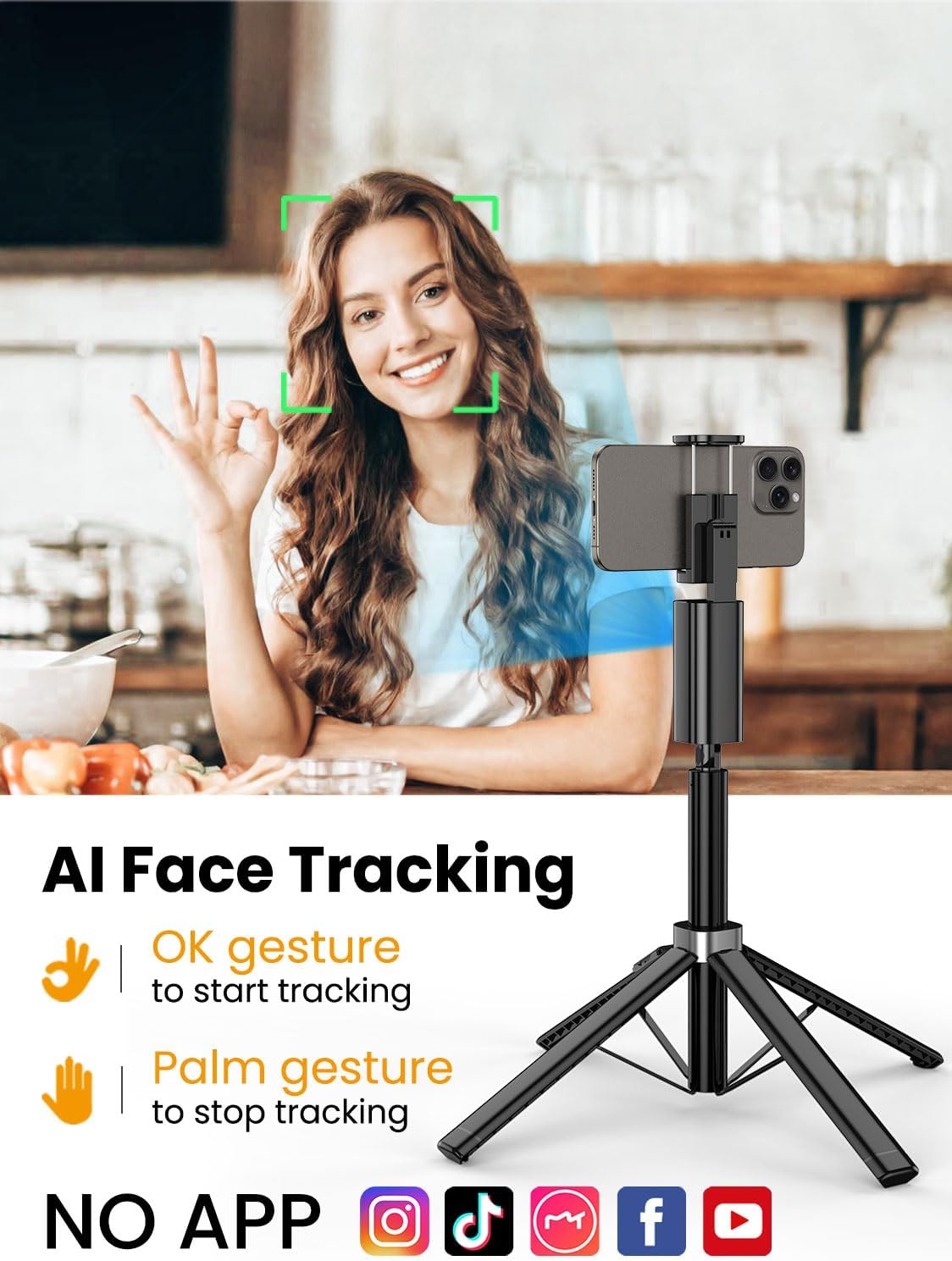
The Smart M3 features an integrated AI tracking camera that does not require an app. It automatically detects and follows faces.
- To Start Tracking: Make an "OK" gesture with your hand towards the AI tracking camera. The device will begin to rotate and follow your face.
- To Stop Tracking: Show your open palm to the AI tracking camera. The device will pause tracking.

6.2 Функција далечински управувач
The detachable remote control allows you to operate your smartphone's camera from a distance of up to 10 meters (32 feet). Use it to trigger photos or start/stop video recording, ideal for group shots or solo content creation.

6.3 Extendable Pole
The built-in aluminum alloy extension pole can be adjusted to a maximum height of 57 inches, providing flexibility for various shooting scenarios and wider fields of view.

6.4 Снимање од повеќе агли
The Smart M3 offers extensive adjustability for capturing unique perspectives:
- Ротирачка глава од 360°: Allows for panoramic shots and seamless tracking.
- Прилагодување на наклонот од 270°: Adjust the vertical angle of your smartphone.
- 360° Balanced Handle: Provides additional rotational flexibility.

6.5 Режими на употреба
The Smart M3 can be used in three primary modes:
- Поставка за на маса: Compact mode for stable placement on flat surfaces.
- Extended Selfie Mode: Use the extended pole for wider selfie shots.
- Floor Tripod Mode: Fully extend the pole and legs for stable, elevated recording.

7. Одржување
- Чистете го уредот со мека, сува крпа. Не користете абразивни средства за чистење или растворувачи.
- Store the tripod in a cool, dry place when not in use.
- Ensure the remote control is securely stored in its slot to prevent loss.
8 Смена на проблеми
- Уредот не се вклучува: Ensure the device is fully charged using the provided USB-C cable.
- AI Face Tracking not working: Check for sufficient lighting. Ensure your face is clearly visible to the AI tracking camera. Avoid rapid movements that might cause the tracker to lose focus.
- Remote Control not connecting: Verify that the remote's battery is functional and that Bluetooth is enabled on your smartphone. Re-pair the remote if necessary.
- Нестабилност на статив: Ensure the four legs are fully extended and placed on a flat, stable surface. Avoid using in strong winds.
9. Спецификации
| Карактеристика | Спецификација |
|---|---|
| Димензии на производот | 1.77 x 1.57 x 57 инчи |
| Тежина на ставката | 1.08 фунти (0.49 килограми) |
| Батерии | Потребна е 1 литиум-јонска батерија (вклучена) |
| Производител | АОЧУАН |
| Бренд | АОЧУАН |
| Боја | Црното |
| Компатибилни уреди | Паметен телефон |
| Материјал | Алуминиум |
| Максимална висина | 57 инчи |
| Тип на глава на статив | Пан глави |
| Број на делови за нозе | 4 |
| Преклопена големина | 12.41 инчи |
10. Гаранција и поддршка
For warranty information and customer support, please refer to the contact details provided on the product packaging or visit the official AOCHUAN webсајт. Чувајте ја вашата потврда за купување за барања за гаранција.


