1. Вовед
Thank you for choosing the Pro Breeze 40L Smart Dehumidifier. This manual provides important information regarding the safe operation, installation, use, and maintenance of your appliance. Please read this manual thoroughly before use and retain it for future reference.
This dehumidifier is designed to efficiently remove excess moisture from the air, helping to prevent mold, mildew, and condensation in spaces up to 50 m².
2. Важни безбедносни инструкции
Секогаш следете ги основните безбедносни мерки на претпазливост при употреба на електрични апарати за да го намалите ризикот од пожар, електричен удар и повреди.
- Внимателно прочитајте ги сите упатства пред да ракувате со апаратот.
- Обезбедете волtagЕ означено на етикетата со рејтинг одговара на јачината на звукот на вашата електрична мрежа.tage.
- Не го потопувајте апаратот, кабелот за напојување или приклучокот во вода или други течности.
- Не го користете апаратот со оштетен кабел или приклучок, или откако ќе постапи неисправно, ќе падне или ќе биде оштетен на кој било начин.
- Чувајте го апаратот подалеку од дофат на деца и домашни миленици.
- Always unplug the appliance when not in use, before cleaning, or before moving.
- Уверете се дека апаратот е поставен на стабилна, рамна површина.
- Не ги блокирајте влезовите или излезите за воздух. Одржувајте растојание од најмалку 20 см околу уредот.
- Овој апарат е само за внатрешна употреба.
- Do not use in bathrooms or other excessively humid environments where water may splash onto the unit.
3. Производот завршиview
3.1 Компоненти
The Pro Breeze 40L Smart Dehumidifier features a compact design with integrated controls and a water tank. It includes a continuous drainage option and mobility wheels for easy placement.
Слика: напред view of the Pro Breeze 40L Smart Dehumidifier, highlighting its dimensions (52cm height, 28cm depth, 35.5cm width) and key features like smart app control, laundry mode, 5.5L tank, and low energy consumption.
3.2 Контролен панел и дисплеј
The dehumidifier is equipped with an intuitive touch control panel and an LED display for easy operation and monitoring of humidity levels.

Image: A hand interacting with the touch control panel of the dehumidifier, showing the digital display and various function buttons.
4. Поставување
4.1 Отпакување
- Внимателно извадете го одвлажнувачот од пакувањето.
- Отстранете ги сите материјали за пакување, вклучувајќи ги и заштитните фолии или ленти.
- Проверете го апаратот за какви било знаци на оштетување. Доколку е оштетен, не го користете и контактирајте ја службата за корисници.
4.2 Поставување
Place the dehumidifier on a firm, level surface in the desired room. Ensure there is at least 20 cm of clear space around all sides of the unit to allow for proper airflow.

Image: A person easily moving the dehumidifier across a wooden floor in a living room, demonstrating its portability with four swivel wheels.
4.3 Поврзување за напојување
Plug the power cord into a grounded electrical outlet. Ensure the outlet meets the power requirements specified in the 'Specifications' section.
4.4 Континуирана дренажа (опционално)
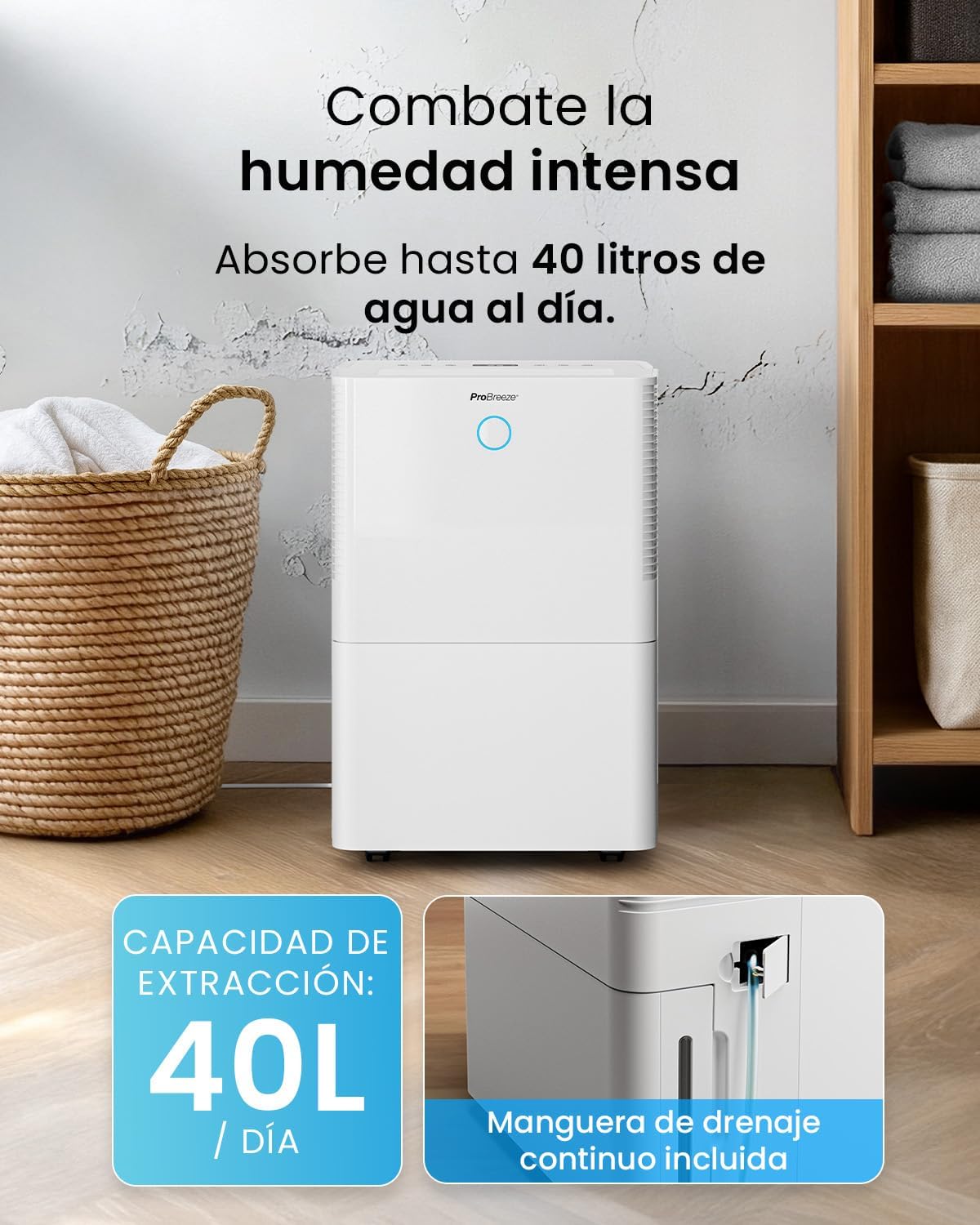
For continuous operation without needing to empty the water tank, attach the included drainage hose. Connect one end to the drainage port on the back of the unit and the other end to a suitable drain or container that is lower than the drainage port.

Слика: Крупен план view of the dehumidifier's side, showing the continuous drainage hose connected and leading to a floor drain.
5. Упатства за работа
5.1 Вклучување/исклучување
Притиснете го Моќ копчето на контролната табла за да го вклучите или исклучите уредот.
5.2 Поставување на посакуваната влажност
The dehumidifier features an automatic sensor that continuously measures room humidity. Use the Влажност копчиња за да го поставите посакуваното ниво на влажност помеѓу 30% и 80%.

Image: A family relaxing in a living room with the dehumidifier operating. An overlay illustrates the humidity indicator lights: Blue for >50% (Low), Green for 50-70% (Medium), and Red for <70% (High).
5.3 Работни режими
- Автоматски режим: The unit will automatically adjust its operation to maintain the set humidity level.
- Континуиран режим: The dehumidifier will operate continuously regardless of the humidity level, ideal for very damp услови.
- Режим на перење: This mode is designed to accelerate the drying of clothes indoors by running at maximum fan speed and continuous dehumidification.
- Режим на спиење: Reduces fan speed and dims the display for quiet operation during the night.

Image: A woman smiling while placing clothes on a drying rack next to the dehumidifier, illustrating the accelerated laundry drying feature.

Image: A family watching television in a dimly lit living room, with the dehumidifier operating quietly in the foreground, indicating its silent operation and night mode features.
5.4 Функција на тајмер
Користете го Тајмер button to set a 24-hour timer for automatic power on or off. This allows you to schedule operation according to your needs.

Image: A close-up of a smartphone screen displaying the Pro Breeze app's 24-hour timer function, allowing users to schedule the dehumidifier's operation.
6. Wi-Fi поврзување и контрола на апликации
The Pro Breeze 40L Smart Dehumidifier can be controlled remotely via the free Pro Breeze app, compatible with both Alexa and Google Home.
6.1 Инсталација и спарување на апликацијата
- Download the Pro Breeze app from your smartphone's app store.
- Follow the in-app instructions to create an account and pair your dehumidifier.
- Ensure your dehumidifier is powered on and your smartphone is connected to a 2.4GHz Wi-Fi network during the pairing process.
6.2 Карактеристики на далечинското управување
Преку апликацијата, можете:
- Turn the dehumidifier on/off.
- Adjust humidity settings.
- Select operating modes (Auto, Continuous, Laundry, Sleep).
- Set and manage the 24-hour timer.
- Monitor current room humidity.

Image: A woman using a smartphone to control the dehumidifier, with icons for Amazon Alexa and Google Home indicating voice control compatibility.
7. Одржување
Редовното одржување обезбедува оптимални перформанси и долготрајност на вашиот одвлажнувач на воздух.
7.1 Чистење на филтерот за воздух
Филтерот за воздух треба да се чисти на секои две недели или почесто, во зависност од употребата и квалитетот на воздухот.
- Исклучете го и исклучете го одвлажнувачот од струја.
- Отстранете го филтерот за воздух од задниот дел на уредот.
- Измијте го филтерот со топла вода со сапуница. Исплакнете го темелно и оставете го целосно да се исуши на воздух пред да го вратите назад.
- Не го користете одвлажнувачот без инсталиран филтер.
7.2 Празнење и чистење на резервоарот за вода
When the water tank is full, the unit will automatically shut off and an indicator light will illuminate. Empty the tank and clean it regularly to prevent mold and bacteria growth.
- Внимателно извлечете го резервоарот за вода од предната страна на уредот.
- Истурете ја собраната вода.
- Clean the tank with mild detergent and water. Rinse thoroughly.
- Reinsert the dry tank firmly into the dehumidifier.

Image: The dehumidifier in operation, with an overlay indicating its 40L/day extraction capacity and the continuous drainage hose option.
7.3 Надворешно чистење
Избришете ја надворешноста на одвлажнувачот со мека, гamp крпа. Не користете абразивни средства за чистење или растворувачи.
8 Смена на проблеми
If you encounter issues with your dehumidifier, refer to the following table before contacting customer support.
| Проблем | Можна причина | Решение |
|---|---|---|
| Одвлажнувачот не се вклучува. | No power; Power cord not plugged in; Water tank full or not correctly inserted. | Проверете го напојувањето; Вклучете го кабелот за напојување; Испразнете го и правилно вратете го резервоарот за вода. |
| Не е собрана вода. | Room humidity too low; Temperature too low; Air filter blocked; Continuous drainage hose connected. | Increase desired humidity setting; Ensure room temperature is above 5°C; Clean air filter; Disconnect continuous drainage hose if collecting water in tank. |
| Единицата е бучна. | Unit not on a level surface; Air filter blocked; Fan obstruction. | Place on a flat, stable surface; Clean air filter; Check for obstructions in fan area. |
| Проблеми со Wi-Fi конекција. | Incorrect Wi-Fi password; Not connected to 2.4GHz network; Router too far. | Verify password; Connect to 2.4GHz Wi-Fi; Move unit closer to router or use a Wi-Fi extender. |
9. Спецификации
- Бренд: Pro Breeze
- Име на модел: PB-D-32W-W
- Екстракција на влага: До 40 литри/ден
- Капацитет на резервоарот за вода: 5.3 литри
- Препорачана големина на соба: До 50 м² (538 квадратни стапки)
- Димензии (Д x Ш x В): 27.5 x 35.5 x 52.2 cm
- Тежина: 16.36 кг
- Број на брзини: 3
- Посебни карактеристики: Smart App Control, Automatic Humidity Sensor, Automatic Shut-off, 24-hour Timer, Laundry Mode, Sleep Mode, Continuous Drainage
- Ниво на бучава: <49 dB
10. Гаранција и поддршка
For warranty information and customer support, please refer to the documentation included with your purchase or visit the official Pro Breeze website. Ensure you have your model number (PB-D-32W-W) and proof of purchase available when contacting support.
Производител: Една малопродажна група


