1. Вовед
This manual provides detailed instructions for the safe and effective use of your Godox V480F TTL Camera Flash. The V480F is a high-performance speedlite designed for Fujifilm cameras, featuring a 2.0-inch color touchscreen, 2.4GHz wireless system, and a powerful Li-ion battery. Please read this manual thoroughly before operation to ensure optimal performance and to prevent damage to the unit or injury to yourself.
2. Безбедносни мерки на претпазливост
- Do not disassemble or modify the flash unit. Repairs should only be performed by authorized service personnel.
- Keep the unit dry. Do not expose to rain, moisture, or high humidity.
- Избегнувајте директно изложување на очите на блицот. Интензивната светлина може да предизвика привремено оштетување на видот.
- Handle the Li-ion battery with care. Do not short-circuit, incinerate, or expose to extreme temperatures. Use only the specified charger.
- Да се чува подалеку од дофат на деца.
- Проверете дали блицот е безбедно монтиран на фотоапаратот или држачот за да спречите случајно паѓање.
3. Содржина на пакетот
Проверете дали сите артикли се присутни во вашиот пакет:
- Тело на блицот x1
- Торба за складирање x1
- Дифузор x1
- Адаптер x1
- Литиумска батерија x1
- Мини држач x1
- USB-C Кабел за полнење x1

Image: All components included in the Godox V480F package.
4. Карактеристики на производот
4.1 Intuitive Touchscreen & Buttons
The V480 features a 2.0-inch color touchscreen and tactile buttons for precise adjustments. Users can tap, swipe, or press buttons to navigate menus and change settings efficiently.

Image: The V480F's touchscreen interface.
4.2 Паметно отчитување на растојание
The V480's display provides a real-time effective flash range, allowing users to confirm if the subject is within optimal reach for various shooting conditions, including tight spaces or bounce applications.

Image: Flash mounted on camera showing distance readout.
4.3 Sender & Receiver Functionality
The integrated Godox 2.4GHz X wireless system enables the V480 to function as both a sender and a receiver. It supports 32 channels and a range of up to 100 meters, allowing control of multiple flashes without external triggers.

Image: Wireless flash setup with the V480F.
4.4 Pro-Level Flash Modes
The V480 supports TTL, Manual, Multi mode, and High-Speed Sync (HSS) up to 1/8000s. It also includes Flash Exposure Compensation and Front/Rear-Curtain Sync for various creative lighting effects.
4.5 Lightweight Portability
Weighing approximately 282g (361g with battery), the V480 is designed for portability, fitting comfortably in hand and most camera bags.

Image: The V480F held in hand, demonstrating its compact size.
4.6 650 Full-Power Flashes
The 7.2V/2200mAh rechargeable Li-ion battery provides up to 650 full-power flashes with a recycle time of approximately 1.7 seconds. USB-C charging allows for convenient recharging.

Image: The V480F battery connected for USB-C charging.
4.7 10-Level Modeling Lamp
Вградена LED светилка за моделирање lamp нуди десет нивоа на осветленост, овозможувајќи им на корисниците однапредview how the flash will shape shadows and highlights before firing the main flash.

Image: The V480F's modeling lamp во употреба.
4.8 Flexible Bounce Head
The flash head can tilt from -7° to 120° and swivel a full 330°, providing flexibility for bouncing light off walls, ceilings, or floors to achieve soft, natural fill light or specific side lighting.
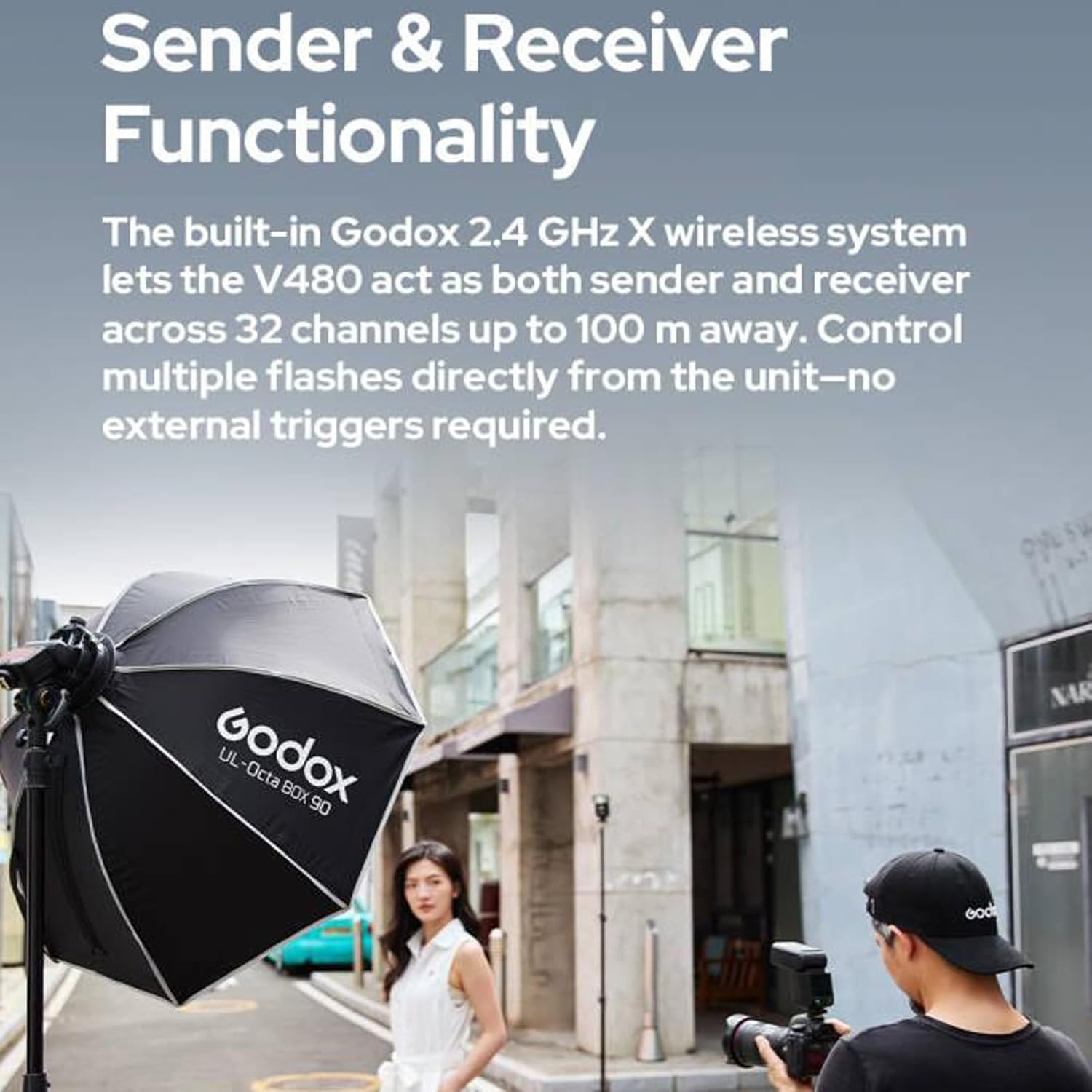
Image: Illustration of the flexible bounce head movement.
4.9 Креативни обликувачи на светлина
The flash includes a built-in catchlight panel and a wide-angle diffuser. The catchlight panel creates sparkling eye reflections, while the wide-angle diffuser softens and broadens light coverage.
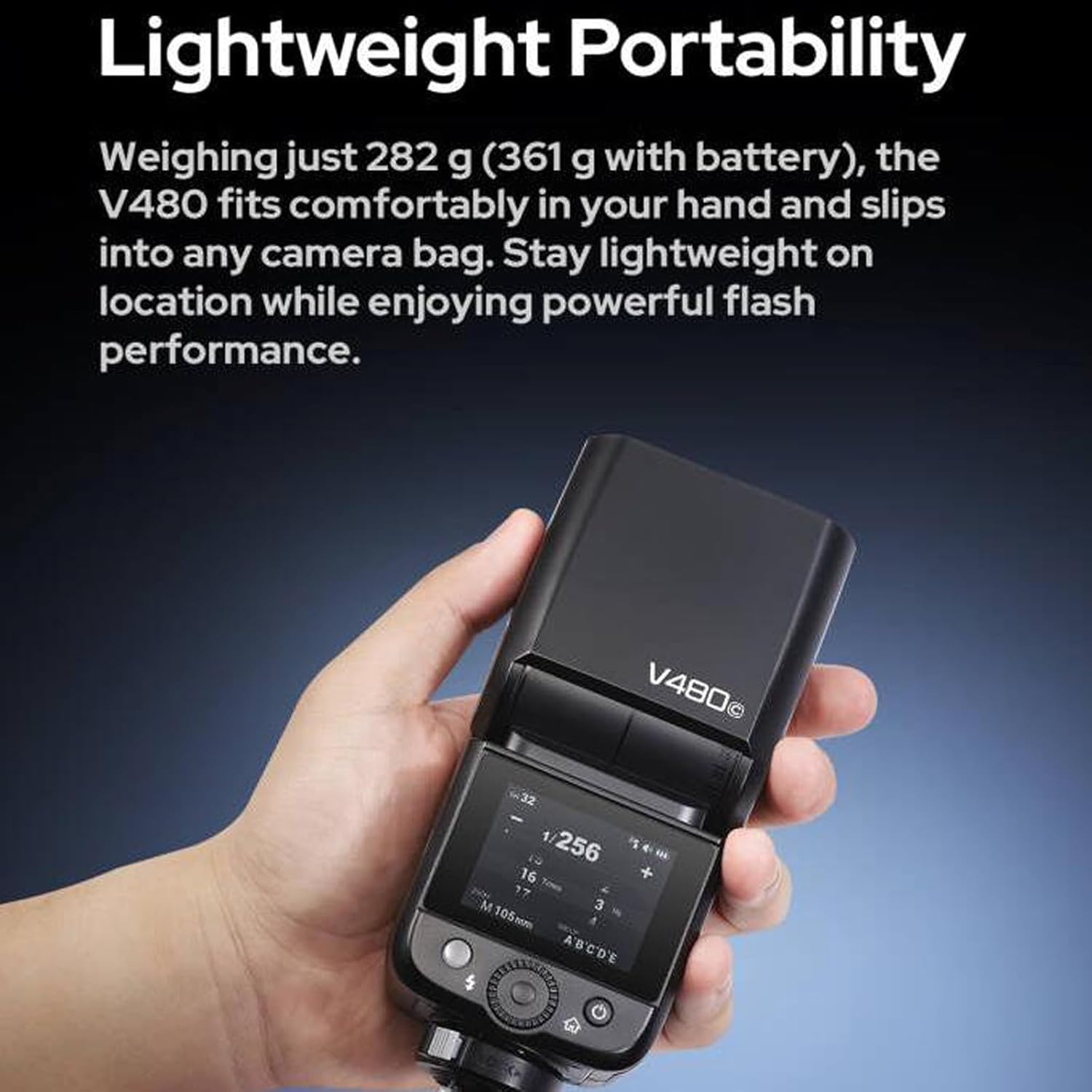
Image: The V480F with its integrated light shaping tools.
4.10 Extensive Accessory Compatibility
The V480 is compatible with various accessories, including the Godox AK-R1 Kit (via S-R2 adapter) and Bowens-mount softboxes or reflectors (using the S2 bracket).

Image: Accessory compatibility diagram for the V480F.
5. Започнување
5.1 Инсталација на батерија
- Осигурајте се дека блицот е исклучен.
- Locate the battery compartment on the side or rear of the flash unit.
- Отворете го капакот на преградата.
- Вметнете ја испорачаната литиум-јонска батерија од 7.2V/2200mAh, внимавајќи на точниот поларитет.
- Добро затворете го капакот на преградата за батерии.
5.2 Монтирање на блицот
- Slide the flash's hot shoe onto your Fujifilm camera's hot shoe mount.
- Tighten the locking ring or lever on the flash unit to secure it to the camera.
5.3 Вклучување/исклучување
Press and hold the power button (usually located on the side or rear) for a few seconds to turn the flash unit on or off. The touchscreen will illuminate upon power-on.
6. Упатства за работа
6.1 Избор на режим
Use the touchscreen or navigation buttons to select your desired flash mode:
- TTL (Низ објективот) режим: Блицот автоматски го прилагодува излезот за правилна експозиција.
- Рачен (M) режим: Manually set flash power output (e.g., 1/1 to 1/256).
- Мулти (стробоскопски) режим: Пушта серија брзи блицови за време на една експозиција за да долови повеќе движења.
6.2 Синхронизација со голема брзина (HSS)
Activate HSS mode to use flash at shutter speeds faster than your camera's native sync speed (up to 1/8000s). This is useful for overpowering ambient light or using wide apertures in bright conditions.
6.3 Компензација на експозиција на блиц (FEC)
In TTL mode, FEC allows you to fine-tune the flash output by adjusting it up or down in increments (e.g., +/- 3 stops).
6.4 Using the Modeling Lamp
Press the dedicated modeling lamp button or access it via the touchscreen. Adjust brightness levels from 1 to 10 to preview светлосни ефекти.
6.5 Adjusting Bounce Head
Gently tilt and swivel the flash head to direct light. The head can tilt from -7° to 120° and swivel 330° horizontally. Ensure the head clicks into place at desired angles.
6.6 Wireless Operation (2.4GHz X System)
To use the V480 as a wireless sender or receiver:
- Access the wireless settings menu on the touchscreen.
- Select 'Master' for sender mode or 'Slave' for receiver mode.
- Set the desired channel (1-32) and group (A, B, C, D, E) to match other Godox X system units.
- Ensure the ID setting is consistent across all units for reliable communication.
7. Одржување
7.1 Чистење
Wipe the flash unit with a soft, dry cloth. For stubborn dirt, use a slightly damp cloth and then dry thoroughly. Do not use solvents or abrasive cleaners. Keep the hot shoe contacts clean and free of debris.
7.2 Грижа за батерии
- Полнете ја батеријата целосно пред првата употреба.
- Наполнете ја батеријата кога ќе се појави индикаторот за слаба батерија.
- If storing the flash for an extended period, charge the battery to approximately 50% and remove it from the unit. Recharge every 3-6 months to maintain battery health.
7.3 Складирање
Store the flash unit in a cool, dry place, away from direct sunlight and extreme temperatures. Use the provided storage bag for protection.
8 Смена на проблеми
8.1 Блицот не свети
- Check if the flash is powered on and the battery is charged.
- Уверете се дека блицот е безбедно монтиран на приклучокот за топла вода на фотоапаратот.
- Verify camera and flash settings are compatible (e.g., flash mode, sync speed).
- Clean the hot shoe contacts on both the flash and camera.
8.2 Exposure Issues (Too Bright/Dark)
- Adjust Flash Exposure Compensation (FEC) in TTL mode.
- Во рачен режим, прилагодете ја излезната моќност на блицот.
- Check camera ISO, aperture, and shutter speed settings.
- Ensure the flash head is pointed correctly (if bouncing).
8.3 Батеријата не се полни
- Verify the USB-C cable and adapter are properly connected and functional.
- Осигурајте се дека батеријата е правилно вметната во полначот.
- Ако батеријата е целосно испразнета, може да потрае неколку минути за да се појави индикаторот за полнење.
8.4 Wireless Communication Problems
- Confirm all units (sender and receiver) are set to the same channel and group.
- Check that the wireless ID settings match.
- Ensure units are within the 100m operating range and there are no significant obstructions.
- Check for potential interference from other 2.4GHz devices.
9. Технички спецификации
| Карактеристика | Спецификација |
|---|---|
| Модел | V480F |
| Број на водич | Приближно GN50 (ISO 100, во метри) |
| Покривање на блиц | Auto zoom (flash coverage is set automatically to match the lens focal length and image size); Manual zoom (24-105mm) |
| Агол на главата на блицот | Глава за блиц за нишање/навалување (отскокнувачки блиц): 0 до 330° хоризонтално и од -7° до 120° вертикално |
| Времетраење на блицот (t0.1) | 1/600-1/20000-ти |
| Контрола на изложеност | TTL автоматски блиц и рачен блиц |
| Компензација на експозиција на блиц (FEC) | ±3 stops with 1/3 increment each step |
| Режим на синхронизација | High-speed sync (up to 1/8000 seconds), first-curtain sync and second-curtain sync |
| Мулти блиц | Обезбедено (до 100 пати, 100 Hz) |
| Безжичен блиц (2.4G пренос) | Испраќач, примач |
| Групи на испраќачи | A, B, C, D, E (V480C); M, A, B, C, D, E (V480S/V480N/V480F/V480O) |
| Приемници групи | А, Б, Ц, Д, Е |
| Опсег на пренос (прибл.) | 100м |
| Канали | 32 (01-32) |
| ID | ИСКЛУЧЕНО/01-99 |
| Моделирање на ЛЕР Лamp Моќ | 2W |
| Температура на боја | 5300K ± 300K |
| Напојување | Литиумска батерија од 7.2V/2200mAh |
| Време за рециклирање | Прибл. 1.7 секунди |
| Број на блицови (приближно) | 650 |
| Заштеда на енергија | Standby and auto off functions provided |
| Режим на активирање на синхронизација | Жешка обувка, кабел за синхронизација од 2.5 мм |
| Димензии (Ш x В x Д) | 6.54" x 2.8" x 1.93" |
| Нето тежина без батерија | Прибл. 282 гр |
| Нето тежина со батерија | Прибл. 361 гр |
| Компатибилни монтирања | Compatible with FUJIFILM Cameras (e.g., X-Pro2, X-T20, X-T2, X-T1, GFX50s, GFX50R, X-T30, X-T4, X-T3, X-H2, X-T50, X-S20, X-T5, X-Pro1, X-T10, X-E1, X-A3, X100F, X100T) |
10. Гаранција и поддршка
10.1 Информации за гаранцијата
Производите на Godox обично доаѓаат со ограничена гаранција од производителот. Ве молиме погледнете ја гарантната картичка вклучена со вашиот производ или посетете ја официјалната страница на Godox. website for specific terms and conditions regarding your region and purchase date. Keep your proof of purchase for warranty claims.
10.2 Поддршка за корисници
For technical assistance, troubleshooting not covered in this manual, or service inquiries, please contact Godox customer support through their official website or your local distributor. You can find more information and resources on the Продавница GODOX на Amazon.


