Вовед
The Razer BlackShark V3 Pro is an advanced wireless ANC esports headset designed for elite console and PC gamers. This headset is officially licensed for PlayStation and offers versatile connectivity options including Razer HyperSpeed Wireless Gen-2, Bluetooth, and 3.5mm wired connection. It features a detachable Razer HyperClear Full Band 12 mm microphone, Hybrid Active Noise Cancellation, and Razer TriForce Bio-Cellulose 50 mm Drivers Gen-2 for high-fidelity audio. The headset is compatible with PS5, PC, Mac, smartphones, tablets, and handheld gaming devices.
Што има во кутијата
- Слушалки Razer BlackShark V3 Pro
- Razer HyperSpeed Wireless Gen-2 Dongle
- Отстранлив Razer HyperClear микрофон со целосен опсег од 12 мм
- USB кабел од тип A до тип C
- 3.5 mm TRRS аналоген во USB-C конверторски кабел
- Упатство за употреба

Image: The Razer BlackShark V3 Pro headset and its included accessories laid out, showing the wireless dongle, detachable microphone, charging cables, and user manual.
Карактеристики на производот
- HyperSpeed Wireless Gen-2: Optimized for ultra-low latency (as low as 10 ms) for near-instantaneous audio response.
- Detachable HyperClear Full Band 12mm Mic: Large 12 mm capsule captures clear voice details and suppresses background noise with a unidirectional pick-up pattern.
- Хибридно активно поништување на шум (ANC): Blocks distractions for enhanced focus during gameplay.
- TriForce Bio-Cellulose 50mm Drivers Gen-2: Tuned for improved clarity and positional performance, delivering natural, powerful sound.
- 3 Modes of Connectivity: Seamlessly switch between 2.4 GHz wireless, Bluetooth, and 3.5mm wired connections. Supports simultaneous 2.4 GHz and Bluetooth audio on two devices.
- Опкружувачки звук од следната генерација: Features PlayStation Tempest 3D Audio and THX Spatial Audio on PC (Windows 10 64-bit or higher).
- Pro-Tuned FPS Profiles and Customizable EQ: Unlock audio advantages with game-specific EQ profiles and custom settings via Razer Synapse 4.

Image: Close-up of the Razer HyperSpeed Wireless Gen-2 dongle, emphasizing its advanced wireless technology.

Слика: Детална view of the detachable Razer HyperClear Full Band 12mm microphone, showing its design for clear voice pickup.

Image: A gamer wearing the headset in a focused stance, illustrating the Hybrid Active Noise Cancellation feature.

Слика: Експлодира view of the Razer TriForce Bio-Cellulose 50mm Drivers Gen-2, showcasing their internal structure.
Поставување
1. Полнење на слушалките
Before first use, fully charge your Razer BlackShark V3 Pro headset using the provided USB Type A to Type C cable. Connect the USB-C end to the headset's charging port and the USB-A end to a powered USB port (e.g., computer, wall adapter).
2. Прикачување на микрофонот
Align the detachable Razer HyperClear Full Band 12mm Mic with the microphone port on the headset and push it firmly until it clicks into place. Ensure the pop filter is correctly positioned over the microphone for optimal voice clarity.

Слика: Детална view of the detachable microphone, showing its connection point and the foam pop filter.
3. Поврзување со уреди
The Razer BlackShark V3 Pro offers three primary connection methods:
- Razer HyperSpeed Wireless (2.4 GHz): Insert the Razer HyperSpeed Wireless Gen-2 Dongle into a USB-A port on your PS5, PC, Mac, or compatible handheld device. The headset will automatically connect.
- Bluetooth: Power on the headset and activate Bluetooth pairing mode (refer to Operating Instructions). Select "Razer BlackShark V3 Pro" from your device's Bluetooth settings.
- 3.5 мм жичен: Connect the 3.5mm TRRS Analog to USB-C Converter Cable to the headset's 3.5mm port and the other end to your device's 3.5mm audio jack.

Image: The Razer HyperSpeed Wireless Gen-2 Dongle, indicating its use for 2.4 GHz wireless connection.
Упатства за работа
Вклучување/исклучување
Press and hold the Power button located on the left earcup for a few seconds until the LED indicator lights up/turns off.
Контрола на јачината на звукот
Rotate the volume wheel on the left earcup up or down to adjust the audio output level.
Исклучување / исклучување на микрофонот
Press the Microphone Mute button on the left earcup to toggle microphone mute on or off. An LED indicator will show the microphone status.
ANC / Transparency Mode
Press the ANC button on the right earcup to cycle through Active Noise Cancellation, Transparency Mode, and Off. Transparency Mode allows you to hear your surroundings while wearing the headset.
EQ Profiles
Cycle through pre-set or custom EQ profiles by pressing the EQ button on the right earcup. Further customization is available via Razer Synapse 4 software.
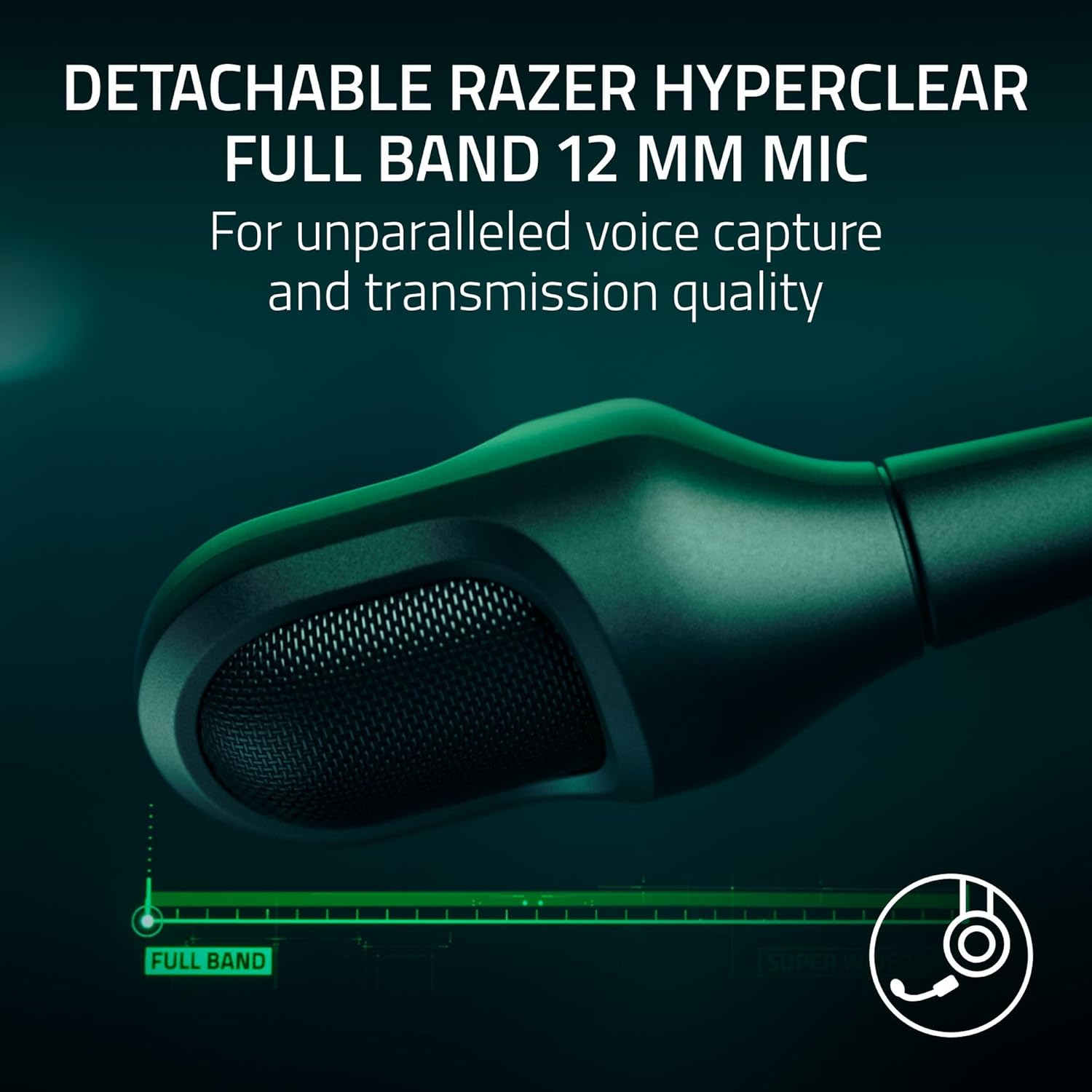
Image: The left earcup of the headset, highlighting the power button and volume control for easy access.

Image: The right earcup of the headset, showing the ANC and EQ buttons for sound customization.
Поврзување
The Razer BlackShark V3 Pro offers flexible connectivity to suit various gaming and audio needs:
- 2.4 GHz Wireless (Razer HyperSpeed Wireless Gen-2): Provides ultra-low latency connection for competitive gaming on PS5, PC, Mac, and Nintendo Switch (docked mode).
- Bluetooth 5.3: Ideal for mobile gaming, music, and calls on smartphones, tablets, and handheld gaming devices.
- 3.5mm Analog: For universal compatibility with devices that have a 3.5mm audio jack, ensuring connectivity even when battery is low or wireless is not preferred.
- Симултано аудио: The headset supports mixing 2.4 GHz and Bluetooth audio from two devices concurrently, allowing you to game and take calls or listen to music simultaneously.
Аудио прилагодување
Enhance your audio experience with Razer Synapse 4 (for PC) or the Razer Audio App (for mobile devices). These applications allow you to:
- Create and manage custom EQ profiles за различни игри или медиуми.
- Access pro-tuned FPS profiles for competitive advantage.
- Adjust microphone settings, including volume normalization, noise cancellation, and voice clarity.
- Configure THX Spatial Audio settings for immersive 7.1.4 surround sound on PC.

Image: A visual representation of the Razer Synapse 4 software interface, demonstrating the customizable EQ and microphone settings.
Одржување
To ensure the longevity and optimal performance of your Razer BlackShark V3 Pro headset, follow these maintenance guidelines:
- Чистење: Use a soft, dry cloth to wipe down the headset. For earcups, gently remove them if possible (refer to product manual for specific instructions) and clean with a mild, non-abrasive cleaner. Ensure they are completely dry before reattaching.
- Складирање: Чувајте ги слушалките на ладно и суво место, подалеку од директна сончева светлина и екстремни температури.
- Грижа за кабел: Избегнувајте остри свиткувања или прекумерно влечење на каблите за да спречите оштетување.
- Ажурирања на фирмверот: Regularly check for and install firmware updates via Razer Synapse 4 or the Razer Audio App to ensure the best performance and latest features.
Решавање проблеми
If you encounter issues with your Razer BlackShark V3 Pro, consider the following:
- Нема аудио/Лош квалитет на аудио:
- Ensure the headset is powered on and correctly connected (2.4 GHz dongle, Bluetooth, or 3.5mm cable).
- Check device volume settings and headset volume wheel.
- Verify the correct audio output device is selected in your system settings.
- For PC, ensure Razer Synapse 4 is updated and the headset firmware is current.
- Проблеми со микрофонот:
- Ensure the microphone is securely attached and not muted.
- Проверете ги нивоата на влезниот сигнал на микрофонот во поставките за звук на вашиот уред.
- Update headset firmware via Razer Synapse 4, as updates often improve microphone performance.
- Проблеми со поврзување:
- For 2.4 GHz, try re-pairing the dongle with the headset (refer to the full user manual for pairing instructions).
- For Bluetooth, ensure the headset is in pairing mode and your device's Bluetooth is enabled. Try forgetting the device and re-pairing.
- Ensure the dongle is not too far from the headset or obstructed by other devices.
- Загриженост за траењето на батеријата:
- Проверете дали слушалките се целосно наполнети.
- Note that using Hybrid Active Noise Cancellation and simultaneous audio may reduce battery life.
Спецификации
| Карактеристика | Детал |
|---|---|
| Име на моделот | BlackShark V3 Pro |
| Контрола на бучава | Активно поништување на шум |
| Фреквентен одговор | 28 KHz |
| Чувствителност | 108 dB |
| Џек за слушалки | 3.5 мм Jackек |
| Технологија за поврзување | 3.5mm, Bluetooth, Wireless (2.4 GHz) |
| Технологија на безжична комуникација | 2.4 GHz, Bluetooth |
| Bluetooth верзија | 5.3 |
| Тип на драјвер за аудио | Динамичен драјвер |
| Големина на драјвер за аудио | 50 милиметри |
| Компатибилни уреди | Mac, Nintendo Switch, PC, PlayStation, Steam Deck |
| Тежина на ставката | 1.16 килограми (2.55 фунти) |
| Материјал | Plastic, Foam |
| Тип на батерија | 1 литиум-јонска батерија (вклучена) |
| Производител | Razer |
| Број на модел на ставка | RZ04-05400500-R3UA |
| UPC | 840272919552 |
Официјални видеа за производи
Video: Razer BlackShark V3 Line OverviewОва видео дава општ прегледview of the Razer BlackShark V3 headset series, highlighting its key features and design.
Video: Razer BlackShark V3 Pro Wireless ANC Gaming Headset Features. This video showcases the specific features of the BlackShark V3 Pro, including its wireless capabilities and active noise cancellation.
Video: Razer BlackShark V3 Pro Unboxing and Review. This video provides an unboxing experience and a detailed review of the Razer BlackShark V3 Pro headset, covering its components and user experience.
Video: Razer BlackShark V3 Pro - Razer's Best Headset Ever. This video highlights the advanced features and superior performance of the Razer BlackShark V3 Pro, positioning it as a top-tier gaming headset.
Гаранција и поддршка
Razer products are built to the highest standards of quality and durability. This product comes with a limited warranty. For detailed warranty information, technical support, and customer service, please visit the official Razer support webлокација или погледнете ја гарантната картичка вклучена во пакувањето на вашиот производ.
Може да размислите и за купувањеasing продолжен план за заштита за дополнително покритие:
- 2-годишен план за заштита: 32.99 долари
- 3-годишен план за заштита: 44.99 долари
- Целосна заштита: 16.99 долари месечно (ги опфаќа сите подобни минати и идни купувања)


