1. Вовед
This manual provides detailed instructions for the installation, operation, and maintenance of your PHORUS 48-inch Tropical Palm Leaf Ceiling Fan. Please read this manual thoroughly before installation and retain it for future reference. This ceiling fan is designed for both indoor and outdoor covered areas, offering a unique tropical aesthetic with modern functionality.
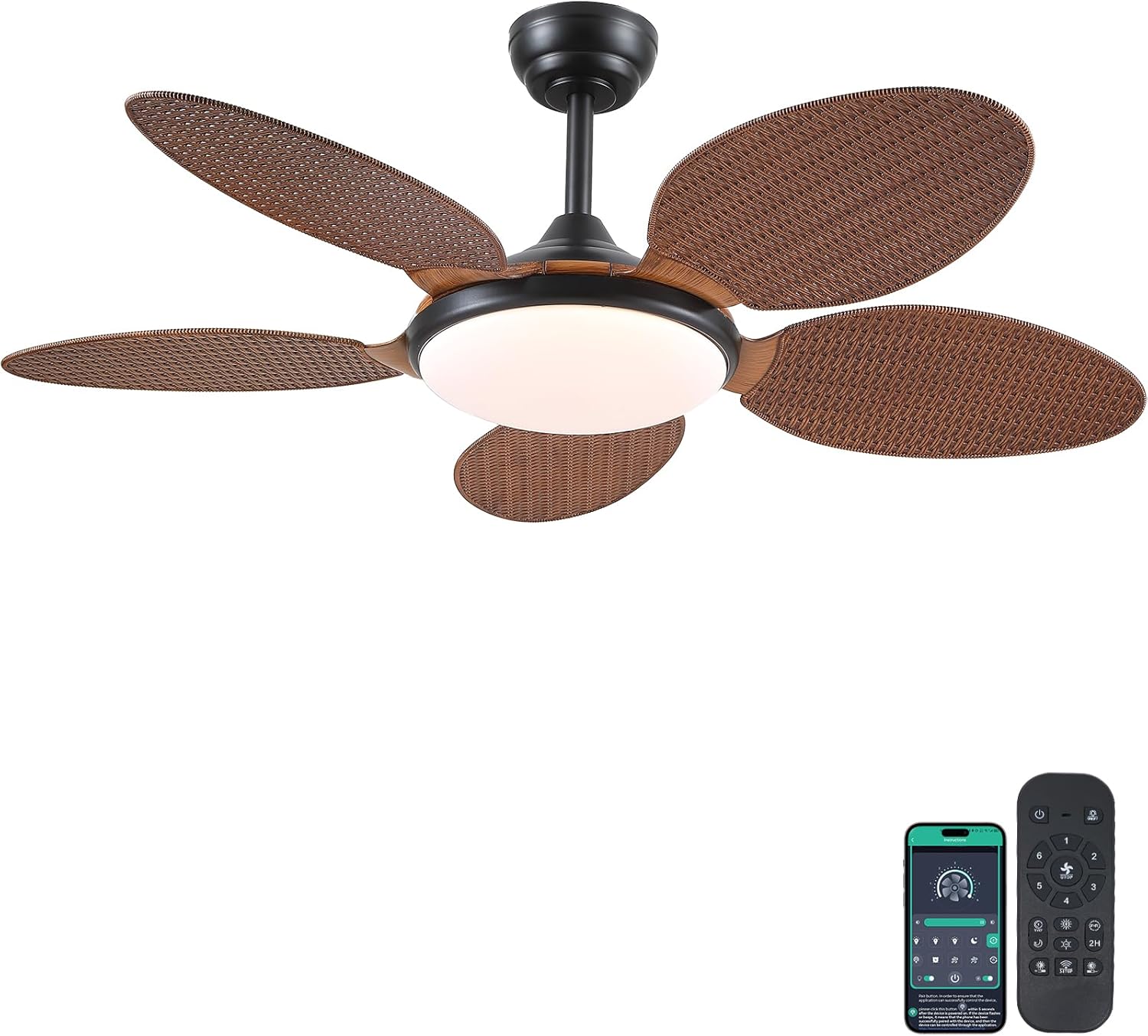
Image 1.1: PHORUS 48-inch Tropical Palm Leaf Ceiling Fan.
2. Информации за безбедност
- Пред инсталација, одржување или чистење, осигурајте се дека главното напојување е исклучено.
- All electrical connections must comply with local codes and ordinances, as well as national electrical codes. If you are unfamiliar with electrical wiring, consult a qualified electrician.
- The mounting structure must be capable of supporting the weight of the fan (approximately 12.58 pounds) plus the dynamic load during operation.
- Не ги виткајте држачите на сечилата за време на инсталацијата или чистењето.
- Осигурајте се дека има доволно растојание помеѓу перките на вентилаторот и сите пречки.
- This fan is suitable for use in damp locations but should not be directly exposed to water.
3. Содржина на пакетот
Проверете дали сите компоненти наведени подолу се вклучени во вашиот пакет. Доколку недостасуваат или се оштетени некои делови, ве молиме контактирајте ја службата за корисници.

Слика 3.1: Готовоview of included components and fan dimensions.
- Склоп на тело на вентилаторот
- 5 Palm Leaf Blades
- Настрешница
- Долни прачки (опции од 4 инчи и 8 инчи)
- Lamp Сенка
- Далечински управувач
- Далечински ресивер
- Држач за монтирање
- Хардверски пакет (завртки, жичени навртки итн.)
- Упатство за употреба
4. Поставување и инсталација
Follow these steps carefully for proper installation. For a visual guide, please refer to the installation video provided below.
4.1. Видео водич за инсталација
Video 4.1: Detailed installation guide for the PHORUS 48-inch Palm Leaf Ceiling Fan with lights.
4.2. Чекор-по-чекор инсталација
- Prepare the Fan Body: Attach the LED light board to the fan body assembly using the provided screws.
- Прикачете ги лопатките на вентилаторот: Secure each of the five palm leaf blades to the fan body. Ensure the correct side of the blade is facing upwards as indicated in the video.
- Составете ја шипката за навалување: Insert the downrod through the canopy and secure it to the fan body. Feed the electrical wires through the downrod.
- Инсталирајте држач за монтирање: Secure the mounting bracket to your ceiling junction box. Ensure it is firmly attached and can support the fan's weight.
- Приклучоци за жици: Connect the fan's electrical wires to your household wiring. Typically, this involves connecting the black live wire, white neutral wire, and yellow ground wire. Refer to the wiring diagram in the installation video for precise connections.
- Закачете го вентилаторот: Carefully lift the fan assembly and hang it onto the mounting bracket.
- Инсталирајте го далечинскиот приемник: Place the remote receiver within the canopy, ensuring wires are not pinched. Connect the receiver to the fan and household wiring as per the diagram.
- Безбеден крошна: Slide the canopy up to the ceiling and secure it to the mounting bracket with screws.
- Инсталирајте го Lamp Сенка: Прикачете го lamp сенка до дното на телото на вентилаторот.
The fan is equipped with 4-inch and 8-inch downrods to accommodate various ceiling heights. It can also be used with sloped ceilings up to 15 degrees.
5. Упатства за работа
Your PHORUS ceiling fan can be controlled via the included remote control or a smart application on your mobile device.
5.1. Работа со далечински управувач

Image 5.1: Remote control layout with function descriptions.
The remote control allows you to adjust the following settings:
- Вклучување/исклучување: Вклучете или исклучете го вентилаторот и светлото.
- Брзина на вентилаторот: Select from 6 wind speeds (1-6).
- Вклучено/исклучено светло: Control the integrated LED light independently.
- Температура на боја: Adjust between 3 light colors: 3000K (Warm Light), 4500K (Natural Light), and 6000K (White Light).
- Прилагодување на осветленоста: Dim or brighten the light from 10% to 100%.
- Обратна функција: Change the direction of the fan blades for summer (downdraft) or winter (updraft) modes. Press the F\R key and wait 5-8 seconds for the fan to stop completely and then automatically reverse.
- Тајмер: Поставете тајмер од 2 часа за автоматско исклучување.
Remote Code Pairing:
If your remote control is not responding, you may need to pair it with the fan. Follow these steps:
- Turn off the main power supply to the fan for one minute.
- Turn on the main power supply and simultaneously long-press the code key on the remote control for 3-5 seconds.
- The fan light will blink 2-3 times to indicate successful code matching.
Video 5.2: Instructions for remote code pairing.
5.2. Контрола преку паметна апликација
The fan supports control via a smart application. Scan the QR code in Image 5.1 or visit https://www.jasonghost.com/fanlamppro/ за да ја преземете „Fan L“amp Про“ апликација.
Video 5.3: Guide for setting up and using the smart app control.
The app provides comprehensive control over fan speeds, light settings (color temperature and brightness), and the reverse function, similar to the remote control. All settings will be remembered after power cycling.

Image 5.4: Customizable light effects and dimming range.

Image 5.5: Fan airflow modes (summer/winter) and 6-speed settings.
6. Одржување
Редовното одржување обезбедува оптимални перформанси и долготрајност на вашиот тавански вентилатор.
- Чистење: Periodically clean the fan blades and light cover with a soft, damp крпа. Не користете абразивни средства за чистење или растворувачи кои би можеле да ја оштетат завршната обработка.
- Затегнете ги прицврстувачите: Check all screws and fasteners on the fan body and mounting bracket annually. Tighten any loose connections to prevent wobbling or noise.
- Прашина: Dust the fan motor housing and canopy regularly to prevent dust buildup, which can affect performance.
7 Смена на проблеми
Доколку наидете на проблеми со вентилаторот, погледнете ги следните вообичаени проблеми и решенија:
| Проблем | Можна причина | Решение |
|---|---|---|
| Вентилаторот не се вклучува | No power supply; Loose wire connections; Remote not paired. | Check circuit breaker/wall switch; Verify all wire connections are secure; Perform remote code pairing (refer to Section 5.1). |
| Светлината не работи | Лабава жична врска; Проблем со LED драјверот. | Check light wiring connections; Contact customer support if LED driver is suspected. |
| Вентилатор се ниша | Лабави сечила или хардвер за монтирање; Небалансирани сечила. | Ensure all blade screws and mounting bracket screws are tight; Use a balancing kit (not included) if necessary. |
| Далечинскиот управувач не реагира | Слаба батерија; далечинскиот управувач не е поврзан. | Replace AAA batteries (2 required, included); Perform remote code pairing (refer to Section 5.1). |
| Прекумерна бучава | Лабави завртки; Проблем со моторот. | Check and tighten all screws; Ensure blades are securely attached. If noise persists, contact customer support. |
8. Спецификации
- Бренд: ФОРУС
- Модел: B0FC1SY1B2
- Боја: 48" Dark Brown
- Материјал: Акрилик, пластика
- Стил: Тропски
- Тип на соба: Bedroom, Dining Room, Garage, Kids Room, Kitchen
- Внатрешна/надворешна употреба: Внатрешно (погодно за гamp локации)
- Извор на енергија: DC
- Посебни карактеристики: Работи преку апликација, LED светло, тивко работење, далечинско управување, тајмер
- Контролен метод: Апликација, далечински управувач
- Број на извори на светлина: 1
- Вклучени компоненти: Комплет за осветлување, далечински управувач
- Тежина на ставката: 12.58 фунти
- Број на артикли: 1
- Ватtage: 60 вати
- Тип на контролор: Контрола со апликација, далечинско управување
- Број на единици: 1.0 Брои
- Тип на монтирање: Монтирање на таванот
- Потребно собрание: Да
- Големина: Medium (48 inches)
- Препорачана употреба за производот: Циркулација на воздухот
- Димензии на производот: 48 x 48 x 15.15 инчи
- Батерии: Потребни се 2 AAA батерии (вклучени)
9. Гаранција и поддршка
PHORUS provides a one-year quality warranty for this product. We also offer free replacement service for any damage and quality problems encountered during the warranty period. If you have any questions or require assistance, please contact PHORUS customer support for a satisfactory answer within 24 hours.