Вовед
This manual provides comprehensive instructions for the setup, operation, and maintenance of your V7 Dual Bay Docking Station USB 3.0. This device is designed to provide convenient access to 2.5-inch and 3.5-inch SATA hard disk drives (HDDs) and solid-state drives (SSDs), offering high-speed data transfer and a standalone cloning function.
Ве молиме внимателно прочитајте го ова упатство пред да го користите производот за да обезбедите правилна функционалност и да спречите оштетување.
Содржина на пакетот

Image: The side of the V7 Dual Bay Docking Station packaging, detailing the included items.
Проверете дали сите артикли наведени подолу се присутни во вашиот пакет:
- 1x V7 Dual Bay Docking Station
- 1x USB 3.0 A to B Cable
- 1x DC 12V/3A Power Adapter
- 1x Упатство за употреба (овој документ)
Производот завршиview
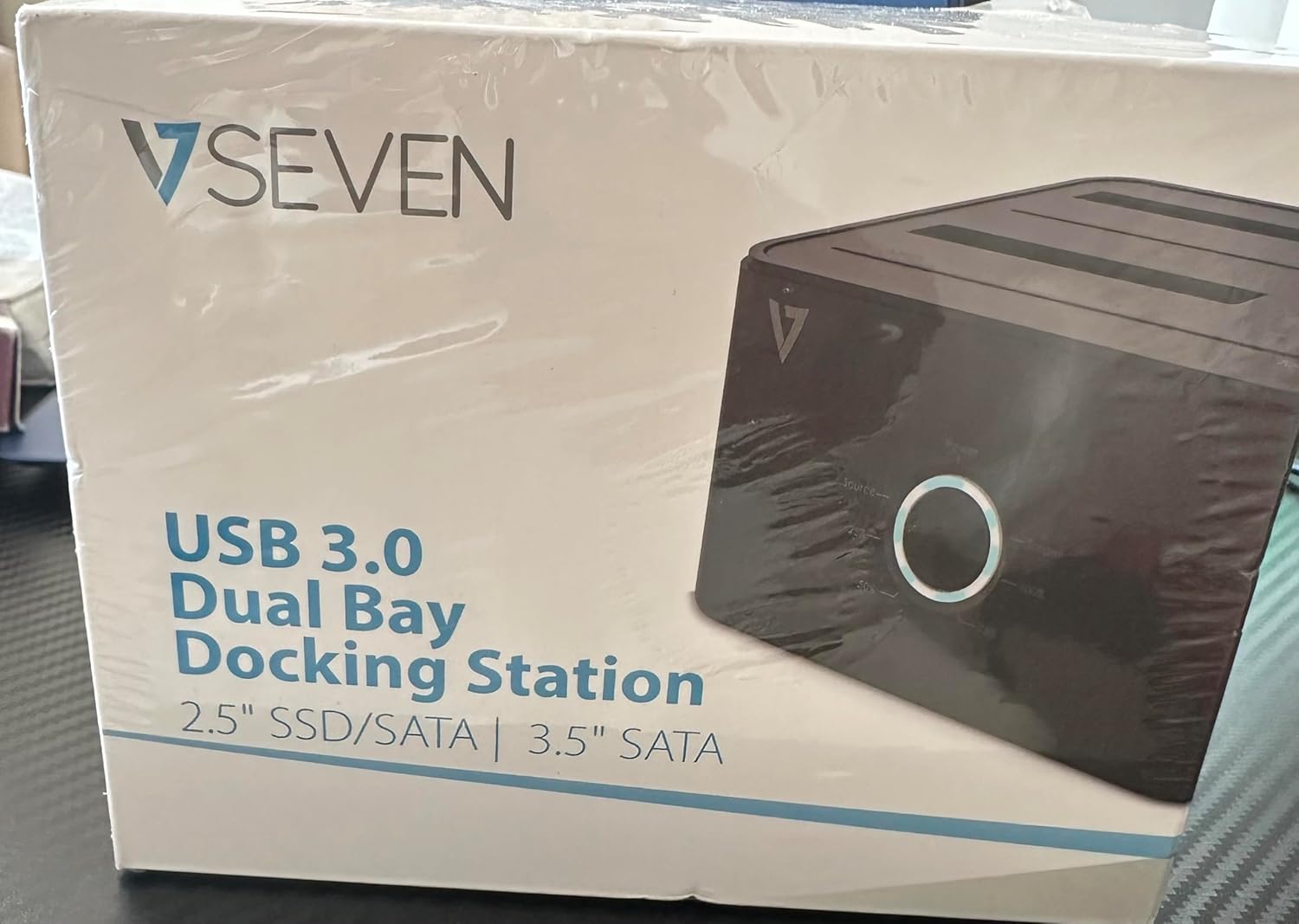
Image: The front of the V7 Dual Bay Docking Station packaging, displaying the product and its name.
The V7 Dual Bay Docking Station provides a versatile solution for managing your 2.5-inch and 3.5-inch SATA drives. Key features include:
- USB 3.0 Super-Speed Data Transfer: Achieves speeds up to 5 Gbps, significantly faster than USB 2.0.
- Дизајн со двоен отвор: Supports two SATA I/II/III HDDs or SSDs simultaneously.
- Standalone Clone Function: Allows direct cloning of one drive to another without requiring a computer.
- Лед екран: Provides status indication during operation, especially for cloning.
- Рециклирани материјали: Constructed with recycled materials, contributing to environmental sustainability.

Image: The back of the V7 Dual Bay Docking Station packaging, illustrating key features and benefits, including the use of recycled materials.
Пристаништа и индикатори:
- USB-B Port (1x): Ја поврзува докинг станицата со вашиот компјутер.
- SATA Drive Bays (2x): For inserting 2.5-inch or 3.5-inch SATA HDDs/SSDs.
- DC Power Input (1x): За поврзување на адаптерот за напојување од 12V/3A.
- Power Button/LED: Ја контролира моќноста и го покажува работниот статус.
- Clone Button/LEDs: Initiates the cloning process and indicates progress.
Поставување
- Поврзете напојување: Insert the DC 12V/3A power adapter into the "DC Power Input" port on the docking station, then plug the adapter into a wall outlet.
- Вметни дискови:
- Gently slide your 2.5-inch or 3.5-inch SATA HDD/SSD into the drive bay(s) until it is securely seated. Ensure the SATA connector aligns correctly.
- For cloning, insert the source drive into Bay 1 (Source) and the target drive into Bay 2 (Target). The target drive must be equal to or larger in capacity than the source drive.
- Connect to Computer (for data transfer): If you intend to use the docking station for data transfer with a computer, connect one end of the USB 3.0 A to B cable to the USB-B port on the docking station and the other end to an available USB 3.0 port on your computer.
- Вклучување: Press the power button on the docking station. The power LED should illuminate.
Упатства за работа
A. Data Transfer Mode (Connected to Computer)
- Уверете се дека приклучната станица е вклучена и поврзана со вашиот компјутер преку USB 3.0 кабел.
- Insert one or two SATA drives into the bays.
- Your operating system should detect the drives as external storage. You may need to initialize and format new drives through Disk Management (Windows) or Disk Utility (macOS) before use.
- You can now access, read, and write data to the inserted drives as you would with any external storage device.
- Always safely eject the drives from your operating system before powering off the docking station or removing the drives.
B. Standalone Clone Function (Without Computer)
The clone function allows you to duplicate a source drive to a target drive without a computer connection. The target drive must have a capacity equal to or greater than the source drive.
- Подготовка:
- Осигурајте се дека приклучната станица е исклучена од кој било компјутер.
- Вметнете го Изворен погон (the drive you want to copy FROM) into Залив 1.
- Вметнете го Целен погон (the drive you want to copy TO) into Залив 2.
- Warning: All data on the target drive will be erased during the cloning process. Back up any important data on the target drive before proceeding.
- Иницирај клон:
- Вклучете ја приклучната станица.
- Press and hold the "Clone" button for approximately 3-5 seconds until the clone progress LEDs begin to flash.
- Потврди клонирање:
- Release the "Clone" button. The 25% progress LED should start blinking.
- Press the "Clone" button again briefly to confirm and start the cloning process.
- Следете го напредокот: The progress LEDs (25%, 50%, 75%, 100%) will illuminate sequentially to indicate the cloning status.
- Завршување: When the 100% LED remains solid, the cloning process is complete.
- Исклучи и извади: Power off the docking station before removing the drives.
Одржување
- Одржувајте ја приклучната станица чиста и без прашина. Користете мека, сува крпа за чистење.
- Избегнувајте изложување на уредот на екстремни температури, влажност или директна сончева светлина.
- Не обидувајте се сами да го расклопите или поправите уредот. Ова ќе ја поништи гаранцијата.
- Обезбедете соодветна вентилација околу уредот за време на работата.
Решавање проблеми
| Проблем | Можна причина | Решение |
|---|---|---|
| Уредот не се вклучува. | Адаптерот за напојување не е поврзан или е неисправен. | Ensure the power adapter is securely connected to both the docking station and a working power outlet. Try a different outlet. |
| Drives not detected by computer. | USB cable not connected properly; drive not seated correctly; drive uninitialized/unformatted. | Check USB cable connection. Re-seat the drive(s). For new drives, initialize and format them via Disk Management (Windows) or Disk Utility (macOS). Try a different USB port on your computer. |
| Clone function not starting. | Incorrect drive placement; target drive too small; clone button not held long enough. | Ensure source drive is in Bay 1 and target drive in Bay 2. Verify target drive capacity is equal to or larger than source. Hold the clone button for 3-5 seconds until LEDs flash. |
| Бавни брзини на пренос на податоци. | Connected to USB 2.0 port; faulty USB cable. | Ensure the docking station is connected to a USB 3.0 port on your computer. Try a different USB 3.0 cable. |
Спецификации
- Модел: 9UDBBS-BLK
- Хардверски интерфејс: USB 3.0 (назад компатибилен со USB 2.0)
- Брзина на пренос на податоци: Up to 5 Gbps (USB 3.0 Super-Speed)
- Компатибилност со диск: 2.5" and 3.5" SATA I/II/III HDDs and SSDs
- Погони за возење: 2
- Пристаништа: 1x USB-B (Host), 2x SATA (Internal), 1x DC Power Input
- Влез на енергија: DC 12V/3A (12 Watts)
- UPC: 662919116557
- Производител: Ingram Micro Inc
- Материјал: Made from Recycled Materials
Гаранција и поддршка
For warranty information and technical support, please refer to the official V7 webлокација или контактирајте го вашиот продавач. Зачувајте го доказот за купување за гаранциски барања.
За понатамошна помош, посетете: www.v7world.com/support (Прampлинкот, вистинската врска може да варира)