Вовед
This manual provides detailed instructions for the installation, programming, operation, and maintenance of your Comfort Direct RH787T / TR29 Fan Remote Control. Please read this manual thoroughly before use to ensure proper function and safety.
Содржина на пакетот
- RH787T / TR29 Remote Control
- Држач за монтирање на ѕид
- One 23A/12V Battery
- Монтирачки завртки (доколку се применливи)
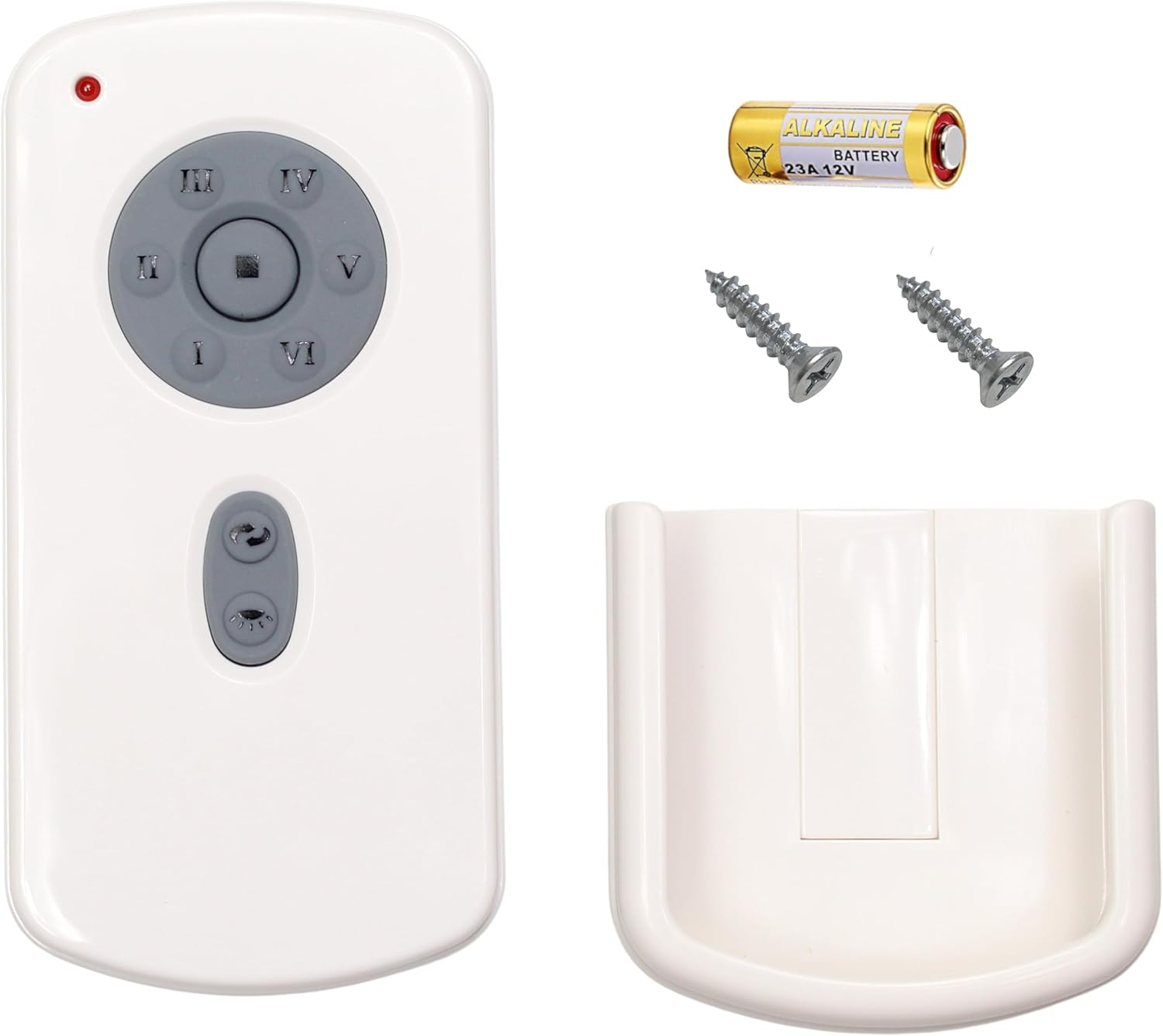
Image: Package contents including the remote, battery, screws, and wall mount.
Поставување и програмирање
Инсталација на батерија
- Отворете го капакот на одделот за батерии на задниот дел од далечинскиот управувач.
- Insert the included 23A/12V battery, ensuring correct polarity (+/-).
- Затворете го капакот на преградата за батерии.
Програмирање на вашиот далечински управувач
Follow these steps to program your remote control to your DC ceiling fan:
- Turn off power to the fan, either using an on/off switch on the wall or at the circuit breaker.
- Set the dip switches located in the battery compartment of your remote control to the desired setting. Ensure the 23A/12V battery is installed.
- Restore power to your fan. Within 1 minute of restoring power, press and hold the [SET] button in the battery compartment for approximately 5 seconds.
- The fan light will blink twice, indicating that your fan is now synced to your remote control.
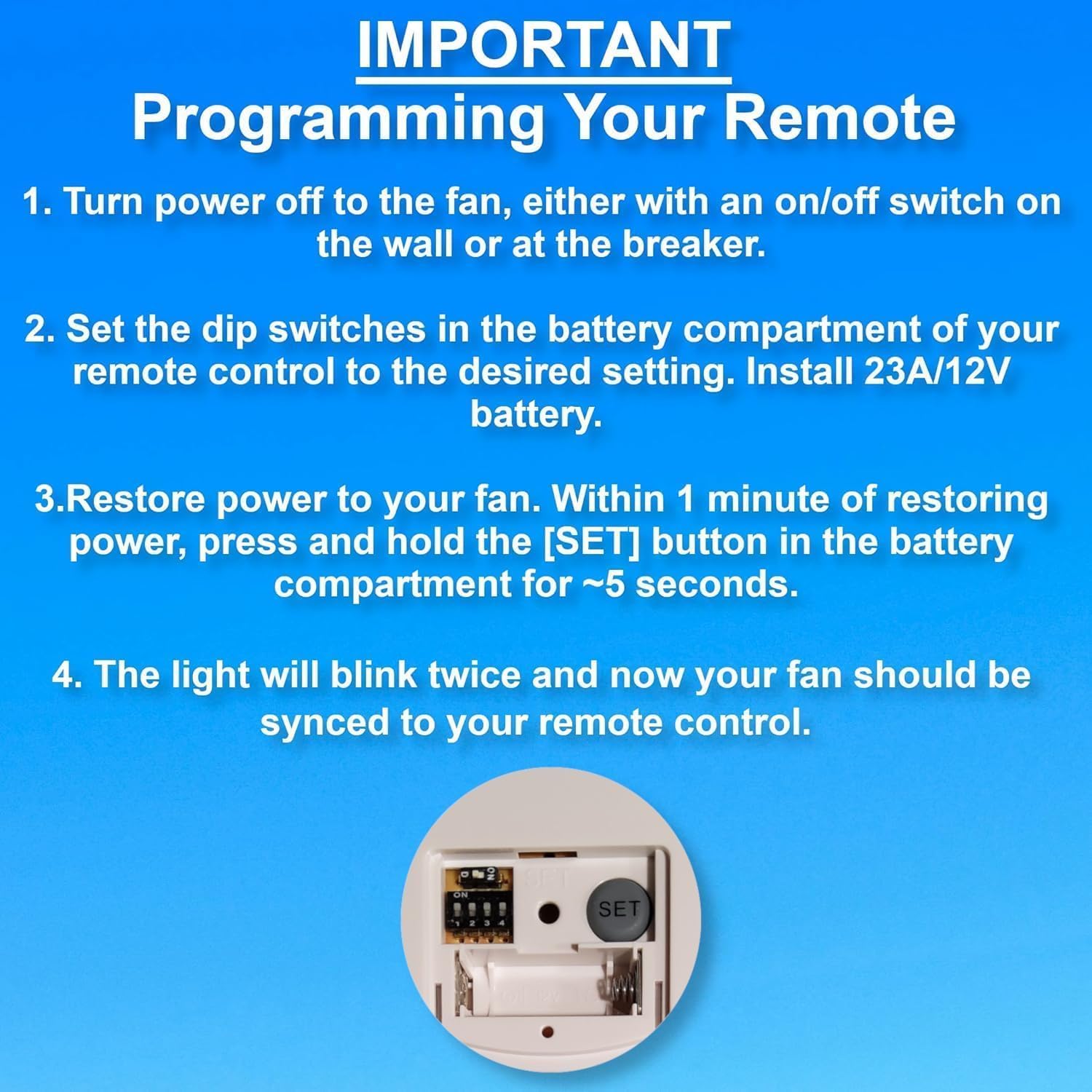
Image: Programming steps for the remote control, highlighting the dip switches and SET button.

Image: Back of the remote control with dip switches and SET button visible.
Упатства за работа
The remote control features buttons for fan speed, light control, and timer functions.
- Брзина на вентилаторот: Buttons labeled LOW, MED, HI control the fan speed. The STOP button turns the fan off.
- Контрола на светлина: The LIGHT ON/OFF button toggles the light. Press and hold to dim or brighten the light.
- Функција на тајмер: Buttons labeled 1H, 2H, 4H, 8H allow you to set the fan to turn off automatically after the selected duration.
Решавање проблеми
If you experience issues with your remote control, refer to the following guide:

Image: Troubleshooting symptoms for the remote control's red indicator light.
Red Indicator Light Symptoms:
| Bad Remote Control Symptoms | Good Remote Control Symptoms |
|---|---|
| 1. Red indicator light does not illuminate when buttons are pressed. | 1. Red indicator light only illuminates when buttons are pressed. |
| 2. Red indicator light illuminates when no buttons are pressed. | |
| 3. Red indicator light stays illuminated at all times. | 2. Red indicator light stays illuminated when you PRESS and HOLD buttons. |
| Action: Replace remote control if you experience any of these symptoms. | Action: DO NOT replace remote control if you experience these symptoms. You have a different problem with your fan. |
Одржување
- Чистете го далечинскиот управувач со мека, сува крпа. Не користете абразивни средства за чистење или растворувачи.
- Replace the 23A/12V battery when the remote's performance degrades or the indicator light behaves abnormally.
- Чувајте го далечинскиот управувач на суво место, подалеку од екстремни температури и директна сончева светлина.
Спецификации
| Бренд | Комфорт Директ |
| Име на моделот | CD787T (RH787T / TR29 Compatible) |
| Боја | Бело |
| Извор на енергија | Battery Powered (1 x 23A/12V battery included) |
| Контролен метод | Remote, Touch (buttons) |
| Специјална карактеристика | Радио фрекфенција |
| Број на нивоа на моќност | 3 (ниско, средно, високо) |
| Внатрешна/надворешна употреба | Затворен |
| Тежина на ставката | 3.87 унци |
| Димензии на пакетот | 5.59 x 3.19 x 1.69 инчи |
Гаранција и поддршка
Овој производ доаѓа со а 1 години гаранција на производителот. For warranty claims or technical support, please contact Comfort Direct customer service.
For additional information or support, please visit the страница на производот на Amazon.


