Вовед
This manual provides comprehensive instructions for the setup, operation, and maintenance of your memzuoix WM125B Wireless Mouse. Designed for comfort and precision, this 2.4GHz wireless mouse offers adjustable DPI settings and broad compatibility for various computing needs.
Клучни карактеристики:
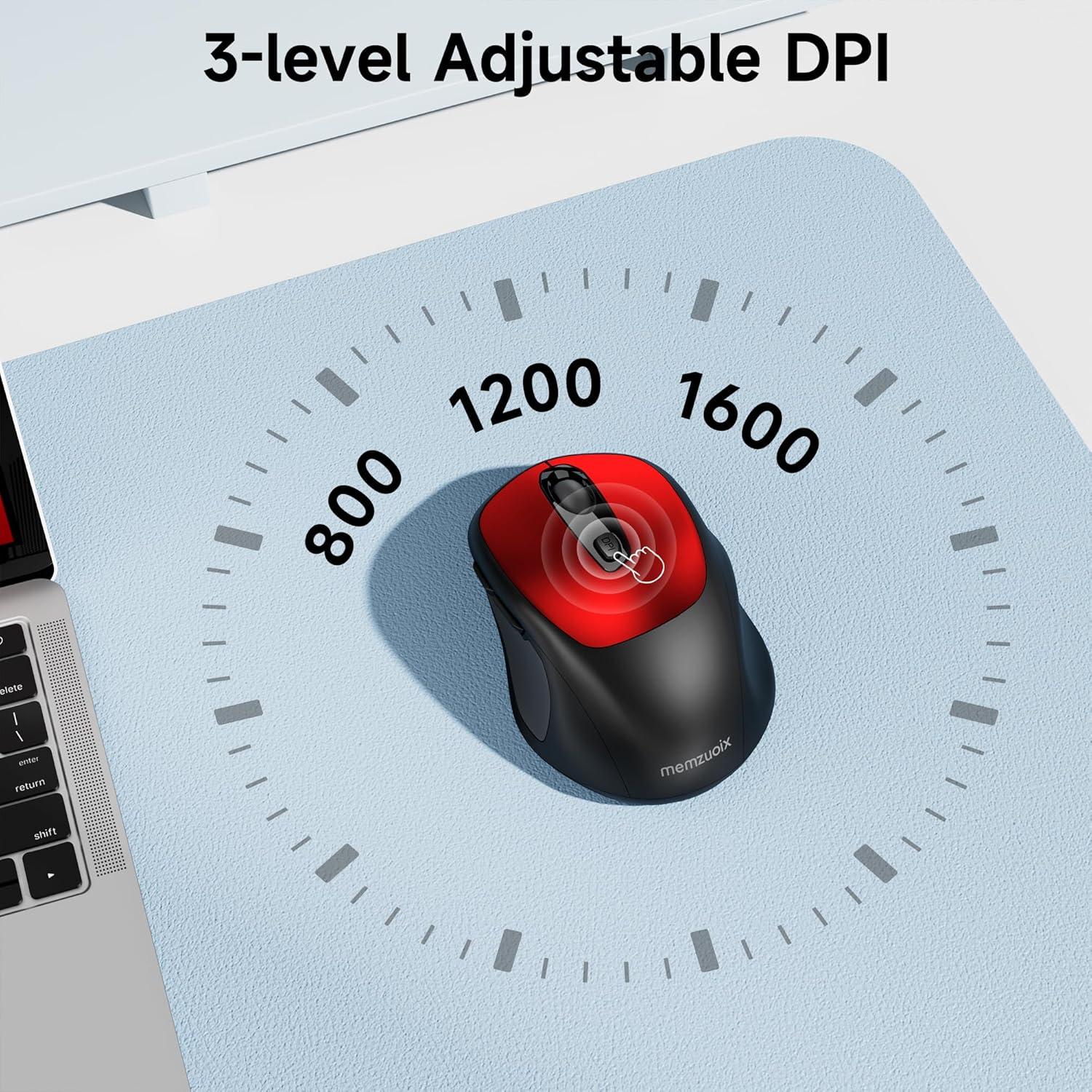
- 3 прилагодливи нивоа на DPI: Easily switch between 800, 1200, and 1600 DPI for optimal control.
- Ergonomic & Ambidextrous Design: Contoured shape with rubberized side grips for comfortable use by both left and right-handed users.
- Plug & Play 2.4GHz Nano Receiver: Instant connectivity without software installation, offering a reliable 33ft range.
- Издржлива градба: Buttons and scroll wheel tested for 10 million clicks, ensuring long-term reliability.
- Универзална компатибилност: Works seamlessly with Windows, macOS, Linux, and ChromeOS devices.
- Преносен дизајн: Lightweight and compact, ideal for travel and on-the-go use.
Водич за поставување
1. Инсталирајте ги батериите
- Пронајдете го капакот на преградата за батерии на долната страна од глувчето.
- Нежно лизнете или подигнете го капакот за да ја отворите преградата.
- Вметнете две AAA батерии, внимавајќи на правилниот поларитет (+/-).
- Вратете го капакот на преградата за батерии додека не кликне безбедно на своето место.

2. Поврзете го USB приемникот
- Locate the nano USB receiver, typically stored within the battery compartment of the mouse.
- Plug the USB receiver into an available USB port on your computer (PC, Mac, laptop, etc.).
- The computer should automatically detect and install the necessary drivers. No additional software installation is required.

Упатства за работа
1. Вклучување/исклучување
Locate the ON/OFF switch on the underside of the mouse. Slide the switch to the 'ON' position to activate the mouse. Slide it to 'OFF' when not in use to conserve battery life.
2. Функции на копчињата
- Лево копче: Примарна функција за кликнување.
- Десно копче: Секундарна функција за кликнување (контекстно мени).
- Тркало за лизгање: Скролувајте нагоре/надолу документи и web pages. Can also be clicked for middle-button functionality.
- Копче DPI: Циклично ги менува поставките за DPI (800/1200/1600).
- Копче за напред: Навигира напред во web прелистувачи или file истражувачи.
- Копче за назад: Навигира назад во web прелистувачи или file истражувачи.
3. Прилагодување на DPI чувствителноста
Притиснете го Копче DPI located below the scroll wheel to cycle through the available sensitivity settings: 800 DPI (for precise control), 1200 DPI (standard use), and 1600 DPI (for faster cursor movement). The mouse will indicate the change, often with a brief LED flash.
Одржување
1. Чистење
За да одржите оптимални перформанси, редовно чистете го глувчето. Користете мека крпа без влакненца, малку исплакната.ampened with water or a mild cleaning solution. Avoid harsh chemicals or abrasive materials. Ensure no liquid enters the mouse's internal components.
2. Замена на батеријата
When the mouse's performance degrades or it stops responding, it may be time to replace the batteries. Follow the steps in the 'Install Batteries' section of this manual to replace the two AAA batteries. Dispose of old batteries responsibly according to local regulations.
Решавање проблеми
- Глувчето не реагира:
- Ensure the mouse is switched 'ON' using the power switch on the underside.
- Проверете дали батериите се правилно инсталирани и дали се доволно наполнети. Заменете ги доколку е потребно.
- Проверете дали USB приемникот е безбедно приклучен во функционален USB порт на вашиот компјутер. Обидете се со друг USB порт.
- Рестартирајте го компјутерот.
- Cursor movement is erratic or inaccurate:
- Ensure the mouse is used on a clean, non-reflective surface. Avoid glass or highly reflective surfaces.
- Исчистете го оптичкиот сензор на долната страна од глувчето со мека крпа.
- Обидете се да ја прилагодите поставката DPI користејќи го копчето DPI.
- Connection issues or frequent disconnections:
- Ensure the mouse is within the effective operating range (approximately 33 feet) of the USB receiver.
- Avoid using the mouse near strong electromagnetic interference sources (e.g., other wireless devices, large metal objects).
- Re-pair the mouse with the receiver if possible (refer to manufacturer's website for specific pairing instructions if needed, as this model is typically plug-and-play).
Спецификации
| Карактеристика | Детал |
|---|---|
| Бренд | мемзуоикс |
| Број на модел | WM125B |
| Технологија за поврзување | 2.4 GHz безжичен (USB нано приемник) |
| Нивоа на DPI | 800/1200/1600 |
| Број на копчиња | 6 (лево, десно, тркалце за скролување, DPI, напред, назад) |
| Технологија за откривање на движење | Оптички |
| Извор на енергија | 2 x AAA батерии (не се вклучени) |
| Тежина на ставката | 3.2 унци |
| Димензии на пакетот | 4.8 x 3.23 x 1.85 инчи |
| Боја | Црвено |
| Компатибилност | PC, Mac, Laptop (Windows, macOS, Linux, ChromeOS) |
Гаранција и поддршка
The memzuoix WM125B Wireless Mouse comes with a standard manufacturer's warranty. For specific warranty details, return policies, or technical support, please refer to the product packaging or contact memzuoix customer service directly through their official webлокацијата или продавачот на мало каде што е купен производот.
За дополнителна помош, посетете ја страницата memzuoix Store on Amazon.
