1. Вовед
This manual provides essential information for the safe and efficient operation of your FASTWD Android 15 Tablet 11-inch. Please read this manual thoroughly before using the device and retain it for future reference. This tablet features an 11-inch 2K display, Android 15 operating system, Octa-Core processor, 36GB RAM, 256GB ROM (expandable up to 1TB), 4G LTE, and 5G WiFi connectivity.
2. Информации за безбедност
- Не го изложувајте таблетот на екстремни температури, директна сончева светлина или висока влажност.
- Избегнувајте испуштање или изложување на таблетот на силни удари.
- Користете само одобрени полначи и додатоци за да спречите оштетување и да обезбедите безбедност.
- Држете ја таблетата подалеку од вода и други течности.
- Do not attempt to disassemble or repair the tablet yourself. Contact customer support for assistance.
- Отстранете ја батеријата и уредот според локалните прописи.
3. Содржина на пакетот
Upon opening your FASTWD Android 15 Tablet package, please verify that all the following items are included:
- FASTWD Tablet
- Bluetooth тастатура
- Глувче
- Заштитна футрола
- Пенкало со игла
- Кабел тип-C
- Полнач
- Упатство за употреба

Image: The FASTWD Android 15 Tablet displayed with its full set of accessories, including the keyboard, mouse, protective case, stylus, and charging components.
4. Уредот завршиview
The FASTWD Android 15 Tablet features a sleek metal body with an 11-inch 2K INCell display. It is designed for both productivity and entertainment.
4.1 Физички карактеристики
- Прикажи: 11-inch 2K UHD INCell display with 120Hz refresh rate.
- Камери: 8MP front camera, 13MP rear camera with LED flash.
- Пристаништа: USB Type-C порт за полнење и пренос на податоци.
- Слот за картичка: Dual SIM card slot, also supports MicroSD card expansion up to 1TB.
- Говорници: Четири amplitude speakers for enhanced audio.

Image: A visual representation of the FASTWD tablet's slim design, 11-inch screen, and Type-C charging port.
5. Поставување
5.1 Почетно вклучување
- Press and hold the Power button located on the side of the tablet until the FASTWD logo appears.
- Следете ги упатствата на екранот за да го изберете вашиот јазик, регион и да се поврзете на Wi-Fi мрежа.
- Најавете се со вашата сметка на Google или креирајте нова за да пристапите до Google Play Store и други услуги.
5.2 Инсталација на SIM картичка и MicroSD картичка
Your tablet supports dual SIM cards for 4G LTE connectivity and a MicroSD card for expanded storage.
- Пронајдете го држачот за SIM/MicroSD картичка од страната на таблетот.
- Користете ја испорачаната алатка за исфрлање на SIM картичката за нежно да притиснете во малата дупка до фиоката додека не испадне.
- Place your Nano-SIM card(s) and/or MicroSD card into the designated slots on the tray. Ensure they are correctly oriented.
- Внимателно вратете ја фиоката во таблетот додека не кликне на своето место.

Слика: Детална view of the tablet's SIM card tray, showing slots for two SIM cards and one MicroSD card.
6. Упатства за работа
The FASTWD tablet runs on Android 15, offering an intuitive and customizable user experience.
6.1 Основна навигација
- Повлечете нагоре: Пристапете до фиоката за апликации.
- Повлечете надолу: Open the notification panel and quick settings.
- Допрете: Изберете ставки или отворете апликации.
- Долг печат: Пристапете до контекстуални менија или преместете икони.
- Штипнете за зумирање: Adjust zoom level in apps like browser or gallery.
6.2 Карактеристики на Android 15
Android 15 introduces several enhancements for privacy, security, and user experience:
- Improved Privacy Controls: Granular permissions for apps, allowing you to authorize access more precisely.
- Оптимизација на вештачка интелигенција: Intelligent AI features for improved performance and battery life.
- Навигација со гестови: New touch control gestures for a more fluid interaction.
- Global Dark Mode: System-wide dark theme for reduced eye strain and power consumption.
- Face Recognition Unlock: Безбедно отклучете го вашиот таблет со помош на препознавање на лице.
- Родителска контрола: Manage screen time and app access for children.
- Поделен екран: Use two applications simultaneously side-by-side.
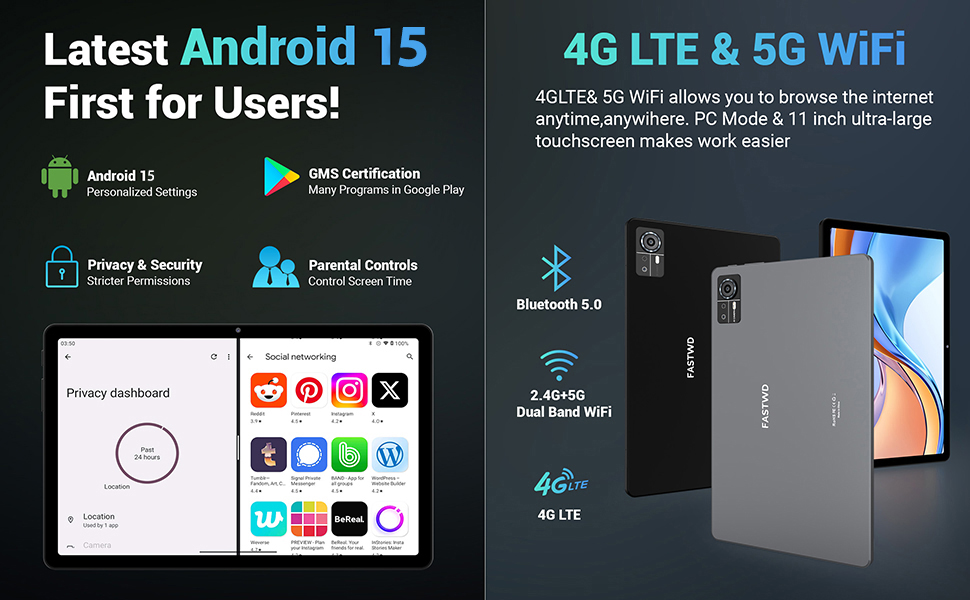
Image: A visual guide to key Android 15 features such as easy app pairing, storage management, quick Bluetooth connection, face recognition unlock, double-tap to wake, and parental control settings.
7. Поврзување
Your FASTWD tablet offers versatile connectivity options for internet access and peripheral devices.
7.1 Wi-Fi конекција
- Одете на Поставки > Мрежа и интернет > Wi-Fi.
- Вклучи/исклучи Wi-Fi On.
- Изберете ја саканата мрежа од листата и внесете ја лозинката доколку се побара.
- The tablet supports dual-band 2.4G/5G Wi-Fi for stable and fast connections.
7.2 4G LTE Mobile Data
With a compatible SIM card installed, you can access 4G LTE mobile data.
- Ensure your SIM card is correctly installed (refer to Section 5.2).
- Одете на Поставки > Мрежа и интернет > Мобилна мрежа.
- Овозможи Мобилни податоци and configure APN settings if required by your carrier.
7.3 Спарување преку Bluetooth
Connect Bluetooth accessories like the included keyboard and mouse.
- Одете на Поставки > Поврзани уреди > Bluetooth.
- Вклучете Bluetooth On.
- Ставете го вашиот Bluetooth додаток во режим на спарување.
- Select the accessory from the list of available devices and follow any on-screen prompts to complete pairing.
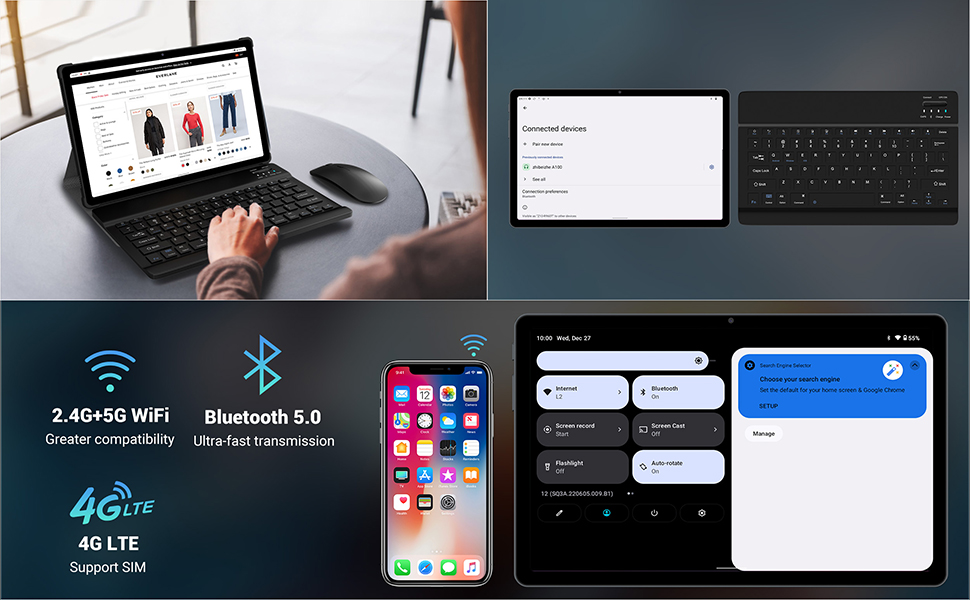
Image: The FASTWD tablet connected to its keyboard and mouse, illustrating its 2.4G+5G WiFi, Bluetooth 5.0, and 4G LTE SIM support for comprehensive connectivity.
8. Камера
The tablet is equipped with an 8MP front camera and a 13MP rear camera for photos and video calls.
- Отворете го Камера апликација.
- Допрете го копчето за бленда за да фотографирате.
- Префрлувајте се помеѓу предните и задните камери користејќи ја иконата за префрлување на камерата.
- AI post-processing technology enhances photo quality, making images more realistic.

Слика: Детална view of the tablet's rear camera, highlighting its 13MP sensor and AI Camera branding.
9. Управување со батерии
The tablet features a 9580mAh battery for extended usage and supports 12W fast charging.
9.1 Полнење на таблетот
- Поврзете го кабелот Type-C со приклучокот за полнење на таблетот.
- Plug the other end of the cable into the provided charger, and then into a power outlet.
- Иконата за батеријата на екранот ќе го покаже статусот на полнење.
9.2 Оптимизација на батеријата
- Прилагодете ја осветленоста на екранот на удобно ниво.
- Затворете ги неискористените апликации што работат во позадина.
- Enable battery saver mode in Поставки > Батерија.
- Исклучете Wi-Fi, Bluetooth или GPS кога не се во употреба.

Image: The FASTWD tablet connected to a Type-C charger, illustrating its 9580 mAh battery and 12W fast charging capability.
10. Складирање
The tablet comes with 256GB of internal storage (ROM) and supports expansion up to 1TB via a MicroSD card.
10.1 Управување со складирање
- За да ја проверите употребата на простор за складирање, одете на Поставки > Складирање.
- You can free up space by uninstalling unused apps, deleting old files, or moving media to a MicroSD card.
10.2 RAM Management
The tablet features 36GB RAM (12GB LPDDR4 + 24GB expandable virtual memory) for smooth multitasking.
- The system automatically manages RAM for optimal performance.
- You can activate additional virtual RAM in the settings if needed for demanding applications.
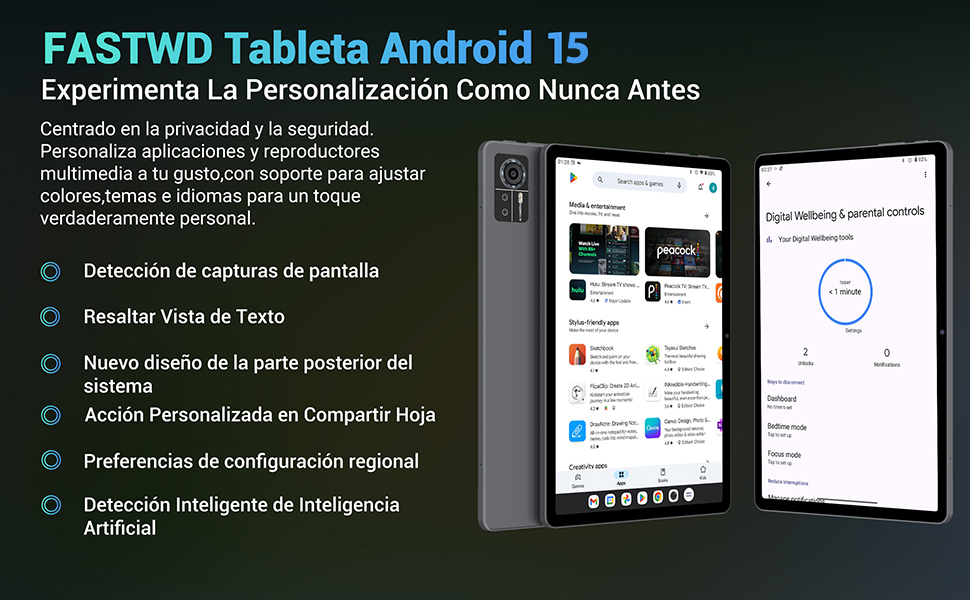
Image: An illustration highlighting the tablet's 36GB RAM (12+24GB), 256GB ROM, and 1TB MicroSD expansion capabilities, alongside its Octa-core processor.
11. Одржување
11.1 Чистење
- Користете мека крпа што не остава влакненца за чистење на екранот и телото на таблетот.
- Не користете груби хемикалии или абразивни материјали.
11.2 Ажурирања на софтверот
- Редовно проверувајте за системски ажурирања во Поставки > Систем > Системско ажурирање за да се обезбедат оптимални перформанси и безбедност.
12 Смена на проблеми
Доколку наидете на проблеми со вашиот таблет, погледнете ги следниве вообичаени решенија:
| Проблем | Решение |
|---|---|
| Таблетот не се вклучува | Проверете дали батеријата е наполнета. Поврзете го полначот и почекајте неколку минути пред повторно да се обидете да го вклучите. Доколку не реагира, извршете принудно рестартирање со држење на копчето за вклучување 10-15 секунди. |
| Applications crash or freeze | Close background applications. Clear the cache of the problematic app (Settings > Apps > [App Name] > Storage & cache > Clear cache). Restart the tablet. |
| Лоша Wi-Fi конекција | Ensure you are within range of the Wi-Fi router. Restart your router and the tablet. Forget the network and reconnect. |
| SIM-картичката не е откриена | Ensure the SIM card is correctly inserted into the tray. Restart the tablet. Verify the SIM card is active with your mobile carrier. |
| Батеријата брзо се троши | Reduce screen brightness. Disable unused connectivity features (Wi-Fi, Bluetooth, GPS). Close background apps. Check for apps consuming excessive battery in Settings > Battery. |
13. Спецификации
Detailed technical specifications for the FASTWD Android 15 Tablet 11-inch (Model M986):
| Карактеристика | Спецификација |
|---|---|
| Бренд | FASTWD |
| Име на моделот | FASTWD Android 15 Tablet 11 Pulgadas |
| Оперативен систем | Андроид 15 |
| Брзина на процесорот | 2 GHz Octa-Core |
| RAM меморија | 36 GB (12GB LPDDR4 + 24GB expandable) |
| Внатрешна меморија (ROM) | 256 GB |
| Складирање што може да се прошири | До 1 TB преку MicroSD картичка |
| Големина на екранот | 11 Pulgadas (Inches) |
| Резолуција на екранот | 2560 x 1440 pixels (2K UHD INCell) |
| Стапка на освежување | 120 Hz |
| Задна камера | 13 MP |
| Предна камера | 8 MP |
| Капацитет на батеријата | 9580 mAh |
| Battery Life (average) | 8 часа (репродукција на видео) |
| Полнење | 12W Fast Charging, Type-C Interface |
| Поврзување | 4G LTE (Cellular), 5G Wi-Fi (802.11ac), Bluetooth 5.0 |
| Димензии | 29.7 x 19.6 x 4 cm |
| Тежина | 1.36 кг |
| Посебни карактеристики | Gaming Tablet, Face Recognition, Parental Control, GPS (Beidou, Galileo, Glonass, GPS) |
14. Гаранција и поддршка
FASTWD offers two years of premium after-sales service and long-term technical support for your tablet.
- Гарантен период: 2 години од датумот на купување.
- Техничка поддршка: For any issues or inquiries, please contact the FASTWD after-sales team through your Amazon purchase platform.
- Our support team aims to respond within 24 hours.


