1. Важни безбедносни информации
Please read all safety and operating instructions carefully before using your new television. Keep these instructions for future reference. Always follow basic safety precautions to reduce the risk of fire, electric shock, and injury to persons.
- Не блокирајте никакви отвори за вентилација.
- Не инсталирајте во близина на извори на топлина како што се радијатори, топлински регистри, шпорети или други апарати (вклучувајќи ampлајфикатори) кои произведуваат топлина.
- Заштитете го кабелот за напојување од одење или стискање, особено на приклучоците, приклучните приклучоци и местото каде што тие излегуваат од апаратот.
- Користете само додатоци/додатоци наведени од производителот.
- Исклучете го овој апарат од струја за време на громови или кога не го користите подолг временски период.
- Целото сервисирање упатете го на квалификуван сервисен персонал.
2. Што има во кутијата
Carefully unpack your TCL 55C72K TV and ensure all items are present. The package should contain the following:
- 1N LED TV (TCL 55C72K)
- 1N Stand (Table Top Stand)
- 1N далечински управувач
- 2N AAA Batteries for Remote Control

Image: Contents of the box, showing the TCL 55C72K television, remote control, and two AAA batteries.
Забелешка: A fixed or adjustable wall mount is not included in the box. This can be purchased separately or through a service provider.
3. Поставување
3.1. Инсталирање на држачот или монтирање на ѕид
Your TCL 55C72K TV comes with a table-top stand. For wall mounting, a compatible VESA mount (not included) is required. Ensure the TV is placed on a stable, level surface or securely mounted to a wall.
3.2. Поврзување на уредите
The TCL 55C72K offers various connectivity options:
- HDMI порти: 4 HDMI ports are available. HDMI 1 and HDMI 2 support 4K/144Hz, with HDMI 1 also supporting (e)ARC for enhanced audio return. HDMI 3 and HDMI 4 support 4K/60Hz.
- USB порти: 1 USB 3.0 port and 1 USB 2.0 port for connecting external storage devices.
- LAN порта: За жична интернет конекција.
- Влез на антена: За поврзување на копнена или кабелска антена.
- Оптички аудио излез: За поврзување со надворешни аудио системи.

Image: Side and rear view of the TCL 55C72K TV, highlighting USB 3.0, USB 2.0, LAN, HDMI (4K/144Hz, 4K/60Hz), Cable/Antenna, and Optical Audio Out ports.
3.3. Волшебник за почетно вклучување и поставување
After connecting the power cord and any external devices, press the power button on the remote control. The TV will guide you through the initial setup process, including network connection, Google account login, and basic picture/sound settings.
4. Ракување со вашиот телевизор
4.1. Функции на далечински управувач
The smart remote control provides quick access to various functions and streaming services. Insert the two AAA batteries into the remote control before use.

Image: The TCL 55C72K remote control, featuring a D-pad, number buttons, and dedicated hotkeys for Netflix, Prime Video, YouTube, and other services, along with a Google Assistant button.
- Копче за вклучување: Го вклучува или исклучува телевизорот.
- Копче за Google Assistant: Activates voice control for searching content, controlling smart devices, and getting information.
- Navigation Pad (D-pad): За навигација низ менито.
- Јачина на звук нагоре/намалување: Го прилагодува нивото на јачина на звук.
- Канал нагоре/надолу: Менува ТВ канали.
- Наменски кратенки: One-button quick access to popular streaming platforms like Netflix, Prime Video, YouTube, and more.
4.2. Функции на паметен телевизор (Google TV)
The TCL 55C72K runs on Google TV, offering a personalized and integrated smart TV experience.

Image: The Google TV home screen displaying recommended content and icons for popular streaming applications such as YouTube, Prime Video, Disney+ Hotstar, Netflix, and more.
- Откривање на содржина: Google TV organizes movies, shows, and live TV from your subscriptions and apps into one place.
- Гласовна контрола: Use Hands-Free Voice Control or the remote's Google Assistant button to search, control playback, and manage smart home devices.
- Пристап до апликацијата: Access a wide range of applications from the Google Play Store, including Prime Video, Netflix, Hotstar, Zee5, and more.
- Пресликување на екранот: Cast content from your smartphone or tablet to the TV. Supports Airplay 2.
- Работи со Алекса: Integrate with Amazon Alexa-enabled devices for voice control.
- Мајстор на играта: Optimized settings for an enhanced gaming experience.
4.3. Карактеристики на екранот
The TCL 55C72K features advanced display technologies for superior picture quality:
- QD-Mini LED Panel: Combines Quantum Dot and Mini LED technologies for ultra-high peak brightness, contrast, and color gamut.
- Серија за прецизно затемнување: Up to 2048 local dimming zones for deeper blacks and higher brightness, enhancing picture performance.
- HDR 2600 нити: Delivers stunning brightness and vivid details in HDR content. Supports HDR10+, HLG, and Dolby Vision IQ.
- Стапка на освежување 144Hz: Native 144Hz refresh rate (VRR 48-288Hz/DLG 240Hz) for smoother motion and clearer images, especially in fast-paced scenes and gaming.
- AiPQ Pro процесор: An AI picture quality processor that optimizes color, contrast, and clarity.
- Подобрен IMAX: Certified for IMAX Enhanced content, providing a premium audio-visual experience.
- FreeSync Premium Pro: Ensures tear-free and low-latency gaming.

Image: Explanation of QD-Mini LED technology, combining QLED and Mini LED for superior display performance.

Image: Visual demonstrating the Precise Dimming Series with up to 2048 zones, illustrating how it achieves deeper blacks and higher brightness.

Image: A dynamic scene with a car, highlighting the smooth and clear motion achieved with the 144Hz Native Refresh Rate.
4.4. Аудио карактеристики
Experience immersive sound with the integrated audio system:
- Излезна моќност од 60 вати: Powerful audio output for clear and dynamic sound.
- Dolby Atmos: Delivers multi-dimensional sound that flows around you.
- DTS Virtual-X: Provides an immersive audio experience without the need for additional speakers.
- ONKYO 2.1.2 CH Hi-Fi System: Integrated ONKYO speakers for a high-fidelity audio experience.
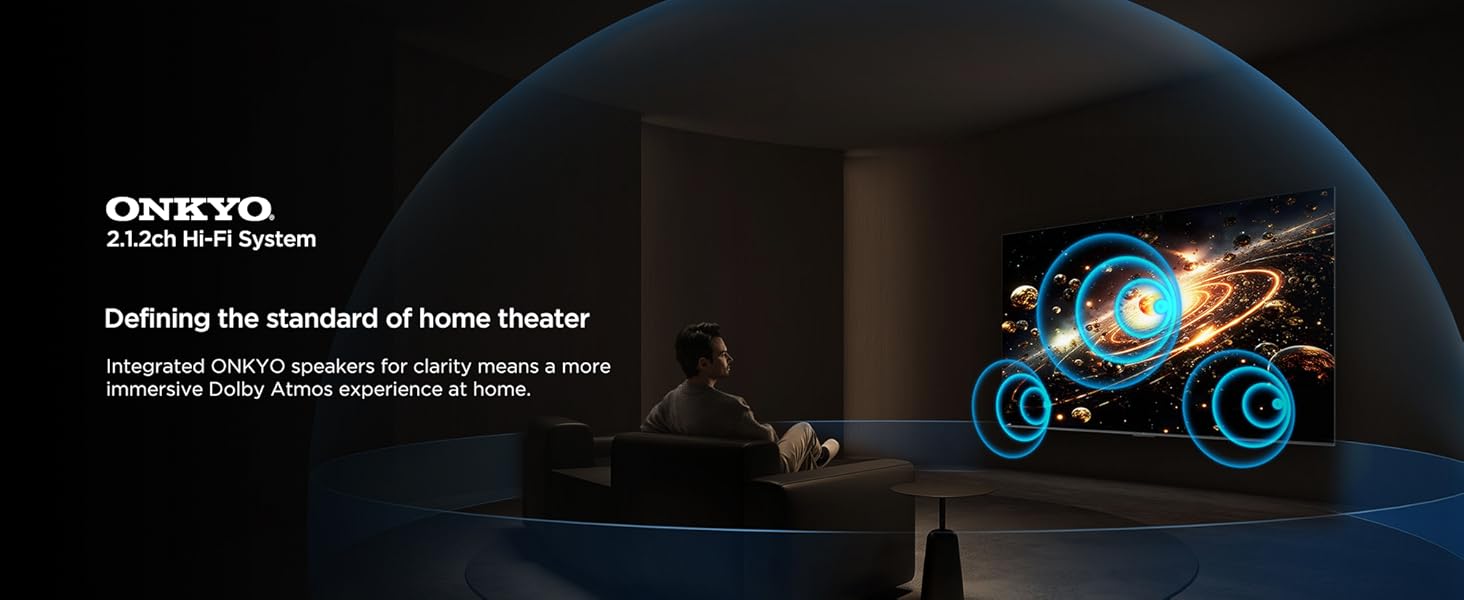
Image: A visual representation of the ONKYO 2.1.2ch Hi-Fi System, emphasizing its role in delivering an immersive Dolby Atmos home theater experience.
4.5. Карактеристики за игри
The TCL 55C72K is designed for an optimal gaming experience:
- Мајстор на играта: A suite of features to enhance gaming, including low input lag and optimized picture settings.
- AMD FreeSync Premium Pro: Ги елиминира кинењето и треперењето на екранот за течно играње.
- HDMI2.1: Supports advanced gaming features like 4K@120Hz (or 144Hz) and Variable Refresh Rate (VRR).
Image: A vibrant gaming illustration showcasing the 'Game Master' feature, designed to provide a professional and smooth gaming experience.
4.6. Карактеристики за нега на очите
The TV incorporates features to reduce eye strain during prolonged viewИНГ:
- Повеќекратна нега на очите: Certified with TUV Low Blue Light and Flicker Free technologies.
- Хибридна лог гама (HLG): Supports HLG for compatible content.

Слика: Визуелен ексamples demonstrating the benefits of Multiple Eye Care features, including low blue light and flicker-free technology, for protecting viewers' eyes.
4.7. Режим за заштеда на енергија
The TCL 55C72K includes an energy-saving mode to reduce power consumption.

Image: The Energy Dashboard interface on the TCL TV, illustrating options for Energy Saving, Brightness, Adaptive Brightness, and Dynamic Brightness settings.
The energy-saving mode integrates features like Adaptive Brightness and Dynamic Brightness to optimize power usage. You can configure these settings in the TV's menu.
5. Одржување
To ensure the longevity and optimal performance of your TCL 55C72K TV, follow these maintenance guidelines:
- Чистење на екранот: Нежно избришете го екранот со мека крпа што не остава влакненца. За тврдокорни дамки, малку избришете гоampИзбришете ја крпата со вода или со специјализирано средство за чистење екрани. Избегнувајте груби хемикалии.
- Чистење на рамката: Користете мека, сува крпа за чистење на рамката и држачот на телевизорот.
- Вентилација: Осигурајте се дека отворите за вентилација на задната страна од телевизорот не се блокирани за да спречите прегревање.
- Кабел за напојување: Редовно проверувајте го кабелот за напојување за евентуални оштетувања. Доколку е оштетен, контактирајте квалификуван сервисер за замена.
- Прашина: Periodically dust the TV and surrounding area to prevent dust buildup.
6 Смена на проблеми
If you encounter issues with your TCL 55C72K TV, refer to the following common troubleshooting steps:
6.1. Нема моќ
- Проверете дали кабелот за напојување е безбедно приклучен и во телевизорот и во штекерот.
- Проверете дали штекерот работи со вклучување на друг уред.
- Обидете се да го притиснете копчето за вклучување на самиот телевизор, не само на далечинскиот управувач.
6.2. Нема слика/Лош квалитет на сликата
- Проверете дали е избран точниот влезен извор (на пр., HDMI 1, AV).
- Проверете ги сите кабелски врски помеѓу телевизорот и надворешните уреди.
- Прилагодете ги поставките за слика (осветленост, контраст, боја) во менито на телевизорот.
- Ако користите антена, проверете ја нејзината врска и обидете се повторно да ги скенирате каналите.
- For low-quality video sources, note that upscaling performance varies.
6.3. Нема звук/Лош квалитет на звук
- Уверете се дека јачината на звукот не е пригушена и е зголемена.
- Проверете ги аудио каблите ако користите надворешни звучници или саундбар.
- Adjust sound settings (equalizer, sound mode) in the TV menu.
- If using HDMI (e)ARC, ensure the external audio system is correctly configured.
6.4. Далечинскиот управувач не работи
- Заменете ги батериите во далечинскиот управувач.
- Уверете се дека нема пречки помеѓу далечинскиот управувач и IR сензорот на телевизорот.
- Ако е Bluetooth далечински управувач, проверете дали е правилно поврзан.
6.5. Smart TV/Internet Connectivity Issues
- Check your Wi-Fi connection or LAN cable.
- Рестартирајте го вашиот рутер/модем.
- Go to the TV's network settings and try reconnecting to your network.
- Проверете дали софтверот на телевизорот е ажуриран.
For more complex issues, please refer to the support section or contact TCL customer service.
7. Спецификации
Detailed technical specifications for the TCL 55C72K 4K UHD Smart QD-Mini LED Google TV:
| Карактеристика | Спецификација |
|---|---|
| Бренд | TCL |
| Модел | 55C72K |
| Големина на екранот | 55 инчи (139 см) |
| Технологија на прикажување | QD-Mini LED |
| Резолуција | 4K UHD (3840 x 2160 пиксели) |
| Стапка на освежување | 144 Hz (VRR 48-288Hz/DLG 240Hz) |
| Оперативен систем | Google TV |
| Процесор | 64-bit Quad Core Processor (AiPQ Pro Processor) |
| RAM меморија | 3 GB |
| Капацитет за складирање на меморија | 64 GB |
| Поддршка за HDR | HDR 2600 nits, Dolby Vision IQ, HDR10+, HLG |
| Локални зони на затемнување | Up to 2048 Zones (Precise Dimming Series) |
| Аудио излез | 60 Watts (ONKYO 2.1.2 CH Hi-Fi System) |
| Аудио технологии | Dolby Atmos, DTS Virtual-X |
| Поврзување | 4 HDMI Ports (2x 4K/144Hz, 2x 4K/60Hz), 1 USB 3.0, 1 USB 2.0, 1 LAN, 1 Antenna Input, 1 Optical Audio Out, Wi-Fi, Bluetooth |
| Посебни карактеристики | Hands Free Voice Control, Screen Mirroring, Works with Alexa, Airplay 2, Game Master, IMAX Enhanced, FreeSync Premium Pro, Multiple Eye Care (TUV Low Blue Light Certified), Energy Saving Mode |
| Димензии на производот (ДxШxВ) | 122.6 x 31.5 x 71.1 см (со држач) |
| Тежина на ставката | 13.3 кг |
| Извор на енергија | AC 240 волти |
| Година на модел | 2025 |

Image: Detailed dimensions of the TCL 55C72K television, including height, width, and depth with and without the stand, along with weight information.
8. Гаранција и поддршка
8.1. Информации за гаранцијата
The TCL 55C72K television comes with a 2 година гаранција provided by the manufacturer from the date of purchase. The remote control has a separate 6-месечна гаранцијаБарањата за гаранција може да се обработуваат со вашата е-фактура од Amazon.
8.2. Поддршка за корисници
For technical assistance, service requests, or any queries regarding your TCL 55C72K TV, please contact TCL customer support. You can find contact details on the official TCL India website or refer to the documentation provided with your product.
9. Видео за производотview
Погледнете го ова видео за визуелен прегледview of the TCL 55C72K's display capabilities and features.
Видео: Кратка пред-прегледview шоуasing the display quality and visual performance of the TCL 55C72K 4K UHD Smart QD-Mini LED Google TV.


