1. Вовед
This manual provides detailed instructions for the installation, operation, and maintenance of your Girafit GRF-T350SW 3K 5MP Indoor/Outdoor Pan/Tilt/Zoom Wi-Fi Security Camera. Please read this manual thoroughly before using the product to ensure proper functionality and safety. Keep this manual for future reference.
2. Производот завршиview
Клучни карактеристики
- 3K 5MP Resolution with 4X Digital Zoom: Обезбедува јасна и детална видео-фудбаtage.
- 360° Pan and 180° Tilt: Offers comprehensive coverage of your monitoring area.
- AI Person/Pet/Vehicle Detection: Advanced artificial intelligence for accurate identification of subjects, reducing false alerts.
- Автоматско следење на движење: Automatically follows detected subjects within the camera's field of view.
- Ноќно гледање во боја на ѕвезди: Enhanced low-light performance for vivid color images at night.
- Двонасочно аудио: Вграден микрофон и звучник за комуникација во реално време.
- Auto Alert Siren: Ги одвраќа натрапниците со звучен аларм.
- IP65 Оценка за водоотпорност: Suitable for outdoor use in various weather conditions.
- Флексибилни опции за складирање: Supports encrypted US cloud storage and local Micro SD card storage (up to 256GB).
- 2.4GHz/5GHz Wi-Fi Connectivity: Dual-band Wi-Fi support for stable connection.
Што има во кутијата
- Girafit GRF-T350SW Camera Body
- Адаптер за напојување
- Монтажни завртки и сидра
- Шаблон за монтирање
- Упатство за употреба

Figure 2.1: Girafit GRF-T350SW camera showing its pan and tilt capabilities.

Figure 2.2: The Girafit GRF-T350SW camera operating reliably in both rainy and sunny conditions, highlighting its IP65 weatherproof design.
3. Поставување
3.1 Физичка инсталација
- Изберете локација: Select a suitable outdoor or indoor location that provides the desired viewing angle and is within range of your Wi-Fi network. Ensure the power outlet is accessible.
- Монтирајте ја камерата: Use the provided mounting template to mark drill holes. Secure the mounting bracket to the wall or ceiling using the screws and anchors. Attach the camera to the bracket.
- Поврзете напојување: Plug the power adapter into the camera and then into a power outlet. The camera will power on and initiate its startup sequence.
3.2 Инсталација на апликација и креирање сметка
- Download the Girafit App: Пребарај за 'Girafit' in your smartphone's app store (iOS or Android) and download the official application.
- Креирај сметка: Open the app and follow the on-screen instructions to register a new account.
3.3 мрежно поврзување
- Додај уред: In the Girafit app, tap the '+' icon to add a new device. Select your camera model.
- Следете ги упатствата во апликацијата: The app will guide you through connecting the camera to your 2.4GHz or 5GHz Wi-Fi network. This typically involves scanning a QR code displayed on your phone with the camera lens.
- Завршување: Once connected, the camera's status indicator will change, and you will see the live feed in the app.
4. Работење
4.1 Контрола на панорамирање, навалување и зумирање
Од во живо view in the Girafit app, use the on-screen controls to remotely adjust the camera's viewing angle. The camera supports 360° horizontal pan and 180° vertical tilt. You can also digitally zoom in up to 4X to view детали.

Figure 4.1: Visual comparison demonstrating the clarity of 3K 5MP resolution with 4X zoom compared to standard 3MP resolution.
4.2 Детекција на движење и автоматско следење
The camera features advanced AI detection capabilities to identify humans, pets, and vehicles. When motion is detected, the camera can automatically track the subject, zoom in, record the event, and send push notifications to your smartphone.
- Овозможи откривање: Navigate to the camera settings in the app to enable AI Person/Pet/Vehicle Detection.
- Set Detection Zones: Дефинирајте специфични области во рамките на камерата view where you want motion detection to be active.
- Activate Auto Tracking: Enable auto tracking in the settings to allow the camera to follow detected subjects.
- Auto Alert Siren: Configure the camera to trigger an audible siren upon detection to deter unwanted visitors.

Figure 4.2: Illustration of the camera's automatic tracking feature, showing a person being followed with a 4X zoom.

Figure 4.3: The camera's AI accurately detecting a human, a pet, and a vehicle in a home environment.

Figure 4.4: The camera detecting activity in a defined hexagonal area and issuing an auto voice alert.
4.3 Ноќно гледање
The GRF-T350SW offers multiple night vision modes for clear surveillance in low-light conditions.
- Ноќно гледање во боја на ѕвезди: Utilizes a Starlight Sensor and f/1.6 aperture to capture more light, providing full-color video even in very dim environments.
- Инфрацрвен режим: Стандардно црно-бело ноќно гледање со употреба на инфрацрвени LED диоди.
- Режим на рефлектор: Activates built-in spotlights to illuminate the area and capture color video when motion is detected at night.
Можете да се префрлате помеѓу овие режими или да ги поставите на автоматски во поставките на апликацијата.

Figure 4.5: Visual representation of the camera's Starlight Color Night Vision, Infrared Mode, and Spotlight Mode capabilities.
4.4 Двонасочно аудио
The integrated microphone and speaker allow for two-way communication. You can speak through the camera to visitors or deter intruders directly from your smartphone via the Girafit app.
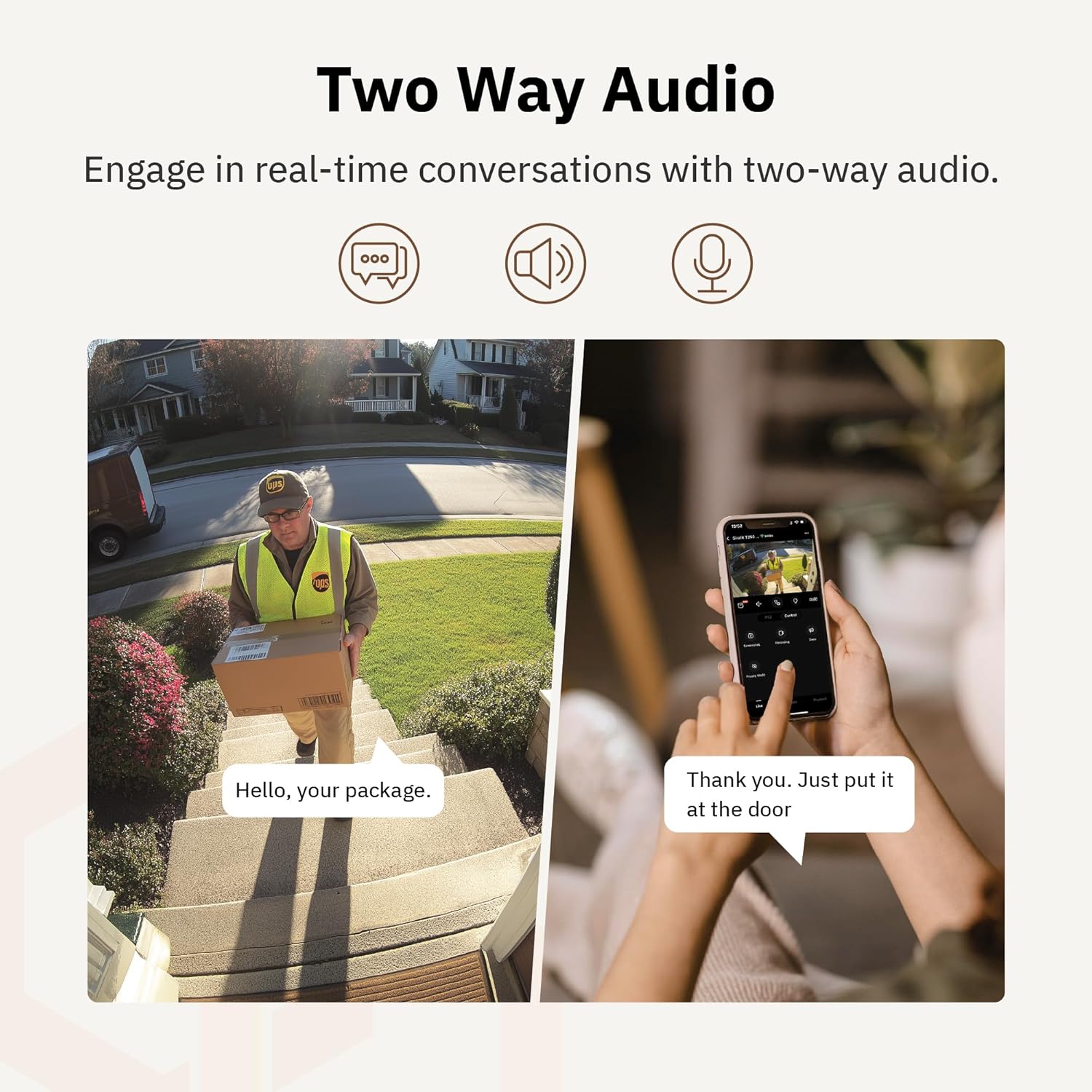
Слика 4.6: Ексample of using two-way audio to communicate with a delivery person at the door.
4.5 Режим на приватност
For enhanced privacy, the camera features a privacy mode. When activated, the camera lens physically tilts down by 180°, ensuring no live feed is captured or transmitted. This provides 100% privacy protection when needed.

Figure 4.7: The camera in privacy mode, with the lens tilted downwards to ensure no recording or live view.
4.6 Складирање на видео
The camera supports two primary methods for video storage:
- Микро SD картичка: Insert a Micro SD card (up to 256GB, not included) into the designated slot on the camera for local storage of recordings.
- Складирање во облак: Girafit offers encrypted cloud storage services in the US. Refer to the app for subscription options and details.
5. Одржување
5.1 Чистење
To maintain optimal performance, periodically clean the camera lens and housing. Use a soft, damp cloth to wipe away dust and dirt. Avoid using harsh chemicals or abrasive materials that could damage the lens or finish.
5.2 Ажурирања на фирмверот
Girafit regularly releases firmware updates to improve camera performance, add new features, and enhance security. Check the Girafit app periodically for available updates and follow the in-app instructions to install them. Ensure the camera has a stable power supply during updates.
6 Смена на проблеми
- Камерата не се поврзува со Wi-Fi:
- Ensure your Wi-Fi network is 2.4GHz or 5GHz and the password is correct.
- Доближете ја камерата до вашиот Wi-Fi рутер.
- Рестартирајте го рутерот и камерата.
- Лош квалитет на видеото:
- Проверете ја брзината на вашата интернет конекција.
- Исчистете ја леќата на камерата.
- Ensure the camera is receiving adequate power.
- Откривањето движење не работи:
- Проверете дали детекцијата на движење е овозможена во поставките на апликацијата.
- Adjust detection sensitivity and detection zones.
- Осигурајте се дека нема пречки што го блокираат пристапот на камерата view.
- Двонасочни аудио проблеми:
- Check microphone and speaker permissions for the Girafit app on your phone.
- Уверете се дека микрофонот и звучникот на камерата не се попречени.
For further assistance, please contact Girafit customer support.
7. Спецификации
| Карактеристика | Опис |
|---|---|
| Име на моделот | GRF-T350SW |
| Резолуција за снимање видео | 3K (5MP) |
| Внатрешна/надворешна употреба | На отворено |
| Технологија за поврзување | Wi-Fi (2.4GHz/5GHz), Wired |
| Извор на енергија | Електричен со кабел |
| Тип на монтирање | Монтирање на ѕид |
| Специјална карактеристика | 2-Way Audio, AI Detection (Human/Pet/Vehicle), Auto Tracking, Color Night Vision, IP65 Weatherproof |
| Компатибилни уреди | Desktop, Laptop, Smartphone (Android/iOS) |
| Димензии на ставката (Д x Ш x В) | 2.63 x 2.63 x 4.76 инчи |
| Тежина на ставката | 14.7 унци |
| Опции за складирање | Микро SD картичка (до 256GB), складирање во облак |
| UPC | 764742517881 |
8. Гаранција и поддршка
Girafit products are designed for reliability and performance. For warranty information, please refer to the warranty card included with your product or visit the official Girafit website. For technical support, troubleshooting assistance, or any inquiries regarding your Girafit GRF-T350SW camera, please contact Girafit customer service through the contact information provided on the official website or within the Girafit app.


