1. Вовед и повеќеview
Thank you for choosing the iScooter W6 Electric Scooter. This manual provides essential information for the safe operation, assembly, maintenance, and troubleshooting of your new electric scooter. Please read this manual thoroughly before your first ride to ensure optimal performance and safety.
The iScooter W6 is designed for adults and teens, featuring a powerful 500W brushless motor, a top speed of 35 km/h, and a maximum range of 37 km. It is equipped with 10-inch pneumatic tires for a comfortable ride, dual braking systems for enhanced safety, and optional smart APP control for a personalized experience.
2. Информации за безбедност
Your safety is paramount. Always wear a helmet and appropriate protective gear (knee pads, elbow pads) when riding. Familiarize yourself with local laws and regulations regarding electric scooter use.
- Секогаш носете сертифициран шлем.
- Не возете при силен дожд или низ барички подлабоки од 2 см.
- Избегнувајте возење по лизгави површини, лабав чакал или стрмни наклони.
- Одржувајте безбедно растојание од други возила и пешаци.
- Не го надминувајте максималниот капацитет на тежина од 120 кг (264 фунти).
- Пред секое возење, проверете дали сите завртки и брзи отклучувачи се безбедно прицврстени.
- Use both brakes simultaneously for effective stopping.
- Be aware of your surroundings and avoid distractions while riding.
3. Содржина на пакетот
Проверете ја содржината на вашиот пакет. Доколку недостасуваат или се оштетени некои предмети, контактирајте ја службата за корисници.
- електричен скутер iScooter W6
- Полнач
- Упатство за употреба
- Screws and Screwdriver for assembly
4. Склопување и поставување
Your iScooter W6 comes partially assembled. Follow these steps to complete the setup:
- Расклопете го скутерот: Внимателно подигнете го кормилото додека не се заклучи на своето место. Уверете се дека механизмот за преклопување е безбедно заклучен.
- Прикачете ги рачките: Insert the handlebars into the stem and tighten the screws using the provided screwdriver. Ensure they are firmly attached and aligned.
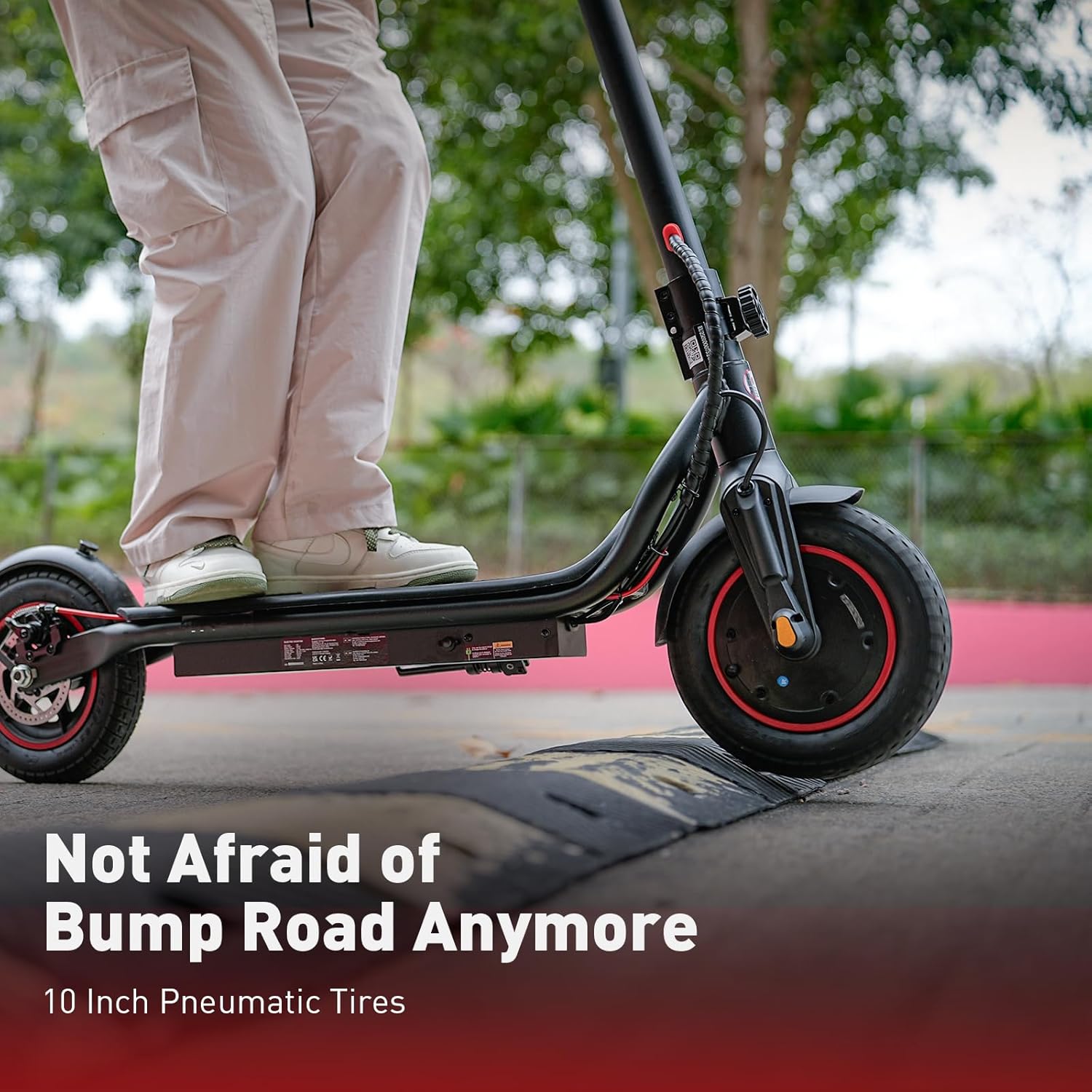
- Проверете го притисокот во гумите: Verify that the 10-inch pneumatic tires are inflated to the recommended pressure for optimal ride comfort and range.
- Почетна наплата: Fully charge the scooter before its first use. Refer to the 'Charging' section for details.

5. Упатства за работа
Before riding, ensure you are in a safe, open area and are wearing all necessary safety gear.
5.1 Вклучување/исклучување
- To power on, press and hold the power button on the display for a few seconds.
- За да го исклучите, повторно притиснете и задржете го копчето за вклучување додека екранот не се исклучи.
5.2 Режими на возење
The iScooter W6 offers three speed modes to suit different riding conditions:
- ЕКО режим: Approximately 14 km/h (9 mph) - For energy saving and beginners.
- Режим на возење: Approximately 24 km/h (15 mph) - Standard mode for balanced performance.
- Спортски режим: Approximately 35 km/h (22 mph) - For maximum speed and power.
Press the power button once while the scooter is on to cycle through the speed modes.

5.3 Acceleration and Braking
- Забрзување: Push off with your foot to gain initial momentum, then gently press the throttle lever on the right handlebar.
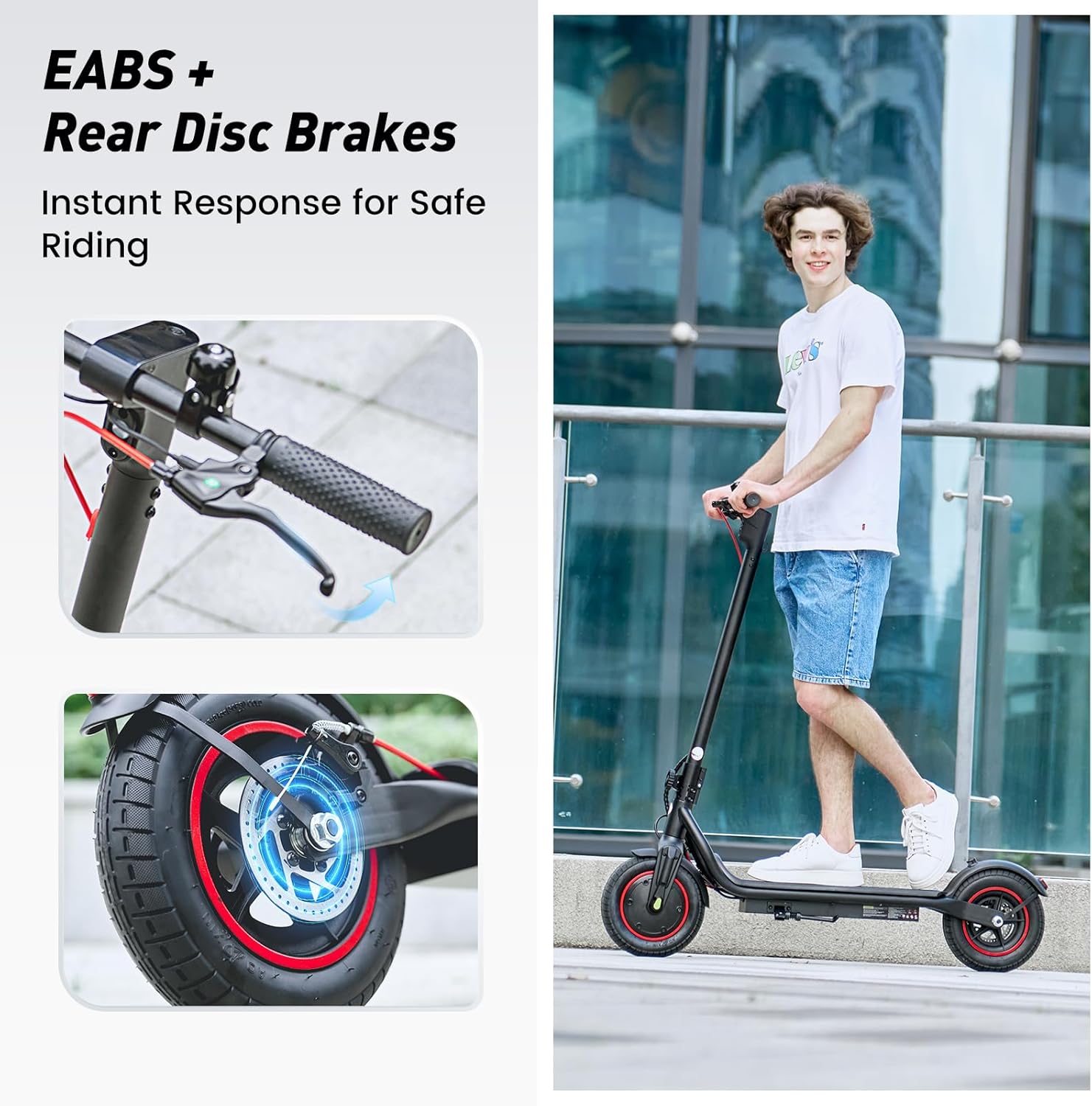
- Сопирање: The scooter features dual braking systems: a rear disc brake and an electronic brake. Squeeze the brake levers on the handlebars to slow down or stop. For emergency stops, apply both brakes firmly.
- Контрола на крстарење: To activate cruise control, maintain a consistent speed for 5 seconds. The scooter will beep, and the cruise control icon will appear on the display. To deactivate, press the throttle or brake lever.
5.4 Lights and Bell
- Предно светло: Press the power button twice quickly to turn the LED headlight on or off.
- Задна светлина: The rear warning light automatically activates with the headlight and when braking.
- Ѕвонче: Use the integrated bell on the left handlebar to alert pedestrians or other riders.
6. Паметна контрола на апликацијата
The iScooter W6 supports smart APP control for enhanced functionality (for models with APP support). Download the official iScooter APP from your smartphone's app store.
- Спарување: Следете ги упатствата во апликацијата за да го спарите вашиот скутер преку Bluetooth.
- Карактеристики: The APP allows you to lock/unlock the scooter, view real-time ride data (speed, battery level, mileage), switch riding modes, and more.
- Anti-Theft Security: The APP can remotely lock the scooter, making it unridable and providing an additional layer of security.

7. Полнење
Proper charging practices extend battery life and ensure safe operation.
- Батерија: The scooter is equipped with a 42V / 10.5Ah lithium-ion battery.
- Време на полнење: A full charge typically takes 5–7 hours.
- Процес на полнење: Connect the charger to the charging port on the scooter, then plug it into a standard wall outlet. The indicator light on the charger will change (e.g., red to green) when fully charged.
- Најдобри практики: Avoid completely draining the battery. Store the scooter with a partial charge (20-80%) if not used for extended periods. Do not charge unattended.
8. Одржување
Редовното одржување обезбедува долготрајност и безбедно работење на вашиот скутер.
- Чистење: Избришете го скутерот со рекламаamp cloth. Do not use high-pressure water or corrosive cleaners.
- Гуми: Regularly check tire pressure and for any signs of wear or damage. The 10-inch pneumatic tires provide a comfortable ride but require proper inflation.
- Сопирачки: Inspect brake levers, cables, and disc brakes for proper function and wear. Adjust or replace components as needed.
- Прицврстувачи: Периодично проверувајте ги сите завртки и клинови за да бидете сигурни дека се стегнати.
- Складирање: Чувајте го скутерот на ладно и суво место, подалеку од директна сончева светлина и екстремни температури.

9 Смена на проблеми
If you encounter issues with your iScooter W6, refer to the following common problems and solutions:
| Проблем | Можна причина | Решение |
|---|---|---|
| Скутерот не се вклучува | Low battery; loose connections; power button malfunction | Charge the battery; check all visible connections; contact support if issue persists. |
| Намален опсег или брзина | Low tire pressure; heavy load; riding uphill; cold weather; aging battery | Inflate tires to correct pressure; reduce load; ride on flatter terrain; ensure battery is fully charged. |
| Сопирачките не се ефикасни | Worn brake pads; loose brake cable; disc brake misalignment | Inspect and adjust brake components; replace worn parts; seek professional service if unsure. |
| Невообичаени звуци за време на работата | Loose components; debris in wheels; motor issue | Check for loose parts and tighten; inspect wheels for obstructions; contact support if noise persists. |
For issues not listed here or if troubleshooting steps do not resolve the problem, please contact iScooter customer support.
10. Спецификации
Key technical specifications for the iScooter W6 Electric Scooter:
| Карактеристика | Спецификација |
|---|---|
| Број на модел | W6 |
| Моќност на моторот | 500 W |
| Максимална брзина | 35 km/h |
| Макс опсег | 37 км |
| Батерија | 42V / 10.5Ah |
| Големина на тркала | 10 Inches (Pneumatic) |
| Тип на сопирачка | Rear Disc Braking & Electronic Braking |
| Максимален капацитет за тежина | 120 килограми (264 фунти) |
| Тежина на ставката | 15 кг |
| Материјал | Алуминиум |
| Посебни карактеристики | 37KM Max Range & 35KM/H Top Speed, 500W Powerful Motor & 10'' Inflatable Tires, Double Braking Systems (Rear Disc Braking & Electronic Braking), Foldable & Commuting, Smart APP Support |
11. Гаранција и поддршка
iScooter provides a comprehensive warranty and dedicated customer support for your electric scooter.
- Гарантен период: One-year warranty for the E-scooter, and 180-day warranty for specific parts such as the motor and battery. This warranty is non-transferable after the product's initial sale.
- Се враќа: iScooter offers a 7-day no-reason return policy, provided there is no human damage and no stains on the product.
- Штета при испорака: If shipping damage occurs, please contact iScooter support at support@iscooterglobal.com and provide photo or video proof.
- Поддршка за корисници: iScooter is committed to providing quality items and service. For any inquiries or assistance, please reach out to our customer support team.


