1. Вовед
Ви благодарам за купувањетоasing the ONGTEED SM-616 Portable Video Radio. This device combines a 7-inch LCD screen for video playback with AM/FM/SW radio capabilities, Bluetooth connectivity, and support for USB/Micro SD card media. It is designed for versatile entertainment and information access. Please read this manual thoroughly before use to ensure proper operation and to maximize your enjoyment of the product.
Што има во кутијата
- ONGTEED SM-616 Portable Video Radio (Grey)
- 1200 mAh Rechargeable Batteries x 3 (pre-installed in battery compartment)
- USB кабел за напојување x 1
- Упатство за сопственикот (овој документ)
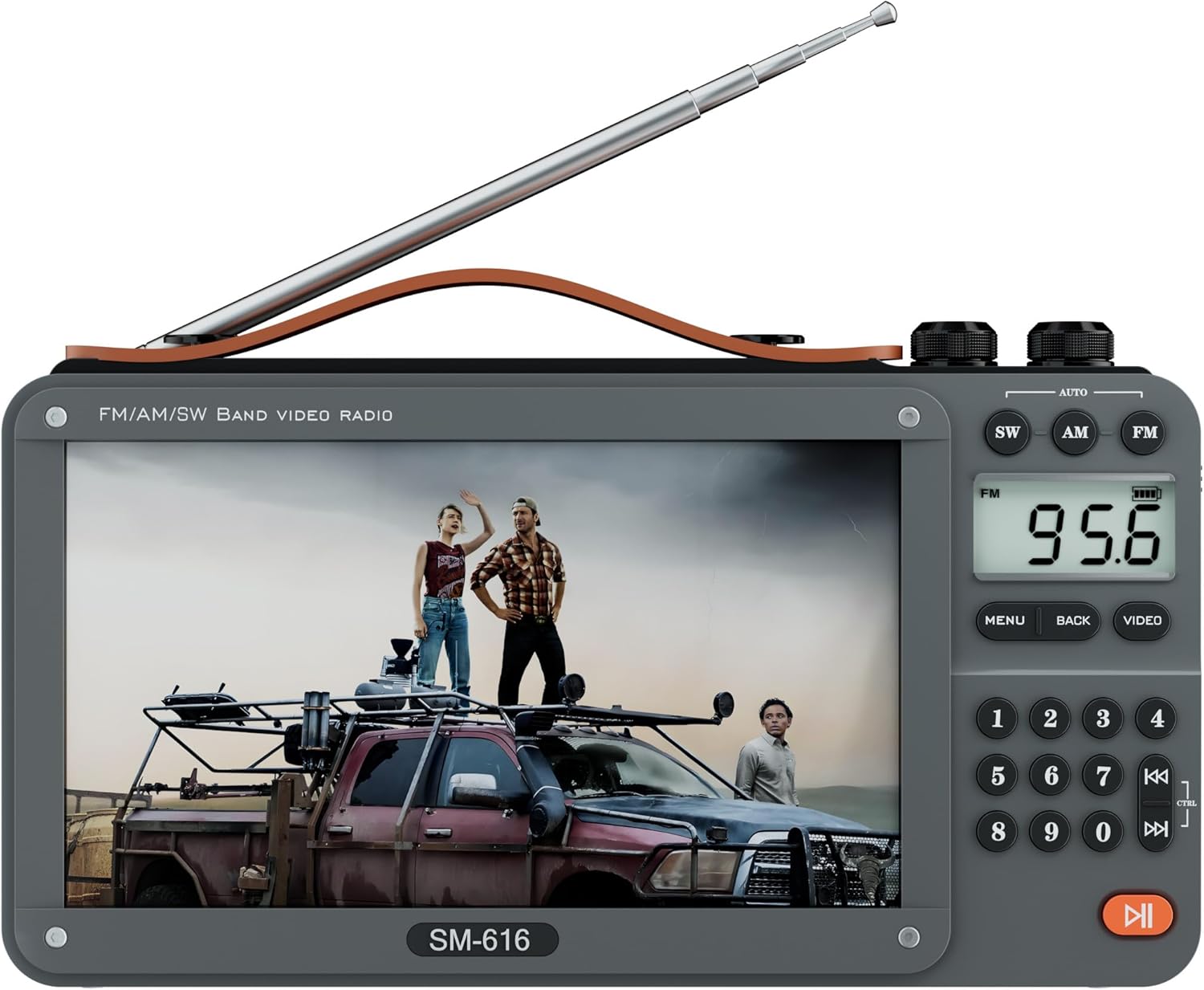
Image 1.1: The ONGTEED SM-616 Portable Video Radio.
2. Информации за безбедност
- Не го изложувајте уредот на екстремни температури, директна сончева светлина или висока влажност.
- Избегнувајте паѓање или изложување на уредот на силни удари.
- Чувајте го уредот подалеку од вода и други течности.
- Не обидувајте се сами да го расклопите или поправите уредот. За сите сервиси обратете се на квалификуван персонал.
- Use only the provided USB power cord and recommended charging adapters.
- Обезбедете соодветна вентилација при полнење за да спречите прегревање.
- Фрлете ги батериите според локалните прописи.
3. Производот завршиview
The SM-616 features a user-friendly design with a 7-inch LCD screen, intuitive controls, and multiple connectivity options. Below are key features and physical aspects of the device.

Слика 3.1: Готовоview of the SM-616's multi-functional capabilities including video play, AM/FM/SW radio, Bluetooth, MP3 music, USB/SD card support, e-book, picture viewing, and rechargeable battery.
Клучни карактеристики
- 7-инчен LCD екран: For clear video and image display (Note: No TV function).
- AM/FM/SW Radio: Robust reception with telescopic antenna.
- Bluetooth поврзување: Безжично аудио стриминг од компатибилни уреди.
- Репродукција на медиуми: Supports MP3/MP4 via USB drive or Micro SD card (up to 128GB).
- E-book & Photo Viewе: Прочитајте текст files and browse images.
- Вграден звучник и приклучок за слушалки: For versatile audio output.
- Батерии за полнење: Three 1200mAh batteries for extended use.
- Преносен дизајн: Lightweight with a leather carry handle and 90° movable support frame.
Физички компоненти
Familiarize yourself with the various ports and controls on your device.
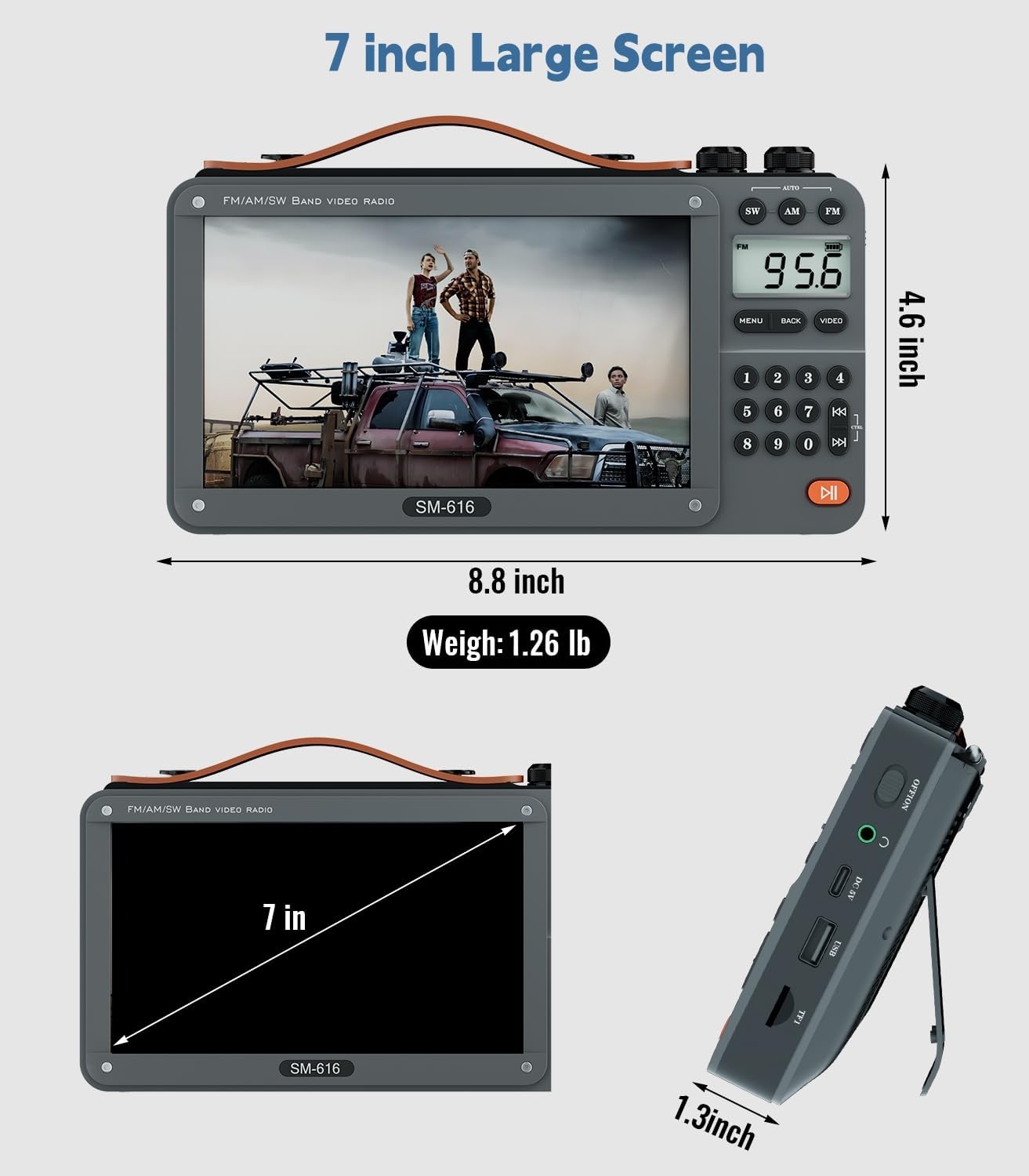
Слика 3.2: напред view and dimensions of the SM-616, highlighting the 7-inch screen and overall size.

Слика 3.3: Задна страна view of the SM-616, illustrating the flexible back support frame for adjustable viewинг агли.
Слика 3.4: Страна view of the SM-616, detailing the USB port, Micro SD card slot, and 3.5mm headphone jack.
4. Поставување
4.1 Инсталација и полнење на батеријата
The SM-616 comes with three 1200mAh rechargeable lithium-ion batteries pre-installed in the battery compartment. Before first use, it is recommended to fully charge the device.
- Пронајдете го USB-C приклучокот за полнење од страната на уредот.
- Connect the provided USB power cord to the device's USB-C port.
- Plug the other end of the USB power cord into a compatible USB power adapter (not included) or a computer's USB port.
- Индикаторското светло за полнење ќе светне, обично црвено, за време на полнењето и ќе се исклучи или ќе ја промени бојата кога ќе се наполни целосно.
- Целосното полнење обично трае неколку часа.

Image 4.1: The SM-616 connected to a USB-C charger, illustrating the charging process.
4.2 Почетно вклучување
To power on the device, locate the power switch, usually on the side or top panel, and slide it to the "ON" position. The screen will light up, and the device will enter its default mode.
5. Упатства за работа
5.1 Radio Functions (AM/FM/SW)
The SM-616 supports FM, AM, and Shortwave (SW) radio bands. The radio screen measures 1.46 x 0.78 inches for clear frequency display.
- Антена: Extend the telescopic metal antenna fully for optimal reception, especially for FM and SW bands.
- Избор на бенд: Use the dedicated buttons (FM, AM, SW) on the control panel to switch between radio bands.
- Auto Search and Storage: Press and hold the "MENU" or "AUTO" button (refer to device markings) to initiate an automatic scan for available stations. The device will store found stations.
- Рачно подесување: Use the number keypad to directly input a frequency, then press "ENTER" or a similar button to tune. Alternatively, use the tuning knob or arrow buttons to manually adjust the frequency.
- Контрола на јачината на звукот: Adjust the volume using the dedicated rotary knob or volume buttons.

Image 5.1: The SM-616 demonstrating strong AM, FM, and SW radio reception with its extended antenna.
5.2 Video and Audio Playback (USB/Micro SD)
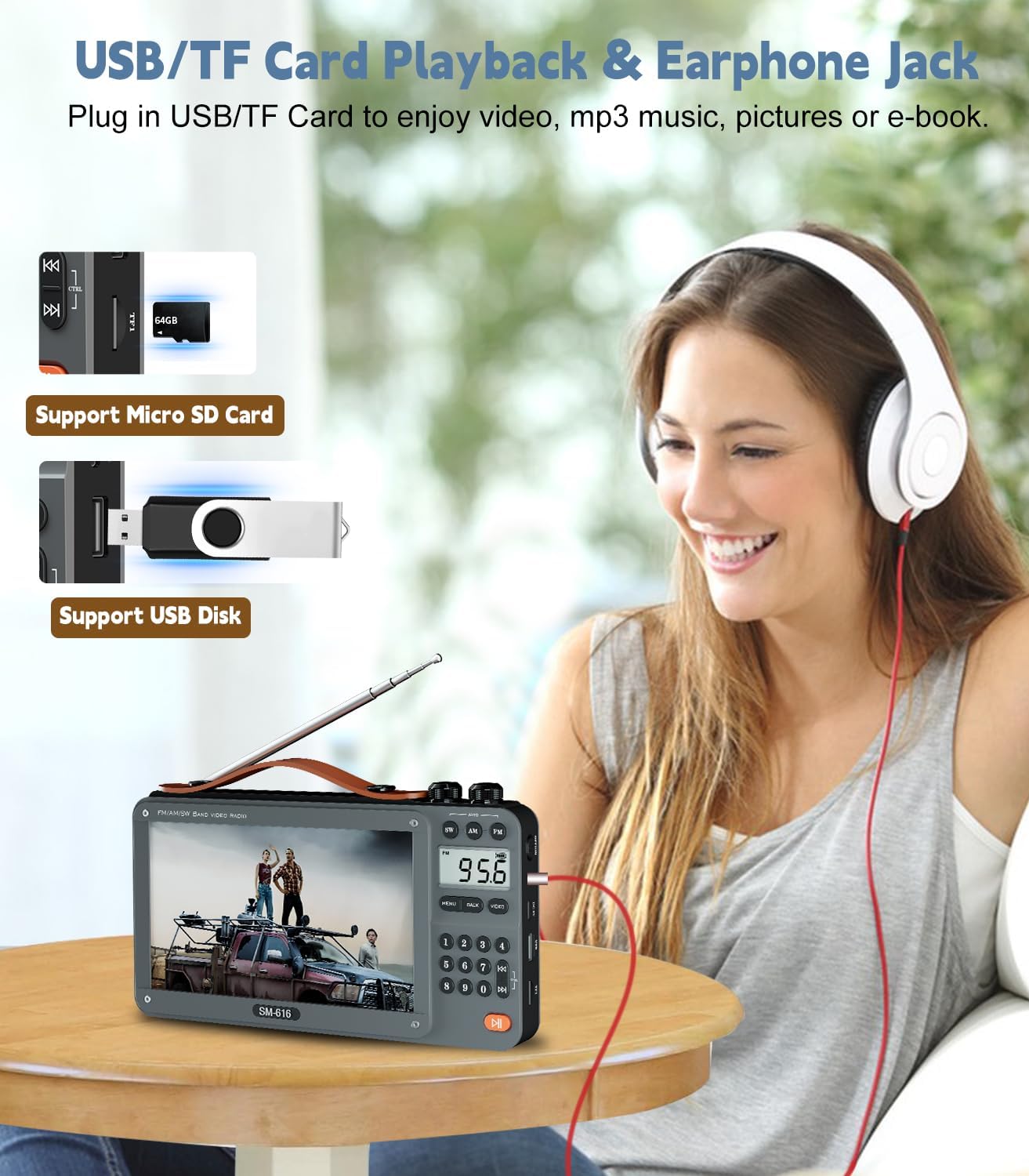
The device supports playback of video and audio files from a USB flash drive or a Micro SD card (up to 128GB).
- Вметни медиум: Insert your USB drive into the USB port or your Micro SD card into the designated slot. Ensure it is inserted correctly.
- Изберете режим: Navigate to the "Video" or "Music" mode using the device's menu or dedicated buttons.
- Прелистајте Files: Use the navigation buttons to browse through your files и папки.
- Играј: Изберете a file and press the "PLAY/PAUSE" button to start playback.
- Поддржани формати: For video, H-264 codec in MP4/MOV containers is recommended for optimal performance (e.g., 1080p 16:9 aspect ratio, 2500 kb/s bitrate, 24 fps). For audio, MP3 is widely supported (e.g., 128 kb/s, 2 channels, 44100 Hz sample rate). Other formats may experience scaling issues or distortion.
Image 5.2: Illustrates the insertion points for USB drives and Micro SD cards for media playback.
5.3 Функција на Bluetooth звучник
Connect your smartphone or other Bluetooth-enabled devices to the SM-616 to use it as a wireless speaker.
- Овозможи Bluetooth: Switch the device to Bluetooth mode using the mode button. The screen will indicate Bluetooth pairing mode, often with a blinking icon.
- Спарување: On your external device (e.g., smartphone), enable Bluetooth and search for available devices. Select "SM-616" or a similar name from the list.
- Поврзете се: Once paired, the device will confirm the connection, and you can now play audio from your external device through the SM-616 speaker.

Image 5.3: A smartphone wirelessly connected to the SM-616 via Bluetooth, playing music.
5.4 E-book Reading and Photo Browsing
The SM-616 can display text files (.TXT) and images from your USB drive or Micro SD card.
- Insert your media with .TXT or image files.
- Navigate to the "E-book" or "Photo" mode from the main menu.
- Изберете го саканиот file до view. Note that images not matching the screen's aspect ratio may appear distorted.
5.5 Headphone Jack Usage
For private listening, connect standard 3.5mm headphones to the headphone jack located on the side of the device. The internal speaker will automatically mute when headphones are connected.
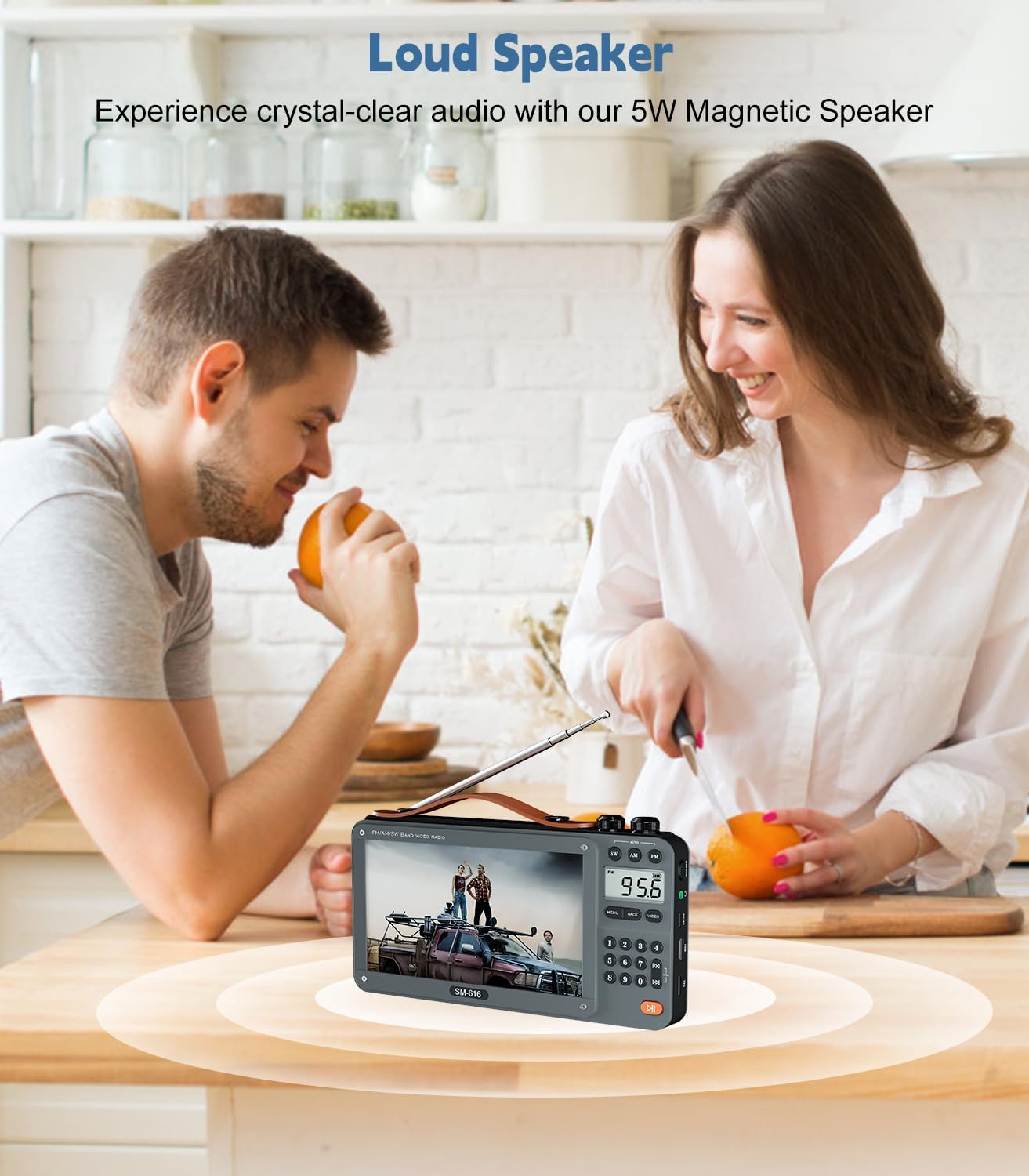
Image 5.4: A user enjoying audio privately through headphones connected to the SM-616.
6. Одржување
- Чистење: Use a soft, dry cloth to clean the exterior of the device. For the screen, use a microfiber cloth specifically designed for electronics. Do not use liquid cleaners or abrasive materials.
- Складирање: Кога не го користите уредот подолг период, чувајте го на ладно и суво место, подалеку од директна сончева светлина и екстремни температури.
- Нега на батеријата: To prolong battery life, avoid fully discharging the batteries frequently. If storing for a long time, charge the batteries to about 50% every few months.
7 Смена на проблеми
| Проблем | Можна причина | Решение |
|---|---|---|
| Уредот не се вклучува. | Слаба батерија; Прекинувачот за напојување е исклучен. | Наполнете го уредот целосно. Осигурајте се дека прекинувачот за напојување е во положба „ВКЛУЧЕНО“. |
| No radio reception or weak signal. | Antenna not extended; Poor location; Interference. | Extend the telescopic antenna fully. Move to a location with better signal. Avoid strong electromagnetic interference. |
| Видео files do not play or play with distortion/lag. | Unsupported video format/codec; Incorrect resolution/aspect ratio; Corrupt file. | Обезбедете видео files use H-264 codec in MP4/MOV container, 1080p 16:9 aspect ratio, 2500 kb/s bitrate, 24 fps. Convert files if necessary. Try a different file. |
| Bluetooth уредот не може да се поврзе. | Device not in pairing mode; Bluetooth off on external device; Out of range. | Ensure the SM-616 is in Bluetooth pairing mode. Enable Bluetooth on your external device. Keep devices within close range (approx. 10 meters). |
| Нема звук од звучникот/слушалките. | Volume too low; Headphones not fully inserted; Mute activated. | Increase volume. Ensure headphones are fully plugged in. Check if the device is muted. |
8. Спецификации
| Карактеристика | Детал |
|---|---|
| Модел | СМ-616 |
| Бренд | ОГЛЕДЕН |
| Големина на екранот | 7 inches LCD (No TV function) |
| Радио бендови | FM: 87.5-108MHz, AM: 520-1730kHz, SW: 4.75-21.95 MHz |
| Bluetooth верзија | 5.3 (Connectivity Technology) |
| Излез на звучник | 5W High-Performance Speaker |
| Поддршка за медиуми | USB/Micro SD Card (up to 128GB) |
| Поддржани формати | MP3 (audio), MP4 (video - H-264 recommended), .TXT (e-book), Image files |
| Батерии | 3 x 1200mAh Rechargeable Lithium Ion (included) |
| Извор на енергија | Напојува со батерии, може да се полни со USB-C |
| Димензии на производот | 8.8"Д x 1.4"Ш x 4.9"В |
| Тежина на ставката | 1.26 фунти (приближно 0.57 кг) |
| Боја | Греј |
9. Гаранција и поддршка
ONGTEED products are designed and manufactured to the highest quality standards. This product comes with a limited warranty against defects in materials and workmanship. For specific warranty terms and conditions, please refer to the documentation provided with your purchase or contact ONGTEED customer support.
Поддршка за корисници
If you encounter any issues or have questions regarding your ONGTEED SM-616 Portable Video Radio, please contact our customer support team. Contact information can typically be found on the product packaging, our official webлокација или преку вашиот продавач.
Please have your model number (SM-616) and purchase details ready when contacting support.


