1. Вовед
The Rollei Compact Creator 152cm is a robust aluminum travel tripod designed for photographers and videographers using both cameras and smartphones. It offers a maximum load capacity of 2.5 kg, weighs only 739 g, and has a compact packed size of 50 cm, making it highly portable. This manual provides detailed instructions for setting up, operating, and maintaining your tripod to ensure optimal performance and longevity.
2. Содржина на пакетот
Ве молиме проверете дали сите артикли се присутни во вашиот пакет:
- Rollei Compact Creator 152cm Tripod
- Далечински управувач со Bluetooth
3. Упатства за поставување
3.1 Unfolding the Tripod Legs
- Gently pull the tripod legs outwards until they are fully extended.
- Adjust the leg angles as needed for stability on various surfaces.
- Extend the 4-section legs by twisting the quick-lock mechanisms on each section. Ensure each section is securely locked before use.

Слика 3.1: The tripod legs can be adjusted to various heights, from a compact 47cm to a maximum of 152cm, adapting to diverse shooting requirements.
3.2 Attaching the Quick Release Plate
- Пронајдете ја плочата за брзо ослободување на главата на топката.
- Press the release button on the ball head to detach the quick release plate.
- Screw the quick release plate onto the 1/4" threaded hole of your camera or other compatible device. Ensure it is tightened securely.
- Slide the quick release plate with your device back into the ball head until it clicks into place. Verify that the device is firmly attached.
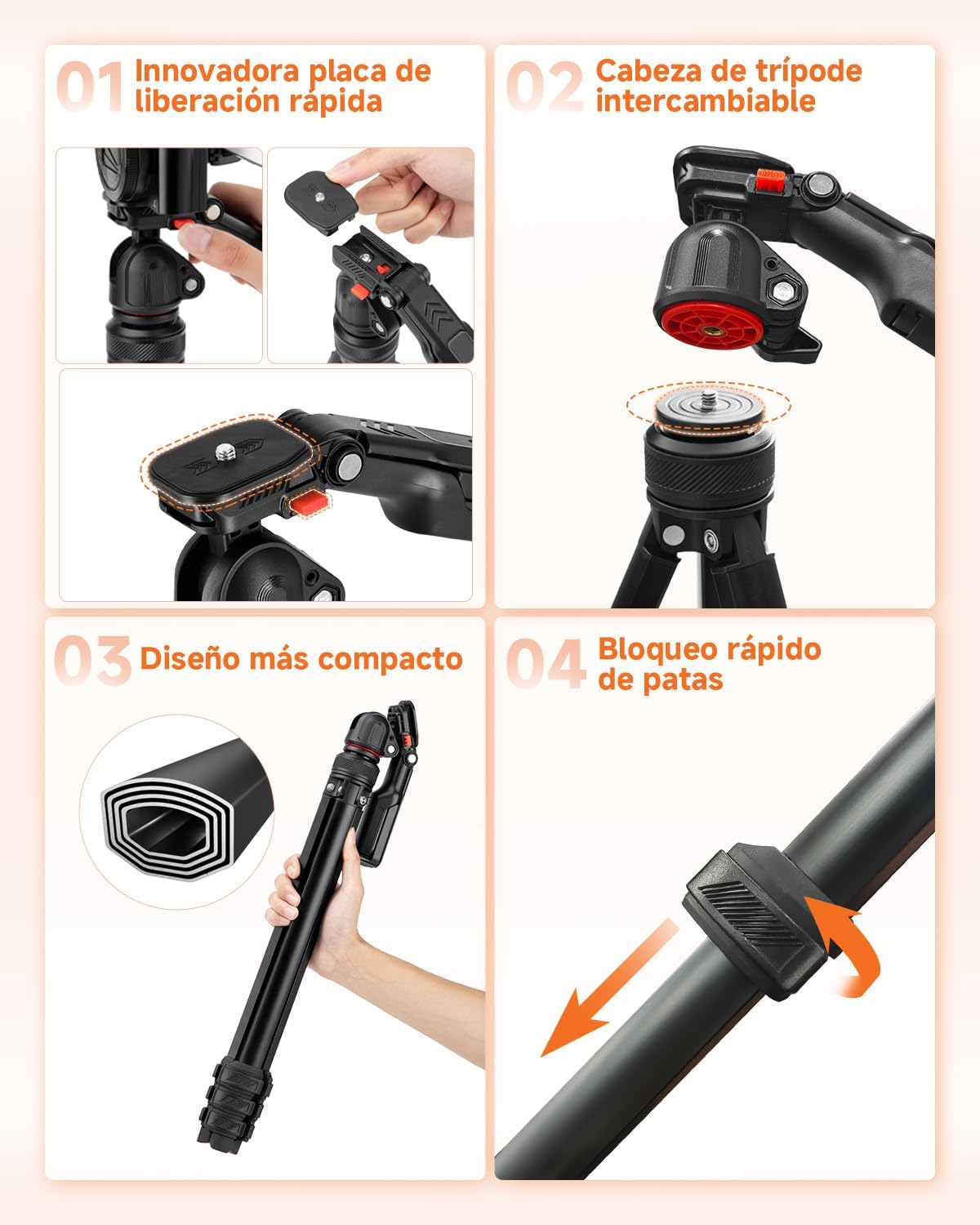
Слика 3.2: The quick release plate allows for fast and secure attachment and detachment of your camera or device to the tripod head.
3.3 Using the Integrated Smartphone Holder
- The tripod features an integrated smartphone holder within the handle of the ball head.
- Pull the smartphone holder open and insert your smartphone. The holder rotates 360 degrees to accommodate various orientations.
- Осигурајте се дека вашиот паметен телефон е цврсто држен за држачот.
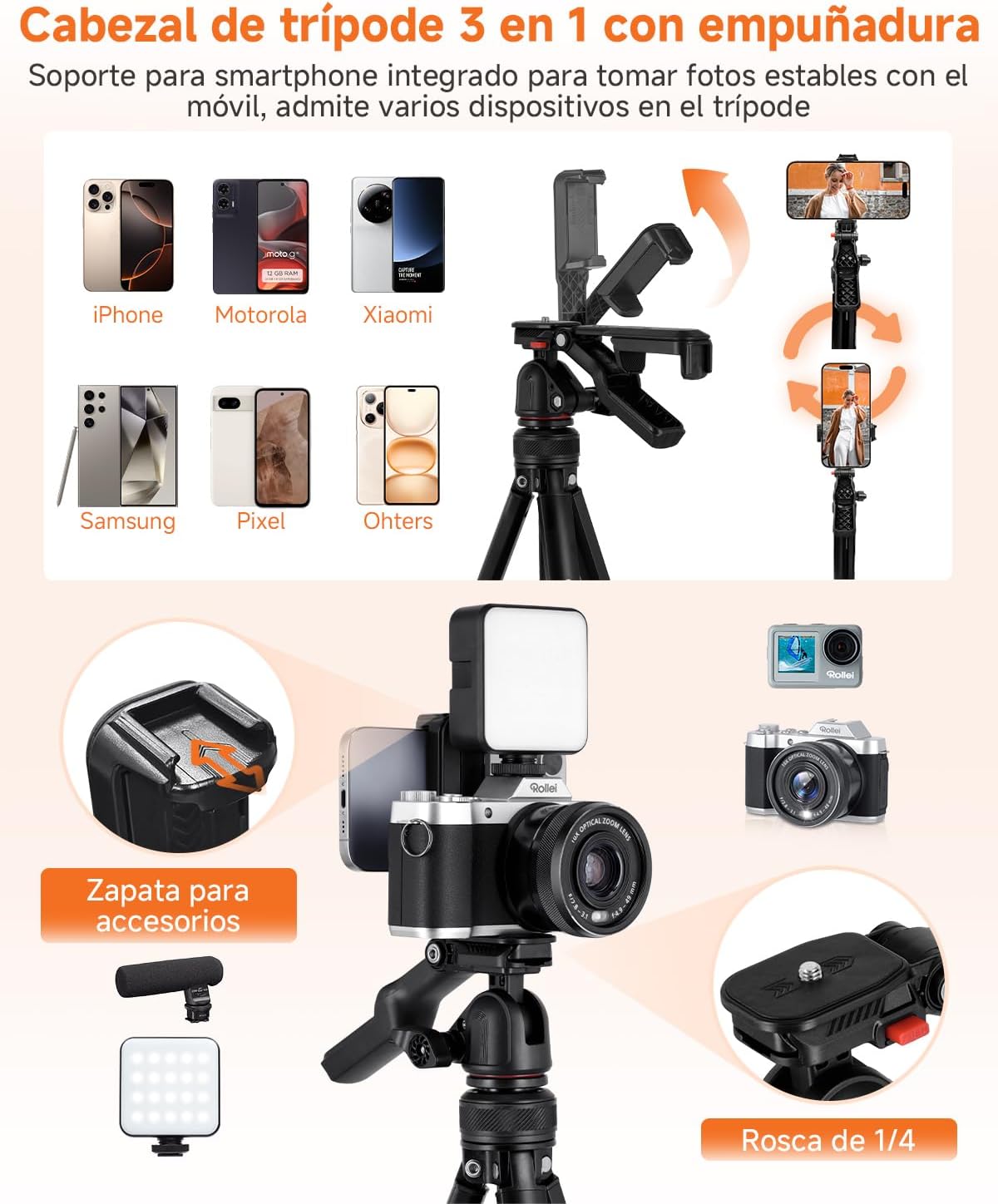
Слика 3.3: The 3-in-1 tripod head includes an integrated smartphone holder and a cold shoe for accessories like microphones or LED lights.
4. Упатства за работа
4.1 Прилагодување на аглите на снимање
The flexible ball head allows for free rotation to achieve various creative shooting angles. Loosen the locking knob on the ball head to adjust the angle, then tighten it firmly to secure your device in position. The head supports 360° panoramic rotation, 90° vertical tilt, and 70° downward tilt.
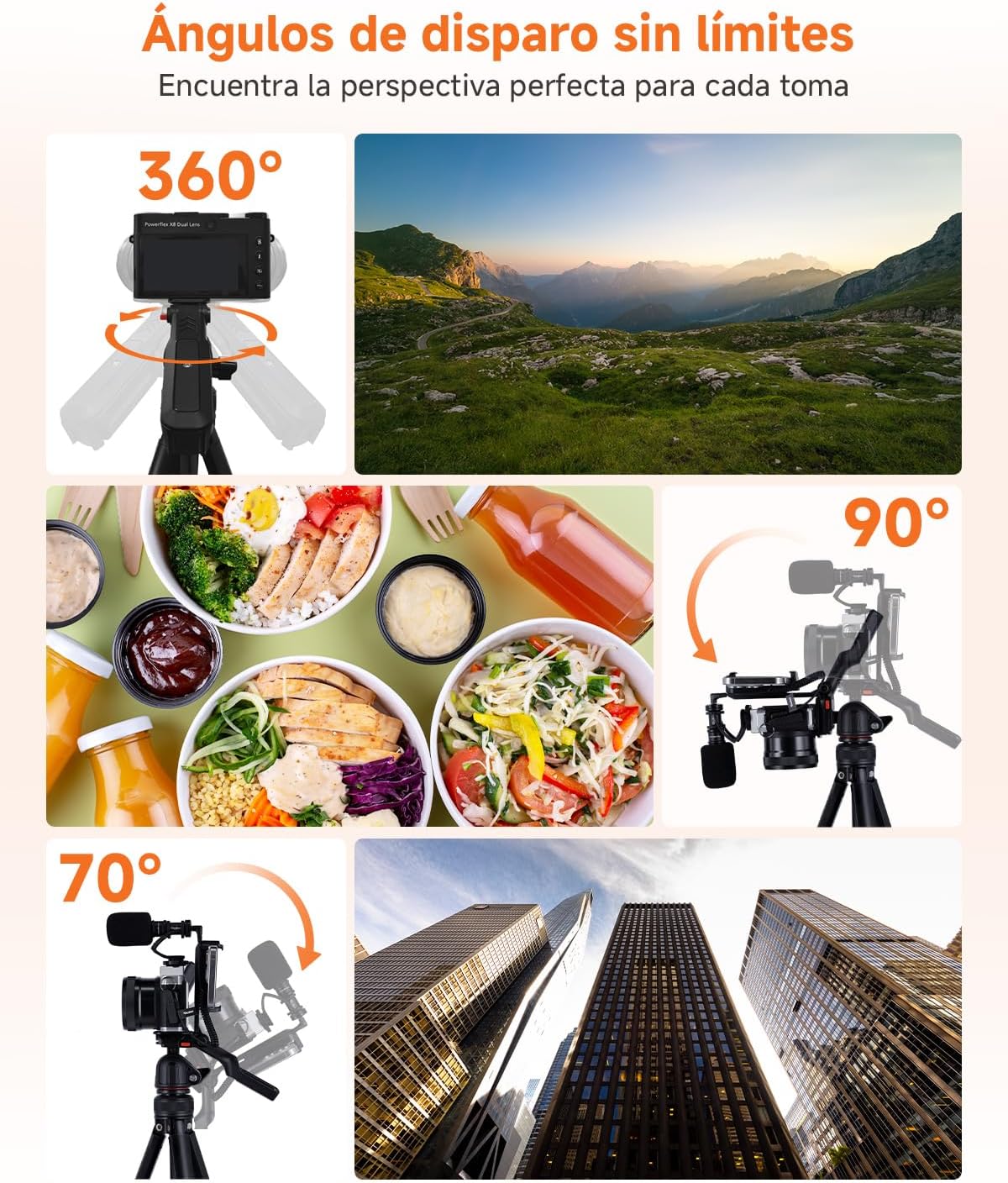
Слика 4.1: Explore unlimited shooting angles with 360° rotation and flexible tilt capabilities.
4.2 Користење на Bluetooth далечинскиот управувач
- Ensure the Bluetooth remote control is charged and powered on.
- Activate Bluetooth on your smartphone or camera.
- Pair the remote control with your device. Refer to your device's manual for specific Bluetooth pairing instructions.
- Once paired, use the remote control to trigger your camera or smartphone remotely for photos and videos.
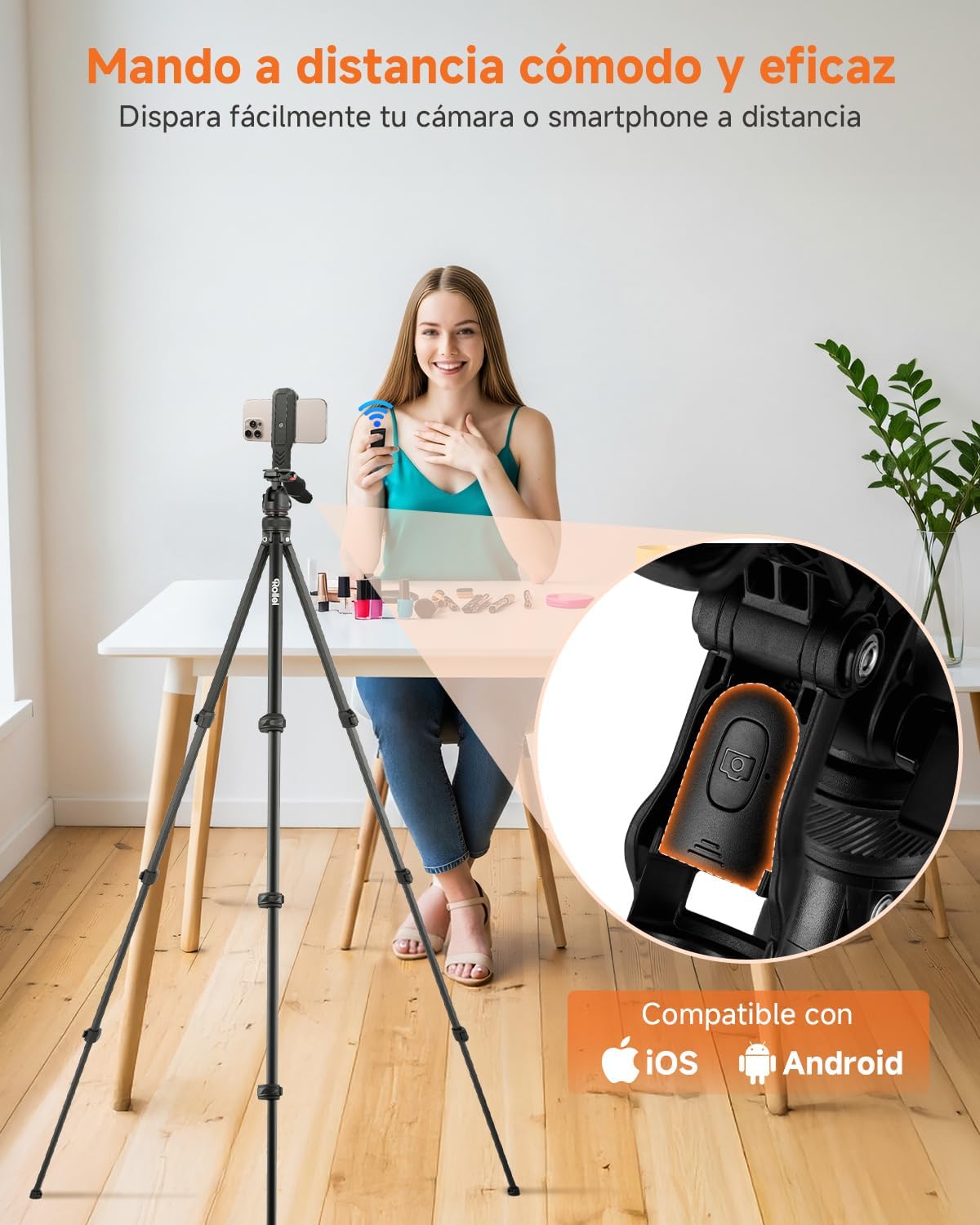
Слика 4.2: The convenient Bluetooth remote control allows you to capture photos and videos from a distance.
4.3 Attaching Accessories to the Cold Shoe
The cold shoe mount located on top of the handle allows for easy attachment of accessories such as microphones or small LED fill lights. Simply slide the accessory into the cold shoe mount until it is secure.
4.4 Компатибилност
The Rollei Compact Creator tripod is widely compatible with various devices:
- Камери: DSLR cameras, mirrorless cameras, and camcorders with a 1/4" screw thread.
- Паметни телефони: All smartphones when used with the integrated 360° rotating phone holder.
- Други уреди: Projectors, webcams, stabilizers, and lights with a 1/4" screw thread.
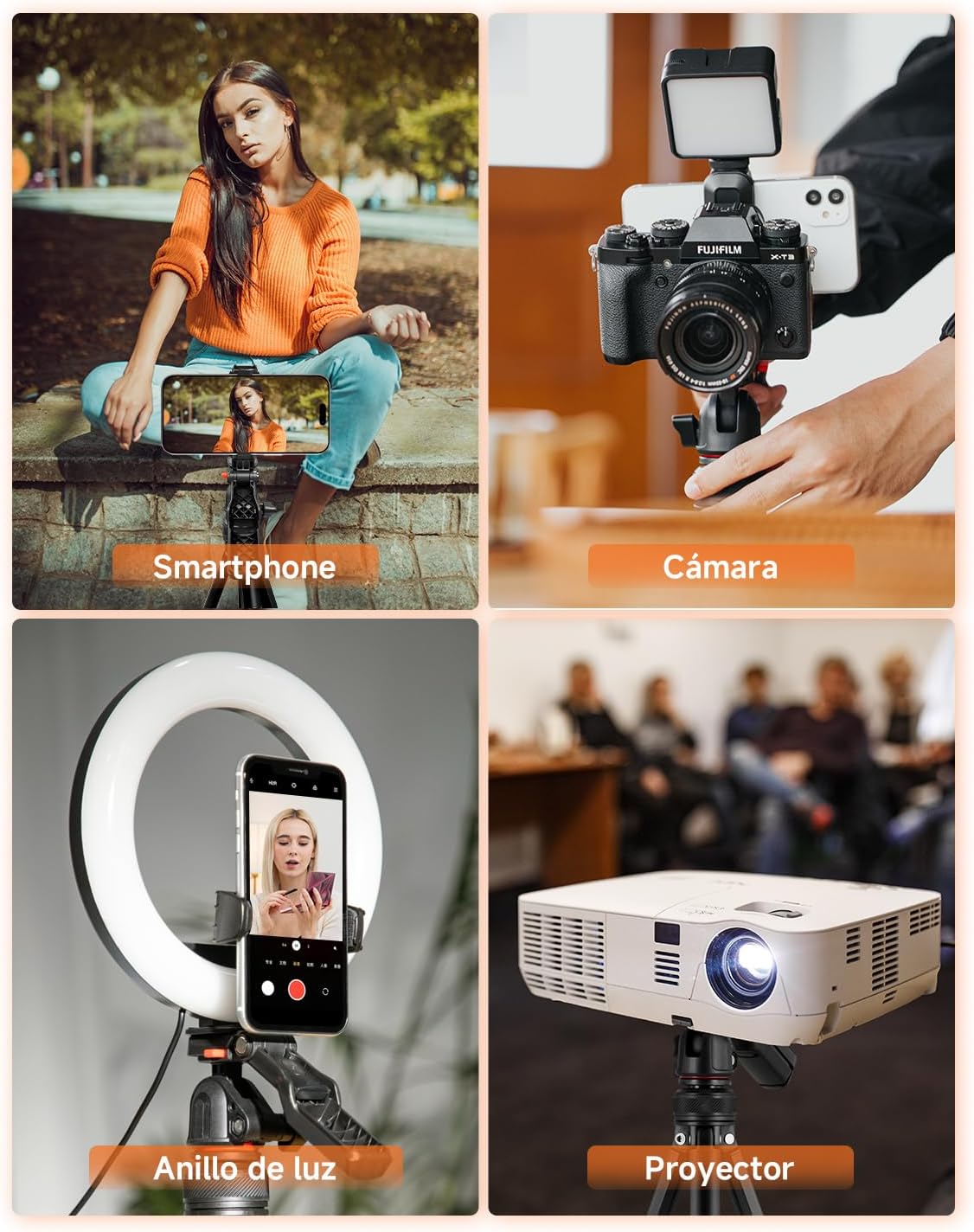
Слика 4.3: The tripod offers wide compatibility for various devices, including smartphones, cameras, and projectors.
5. Одржување
To ensure the longevity and optimal performance of your Rollei Compact Creator tripod, follow these maintenance guidelines:
- Чистење: Wipe the tripod with a soft, dry cloth after each use to remove dust, dirt, or moisture. For stubborn grime, use a slightly damp крпа, а потоа темелно исушете. Избегнувајте груби хемикалии или абразивни средства за чистење.
- Подмачкување: Periodically check the leg locks and ball head for smooth operation. If they feel stiff, apply a small amount of silicone-based lubricant to the moving parts.
- Складирање: Store the tripod in a dry, cool place, away from direct sunlight and extreme temperatures. Use the provided carrying bag for protection during transport and storage.
- Инспекција: Редовно проверувајте ги сите завртки, болтови и брави на ногарките за да се осигурате дека се цврсто стегнати и безбедни. Не ги затегнувајте премногу.
6 Смена на проблеми
If you encounter any issues with your Rollei Compact Creator tripod, please refer to the following common troubleshooting tips:
- Нестабилност на статив:
- Ensure all leg sections are fully extended and their quick-locks are securely fastened.
- Проверете дали стативот е поставен на рамна, стабилна површина.
- Check that the ball head locking knob is tightened after adjusting the angle.
- Bluetooth далечинскиот управувач не се поврзува:
- Make sure the remote control is powered on and has sufficient battery life.
- Ensure Bluetooth is enabled on your smartphone or camera.
- Unpair and re-pair the remote control with your device.
- Приближете се до вашиот уред за да се осигурате дека сте во опсег на Bluetooth.
- Device Not Holding Securely:
- For cameras, ensure the quick release plate is tightly screwed onto the camera and securely clicked into the ball head.
- For smartphones, ensure the integrated holder is fully gripping the phone and the phone is centered.
- Verify that your device's weight does not exceed the tripod's maximum load capacity of 2.5 kg.
7. Спецификации
| Бренд | Ролеи |
| Име на моделот | Compact Creator |
| Број на модел на производ | 26930 |
| Материјал | Алуминиум |
| Димензии на производот | 7.2 x 51 x 8.8 cm |
| Тежина | 840 гр |
| Максимална висина | 152 см |
| Минимална висина | 47 см |
| Ограничување на тежината | 2.5 кг |
| Тип на глава на статив | Топчеста глава |
| Компатибилни уреди | Camera, Camcorder, Smartphone |
| Специјална карактеристика | Далечински управувач |
8. Гаранција и поддршка
Rollei is committed to providing high-quality products and excellent customer service.
- Гаранција: Овој производ доаѓа со а 24-month exchange warranty од датумот на купување. Ве молиме зачувајте го доказот за купување за гаранциски барања.
- Се враќа: Free returns are available within 14 дена of purchase. For detailed return instructions, please refer to the retailer's return policy.
- Поддршка: For further assistance, technical support, or warranty inquiries, please visit the official Rollei website or contact your local customer service representative.


