1. Вовед
This manual provides comprehensive instructions for the Inateck Nomad N0158 Foldable Keyboard and Mouse Set. It covers product features, setup procedures, operational guidelines, maintenance tips, and troubleshooting information to ensure optimal performance and user experience. This set is designed for multi-device connectivity, supporting up to three devices simultaneously across various operating systems including Windows, macOS, Android, and iOS.
2. Содржина на пакетот
Проверете дали сите артикли наведени подолу се вклучени во вашиот пакет:
- Inateck Nomad N0158 Foldable Keyboard
- Безжичен глушец
- Accessory Bag (600D two-tone splash-proof RPET recycled material)
- Folding Stand (suitable for 4-13 inch iPads, smartphones, and tablets)
- USB-C кабел за полнење
- Упатство за употреба
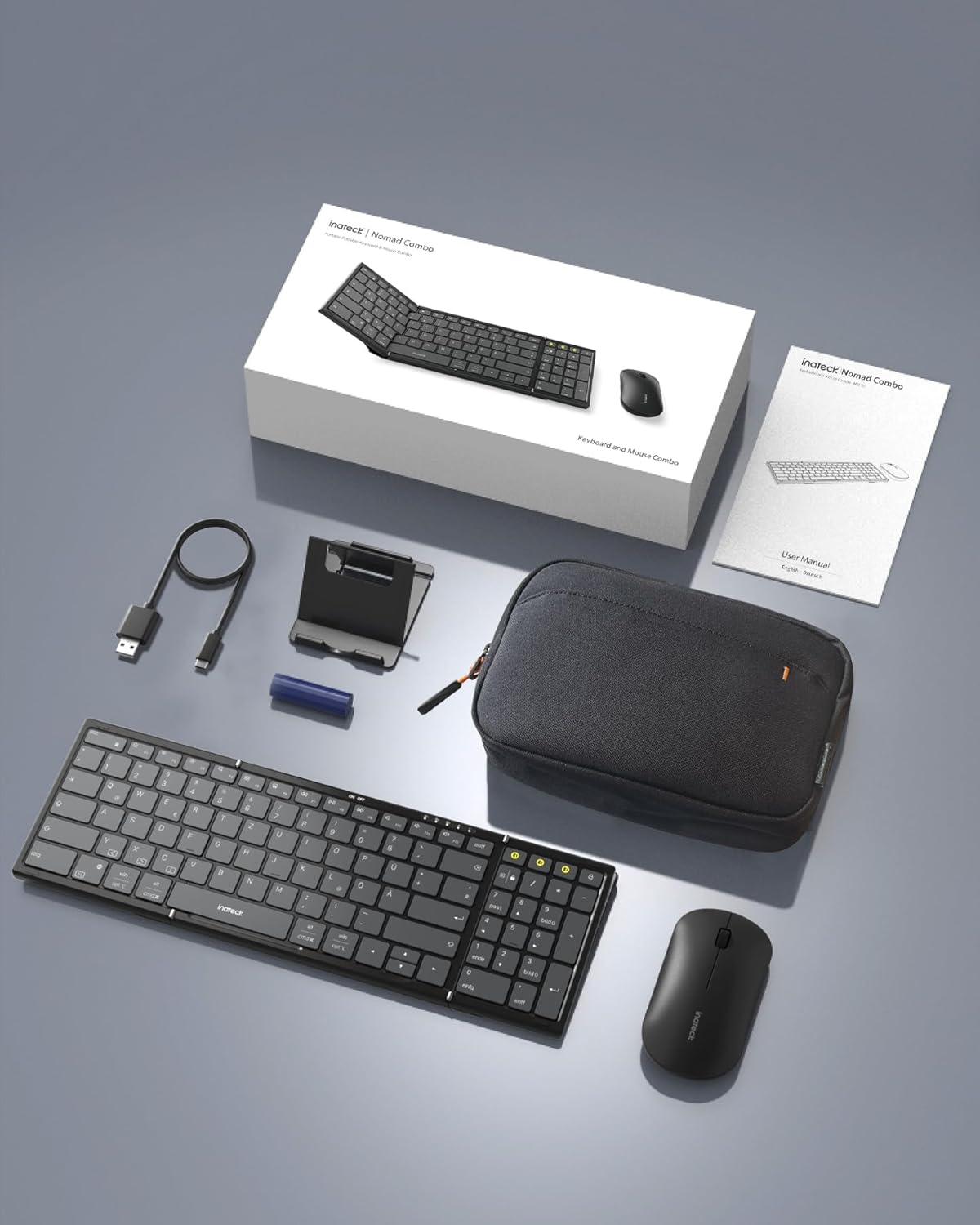
Image: All components included in the Inateck Nomad N0158 package: the foldable keyboard, wireless mouse, accessory bag, folding stand, and USB-C charging cable.
3. Производот завршиview
3.1 Карактеристики на тастатурата
- Дизајн што може да се преклопи: Compact for portability.
- Распоред во полна големина: 99 keys with a separate numeric keypad for efficient data entry and document editing.
- Поврзување со повеќе уреди: Connects to up to 3 devices via 2.4G, Bluetooth 1 (BT1), and Bluetooth 2 (BT2).
- Долг век на батеријата: Over 90 hours of continuous use, up to 180 days standby. Rechargeable via Type-C port.
- Stable Hinge: Features a seamless metal hinge with magnetic locking for stability when unfolded.

Image: The Inateck Nomad N0158 keyboard unfolded, showcasing its full-size layout with six rows of main keys and a dedicated numeric keypad.

Слика: Детална view of the keyboard's seamless metal hinge and magnetic locking system, designed for stability when the keyboard is open.
3.2 Карактеристики на глувчето
- Безжична поврзаност: Connects via 2.4G USB dongle and two Bluetooth channels (BT1, BT2).
- Долг век на батеријата: Over 50 hours of continuous operation, with extended standby time.
4. Водич за поставување
4.1 Полнење на тастатурата
- Пронајдете го USB-C приклучокот за полнење на тастатурата.
- Connect the provided USB-C cable to the keyboard and a power source (e.g., computer USB port, USB wall adapter).
- Индикаторското светло за полнење ќе светне. Откако целосно ќе се наполни, светлото ќе се промени или ќе се исклучи.
The mouse typically uses a replaceable battery (often pre-installed with a pull tab) or may be rechargeable. Refer to the mouse's specific instructions for charging or battery installation.
4.2 Pairing the Keyboard and Mouse
The keyboard and mouse support multiple connection methods: 2.4G wireless (for mouse only, via USB dongle) and Bluetooth (BT1, BT2 for both keyboard and mouse).
4.2.1 2.4G Wireless Connection (Mouse Only)
- Locate the 2.4G USB dongle, usually stored within the mouse or accessory bag.
- Вметнете го USB-адаптерот во слободен USB-порт на вашиот компјутер.
- Turn on the mouse. It should automatically connect to the dongle.
4.2.2 Bluetooth Connection (Keyboard and Mouse)
The keyboard and mouse each have two Bluetooth channels (BT1 and BT2) for connecting to different devices.
- Вклучете го уредот: Ensure the keyboard and mouse are powered on.
- Select a Bluetooth Channel:
- For the keyboard, press the dedicated BT1 or BT2 button.
- For the mouse, switch to the desired Bluetooth mode (BT1 or BT2) using its mode switch.
- Активирајте го режимот за спарување:
- For the keyboard, долго притискање the selected BT1 or BT2 button until the indicator light flashes, indicating pairing mode.
- For the mouse, long press its Bluetooth pairing button (refer to mouse-specific instructions if not obvious) until its indicator light flashes.
- Овозможете Bluetooth на вашиот уред: On your computer, tablet, or smartphone, go to Bluetooth settings.
- Пребарај за уреди: Вашиот уред ќе скенира за достапни Bluetooth уреди.
- Изберете и поврзете: Choose "Inateck Keyboard" and/or "Inateck Mouse" from the list of found devices. Follow any on-screen prompts to complete the pairing.

Image: Illustration of the keyboard and mouse connected to multiple devices (laptop, tablet, smartphone) via 2.4G, BT1, and BT2 channels. Short press to switch channels, long press to activate pairing mode.
5. Упатства за работа
5.1 Префрлување помеѓу поврзани уреди
Откако ќе се поврзете со повеќе уреди, лесно можете да се префрлате помеѓу нив:
- Тастатура: Short press the BT1 or BT2 button to switch to the corresponding paired device.
- Глувче: Use the mode switch on the mouse to select between 2.4G, BT1, or BT2.
5.2 Using the Folding Stand
The included folding stand is designed to hold 4-13 inch iPads, smartphones, and tablets, providing an ergonomic viewing angle while using the keyboard. Ensure the stand is placed on a stable, flat surface.
5.3 Keyboard Usage Notes
- Стабилна површина: Always place the keyboard on a flat, stable surface. The folding hinge is not designed to lock, and typing on uneven surfaces may cause instability.
- Распоред на тастатура: The keyboard features a QWERTZ layout. Ensure your device's operating system is configured to match this layout for correct character input.
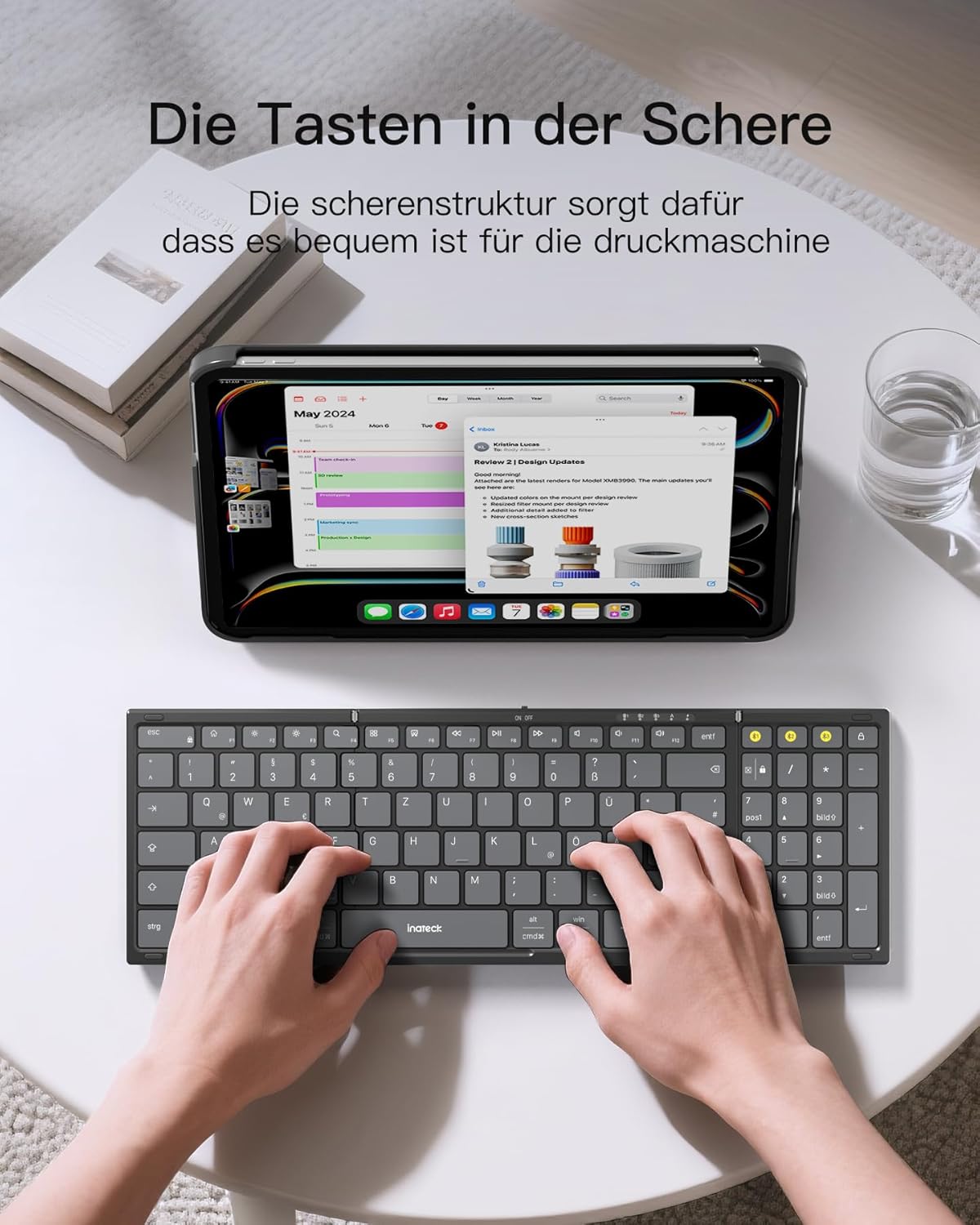
Image: A user demonstrating typing on the Inateck Nomad N0158 foldable keyboard, with a tablet positioned on the included stand for an optimal workspace setup.
6. Одржување
6.1 Чистење
- Use a soft, dry, lint-free cloth to clean the keyboard and mouse surfaces.
- За тврдокорна нечистотија, малку дampИзмијте ја крпата со вода или со благ, неабразивен чистач. Избегнувајте прекумерна влага.
- Do not use harsh chemicals, solvents, or abrasive materials, as these can damage the product finish.
6.2 Складирање
- When not in use, fold the keyboard and store it along with the mouse and stand in the provided accessory bag.
- Чувајте го производот на ладно и суво место подалеку од директна сончева светлина и екстремни температури.
- The accessory bag is made from splash-proof material, offering protection during travel.
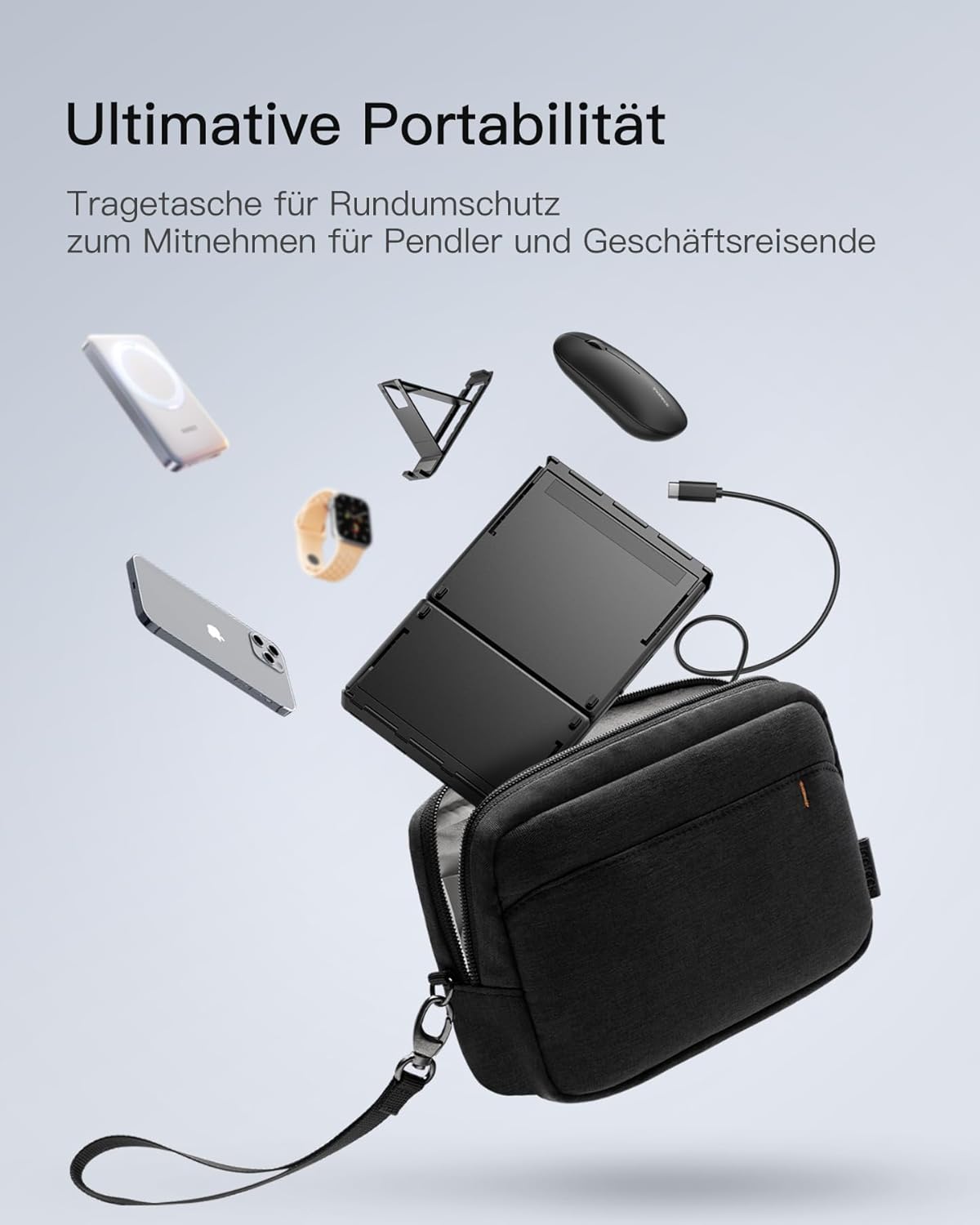
Image: The Inateck Nomad N0158 accessory bag, designed for ultimate portability and protection of the keyboard, mouse, and folding stand during transport.
6.3 Грижа за батерии
- Recharge the keyboard regularly to maintain battery health, even if not used frequently.
- Избегнувајте целосно празнење на батеријата подолг временски период.
- If the mouse uses replaceable batteries, ensure they are inserted correctly and replace them when power is low.
7 Смена на проблеми
7.1 Проблеми со поврзувањето
- Уредот не се поврзува:
- Осигурајте се дека тастатурата/глушецот е наполнет и вклучен.
- Verify that the correct Bluetooth channel (BT1/BT2) is selected and in pairing mode (flashing indicator).
- On your device, turn Bluetooth off and then on again.
- Remove any previous pairings for the keyboard/mouse from your device's Bluetooth settings and attempt to pair again.
- For 2.4G mouse connection, ensure the USB dongle is securely inserted and the mouse is in 2.4G mode.
- Наизменична врска:
- Ensure there are no obstructions between the keyboard/mouse and your device.
- Приближете се до вашиот уред за да исклучите проблеми со дометот.
- Проверете дали има пречки од други безжични уреди.
7.2 Incorrect Keyboard Output (e.g., 'Y' appears instead of 'Z')
This issue typically occurs when the device's operating system keyboard layout does not match the physical QWERTZ layout of the Inateck keyboard. To resolve this, adjust your device's keyboard language settings:
For Windows/Android/macOS/iOS:
- Одете на вашиот уред Поставки.
- Одете до Јазик и внесување or similar (e.g., "Other settings > Language and input methods" on Android).
- Најдете Физичка тастатура or Хардверска тастатура поставувања.
- Select the "Nomad" or "Inateck Keyboard" entry.
- Set the keyboard layout to Германски (QWERTZ).
7.3 Keyboard Instability
The keyboard's folding hinge does not lock. For stable typing, always ensure the keyboard is placed on a completely flat and firm surface. Avoid using it on uneven surfaces like a lap, bed, or soft cushions, as this can cause the keyboard to fold unexpectedly.
8. Спецификации
| Бренд | Инатек |
| Модел | N0158 |
| Технологија за поврзување | Bluetooth, 2.4G Wireless (Mouse) |
| Посебни карактеристики | 3 Bluetooth Channels, Ergonomic (design) |
| Компатибилни уреди | Laptop, Personal Computer, Smartphone (iPad, iPhone, Mac, Android, Windows) |
| Опис на тастатурата | Foldable keyboard mouse set wireless |
| Препорачана употреба на производот | Канцеларија, патување |
| Распоред на тастатура | QWERTZ |
| Извор на енергија | Battery Powered (Rechargeable via USB-C for keyboard) |
| Живот на батеријата на тастатурата | 90+ hours continuous use, 180 days standby |
| Живот на батеријата на глувчето | 50+ hours continuous use, extended standby |
| Димензии на производот (расклопени) | 40.54 x 11.49 x 3 cm |
| Тежина на производот | 756 гр |

Image: Visual representation of the Inateck Nomad N0158 keyboard's dimensions when folded (18.4 cm) and unfolded (34.2 cm x 11.5 cm), alongside a tablet (27.9 cm) and smartphone (14.6 cm) for scale.
9. Гаранција и поддршка
Inateck products are designed for reliability and performance. For warranty information, technical support, or customer service inquiries, please refer to the official Inateck webстраницата или директно контактирајте ја нивната корисничка поддршка. Зачувајте ја сметката за гаранциски барања.
Службен Webсајт: www.inateck.com


