1. Вовед
This user manual provides comprehensive instructions for the NEC VersaPro VH-1 laptop. It covers setup, operation, maintenance, and troubleshooting to ensure optimal performance and user experience. Please read this manual thoroughly before using your device.
The NEC VersaPro VH-1 is a lightweight and high-performance 12.5-inch Full HD laptop, featuring a 7th Generation Intel Core i5-7Y54 processor. It is designed for efficient web browsing, business applications, and remote work. With pre-installed Windows 11 Pro and MS Office 2019, it is ready for immediate use upon arrival.
2. Производот завршиview
2.1 Клучни карактеристики
- Lightweight & Thin Design: Weighing approximately 921g, this 12.5-inch FHD laptop is highly portable, fitting easily into a backpack for commuting, business trips, or mobile work.
- 7th Gen Intel Core i5-7Y54 Processor: Equipped with an efficient and power-saving Intel Core i5-7Y54 (up to 3.2GHz) processor, offering sufficient performance for browsing, online meetings, and Office applications. It also features quiet operation and low heat generation.
- High-Speed SSD Storage: Features an SSD for fast boot-up and smooth operation, handling large files and multiple applications without lag.
- Rich Connectivity & Type-C Expansion: Вклучува а Web camera, Wi-Fi, Bluetooth, HDMI, and a Type-C port for versatile connections to peripherals and external monitors. The Type-C port supports future expansion.
- Pre-installed Software: Comes with Windows 11 Pro and MS Office 2019 pre-installed, allowing immediate document creation, report preparation, and web конференции.
2.2 Идентификација на компоненти
Familiarize yourself with the various parts of your NEC VersaPro VH-1 laptop.

Слика: Разно views of the NEC VersaPro VH-1 laptop, showing the front, back, top, and keyboard layout.

Слика: Страна view of the laptop highlighting available ports including USB 3.0, LAN, Headphone Jack, HDMI, SD Card Slot, and Power Connector.
3. Поставување
3.1 Почетно вклучување
- Поврзете напојување: Вклучете го адаптерот за наизменична струја во приклучокот за напојување на лаптопот, а потоа во ѕидниот штекер.
- Вклучување: Open the laptop lid and press the power button. The laptop will begin the initial boot process.
- Поставување на Windows: Следете ги упатствата на екранот за да го завршите поставувањето на Windows 11 Pro, вклучувајќи го јазикот, регионот, мрежната врска и креирањето корисничка сметка.
3.2 Software Activation
Your laptop comes with MS Office 2019 pre-installed. Follow the prompts to activate your Office suite using your Microsoft account or product key.

Image: The laptop displaying the Windows 11 interface, with logos indicating Windows 11 Pro and MS Office 2019 are installed and ready for use.
4. Упатства за работа
4.1 Основна употреба
- Тастатура: The laptop features a Japanese layout keyboard designed for comfortable and accurate typing.
- Подлога за допир: Use the integrated touchpad for navigation and gestures.
- Web Камера: Вградениот web camera and dual microphones are ideal for remote work, online meetings, and video calls.

Image: A user engaged in a video conference call on the NEC VersaPro VH-1 laptop, demonstrating its web camera and dual microphone capabilities for remote work and online learning.
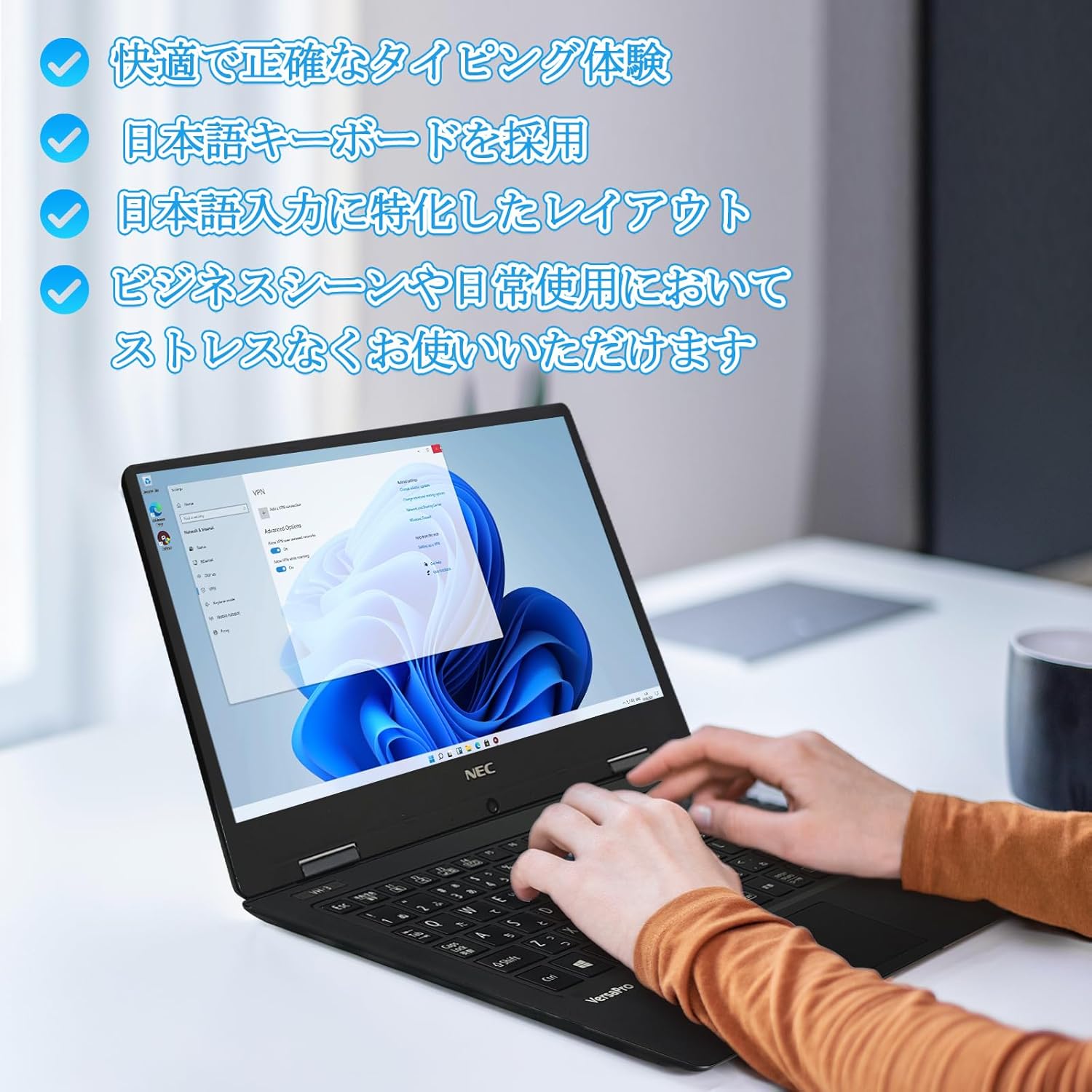
Image: Close-up of hands typing on the laptop's keyboard, illustrating the comfortable and precise typing experience provided by the Japanese layout keyboard.
4.2 Поврзување
- Wi-Fi: Поврзете се со безжични мрежи за пристап до интернет.
- Bluetooth: Pair with Bluetooth-enabled devices such as headphones or mice.
- HDMI: Поврзете се со надворешни дисплеи или проектори.
- Тип Ц: Use the Type-C port for data transfer, charging compatible devices, or connecting to a USB-C hub for additional ports.
5. Одржување
5.1 Чистење
- Екран: Користете мека крпа без влакненца малку гampсо вода или средство за чистење екран. Не прскајте течност директно врз екранот.
- Keyboard & Chassis: Користете мека крпа за бришење на површините. За тврдокорна нечистотија, малкуamp може да се користи крпа. Избегнувајте груби хемикалии.
5.2 Грижа за батерии
- За да го продолжите животниот век на батеријата, избегнувајте екстремни температури.
- Доколку го складирате лаптопот подолг временски период, осигурајте се дека батеријата е наполнета на околу 50-70%.
6 Смена на проблеми
6.1 Заеднички прашања и решенија
| Прашање | Можно решение |
|---|---|
| Лаптопот не се вклучува. | Ensure the AC adapter is securely connected to both the laptop and a working power outlet. Check if the power button is functioning correctly. |
| Проблеми со Wi-Fi конекција. | Verify Wi-Fi is enabled in Windows settings. Restart your router and the laptop. Check for updated network drivers. |
| Надворешниот екран не е откриен. | Ensure the HDMI cable is securely connected. Press Windows key + P to cycle through display modes. Check external display input settings. |
| Бавни перформанси. | Close unnecessary applications. Check for background processes consuming resources. Ensure sufficient free space on the SSD. Run a system scan for malware. |
If you encounter issues not listed here or require further assistance, please refer to the support section.
7. Спецификации
| Карактеристика | Детал |
|---|---|
| Бренд | NEC |
| Име на моделот | VasaPro VH-1 |
| Број на модел на производ | VKT12 |
| Големина на екранот | 12.5 инчи |
| Резолуција | 1920x1080 пиксели (FHD) |
| Бренд на процесорот | Интел |
| Тип на процесор | Core i5 7Y54 |
| Брзина на процесорот | 1.2 GHz (Max 3.2 GHz) |
| Број на процесори | 2 |
| Големина на RAM меморија | 4 GB |
| Поддржана максимална меморија | 8 GB |
| Тип на меморија | DDR3 SDRAM |
| Големина на хард дискот | 1 ТБ |
| Тип на хард диск | SSD |
| Графички копроцесор | Intel HD Graphics 615 |
| Опис на графичка картичка | Интегриран |
| Оперативен систем | Windows 11 Pro |
| Безжичен тип | Bluetooth, Wi-Fi (802.11n) |
| USB 3.0 порти | 2 |
| HDMI порти | 1 |
| Тип на оптички погон | Никој |
| Тежина на ставката | 1.5 Kilograms (Shipping Weight) |
| Батерија | 1 12V battery (included), 24 Watt-hours, 4 Lithium Ion cells |
8. Гаранција и поддршка
For warranty information and technical support, please refer to the documentation provided with your purchase or contact the retailer. Specific warranty terms may vary.