1. Вовед
Thank you for choosing the Spigen ArcPack 5000mAh Power Bank. This manual provides essential information for the safe and efficient use of your device. Please read it thoroughly before operation and retain it for future reference.
The Spigen ArcPack PA2400 is a compact and portable power bank designed for on-the-go charging. It features a built-in foldable Type-C connector, an additional USB-C port, and an integrated stand for convenient media viewсе полни додека се полни.
2. Производот завршиview
Клучни карактеристики
- Капацитет од 5000 mAh: Provides reliable power for your devices.
- Built-in Foldable USB-C Connector: Eliminates the need for extra cables and protects the connector when not in use.
- 22.5W брзо полнење: Поддржува брзо полнење за компатибилни уреди.
- Интегриран држач: Овозможува користење без раце viewing of media while charging.
- Компактен и лесен: Дизајниран за лесна преносливост.
- LED индикаторски светла: Display remaining battery level.
Содржина на пакетот
- Spigen ArcPack 5000mAh Power Bank (PA2400)
- Упатство за употреба

Надview of the Spigen ArcPack power bank, highlighting its 5000mAh capacity, 22.5W maximum output, and integrated foldable USB-C connector.
3. Поставување
Првично полнење на енергетската батерија
- For optimal performance, fully charge your Spigen ArcPack power bank before first use.
- Connect a USB-C charging cable (not included) to the power bank's USB-C port.
- Connect the other end of the cable to a compatible USB wall adapter (18W recommended for fast recharge).
- The LED indicator lights will illuminate to show the charging progress. All four lights will be solid when fully charged.

This image illustrates the power bank's two-way fast charging capability, showing it being recharged at 18W and providing 22.5W output to a device.
4. Упатства за работа
Полнење на вашите уреди
The Spigen ArcPack offers two methods for charging your devices:
Using the Built-in Foldable USB-C Connector:
- Gently unfold the built-in USB-C connector from the power bank.
- Plug the connector directly into your USB-C compatible device.
- Charging will begin automatically. The LED indicators on the power bank will show its remaining battery level.
Користење на USB-C портот:
- Connect a USB-C charging cable (not included) to the power bank's USB-C port.
- Connect the other end of the cable to your device. This port supports various devices, including those requiring a USB-C to Lightning cable.
- Полнењето ќе започне автоматски.
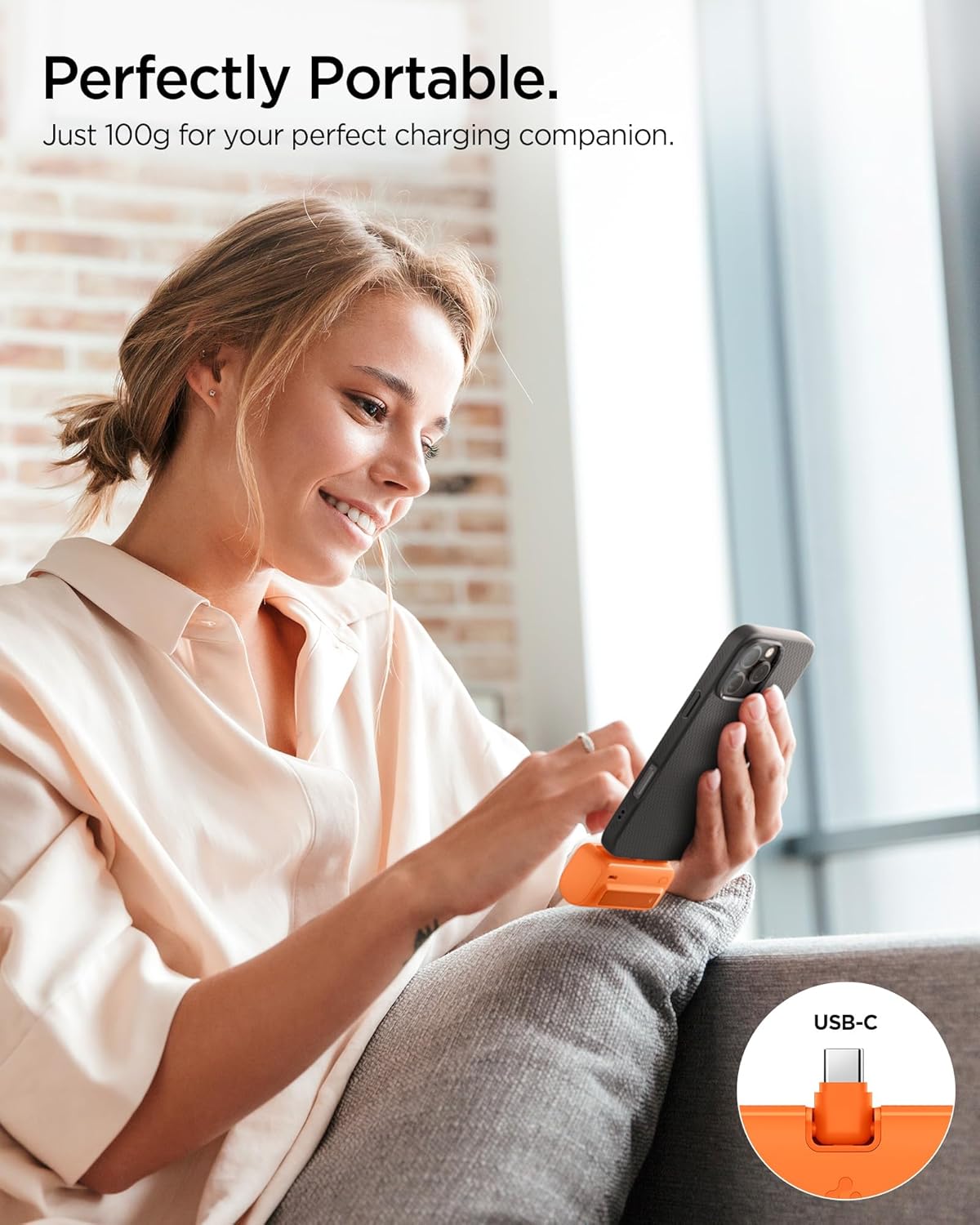
A user demonstrates the compact and portable nature of the Spigen ArcPack power bank while charging a smartphone.
Using the Integrated Stand
The Spigen ArcPack features a built-in stand for hands-free viewИНГ:
- Locate the foldable stand on the side of the power bank.
- Gently pull out the stand until it locks into position.
- Place your smartphone or small tablet onto the stand. The stand supports both horizontal and vertical orientations.
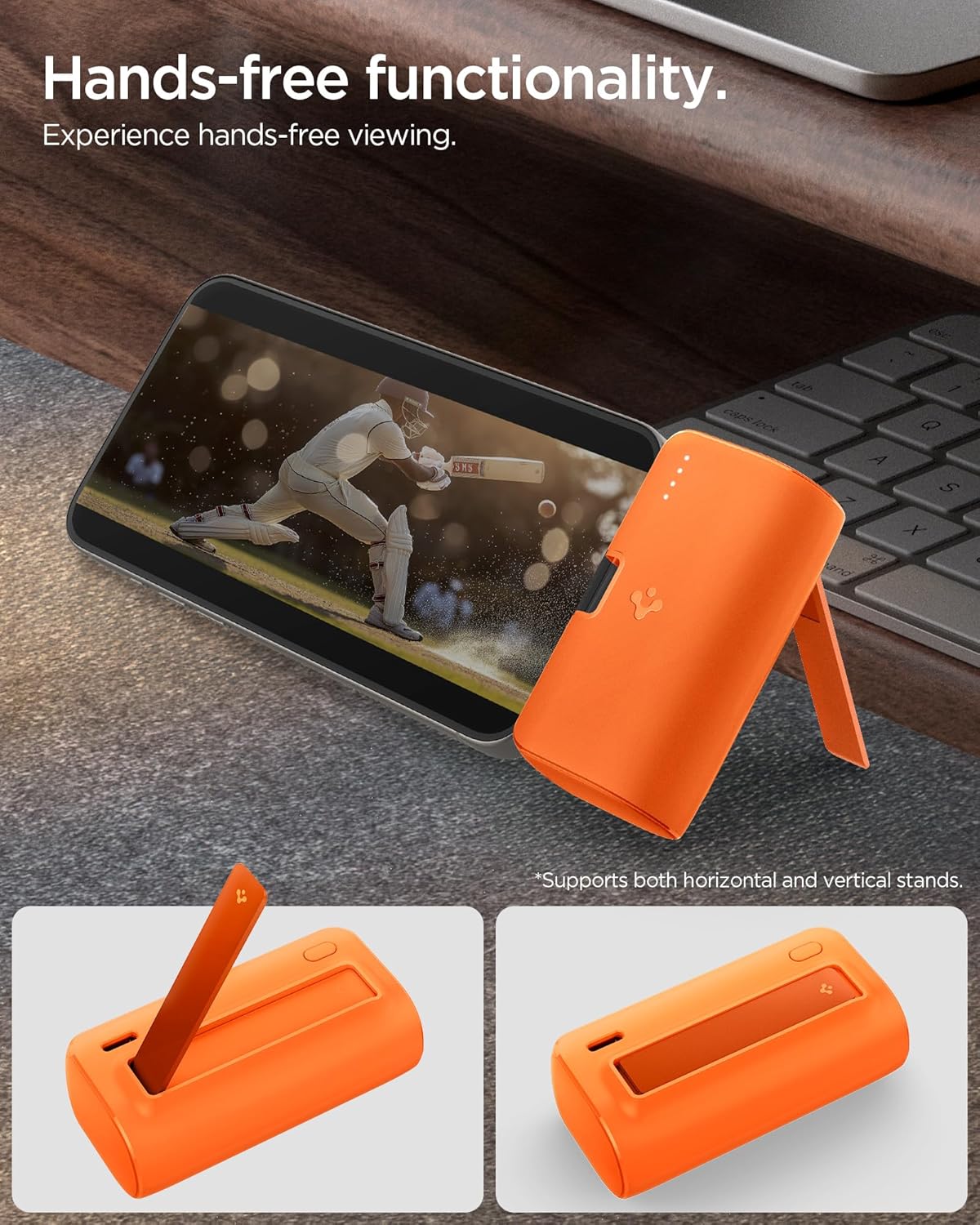
The image shows the power bank's built-in kickstand in use, supporting a smartphone in landscape orientation for convenient hands-free viewинг.
Portability and Compatibility

This image highlights the pocket-sized design of the Spigen ArcPack, showing it easily fitting into a pocket, with its dimensions (76.4 x 38 x 28.8mm) indicated.
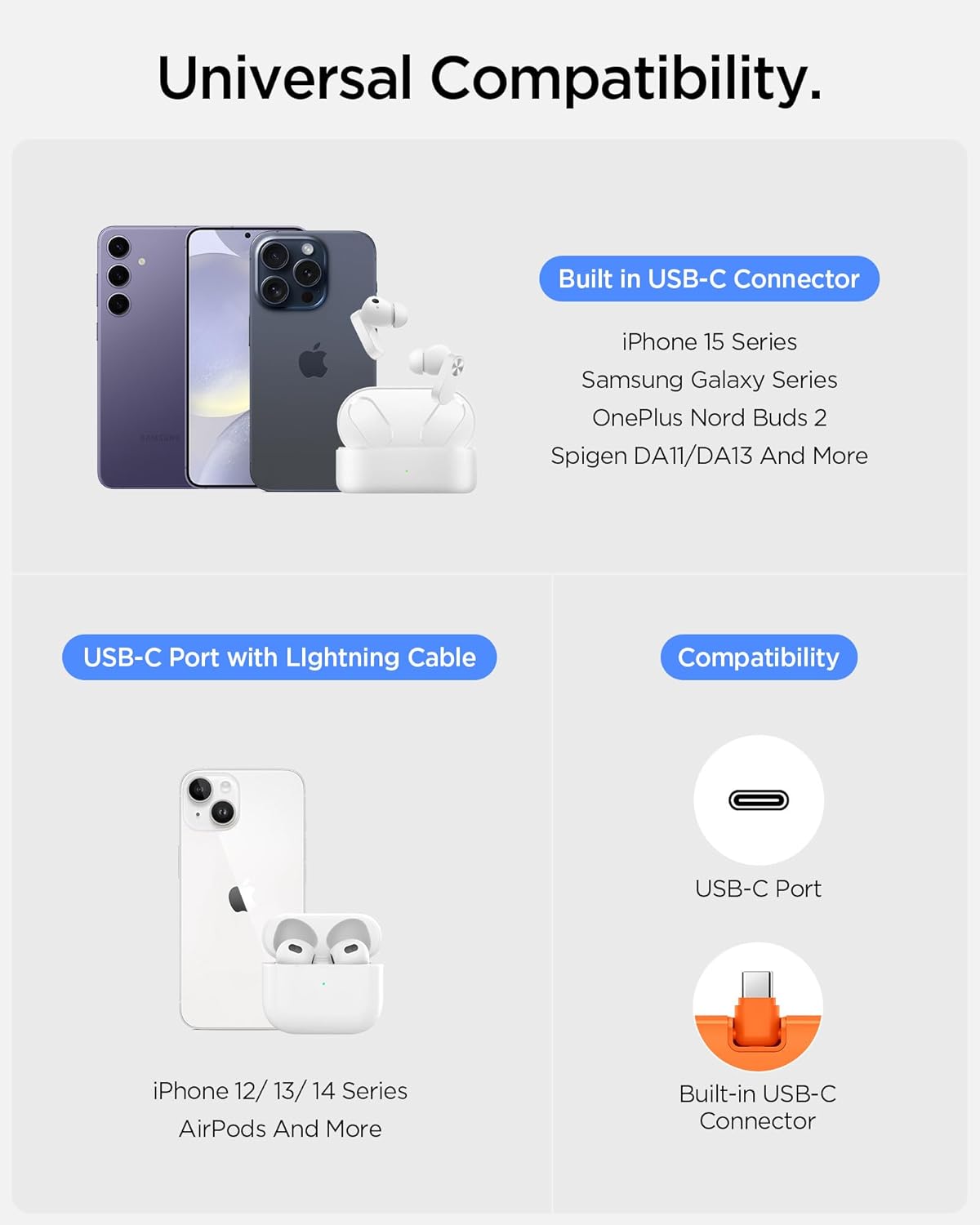
An illustration detailing the universal compatibility of the Spigen ArcPack, showing it works with devices like iPhone 15 series, Samsung Galaxy, OnePlus Nord Buds, and other USB-C devices, as well as older iPhones via a USB-C to Lightning cable.
Видео за демонстрација на производот
This video demonstrates the key features and usage of the Spigen ArcPack 5000mAh Power Bank, including its foldable connector, integrated stand, and charging capabilities.
5. Одржување
- Чистење: Избришете го полначот со мека, сува крпа. Не користете груби хемикалии или абразивни материјали.
- Складирање: Чувајте го преносниот банкар на ладно и суво место, подалеку од директна сончева светлина и екстремни температури.
- Нега на батеријата: За да го продолжите животниот век на батеријата, полнете го целосно полначот најмалку еднаш на секои три месеци, ако не го користите редовно. Избегнувајте често целосно празнење на батеријата.
- Избегнувајте влијание: Не го испуштајте и не го изложувајте преносниот банкар на силни удари, бидејќи тоа може да ги оштети внатрешните компоненти.
6 Смена на проблеми
Заеднички прашања и решенија
| Проблем | Можна причина | Решение |
|---|---|---|
| Пауер банката не се полни | Charging cable or adapter faulty; power bank fully discharged; loose connection. | Try a different cable/adapter; ensure connections are secure; allow more time for charging if fully discharged. |
| Уредот не се полни од енергетската банка | Power bank battery empty; device cable faulty; incompatible device; loose connection. | Recharge power bank; try a different cable; ensure device is USB-C compatible; check connections. |
| Бавно полнење | Non-fast charging cable/adapter; device not supporting fast charging; high device usage during charging. | Use a fast-charging compatible cable/adapter; ensure device supports 22.5W fast charging; reduce device usage during charging. |
| LED индикаторите не работат | Power bank faulty. | Контактирајте ја поддршката за корисници. |
7. Спецификации
| Карактеристика | Детал |
|---|---|
| Број на модел | PA2400 |
| Капацитет на батеријата | 5000 милиониamp Часови (литиум-јонски) |
| Максимален излез за полнење | 22.5 W |
| Тип на конектор | Built-in USB Type-C, 1 x USB Type-C Port |
| Посебни карактеристики | Built-in Connector, Built-in Stand, Fast Charging, LED Indicator Lights, Pocket Size |
| Тежина на ставката | 105 гр |
| Димензии на пакетот | 13.4 x 9.2 x 4 cm |
| Производител | Спиген |
| Земја на потекло | Индија |
8. Гаранција и поддршка
Информации за гаранцијата
The Spigen ArcPack 5000mAh Power Bank PA2400 comes with a 12 месеци гаранција од датумот на купување. Оваа гаранција ги покрива производствените дефекти и неисправности при нормална употреба. Не ги покрива штетите предизвикани од злоупотреба, несреќи, неовластени модификации или нормално абење.
Поддршка за корисници
For warranty claims, technical assistance, or any questions regarding your Spigen ArcPack Power Bank, please contact Spigen customer support. Refer to the official Spigen webстраницата или вашата документација за купување за најактуелните информации за контакт.
Manufacturer: Spigen India Private Limited
Address: NO.295 - 296, Ecotech-1, Extension, Greater Noida, Uttar Pradesh 201310, India


