1. Вовед
Thank you for choosing Bluedee BD-SK900 Computer Speakers. This manual provides essential information for the proper setup, operation, and maintenance of your new speakers. Please read this guide thoroughly before use to ensure optimal performance and longevity of your device. These speakers are designed to deliver high-fidelity audio with versatile connectivity and dynamic RGB lighting for an enhanced audio-visual experience.
2. Содржина на пакетот
Ве молиме проверете дали сите артикли наведени подолу се вклучени во вашиот пакет:
- 1x Bluedee Computer Speaker (Pair)
- 1x USB/USB-C Cable
- Упатство за брзо стартување 1x
3. Карактеристики на производот
The Bluedee BD-SK900 speakers are equipped with advanced features for a superior audio experience:
- Високоверен стерео звук: Features 2 tweeters, 2 full-range drivers, and 2 passive radiators for clear highs, rich mids, and powerful bass with a 20W output.
- All-in-One Control Knob: A single, intuitive knob allows for play/pause, volume adjustment, lighting control, and switching between connection modes.
- Поврзување со Bluetooth 5.4: Ensures a stable, low-latency wireless connection for seamless audio streaming. (Note: Requires USB power supply for operation).
- Дизајн на Plug & Play: Connects easily via the included USB/USB-C cable for both audio and power, requiring no additional drivers or software.
- Динамичко RGB осветлување: Offers 5 distinct RGB lighting modes, including dynamic color-shifting and static single-color glows, controllable via the knob.
- Unique Egg-shaped Acoustic Design: A minimalist and space-saving design (5.1"D x 5"W x 7.2"H) that enhances sound projection.
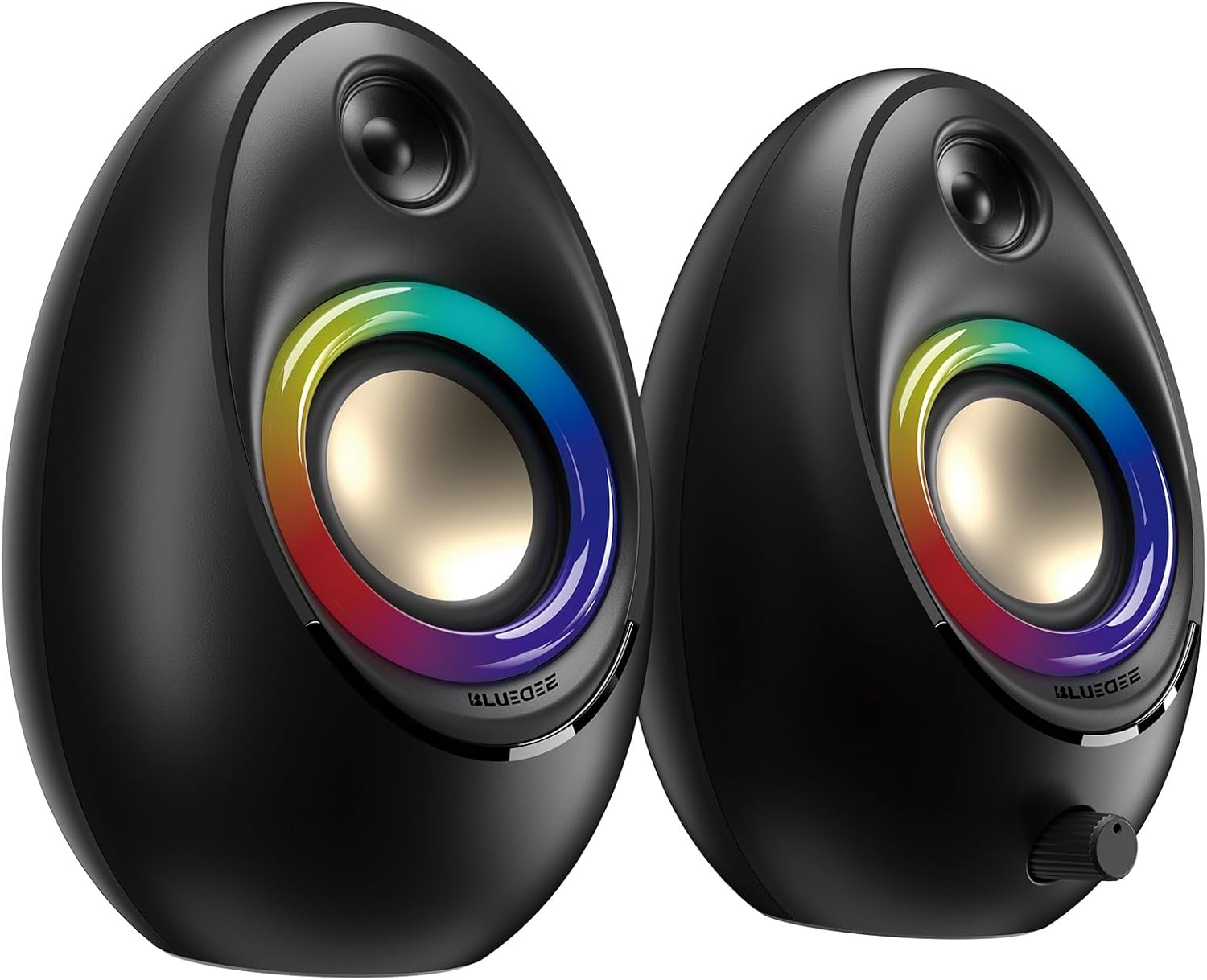
Figure 3.1: Bluedee BD-SK900 Computer Speakers, showcasing their design and RGB lighting.

Figure 3.2: Internal acoustic architecture of the Bluedee BD-SK900 speakers.

Figure 3.3: The multi-functional control knob for easy operation.
4. Упатства за поставување
Follow these steps to set up your Bluedee BD-SK900 speakers:
- Поставување: Position the two speakers on your desktop or desired surface, ensuring they are spaced appropriately for optimal stereo sound.
- Connect Power and Audio: Use the provided all-in-one USB/USB-C cable. Connect the USB-A or USB-C end to an available port on your computer (desktop, laptop) or a compatible USB power adapter (not included). The speakers will power on automatically.
- Почетна врска: Upon connecting, the speakers will typically default to USB audio mode. If your computer recognizes the speakers, audio will play directly through them.
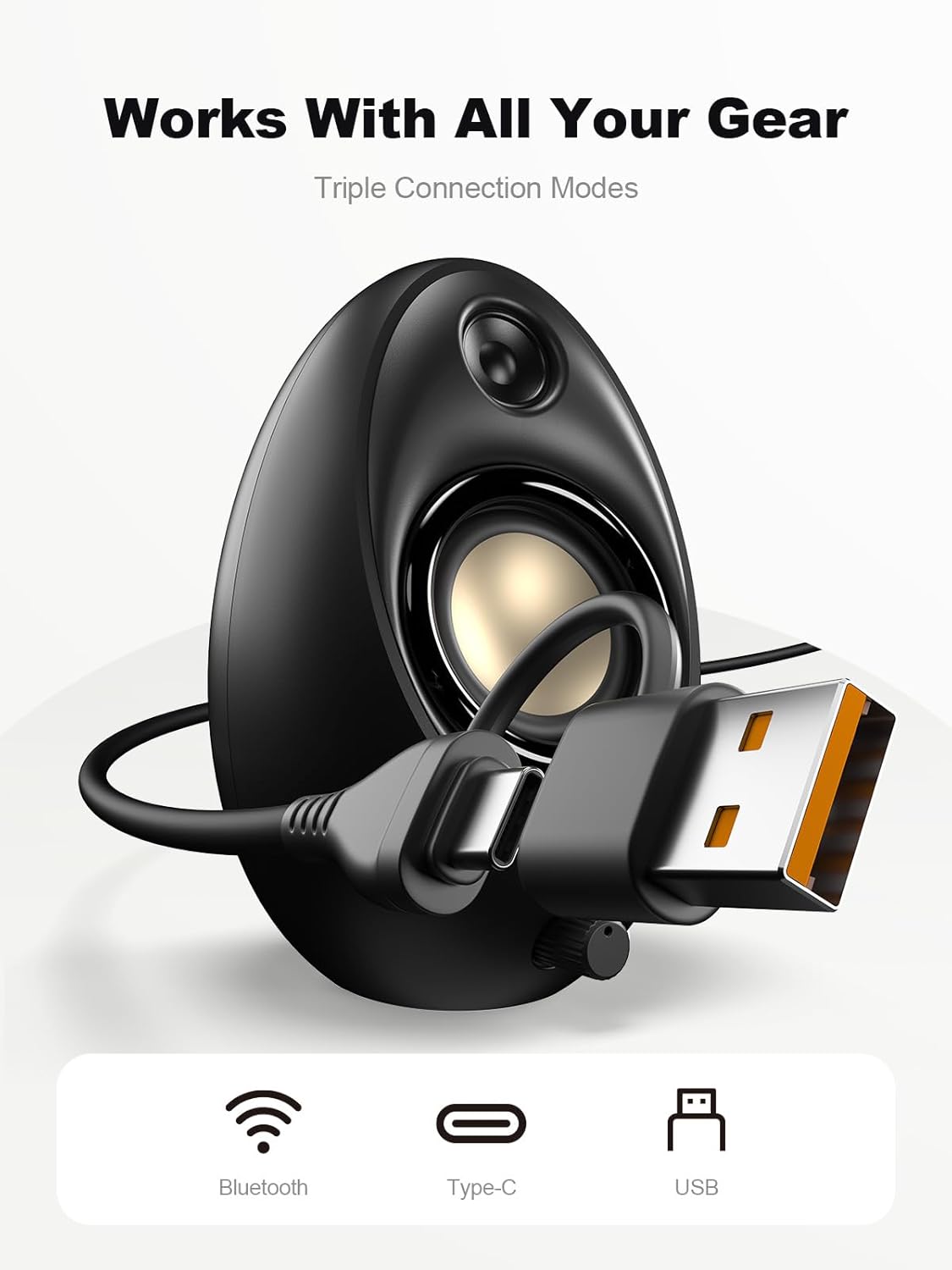
Figure 4.1: Connecting the speakers via USB/USB-C cable.
5. Упатства за работа
5.1 Вклучување/исклучување
The speakers power on automatically when connected to a USB power source. To power off, disconnect the USB cable.
5.2 Контрола на јачината на звукот
Rotate the multi-functional knob clockwise to increase volume and counter-clockwise to decrease volume.
5.3 Спарување преку Bluetooth
- Префрли се на Bluetooth режим: Press and hold the multi-functional knob for approximately 2-3 seconds until the speaker indicates Bluetooth mode (e.g., a specific light pattern or audio prompt).
- Овозможете Bluetooth на уредот: На вашиот паметен телефон, таблет или лаптоп, овозможете Bluetooth и пребарајте достапни уреди.
- Пар: Select "Bluedee BD-SK900" from the list of devices. Once paired, the speakers will confirm the connection.
5.4 USB/Type-C Connection
When connected via the USB/USB-C cable, the speakers will automatically function as an audio output device for your computer. To switch back to USB mode from Bluetooth, press and hold the multi-functional knob again.
5.5 RGB контрола на осветлувањето
The speakers feature 5 dynamic RGB lighting effects. Briefly press the multi-functional knob to cycle through the available lighting modes. This allows you to customize the ambiance to your preference.

Слика 5.1: Динамички RGB ефекти на осветлување.
6 Смена на проблеми
If you encounter issues with your Bluedee BD-SK900 speakers, please refer to the following common solutions:
- Нема звук:
- Ensure the USB/USB-C cable is securely connected to both the speakers and your device/power source.
- Check the volume level on both the speakers (using the knob) and your connected device.
- Проверете дали е избран точниот уред за аудио излез во поставките за звук на вашиот компјутер.
- If using Bluetooth, ensure the speakers are in Bluetooth mode and successfully paired.
- Проблеми со исклучување/спарување на Bluetooth:
- Ensure the speakers are within the 10-meter Bluetooth range of your device.
- Исклучете го и вклучете го Bluetooth на вашиот уред, а потоа обидете се повторно да го спарите.
- Forget the device from your Bluetooth list and re-pair.
- Ensure the speakers are not connected to another device.
- RGB светлата не работат:
- Проверете дали звучниците се вклучени.
- Briefly press the multi-functional knob to cycle through lighting modes; the lights might be off or in a static mode.
- Искривено аудио:
- Reduce the volume on both the speakers and your connected device.
- Осигурајте се дека аудио изворот е со добар квалитет.
- Check for any interference if using Bluetooth.
7. Спецификации
| Име на моделот | BD-SK900 |
| Тип на звучник | Компјутерски звучник |
| Технологија за поврзување | Bluetooth, USB |
| Bluetooth верзија | 5.4 |
| Опсег на Bluetooth | 10 метри |
| Излезна моќност | 20 W |
| Сооднос на сигнал до бучава | 70 dB |
| Фреквентен одговор | 20 KHz (Upper limit, typical for full-range) |
| RGB режими на осветлување | 5 |
| Компатибилни уреди | Десктоп, лаптоп, паметен телефон, таблет |
| Димензии на производот (за секој звучник) | 5.1" Д x 5" Ш x 7.2" В |
| Тежина на ставката | 2.88 фунти |
| Извор на енергија | Corded Electric (USB/Type-C) |

Figure 7.1: Speaker dimensions and design.
8. Одржување
За да обезбедите долготрајност и оптимални перформанси на вашите звучници, следете ги овие упатства за одржување:
- Чистење: Use a soft, dry cloth to clean the speaker surfaces. Avoid using abrasive cleaners, solvents, or strong chemicals, as they may damage the finish.
- Складирање: Кога не ги користите подолг период, чувајте ги звучниците на ладно и суво место, подалеку од директна сончева светлина и екстремни температури.
- Ракување: Ракувајте со звучниците внимателно. Избегнувајте да ги испуштате или да ги изложувате на силни удари.
- Вентилација: Ensure proper ventilation around the speakers to prevent overheating. Do not block any vents.
9. Информации за безбедност
Ве молиме почитувајте ги следните безбедносни мерки:
- Не ги изложувајте звучниците на вода, влага или екстремни температури.
- Do not attempt to disassemble or modify the speakers. This will void the warranty and may cause damage or injury.
- Keep the speakers away from heat sources, open flames, and direct sunlight.
- Use only the provided USB/USB-C cable for connection.
- Избегнувајте слушање со превисока јачина на звук подолг временски период за да спречите оштетување на слухот.
10. Гаранција и поддршка
Bluedee provides comprehensive support for your BD-SK900 Computer Speakers:
- Гаранција за квалитет: Your speakers are covered by a 540-day quality warranty from the date of purchase.
- Доживотна поддршка: Bluedee offers lifetime customer support for this product.
- Контакт: For any questions, technical assistance, or warranty claims, please contact us via Amazon Messages or refer to the contact details provided in your Quick Start Guide.