1. Вовед
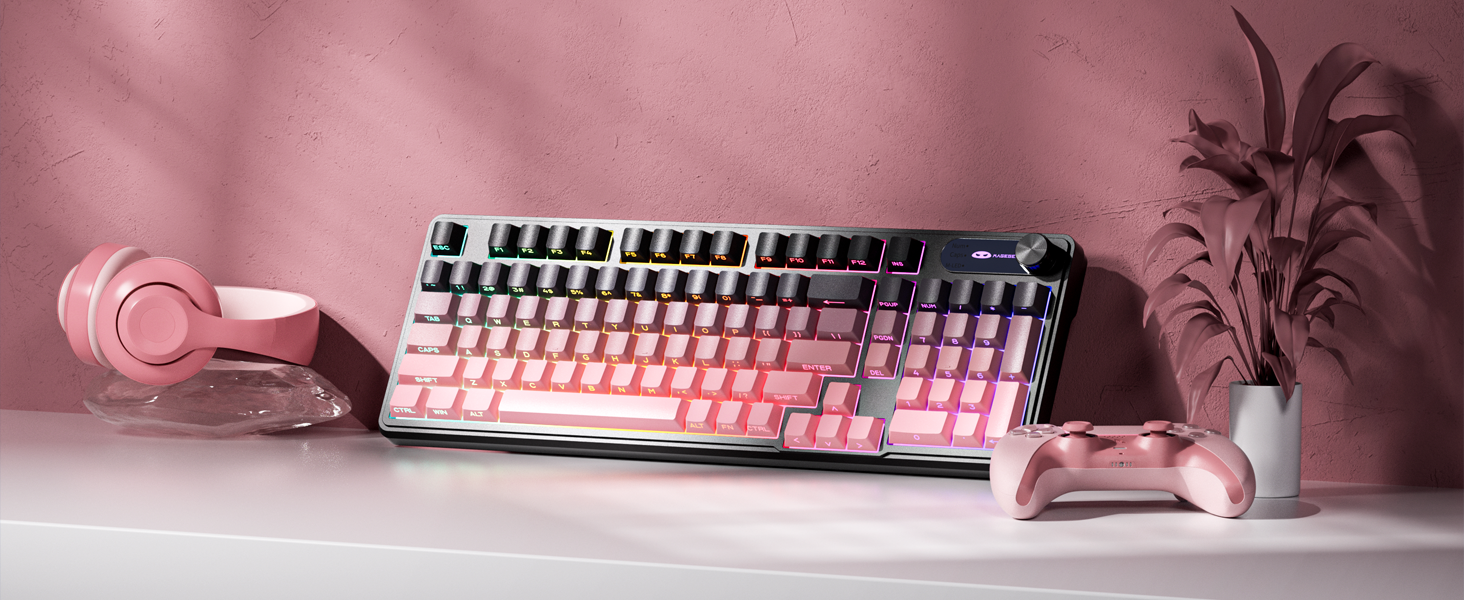
The MageGee GK960 is a versatile wireless gaming keyboard designed for optimal performance and user comfort. Featuring triple-mode connectivity (Wired USB-C, 2.4GHz Wireless, and Bluetooth), vibrant RGB backlighting, a multi-functional rotary knob, and a 98% layout with a number pad, this keyboard is suitable for various computing environments and tasks. Its ergonomic design and anti-ghosting capabilities enhance the typing and gaming experience.

Image 1.1: MageGee GK960 Wireless Gaming Keyboard highlighting key features such as Tri-Mode Connection, Side-Printed Keycaps, Knob Control, RGB Backlit, Win/Mac Support, and 19-Key Anti-Ghosting.
2. Содржина на пакетот
Ве молиме проверете дали сите артикли наведени подолу се вклучени во вашиот пакет:
- 1 x MageGee GK960 Wireless Gaming Keyboard
- 1 x Упатство за употреба
- 1 x кабел за полнење USB-C
- 1 x 2.4G USB ресивер
- 1 x User Guide (Quick Start)
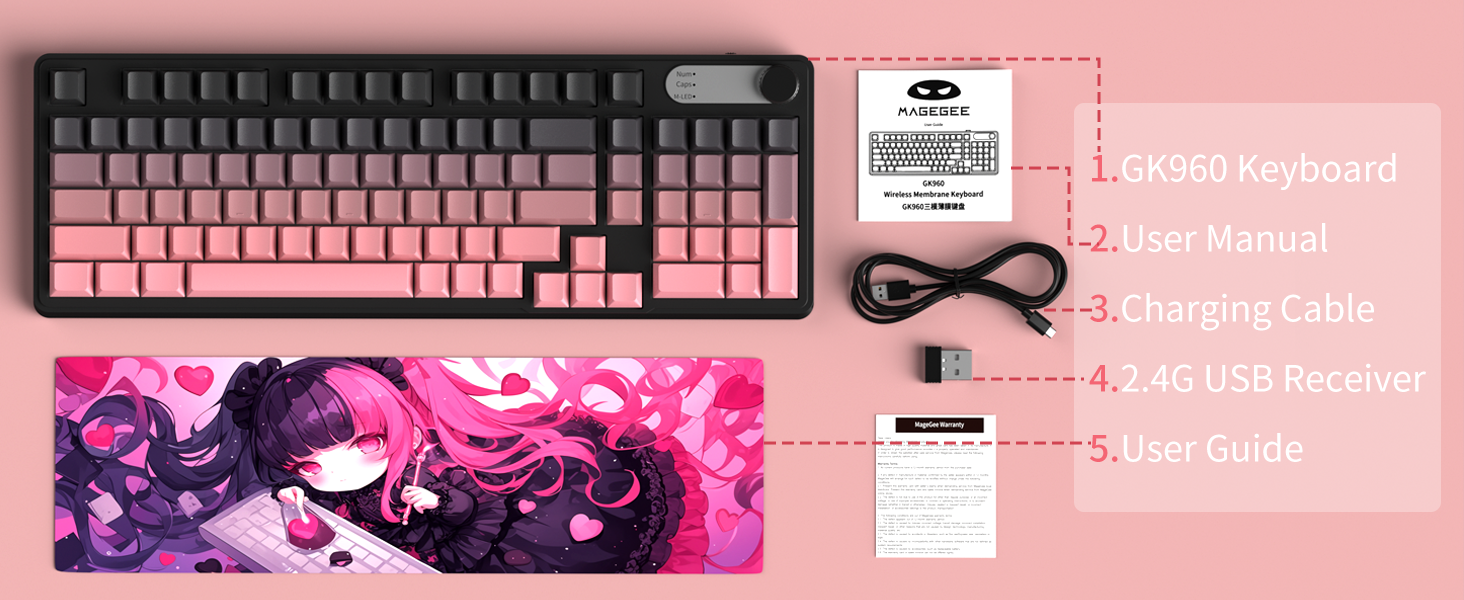
Image 2.1: Visual representation of the MageGee GK960 keyboard and its included accessories: user manual, charging cable, 2.4G USB receiver, and user guide.
3. Setup: Connectivity Modes
The GK960 keyboard offers three connectivity options: Wired USB-C, 2.4GHz Wireless, and Bluetooth. You can connect up to 5 devices simultaneously (1 wired, 1 via 2.4G, and up to 3 via Bluetooth).

Image 3.1: Diagram illustrating the three connection modes: Wired Type-C, 2.4GHz Wireless, and Bluetooth (BT FN+1/2/3).
3.1. Жична USB-C конекција
- Лоцирајте го USB-C портот на тастатурата.
- Connect the provided USB-C cable to the keyboard and the other end to an available USB port on your computer.
- Тастатурата ќе биде автоматски препознаена и подготвена за употреба.
3.2. Безжична конекција од 2.4 GHz
- Locate the 2.4G USB receiver (dongle) in the package.
- Приклучете го 2.4G USB приемникот во слободен USB порт на вашиот компјутер.
- Ensure the keyboard's mode switch (located on the back or side) is set to 2.4G mode.
- Тастатурата треба да се поврзе автоматски.
3.3. Поврзување со Bluetooth
Тастатурата поддржува поврзување со до три Bluetooth уреди.
- Проверете дали прекинувачот за режим на тастатурата е поставен на Bluetooth режим.
- За да се спарите со уред, притиснете и задржете FN + 1, FN + 2, или FN + 3 for 3-5 seconds until the corresponding indicator light flashes rapidly. This indicates pairing mode.
- На вашиот уред (компјутер, таблет, паметен телефон), отворете ги поставките за Bluetooth и пребарајте нови уреди.
- Select "MageGee GK960" from the list of available devices to complete the pairing process. The indicator light will stop flashing once connected.
- За да се префрлате помеѓу спарени Bluetooth уреди, едноставно притиснете FN + 1, FN + 2, или FN + 3 (кратко притискање).
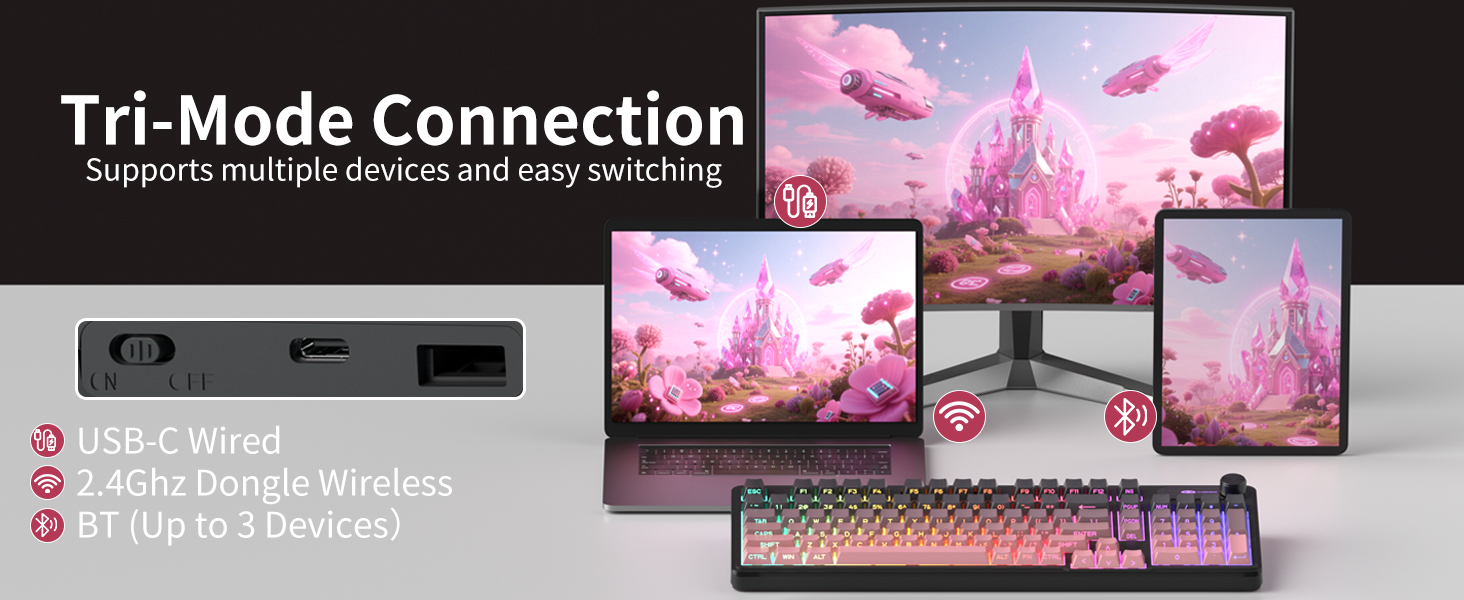
Image 3.2: The keyboard's connectivity switch, allowing selection between USB-C Wired, 2.4GHz Dongle Wireless, and Bluetooth modes.
4. Упатства за работа
4.1. Dual-Mode Rotary Knob
The multi-functional knob provides quick control over volume and lighting settings.
- Вклучи режими: Долго притиснете FN + копче for 5 seconds to switch between Volume Mode and Light Mode.
- Режим на јачина на звук:
- Twist the knob clockwise to increase volume.
- Twist the knob counter-clockwise to decrease volume.
- Press down on the knob to mute/unmute audio.
- Светлосен режим:
- Twist the knob clockwise to increase backlight brightness.
- Twist the knob counter-clockwise to decrease backlight brightness.
- Press down on the knob to cycle through different lighting effects.
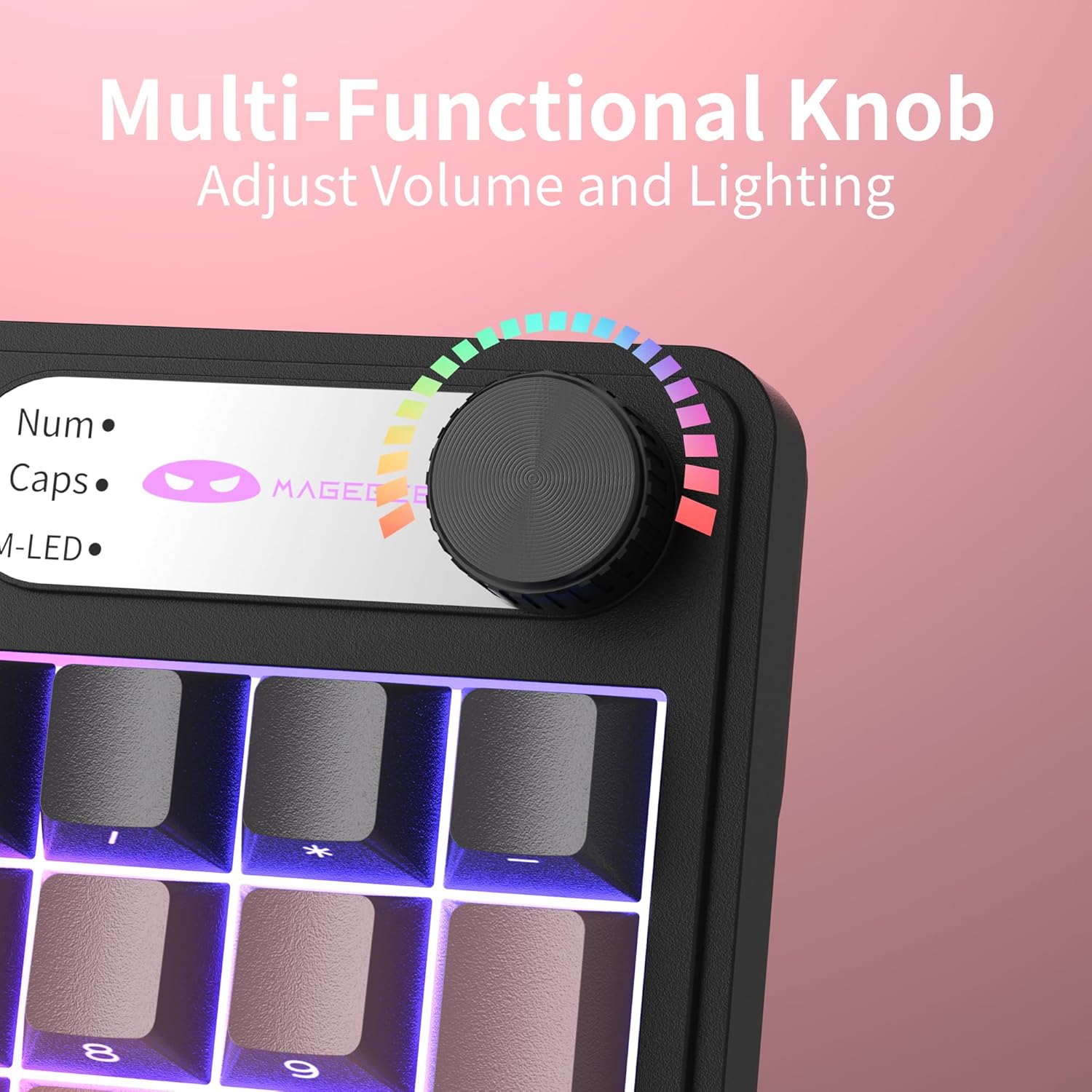
Слика 4.1: Крупен план view of the multi-functional rotary knob, indicating its use for adjusting volume and lighting.
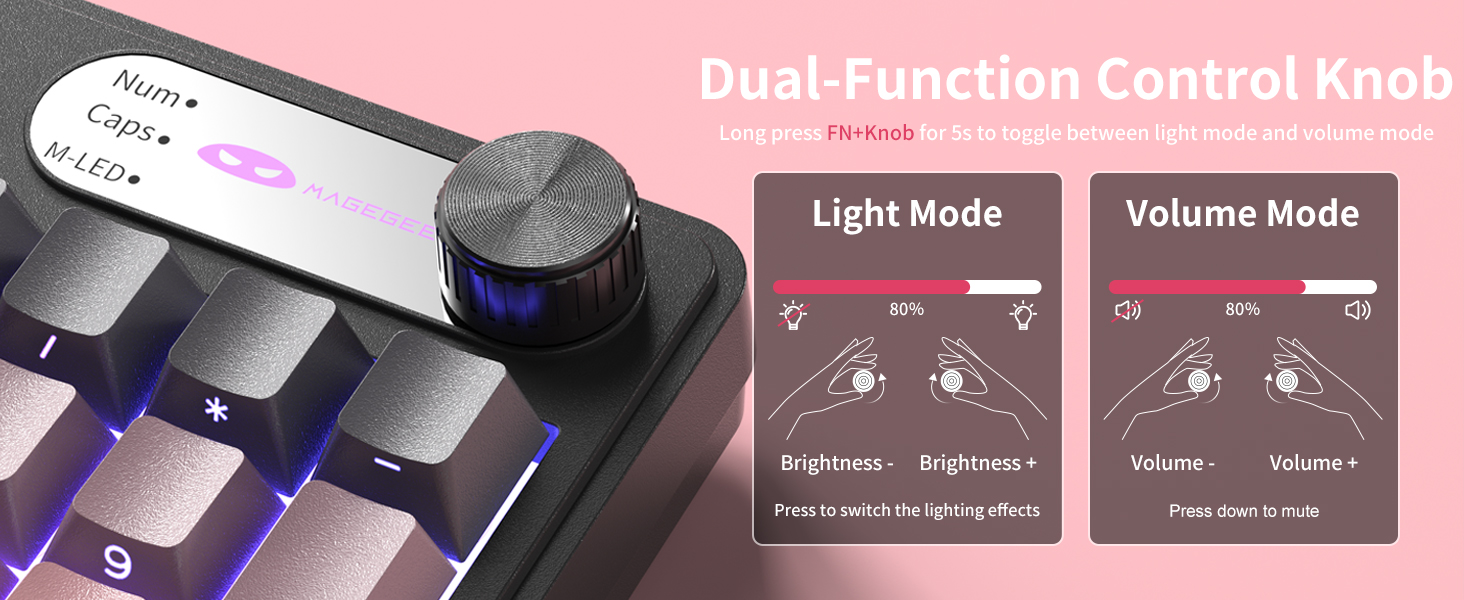
Image 4.2: Detailed illustration of the knob's functions in Light Mode (brightness adjustment, effect cycling) and Volume Mode (volume adjustment, mute).
4.2. Контрола на RGB позадинско осветлување
The GK960 features vibrant RGB backlighting with adjustable settings.
- FN + Ins: Префрлете се помеѓу различни режими на светлина.
- FN + Backspace: Вклучете/исклучете го позадинското осветлување.
- FN + - / = +: Adjust light speed.
- FN + PgUp / PgDn: Adjust light brightness.
- FN + P: Toggle the logo color.
Слика 4.3: Готовоview of function key combinations for controlling the vibrant RGB LED backlight, including switching modes, adjusting speed and brightness, and toggling logo color.
4.3. System Switching (Windows/Mac)
The GK960 keyboard supports both Windows and Mac operating systems. You can switch between them using a simple key combination.
- To switch to Windows mode: Press FN + В.
- To switch to Mac mode: Press FN + М.
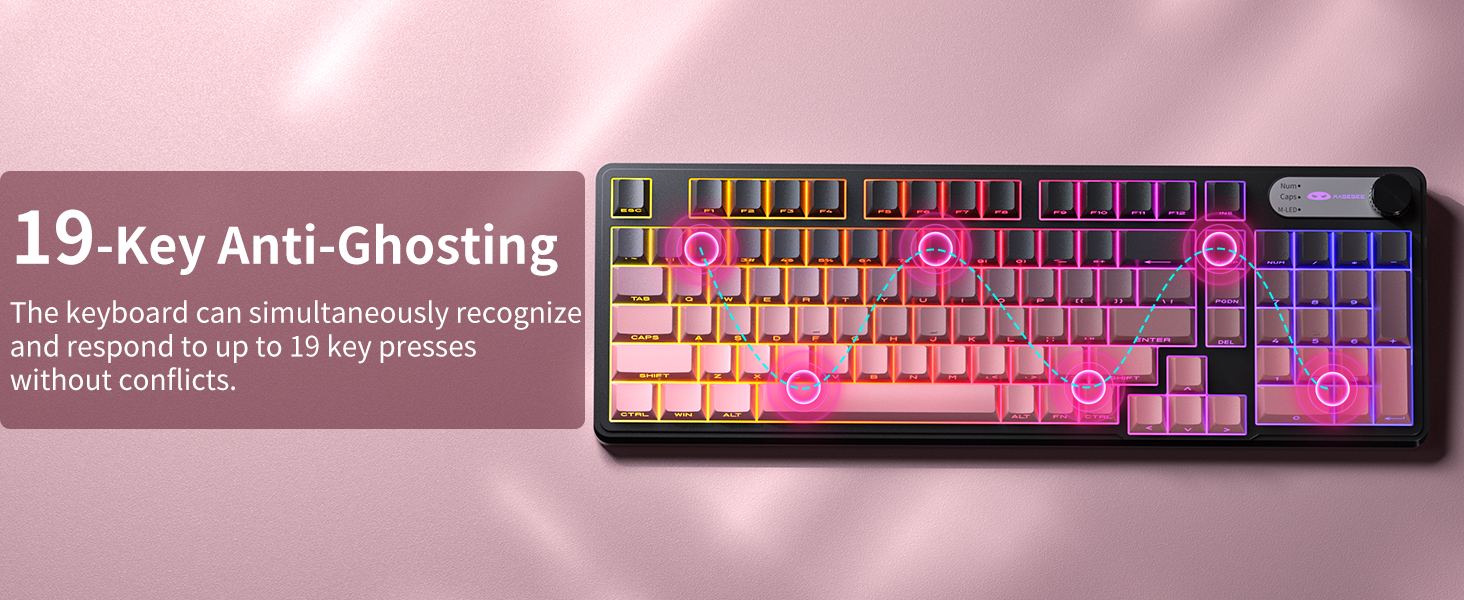
4.4. 19-Key Anti-Ghosting
The GK960 features 19-key anti-ghosting, ensuring that every keystroke is registered accurately, even during rapid, simultaneous key presses. This is particularly beneficial for gaming and fast typing, preventing missed inputs.
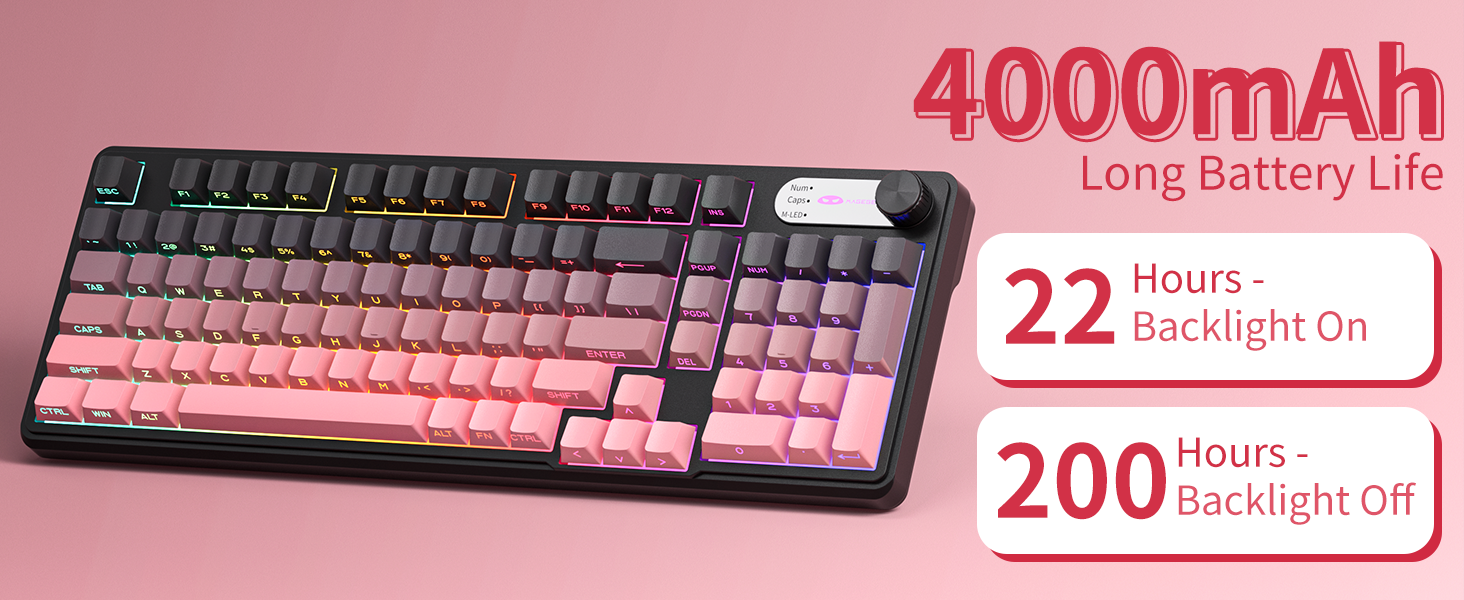
Image 4.4: Diagram illustrating the 19-key anti-ghosting feature, showing multiple simultaneous key presses being recognized.
4.5. Side-Printed Keycaps
The keycaps are crafted with double-shot injection molding, providing durability and clear legends that resist fading from prolonged use. The side-printed legends allow the backlight to shine through, enhancing visibility and aesthetics.

Слика 4.5: Крупен план view of the side-printed keycaps, demonstrating how the backlight illuminates the legends.
5. Батерија и полнење
The GK960 keyboard is equipped with a high-capacity 4000mAh battery, providing extended usage times.
- Траење на батеријата: Approximately 22 hours with backlight on, and up to 200 hours with backlight off.
- Полнење: Connect the provided USB-C cable to the keyboard and a power source (e.g., computer USB port, USB wall adapter). The keyboard can be used in wired mode while charging.
- Индикатор за слаба батерија: An indicator light will signal when the battery is low, prompting you to recharge.
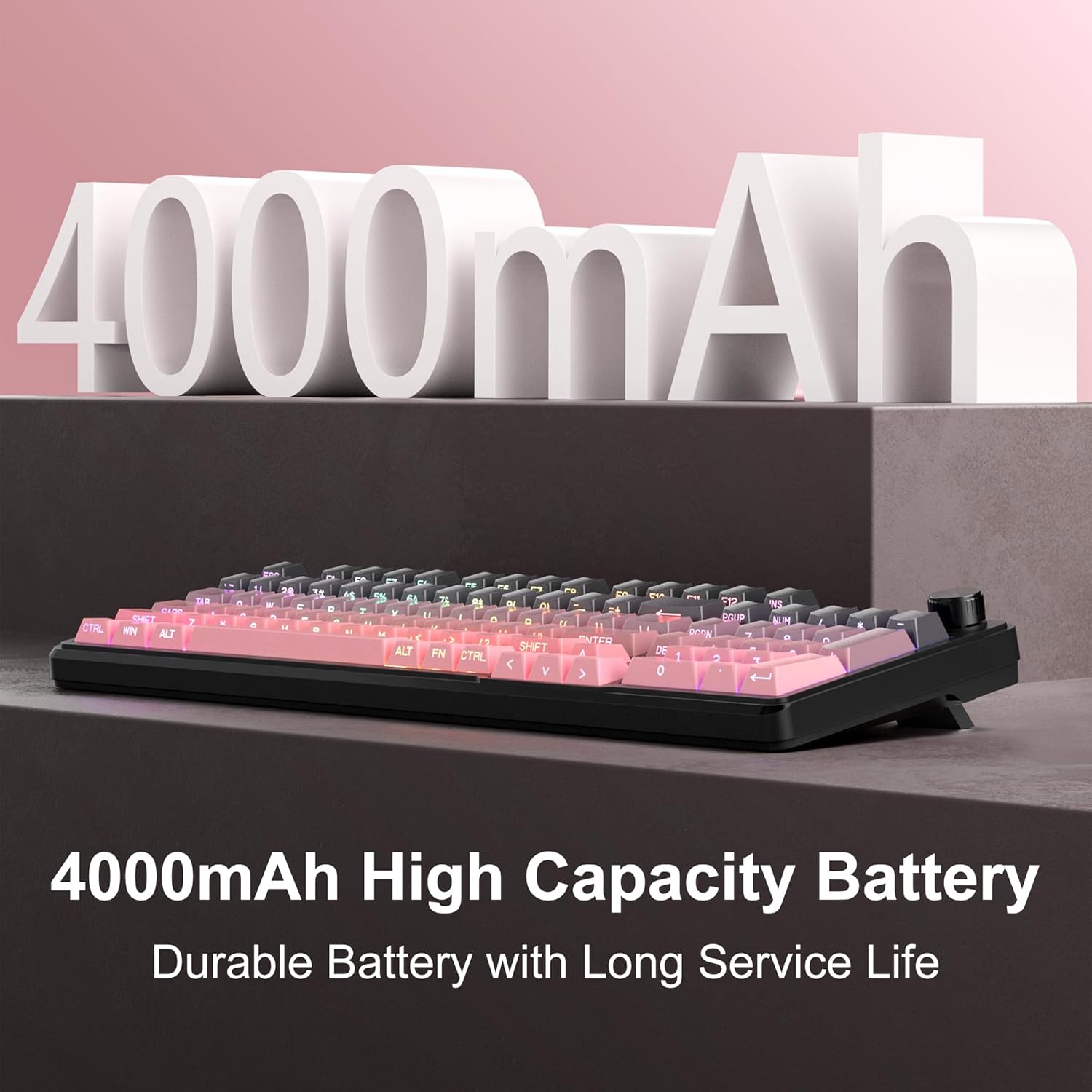
Image 5.1: Visual representation emphasizing the 4000mAh high-capacity battery for durable and long service life.
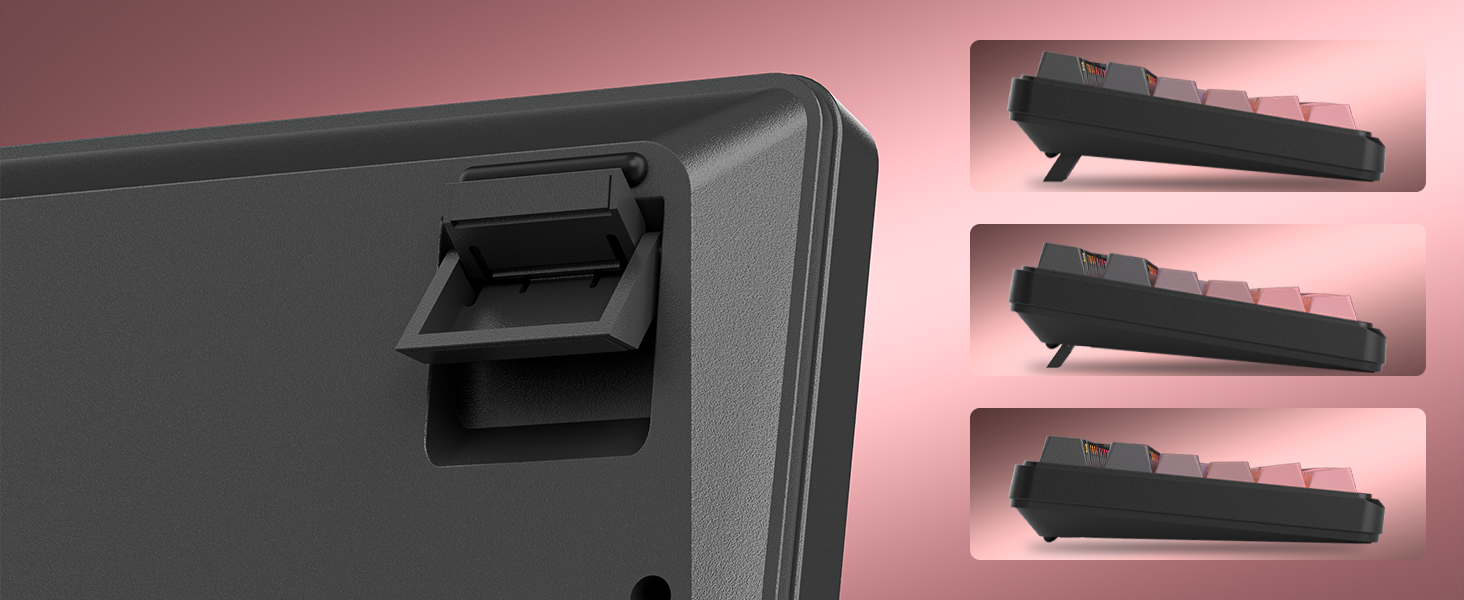
Image 5.2: Battery life estimates for the 4000mAh battery: 22 hours with backlight on and 200 hours with backlight off.
6. Одржување
Proper maintenance ensures the longevity and optimal performance of your MageGee GK960 keyboard.
- Чистење: Use a soft, dry cloth to wipe the surface of the keyboard. For deeper cleaning, you may use a can of compressed air to remove dust and debris from between the keycaps. Avoid using harsh chemicals or abrasive materials.
- Отстранување на капачето на копчето: If necessary, keycaps can be carefully removed using a keycap puller (not included) for thorough cleaning. Exercise caution to avoid damaging the switches.
- Складирање: Чувајте ја тастатурата на ладно и суво место, подалеку од директна сончева светлина и екстремни температури.
- Изложеност на течност: Avoid spilling liquids on the keyboard. If a spill occurs, immediately disconnect the keyboard, turn it upside down to drain, and allow it to dry completely before reconnecting.
7 Смена на проблеми
If you encounter issues with your GK960 keyboard, refer to the following common troubleshooting steps:
- Тастатурата не реагира:
- Осигурајте се дека тастатурата е наполнета.
- Check the connectivity mode switch (Wired, 2.4G, BT) and ensure it matches your connection method.
- За 2.4G, проверете дали USB приемникот е безбедно вклучен.
- За Bluetooth, проверете дали тастатурата е правилно спарена и избрана на вашиот уред. Обидете се повторно да ја спарите доколку е потребно.
- Обидете се да се поврзете преку USB-C кабел за да исклучите проблеми со безжичната мрежа.
- Клучевите не се регистрираат или се појавуваат како „ghost“:
- Осигурајте се дека тастатурата е чиста и без остатоци под капачињата на копчињата.
- The GK960 features 19-key anti-ghosting, but excessive simultaneous presses beyond this limit may still lead to issues.
- Test the keyboard on another device to determine if the issue is with the keyboard or the computer.
- RGB backlight not working or incorrect:
- Ensure the backlight is turned on using FN + Backspace.
- Прилагодете ја осветленоста користејќи FN + PgUp / PgDn.
- Кружење низ режимите користејќи FN + Ins.
- Check if the knob is in Light Mode and adjust brightness/effects.
- Bluetooth конекцијата е нестабилна:
- Осигурајте се дека тастатурата е во рамките на ефективниот опсег на вашиот уред.
- Минимизирајте ги пречките од други безжични уреди.
- Remove and re-pair the keyboard in your device's Bluetooth settings.
8. Технички спецификации
| Карактеристика | Спецификација |
|---|---|
| Име на моделот | GK960 |
| Бренд | МејџГи |
| Технологија за поврзување | BT/2.4G/USB-C (Tri-Mode) |
| Распоред на тастатура | 98% Layout (with Number Pad) |
| Тип на тастатура | Side-Printed, Double-Shot Injection Molding |
| Анти-Ghosting | 19 Клучеви |
| Задно осветлување | RGB |
| Капацитет на батеријата | 4000 mAh |
| Компатибилни уреди | Лаптоп, компјутер, паметен телефон, таблет |
| Поддршка за оперативен систем | Windows, Mac |
| Посебни карактеристики | Backlit, Hotkeys and Media Keys, Rechargeable, Volume Roller, Ergonomic Design |
| Тежина на ставката | 1.88 фунти |
| Димензии на пакетот | 17.68 x 7.09 x 2.01 инчи |

Image 8.1: Diagram showing the dimensions of the MageGee GK960 keyboard.
Слика 8.2: Крупен план view of the adjustable stands on the underside of the keyboard, illustrating the different ergonomic angles.
9. Гаранција и поддршка
Specific warranty details and direct support contact information are not provided in this manual. For warranty claims, technical support, or further inquiries, please refer to the official MageGee website or contact the retailer from whom you purchased the product. Please retain your proof of purchase for warranty purposes.


