Вовед
Thank you for choosing the pTron Bassbuds Senz Open Ear Wireless Earbuds. These earbuds are designed to provide a comfortable and pressure-free listening experience while keeping you aware of your surroundings. Featuring 13mm dynamic drivers, dual HD microphones with AI-ENC for clear calls, Bluetooth v6.0 connectivity, and IPX5 water resistance, the Bassbuds Senz are ideal for various activities. This manual provides detailed instructions for setup, operation, maintenance, and troubleshooting to ensure optimal performance.
Што има во кутијата
- pTron Bassbuds Senz Wireless Earbuds
- Случај за полнење
- Кабел за полнење USB Type-C
- Упатство за употреба
Производот завршиview
The pTron Bassbuds Senz feature an open-ear design for comfort and situational awareness, along with a compact charging case.

Image: pTron Bassbuds Senz Open Ear Wireless Earbuds and Charging Case. This image displays the two earbuds and their oval-shaped charging case.

Image: Key features of pTron Bassbuds Senz. This collage highlights SafeBeats Design, Dual HD Mics, 50 Hours Playtime, 13mm Dynamic Drivers, Bluetooth 6.0, LED Battery Indicator, Type-C Charging, and IPX5 Water & Sweat Resistant.

Image: Diagram showing the 13mm dynamic drivers of pTron Bassbuds Senz. This close-up view illustrates the internal components of the earbud's audio driver.

Image: User wearing pTron Bassbuds Senz, highlighting Dual HD Mics for clear calls. A person is shown wearing one earbud, emphasizing its ergonomic fit and microphone placement.

Image: Close-up of pTron Bassbuds Senz charging case with digital LED display and Type-C charging port. This image shows the charging case with its lid open, revealing the earbuds inside and the battery percentage приказ.
Инструкции за поставување
1. Полнење на слушалките и футролата
Before first use, fully charge the earbuds and charging case. Use the provided USB Type-C cable to connect the charging case to a power source.
- Дигиталниот LED дисплеј на кутијата за полнење ќе го покаже процентот на батеријатаtage.
- Слушалките ќе се полнат автоматски кога ќе се стават во футролата.
- Целосното полнење обично трае приближно 1.5-2 часа.
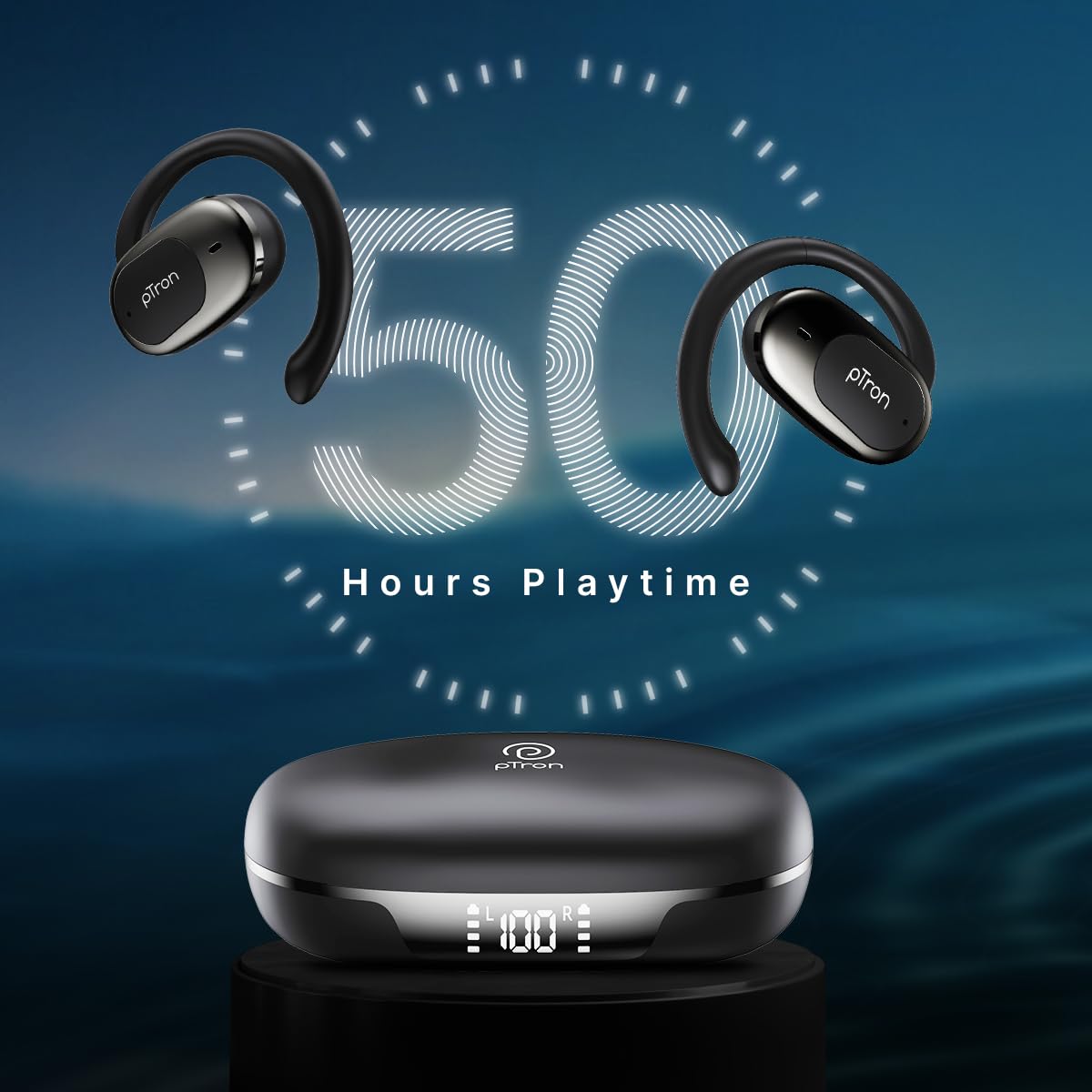
Image: pTron Bassbuds Senz earbuds and charging case, illustrating 50 hours combined playtime. This image visually represents the extended battery life of the product.
2. Bluetooth спарување
- Вклучување: Отворете ја кутијата за полнење. Слушалките автоматски ќе се вклучат и ќе влезат во режим на спарување. Може да слушнете гласовен потсетник што ќе покаже дека се подготвени за спарување.
- Активирајте Bluetooth: On your smartphone or device, go to the Bluetooth settings and turn Bluetooth on.
- Изберете уред: Look for "pTron OWS" (or similar name) in the list of available devices and select it to connect.
- Потврда: Откако ќе се поврзете, ќе слушнете гласовно известување кое го потврдува успешното спарување.
- Автоматско повторно поврзување: По првичното спарување, слушалките автоматски ќе се поврзат со последниот спарен уред кога ќе се извадат од футролата, под услов Bluetooth да е овозможен на уредот.

Image: Smartphone screen showing Bluetooth pairing with pTron OWS, next to the earbuds and charging case. This image demonstrates the process of connecting the earbuds to a mobile device via Bluetooth.
Упатства за работа
The pTron Bassbuds Senz feature touch controls for easy management of music and calls.
Допрете Контроли
| Функција | Акција |
|---|---|
| Вклучување | Отворена кутија за полнење |
| Исклучување | Вратете ги слушалките во кутијата за полнење и затворете го капакот |
| Пушти/Паузирај музика | Еден допир на која било слушалка |
| Следна песна | Двоен допир на десната слушалка |
| Претходна песна | Двоен допир на левата слушалка |
| Одговори/заврши повик | Single tap on either earbud during an incoming call |
| Одбијте го повикот | Long press on either earbud during an incoming call |
| Активирајте го Гласовниот асистент | Троен допир на која било слушалка |
| Јачина на звук нагоре | Long press on the Right earbud |
| Намалување на јачината на звукот | Long press on the Left earbud |
Одржување
Чистење
- Редовно чистете ги слушалките и кутијата за полнење со мека, сува крпа што не остава влакненца.
- Не користете груби хемикалии, растворувачи за чистење или силни детергенти.
- Проверете дали контактите за полнење и на слушалките и на футролата се чисти и без остатоци.
Складирање
- Чувајте ги слушалките во нивната кутија за полнење кога не се во употреба за да ги заштитите и да ги одржувате наполнети.
- Avoid storing in extreme temperatures (hot or cold) or in dusty/humid environments.
Нега на батерии
- За да го продолжите траењето на батеријата, избегнувајте често целосно празнење на слушалките и кутијата за полнење.
- Полнете го уредот редовно, дури и ако не го користите често.

Image: User exercising with pTron Bassbuds Senz, demonstrating IPX5 water and sweat resistance. This image shows the earbuds being used during a workout, highlighting their durability against sweat and splashes.
Решавање проблеми
If you encounter issues with your pTron Bassbuds Senz, refer to the following common solutions:
- Слушалките не се спаруваат со уредот:
Ensure both earbuds are charged. Turn off Bluetooth on your device, then turn it back on. Forget "pTron OWS" from your device's Bluetooth list and try pairing again. Make sure the earbuds are in pairing mode (out of the case). - Само една слушалка работи:
Place both earbuds back into the charging case, close the lid, wait a few seconds, then open the lid and take them out. This often resets the connection between the two earbuds. If the issue persists, try re-pairing them with your device. - Слушалките не се полнат:
Check if the charging cable is securely connected to both the case and the power source. Ensure the charging contacts on the earbuds and inside the case are clean and free of obstructions. Verify the charging case has sufficient battery. - Ниска јачина на звук или лош квалитет на звук:
Adjust the volume on both your device and the earbuds. Ensure the earbuds are properly seated in your ears. Clean any debris from the earbud speakers. - Connectivity issues (disconnections):
Ensure your device is within the 10-meter Bluetooth range. Avoid obstacles between your device and the earbuds. Minimize interference from other wireless devices.
Спецификации
| Карактеристика | Детал |
|---|---|
| Име на моделот | Bassbuds Senz |
| Технологија за поврзување | Безжичен (Bluetooth v6.0) |
| Опсег на Bluetooth | 10 метри |
| Тип на драјвер за аудио | Динамички драјвер од 13 мм |
| Живот на батеријата (комбинирано) | До 50 часа |
| Порта за полнење | USB тип-C |
| Отпорност на вода | IPX5 (Водоотпорен) |
| Микрофони | Dual HD Mics with AI-ENC |
| Контролен метод | Допрете |
| Поставување на увото | Отворено уво |
| Материјал | Акрилонитрил бутадиен стирен (ABS) |
| Тежина на ставката | 67 грама |
| Димензии на производот | 9.1 x 5.9 x 3.1 cm |
Гаранција и поддршка
The pTron Bassbuds Senz comes with a 1-year manufacturer warranty from the date of purchase, covering manufacturing defects only.
Поддршка за корисници
For any queries, support, or warranty claims, please contact pTron customer care:
- Телефон: 040-67138888
- Е-пошта: support@ptron.in
- Производител: Palred Electronics Pvt. Ltd., SY.NO. 56, 1ST FLOOR, GUNDLAPOCHAMPALLY VILLAGE, TECH PARK MTP, TSIIC-IALA NACHARAM, HYDERABAD - 500076, TELANGANA, INDIA


