1. Вовед
Welcome to the user manual for your DOOGEE Note58 Pro Android 16 Smartphone. This guide provides essential information to help you set up, operate, maintain, and troubleshoot your device. Please read this manual thoroughly to ensure optimal performance and longevity of your smartphone.
2. Клучни карактеристики
- Оперативен систем Андроид 16: Experience the latest Android 16 OS, optimized for 64-bit applications, offering enhanced startup and response times. Enjoy a user-friendly interface with features like Private Space for sensitive data and App Pair for efficient multitasking.
- Generous Memory & Storage: Equipped with 32GB RAM (8GB physical + 24GB expandable virtual RAM) and 256GB internal storage, expandable up to 2TB via a TF card. This configuration supports smooth multitasking and ampпростор за сите ваши files.
- Immersive 90Hz HD+ Display: Features a 6.75-inch HD+ IPS display with a 90Hz refresh rate and 1600x720 resolution for a fluid visual experience. Includes two eye-care modes to reduce strain during extended use.
- High-Resolution Camera System: Capture vivid images with the 16MP main camera and natural selfies with the 8MP front camera. Additional depth and macro cameras enhance photographic capabilities.
- Долготрајна батерија: A large 6250mAh battery provides extended usage, allowing you to comfortably use your phone for photography, gaming, and work throughout the day without frequent recharging.
- Advanced Connectivity & Navigation: Supports Bluetooth 5.2 for stable, low-power connections and Wi-Fi 5 for fast data transfer. Integrated GPS, GLONASS, Galileo, and BeiDou systems ensure accurate navigation in diverse environments.
- Елегантен дизајн: Boasts an ultra-thin 8.6mm profile with a dirt-resistant finish and a smooth sand-textured back cover for a stylish and comfortable grip.
3. Поставување
3.1 Вметнување SIM картички и TF картичка
- Пронајдете го држачот за SIM-картичка од страната на вашиот уред.
- Вметнете ја испорачаната алатка за исфрлање на SIM картичката во малата дупка до фиоката и нежно притискајте додека фиоката не испадне.
- Place your Nano-SIM cards and/or TF card into the designated slots on the tray. Ensure the gold contacts face downwards.
- Внимателно турнете ја фиоката назад во уредот додека не се рамни.
3.2 Вклучување/исклучување
- За вклучување: Притиснете и држете го копчето за вклучување (се наоѓа на десната страна) додека не се појави логото на DOOGEE.
- За исклучување: Притиснете го и задржете го копчето за вклучување, а потоа изберете „Исклучи“ од опциите на екранот.
- За рестартирање: Притиснете и задржете го копчето за вклучување, а потоа изберете „Рестартирај“ од опциите на екранот.
3.3 Волшебник за почетно поставување
Upon first power-on, follow the on-screen instructions to complete the initial setup, including language selection, Wi-Fi connection, Google account login, and security settings.
4. Упатства за работа
4.1 Гестови на екран на допир
- Допрете: Допрете го екранот еднаш за да изберете ставка, да отворите апликација или да притиснете копче.
- Допрете и задржете: Допрете и задржете ставка за пристап до контекстуални менија или влечете ставки.
- Повлечете: Повлечете го прстот преку екранот за да скролувате, да менувате екрани или да ги отфрлате известувањата.
- Штипење: Користете два прста за зумирање или одзумирање на фотографиите и web страници.
4.2 Лента за навигација
The navigation bar at the bottom of the screen typically includes:
- Копче за назад: Се враќа на претходниот екран.
- Копче за почеток: Се враќа на почетниот екран.
- Recents button: Ги прикажува неодамна користените апликации.
4.3 Безбедносни карактеристики
The Note58 Pro supports multiple security options:
- Отклучи отпечатоци: Register your fingerprint for quick and secure unlocking. The fingerprint sensor is typically integrated into the power button.
- Отклучување со лице: Use the front camera to unlock your device with facial recognition.
- Шема, ПИН, лозинка: Стандардни безбедносни опции за Android.

Image: Face Unlock and Fingerprint Sensor
5. Употреба на камера
The DOOGEE Note58 Pro features a versatile camera system to capture your moments.
5.1 Main Camera (16MP)
The 16MP main camera captures clear and detailed photos. Open the Camera app and select "Photo" mode for standard shots.

Image: Rear Camera Setup
5.2 Front Camera (8MP)
The 8MP front camera is ideal for natural-looking selfies and video calls. Switch to the front camera within the Camera app.

Image: 8MP Front Camera
5.3 AI Camera Features
Utilize Google AI Camera features for enhanced photography, including object recognition, text extraction, and scene analysis.

Image: Google AI Camera Features
6. Поврзување
6.1 Wi-Fi конекција
За да се поврзете на Wi-Fi мрежа:
- Одете на Поставки > Мрежа и интернет > Wi-Fi.
- Вклучете Wi-Fi.
- Изберете ја саканата мрежа од листата и внесете ја лозинката доколку е потребно.

Image: High-Speed Wi-Fi 5
6.2 Спарување преку Bluetooth
За спарување со уред со Bluetooth:
- Одете на Поставки > Поврзани уреди > Bluetooth.
- Вклучи/исклучи Bluetooth.
- Make sure your other device is in pairing mode.
- Select the device from the list and follow any on-screen prompts.
6.3 NFC функционалност
The Note58 Pro supports NFC for contactless payments and data transfer. Ensure NFC is enabled in settings to use this feature.

Image: Multifunctional NFC
*Note: Mobile payment services like Google Pay may not be supported in all regions.
7. Управување со батерии
The DOOGEE Note58 Pro is equipped with a 6250mAh large-capacity battery for extended use.
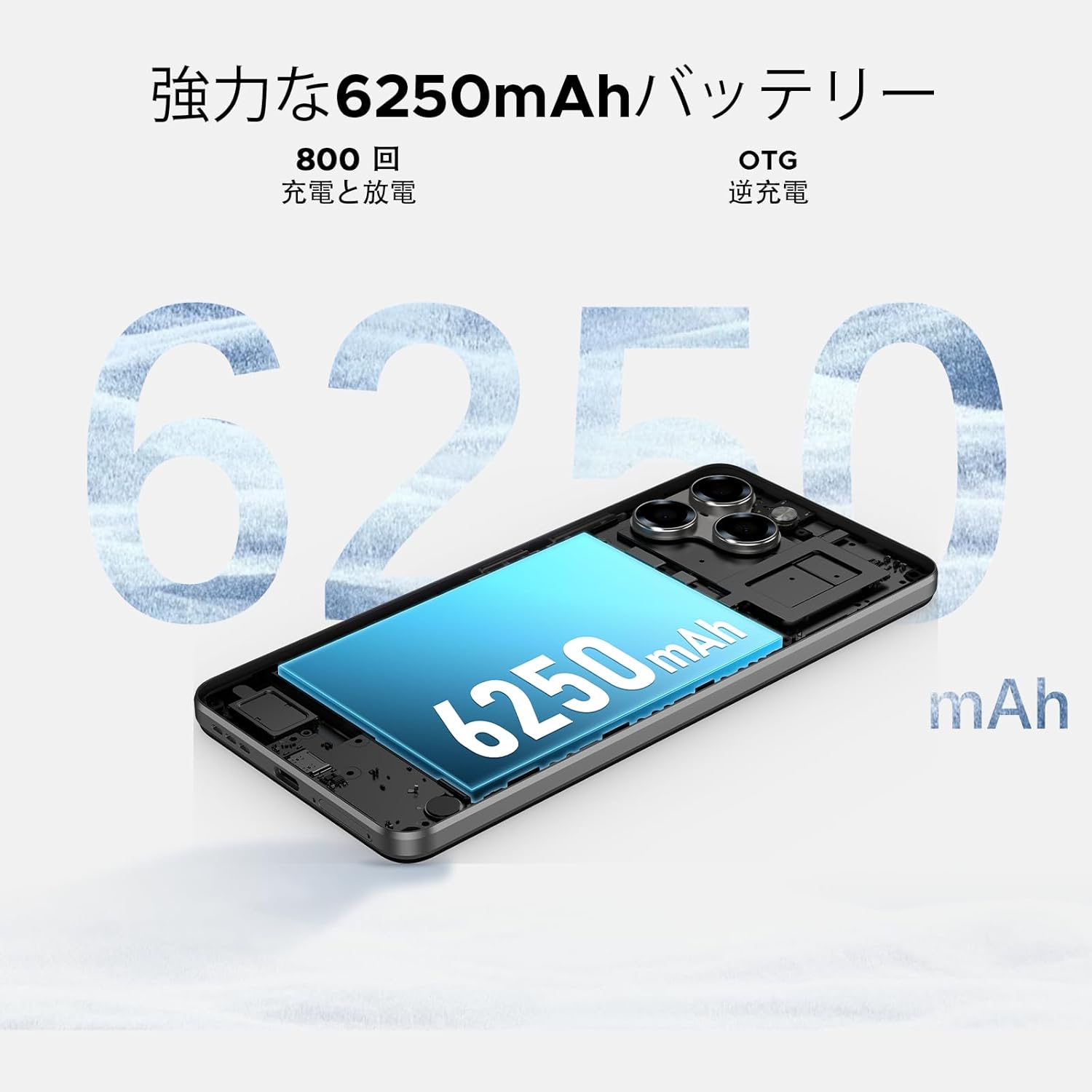
Image: 6250mAh Large Capacity Battery
7.1 Полнење на вашиот уред
Use the provided Type-C cable and charger to charge your smartphone. Connect the Type-C end to the phone's charging port and the adapter to a power outlet. The battery icon on the screen will indicate charging status.
7.2 Оптимизација на батеријата
За да го максимизирате траењето на батеријата, земете го предвид следново:
- Намалете ја осветленоста на екранот.
- Исклучете ги Wi-Fi, Bluetooth и GPS кога не ги користите.
- Затворете ги апликациите во позадина.
- Овозможете режим на заштеда на батерија во Поставки.
8. Storage & Performance
The Note58 Pro offers robust performance and ample storage for your needs.
8.1 Меморија (RAM)
With 32GB of RAM (8GB physical + 24GB expandable virtual RAM), the device ensures smooth multitasking and efficient app handling, even under heavy usage.
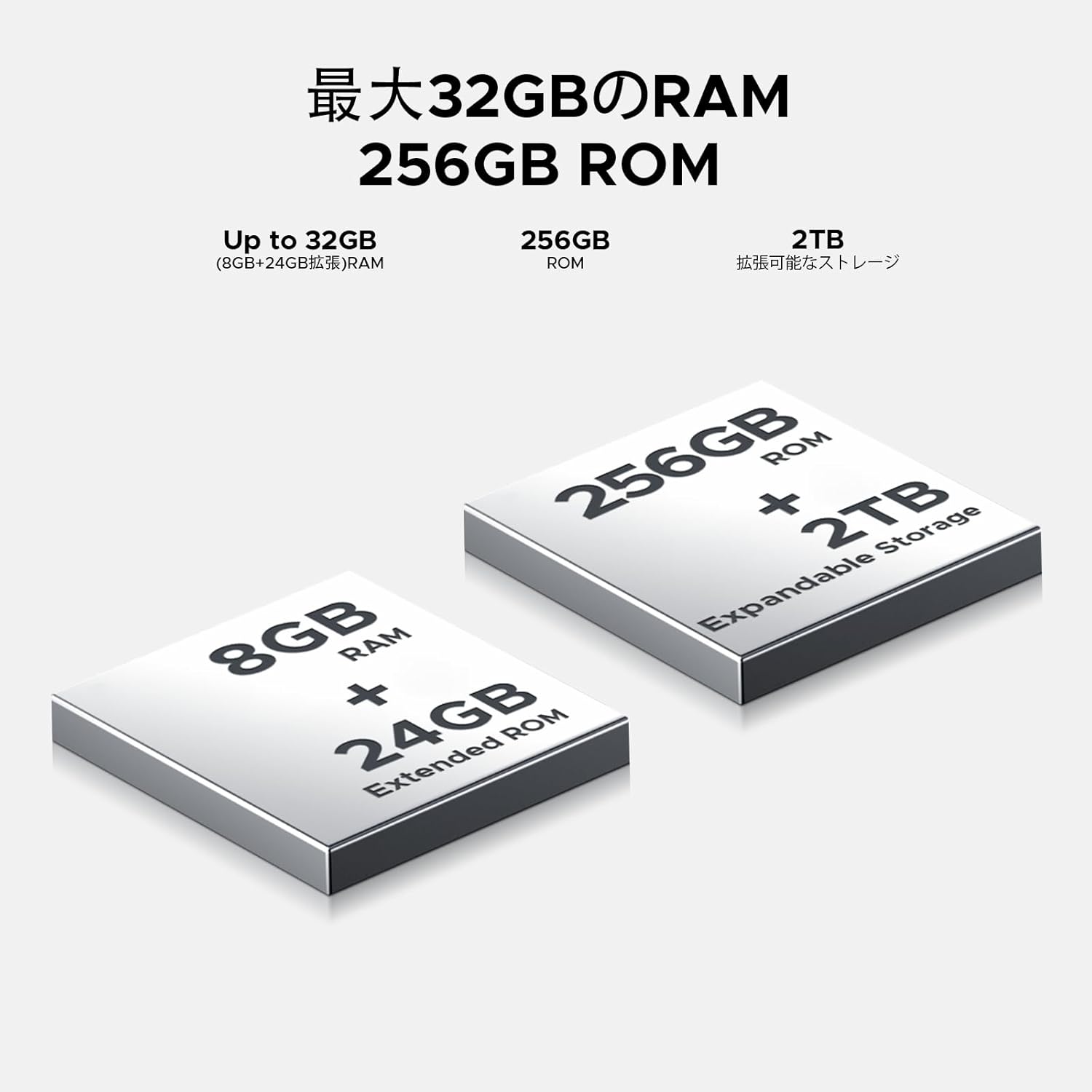
Image: 32GB RAM + 256GB ROM
8.2 Internal Storage (ROM)
The 256GB internal storage provides sufficient space for your apps, photos, and videos. For additional storage, you can expand it up to 2TB using a TF (microSD) card.

Image: 256GB ROM with 2TB Expandable Storage
8.3 Процесор
Powered by the Unisoc T7250 Octa-core processor, the device delivers reliable performance for daily tasks, gaming, and multimedia consumption.

Image: Powerful T7250 Octa-core Processor
9. Приказ
The DOOGEE Note58 Pro features a 6.75-inch HD+ IPS display with a 90Hz refresh rate, providing a smooth and vibrant visual experience.
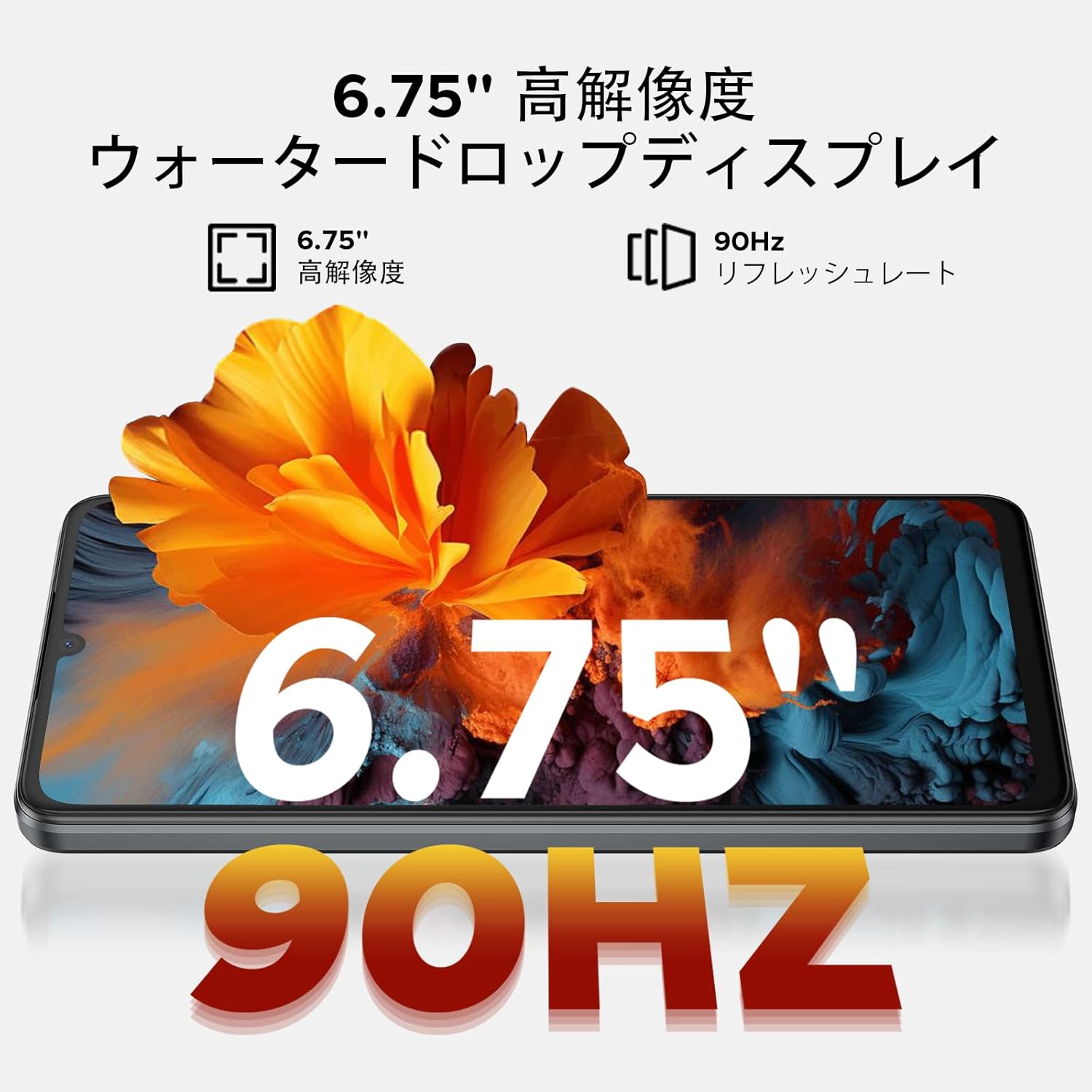
Image: 6.75-inch 90Hz HD+ Display
9.1 Eye-Care Modes
To reduce eye strain, activate the eye-care modes available in the display settings. These modes adjust color temperature to provide a more comfortable viewодлично искуство, особено при слаба осветленост.
9.2 Поддршка за Widevine L1
The device supports Widevine L1, allowing you to stream high-definition content from popular platforms like Hulu, Amazon Prime Video, and HBO Max.

Image: Seamless Visual Experience with Widevine L1
10. Навигација
The DOOGEE Note58 Pro integrates four major global positioning systems for accurate navigation.

Слика: Прецизен систем за навигација
10.1 Поддржани системи
- GPS: Систем за глобално позиционирање
- ГЛОНАСС: Globalnaya Navigatsionnaya Sputnikovaya Sistema
- Галилео: European satellite navigation system
- BeiDou: Chinese satellite navigation system
These systems ensure reliable location tracking and navigation whether you are in urban areas, mountainous regions, or remote locations.
11. Одржување
11.1 Чистење на вашиот уред
To clean your smartphone, use a soft, lint-free cloth. Avoid using harsh chemicals or abrasive materials, as these can damage the screen and finish. For stubborn smudges, lightly dampИстријте ја крпата со вода или со средство за чистење екрани наменето за електроника.
11.2 Ажурирања на софтверот
Редовно проверувајте и инсталирајте ажурирања на софтверот за да се осигурате дека вашиот уред ги има најновите функции, безбедносни закрпи и подобрувања на перформансите. Одете на Поставки > Систем > Системско ажурирање за да проверите дали има ажурирања.
11.3 Управување со складирање
Периодично повторноview вашите складирани files and applications. Delete unnecessary items to free up space and maintain optimal device performance. You can also offload large files до складирање во облак или надворешна TF картичка.
12 Смена на проблеми
Доколку наидете на проблеми со вашиот DOOGEE Note58 Pro, обидете се со следниве вообичаени чекори за решавање проблеми:
- Уредот не се вклучува: Проверете дали батеријата е наполнета. Поврзете го полначот и почекајте неколку минути пред повторно да се обидете да го вклучите.
- Апликациите паѓаат или замрзнуваат: Close the problematic app and reopen it. If the issue persists, restart your device. Clear the app's cache and data in Поставки > Апликации > [Име на апликација] > Складирање и кеш.
- Poor Wi-Fi/Bluetooth connection: Ensure Wi-Fi/Bluetooth is enabled and you are within range of the network/device. Try forgetting the network/device and reconnecting. Restart your router if it's a Wi-Fi issue.
- Бавни перформанси: Close unnecessary background apps. Clear cached data. Check for available software updates. Consider performing a factory reset as a last resort (back up your data first).
- SIM картичката не е откриена: Ensure the SIM card is correctly inserted and that your carrier's frequency bands are supported by the device. Restart the phone.
- Батеријата брзо се троши: Review користење на батеријата во Поставки > Батерија to identify power-hungry apps. Reduce screen brightness, disable unnecessary features (GPS, Bluetooth, Wi-Fi), and enable battery saver mode.
If these steps do not resolve your issue, please refer to the Warranty & Support section for further assistance.
13. Спецификации
| Карактеристика | Спецификација |
|---|---|
| Бренд | ДУГИ |
| Број на модел | N58 Pro |
| Оперативен систем | Андроид 16 |
| Големина на екранот | 6.75 инчи |
| Тип на дисплеј | LCD екран |
| Големина на инсталирана RAM меморија | 32 GB |
| Капацитет за складирање на меморија | 256 GB (може да се прошири до 2TB преку TF картичка) |
| Капацитет на батеријата | 6250 mAh |
| Главна камера | 16 MP |
| Предна камера | 8 MP |
| Технологија за поврзување | Bluetooth 5.2, Wi-Fi 5, 4G Dual SIM, NFC |
| Системи за навигација | GPS, GLONASS, Galileo, BeiDou |
| Тежина на ставката | 199 грама |
| Димензии на пакетот | 19.2 x 10.4 x 5.2 cm |
| Година на издавање | 2025 |
14. Гаранција и поддршка
The DOOGEE Note58 Pro comes with a one-year warranty from the date of purchase.
14.1 Frequency Band Compatibility
Before purchase, please verify that the device's supported frequency bands are compatible with your local carrier. Supported bands include:
- GSM: B2/3/5/8
- WCDMAB: 1/2/4/5/8
- ТДД: 38/40/41
- FDD: B1/2/3/4/5/7/8/18/19/20/25/26/28A/28B/66
14.2 Техничка поддршка
Should you encounter any issues or require technical assistance, please contact our customer support. Our technical specialists are committed to responding within 48 hours.

Image: Customer Service Information
15. Содржина на пакетот
The following items are included in your DOOGEE Note58 Pro package:
- 1x DOOGEE Note58 Pro паметен телефон
- 1x Кабел од тип C
- 1x полнач
- 1x ПИН на SIM картичка
- 1x кутија за пакување
- 1x футрола за телефон

Слика: Содржина на пакувањето
16. Опции за боја
The DOOGEE Note58 Pro is available in the following colors:
- Inkstone Black
- Amber Gold
- Silver (as seen in product videos)

Image: Color Options
17. Видеа за производи
17.1 DOOGEE Note58 Pro Overview
Видео: Ова видео нуди брз прегледview of the DOOGEE Note58 Pro, showcasing its unboxing, design, camera features, and multimedia capabilities. It highlights the phone's sleek appearance and user experience.


