Вовед
Welcome to your new Baseus EH10 NC Bluetooth Headphones. These over-ear headphones feature -45dB Hybrid Active Noise Cancellation, Hi-Res and LDAC audio support, 5 AI microphones for clear calls, and multi-point connectivity. This manual provides detailed instructions for setup, operation, and maintenance to ensure optimal performance and longevity of your device.
Содржина на пакетот
- 1 x Baseus EH10 NC ANC Headphones
- 1 x Кабел за полнење (USB-C)
- 1 x Упатство за употреба (овој документ)
Производот завршиview
The Baseus EH10 NC headphones are designed for comfort and superior audio quality. Familiarize yourself with the physical components for ease of use.
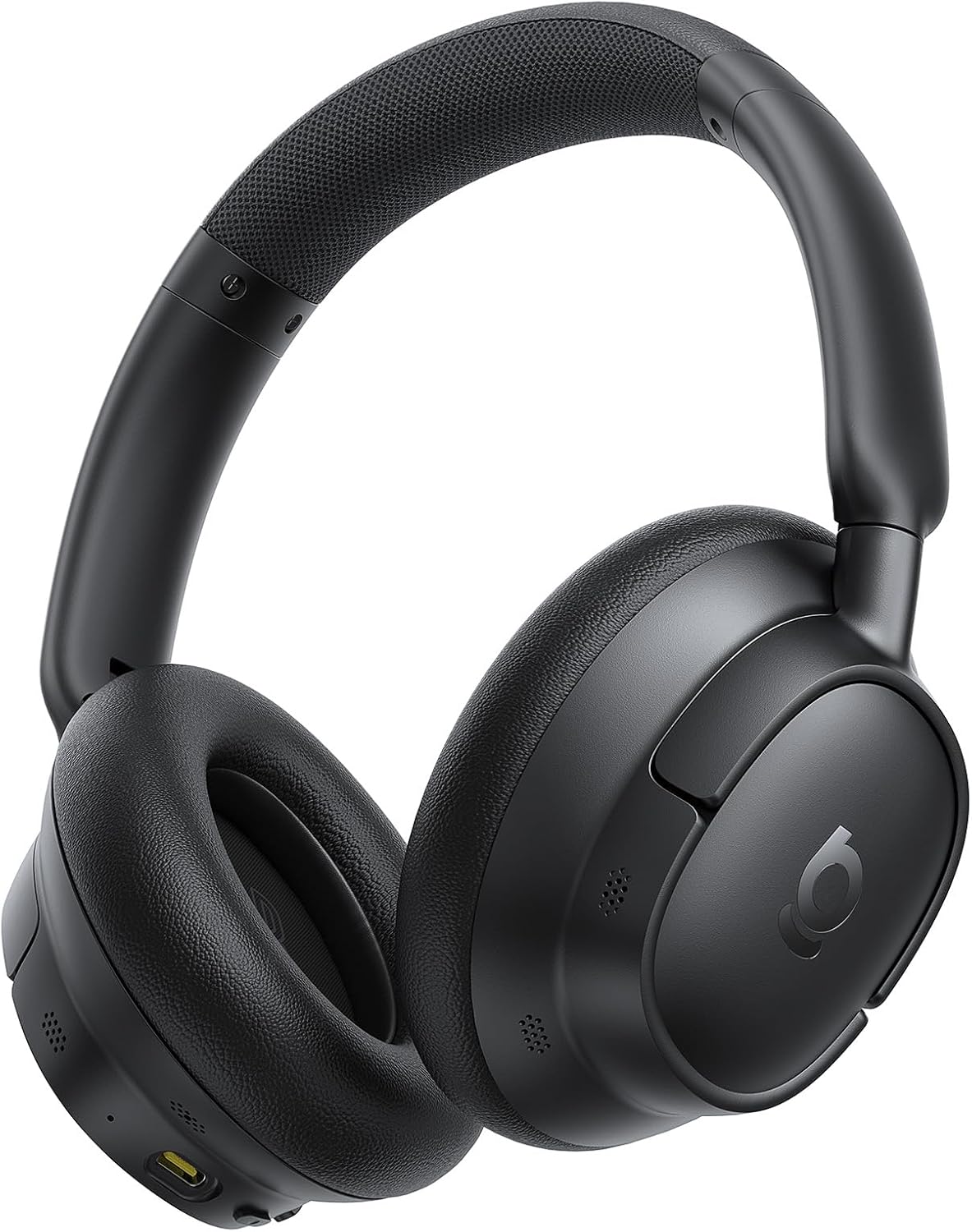
The image displays the Baseus EH10 NC over-ear headphones in black, showcasing the earcups, headband, and general design. The left earcup typically features control buttons and a charging port.

The front of the product packaging for the Baseus EH10 NC headphones, highlighting key features such as -45dB ANC, 40mm dynamic drivers, CloudComfort, 80-hour battery life, and Hi-Res Audio certification.

The back of the product packaging, illustrating features like SuperBass 2.0, long-lasting playtime, and CloudComfort. It also includes regulatory information and contact details for support.
Поставување
Полнење на слушалките
The headphones come with a built-in rechargeable Lithium-Ion battery. Before first use, it is recommended to fully charge the headphones.
- Поврзете го испорачаниот USB-C кабел за полнење со приклучокот за полнење на слушалките.
- Поврзете го другиот крај од кабелот со компатибилен USB извор на напојување (на пр., адаптер за на ѕид, USB порт за компјутер).
- Индикаторското светло ќе го покаже статусот на полнење и ќе се исклучи или ќе ја промени бојата кога ќе се наполни целосно.
A full charge provides up to 80 hours of playtime with ANC disabled, or 55 hours with ANC enabled. A quick 10-minute charge can provide approximately 10 hours of playtime.
Bluetooth спарување
За да ги поврзете слушалките со уред преку Bluetooth:
- Проверете дали слушалките се исклучени.
- Притиснете го и задржете го копчето за вклучување додека индикаторската ламба не трепка брзо, што укажува на режим на спарување.
- На вашиот уред (паметен телефон, таблет, компјутер), овозможете Bluetooth и пребарајте достапни уреди.
- Select "Baseus EH10 NC" from the list of detected devices.
- Once connected, the indicator light will stop flashing and remain solid or turn off, depending on the model.
The headphones support Bluetooth 6.0 for stable wireless communication.
Упатства за работа
Активно откажување на бучавата (ANC)
The Baseus EH10 NC headphones feature -45dB Hybrid Active Noise Cancellation to reduce ambient noise. This allows for a more focused listening experience.
- ANC вклучено: Press the dedicated ANC button (or multi-function button, refer to specific button layout) to activate noise cancellation.
- Режим на амбиентален звук: Press the ANC button again to switch to Ambient Sound Mode, which allows you to hear your surroundings while audio plays.
- Исклучено ANC: Press the ANC button a third time to turn off all noise control modes.
Репродукција на аудио
Use the control buttons on the earcup to manage your audio:
- Пушти/Пауза: Едно притискање на мултифункционалното копче.
- Следна песна: Двоен притисок на копчето за повеќе функции.
- Претходна песна: Трипати притиснете го копчето за повеќе функции.
- Јачина на звук нагоре/намалување: Користете ги наменските копчиња за јачина на звук.
These headphones support Hi-Res and LDAC audio, providing high-fidelity sound. SuperBass 2.0 technology enhances low frequencies for a richer bass experience.
Управување со повици
The headphones are equipped with 5 AI microphones and an ENC system for clear calls, even in noisy environments.
- Одговори/заврши повик: Едно притискање на мултифункционалното копче.
- Одбијте го повикот: Притиснете го и држете го повеќефункционалното копче приближно 2 секунди.
Поврзување со повеќе точки
The Baseus EH10 NC supports multi-point connection, allowing you to connect to two devices simultaneously. This enables seamless switching between audio sources.
- Спарете ги слушалките со првиот уред како што е опишано во делот „Bluetooth спарување“.
- Once connected, temporarily disconnect Bluetooth on the first device.
- Put the headphones back into pairing mode and pair them with the second device.
- Повторно поврзете го Bluetooth на првиот уред. Слушалките сега треба да бидат поврзани со двата уреди.
Audio will switch automatically between devices based on active playback or incoming calls.
Одржување
Чистење
- Избришете ги слушалките со мека, сува крпа што не остава влакненца.
- Do not use abrasive cleaners, solvents, or strong chemicals, as these may damage the surface or internal components.
- Ensure no liquid enters the earcups, charging port, or microphone openings.
Складирање
- Слушалките чувајте ги на ладно и суво место, подалеку од директна сончева светлина и екстремни температури.
- When not in use for extended periods, charge the battery periodically (e.g., once every three months) to maintain its lifespan.
- Избегнувајте поставување тешки предмети врз слушалките за да спречите оштетување.
Решавање проблеми
If you encounter issues with your Baseus EH10 NC headphones, refer to the following common solutions:
- Без моќност: Проверете дали слушалките се целосно наполнети. Поврзете ги со извор на енергија и проверете го индикаторот за полнење.
- Не може да се спари: Make sure the headphones are in pairing mode (indicator flashing) and within 10 meters of your device. Turn off and on Bluetooth on your device, then try pairing again.
- Нема звук: Check volume levels on both the headphones and your connected device. Ensure the headphones are correctly paired and selected as the audio output device.
- ANC не е ефикасен: Ensure the earcups form a good seal around your ears. Check that ANC is enabled and that you are in a suitable environment for noise cancellation.
- Проблеми со квалитетот на повиците: Ensure the microphones are not obstructed. Move to an area with less background noise. Check your device's call settings.
- Наизменична врска: Ensure there are no significant obstacles between the headphones and your device. Avoid environments with strong electromagnetic interference.
If the problem persists, try resetting the headphones (refer to the full product manual for specific reset instructions, if available) or contact customer support.
Спецификации
| Карактеристика | Детал |
|---|---|
| Модел | Baseus EH10 NC |
| Бренд | Басеус |
| Технологија за поврзување | Безжичен (Bluetooth 6.0) |
| Контрола на бучава | Активно поништување на бучава (-45dB хибриден ANC) |
| Форма фактор | Над уво |
| Опсег на фреквенција | 20Hz - 40kHz |
| Траење на батеријата | До 80 часа (ANC исклучено), 55 часа (ANC вклучено) |
| Порта за полнење | USB-C |
| Микрофони | 5 AI Microphones with ENC |
| Аудио поддршка | Hi-Res, LDAC |
| Максимално оперативно растојание | 10 метри |
| Ниво на отпорност на вода | Водоотпорен |
| Тежина на ставката | 0.42 килограми |
| Димензии на пакетот | 22.6 x 22.6 x 6.2 cm |
| Вклучени батерии | Да (1 литиум-јонска батерија) |
Гаранција и поддршка
For product support, warranty information, or technical assistance, please contact Baseus customer service using the details below. Please retain your proof of purchase for any warranty claims.
Глобална поддршка:
- Телефон: +1 800 220 8056
- Е-пошта: care@baseus.com





