1. Вовед
This manual provides detailed instructions for the installation, operation, and maintenance of your KEPEAK 10-inch Mirror Dash Cam. Please read this manual thoroughly before using the product to ensure proper function and safety. Keep this manual for future reference.
2. Производот завршиview
Содржина на пакетот
- 10-inch Mirror Dash Cam (Front Camera Integrated)
- 1080P Заден View Камера
- Кабел за задна камера (18 стапки)
- Полнач за автомобил
- Mounting Straps/Rubber Clips
- 32 GB мемориска картичка
- Упатство за употреба
Клучни карактеристики
- Систем со двојна камера: 4K Ultra HD front camera and IP68 waterproof 1080P rear camera.
- 10-инчен IPS екран на допир: Обезбедува широко поле на view and intuitive control.
- Широк динамички опсег (WDR): Enhances video clarity in varying light conditions, especially at night.
- Smart Parking Assistance: Автоматско прикажување на задниот дел view with parking assist lines when reversing.
- Снимање на јамка: Автоматски ги пребришува најстарите files кога мемориската картичка е полна.
- Г-сензор: Detects collisions and locks video footagд за да се спречи препишување.
- Parking Surveillance Mode: Records events when an impact is detected while parked (requires built-in battery power).
- Широкоаголен објектив од 170°: Зафаќа широка view на патот.
- Поддршка за мемориска картичка: Includes a 32GB card, supports up to 64GB.

Image: The KEPEAK 10-inch Mirror Dash Cam with its front camera, rear camera, 32GB memory card, car charger, and mounting straps.
3. Водич за инсталација
Follow these steps to properly install your dash cam system.
3.1 Mounting the Mirror Dash Cam
- Secure the mirror dash cam to your vehicle's original rearview mirror using the provided rubber clips/straps. Ensure it is firmly attached and does not obstruct your view.
- Adjust the angle of the front camera lens to capture the desired view на патот напред.
3.2 Инсталирање на задната камера
- Mount the rear camera at the back of your vehicle, typically above the license plate or on the rear window. Ensure it has a clear view and is securely fastened.
- Route the 18ft rear camera cable from the rear camera to the main mirror dash cam unit. It is recommended to route the cable along the vehicle's headliner and trim for a neat installation.
- Connect the rear camera cable to the designated port on the mirror dash cam.
3.3 Поврзување за напојување
- Insert the provided 32GB memory card into the dash cam's memory card slot.
- Поврзете го полначот за автомобил со влезот за напојување на камерата на таблата.
- Вклучете го полначот за автомобил во штекер од 12V на вашето возило (приклучок за запалка).
- Запалете го возилото. Камерата на автомобилот треба автоматски да се вклучи и да започне со снимање.

Image: Visual guide for power wiring methods, including securing the dashcam, routing wires along the headliner, opening the A-pillar side panel, and plugging in the car charger.
4. Инструкции за работа
The KEPEAK Mirror Dash Cam features a user-friendly touch screen interface.
4.1 Основни функции
- Вклучување/исклучување: The device automatically powers on/off with your vehicle's ignition. You can also manually power it on/off by pressing and holding the power button.
- Снимање: Recording starts automatically when the device powers on. A red dot or similar indicator on the screen confirms recording is active.
- Префрлување Views: Slide your finger left or right across the touch screen to switch between front camera view, задна камера viewили приказ со поделен екран.
- Прилагодување на агли: Slide your finger up or down on the screen to adjust the vertical viewing angle of the displayed camera.

Image: The 10-inch IPS touch screen displaying a vibrant interface, highlighting its responsive touch functionality.
4.2 Напредни функции
- Помош при паркирање: When your vehicle is in reverse gear, the dash cam automatically displays the full-screen rear view with dynamic parking assist lines. You can manually adjust the display range (up/down) for optimal visibility.
- Снимање на јамка: The dash cam continuously records. When the memory card is full, it automatically overwrites the oldest unlocked files.
- G-сензор (детекција на судир): In the event of a sudden impact or collision, the built-in G-Sensor automatically detects the event and locks the current video file, спречувајќи го да биде пребришано од снимање во јамка.
- Parking Surveillance Mode: When the engine is off, the dash cam uses its internal battery to enter standby monitoring. If an impact is detected, it will automatically turn on and record the event. A fully charged internal battery can provide up to 2 weeks of standby monitoring. For continuous 24/7 monitoring, hardwiring the dash cam to your car's battery is required (hardwire kit sold separately).

Image: The dash cam screen showing a full-screen rear view with green, yellow, and red parking assist lines, indicating safe reversing.

Image: An illustration depicting cars in a parking lot, with a lock icon indicating the G-Sensor's auto-lock function for collision events.
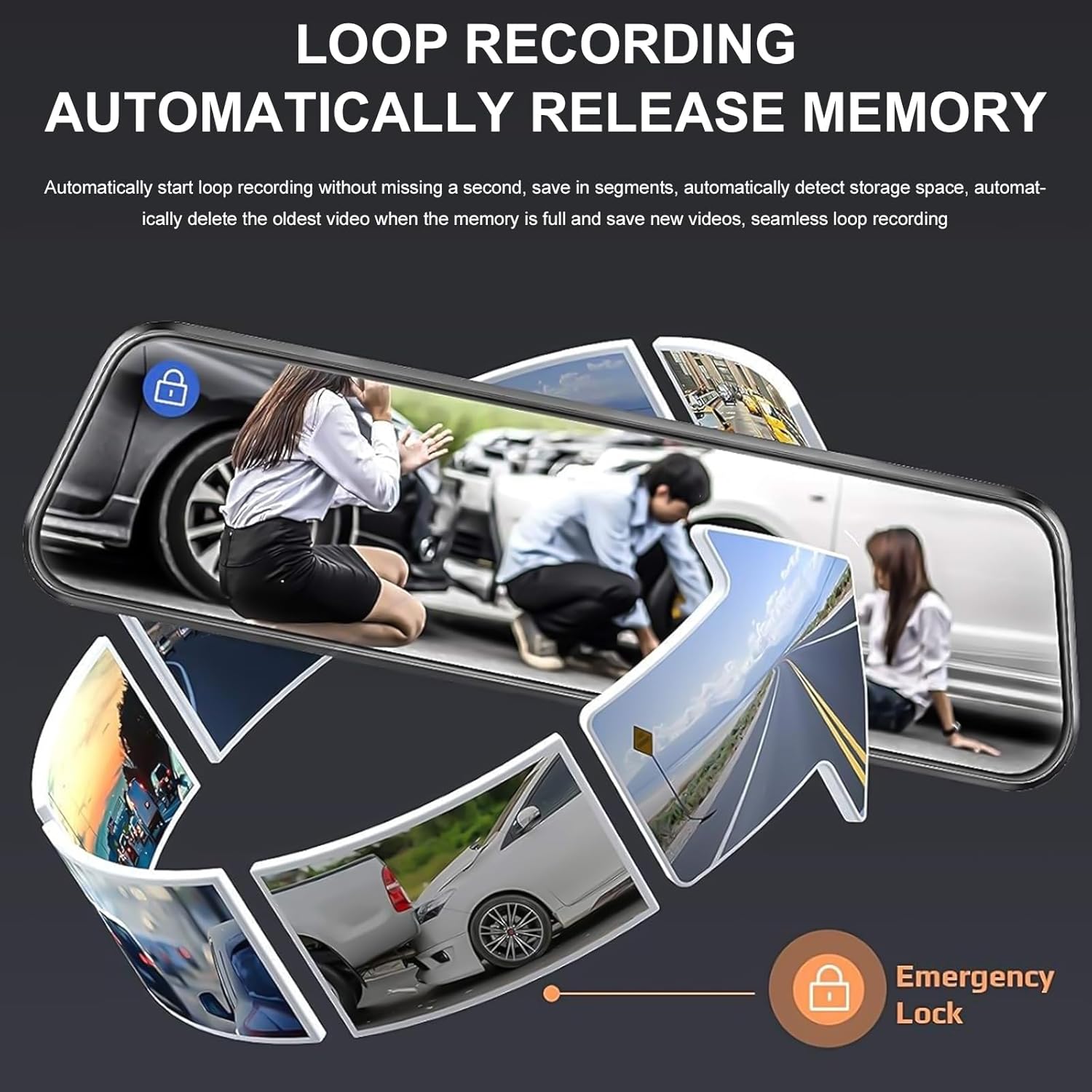
Image: A circular flow diagram illustrating loop recording, where new video segments replace older ones, with an emergency lock icon for protected footage.

Image: A car parked at night with a '24 HOUR' clock icon, symbolizing the 24-hour parking monitoring feature for vehicle protection.
5. Settings and Functions
Access the menu by tapping the screen. Here you can adjust various settings:
- Видео резолуција: Select desired resolution for front and rear cameras (e.g., 4K/1080P).
- Времетраење на снимање на јамка: Set the length of video segments (e.g., 1, 3, 5 minutes).
- Чувствителност на Г-сензорот: Adjust the sensitivity of the collision detection.
- Монитор за паркирање: Enable or disable parking surveillance mode.
- Изложеност: Adjust video brightness.
- Датум/Време: Поставете го точниот датум и време за точно времеamps на снимките.
- Скринсејвер: Set the screen to turn off after a period of inactivity to avoid distraction.
- Јазик: Изберете го претпочитаниот јазик.
6. Одржување
- Чистење: Користете мека, сува крпа за чистење на екранот и леќите на камерата на автомобилот. Избегнувајте абразивни средства за чистење или растворувачи.
- Мемориска картичка: Regularly format the memory card (at least once a month) to ensure optimal performance and prevent data corruption. Back up any important footage before formatting. Replace the memory card if it shows signs of degradation or errors.
- Температура: Avoid exposing the dash cam to extreme temperatures for extended periods, as this can affect battery life and device performance.
7 Смена на проблеми
If you encounter issues with your dash cam, refer to the following common solutions:
| Проблем | Можно решение |
|---|---|
| Камерата на таблата не се вклучува. | Check if the car charger is properly connected to both the dash cam and the vehicle's 12V outlet. Ensure the vehicle's ignition is on. Test the charger in another port or with another device if possible. |
| Снимањето запира или замрзнува. | Format the memory card. Ensure the memory card is a high-speed Class 10 or U3 card. Replace the memory card if issues persist. Check power connection stability. |
| Лош квалитет на видеото. | Clean the camera lenses. Ensure the protective film has been removed from the lenses. Check video resolution settings. Adjust WDR settings if applicable. |
| Задната камера не се прикажува. | Check the connection of the rear camera cable to both the rear camera and the main unit. Ensure the cable is not damaged. |
| Parking assist lines not appearing. | Ensure the rear camera is properly connected and the vehicle is in reverse gear. Check settings for parking assistance. |
| Надзорот за паркирање не работи. | Ensure the parking surveillance mode is enabled in settings. Check the dash cam's internal battery charge level. For 24/7 monitoring, hardwiring is required. |
8. Спецификации
- Бренд: KEPEAK
- Модел: B0FHJS1HZS
- Големина на екранот: 10 инчи
- Резолуција на предната камера: 4K Ultra HD
- Резолуција на задната камера: 1080P Full HD
- Поле на View: 170 степени
- Посебни карактеристики: G-Sensor, Night Vision (WDR), Touch Screen, Loop Recording, Parking Assistance, Parking Surveillance
- Технологија за поврзување: USB
- Поддршка за мемориска картичка: До 64GB (вклучени 32GB)
- Димензии на производот: 8 x 5 x 4 инчи
- Тежина на ставката: 1.7 фунти
- Боја: Црното
- Тип на сервис на возилото: Автомобил, камион
9. Гаранција и поддршка
KEPEAK is committed to providing reliable products and customer satisfaction. If you encounter any issues with your mirror dash cam, our customer support team is available to provide fast and effective assistance within 24 hours.
Please contact us through the retailer's platform or refer to the contact information provided with your purchase for support.