Вовед
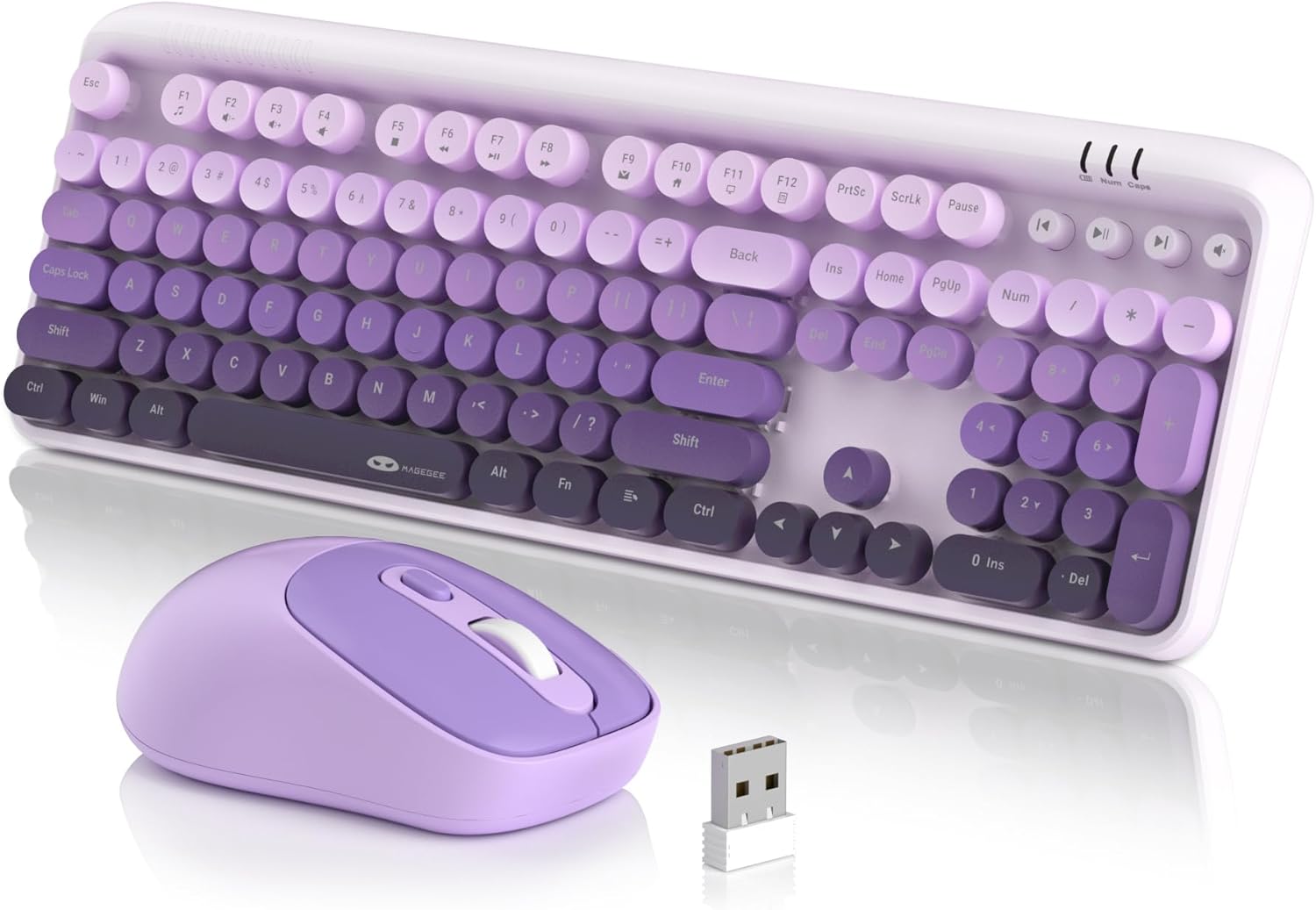
Thank you for choosing the MageGee V920 Wireless Keyboard and Mouse Combo. This product offers a seamless 2.4GHz wireless connection, a full-sized retro-style keyboard with round keycaps, and an ergonomic optical mouse. This manual provides detailed instructions for setup, operation, maintenance, and troubleshooting to ensure optimal performance and longevity of your device.
Содржина на пакетот
- 1 x безжична тастатура
- 1 x безжичен глушец
- 1 x 2.4G USB ресивер
- 1 x Упатство за употреба

Инструкции за поставување
1. Инсталација на батерија
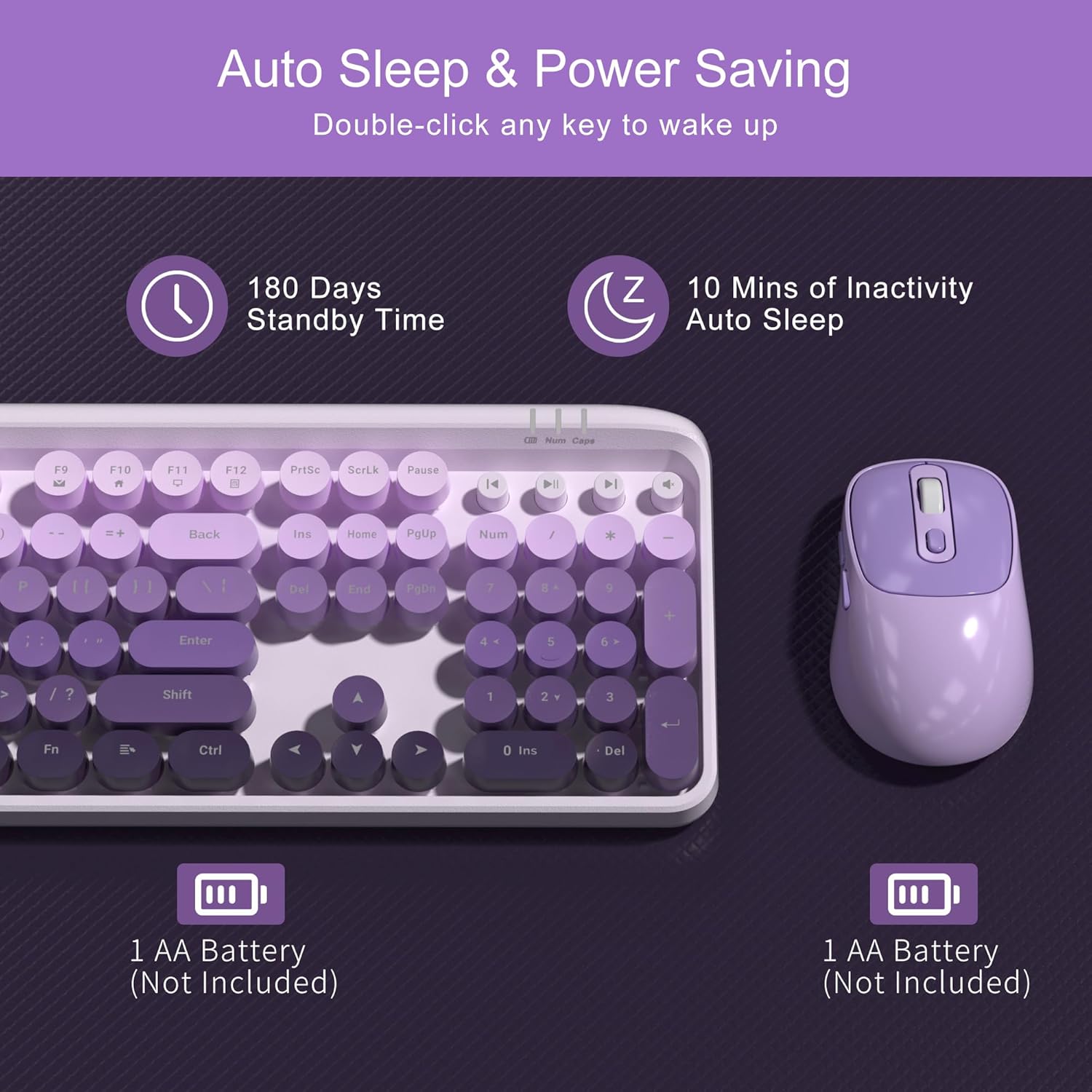
The keyboard and mouse each require one AA battery (not included). Follow these steps to install the batteries:
- Locate the battery compartment on the underside of the keyboard and the mouse.
- Отворете го капакот на преградата за батерии.
- Insert one AA battery into each device, ensuring correct polarity (+/-).
- Добро затворете ги капаците на преградата за батерии.
2. Поврзување на USB приемникот
The keyboard and mouse share a single 2.4G USB receiver for connection to your computer.
- The USB receiver is stored in a slot at the bottom of the mouse for convenience. Gently remove it.
- Plug the USB receiver into an available USB-A port on your computer (laptop or PC).
- Системот автоматски ќе ги детектира и инсталира потребните драјвери. Не е потребна рачна инсталација на драјвери.

3. Вклучување
- Тастатура: The keyboard does not have a separate power switch. It will activate once batteries are installed and the receiver is connected.
- Глувче: Locate the independent power switch on the bottom of the mouse. Slide it to the 'ON' position.
Your MageGee V920 combo is now ready for use.
Упатства за работа
2.4GHz безжична конекција
The V920 combo utilizes a stable 2.4GHz wireless connection, offering a transmission range of up to 33 feet (10 meters). This ensures reliable performance without significant lag or dropouts.

Карактеристики на тастатурата
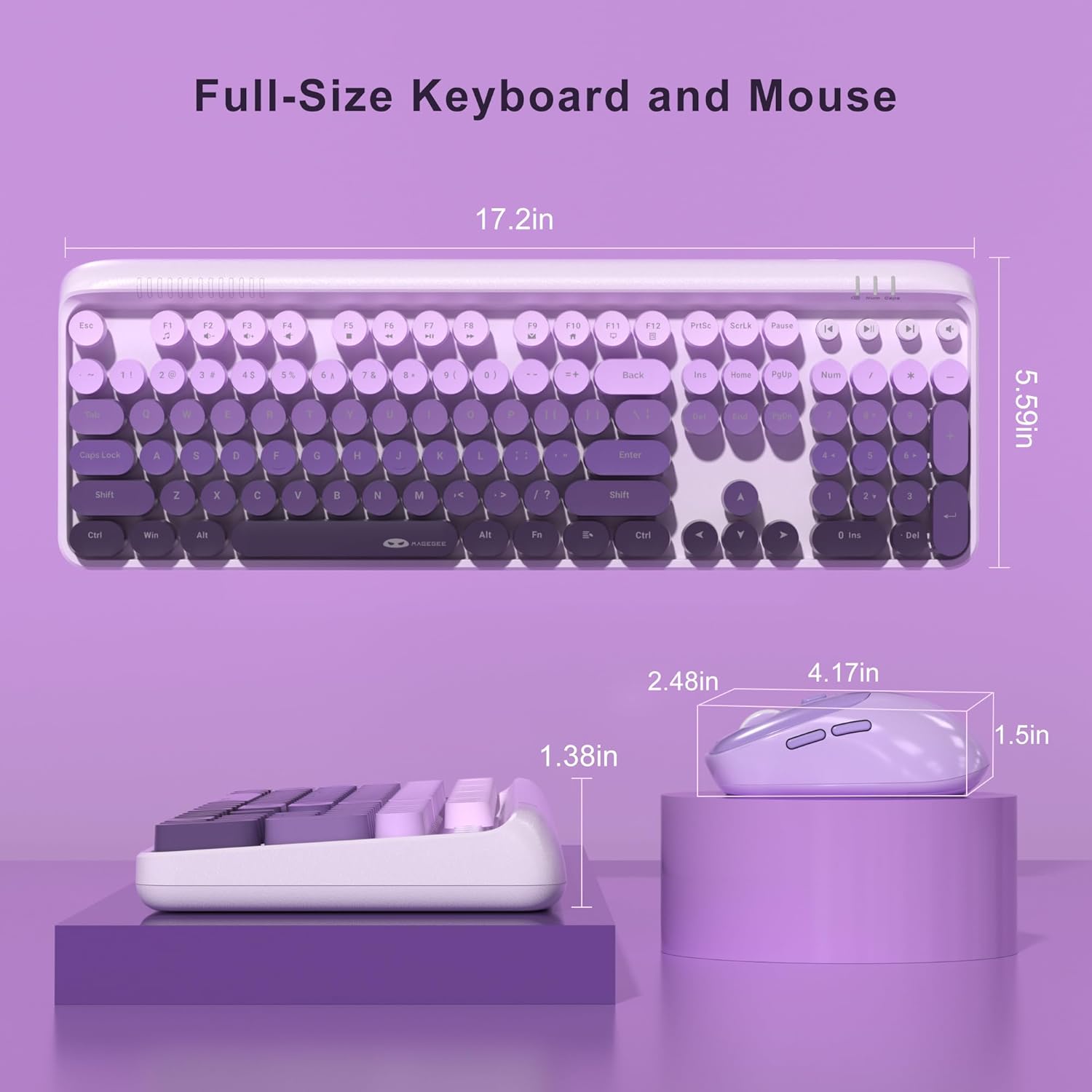
- Full-Sized Layout: The keyboard features a 104-key layout, including a numeric keypad for efficient data entry.
- Ретро тркалезни копчиња: Designed for comfortable typing and a unique aesthetic.
- Прилагодливи ногарки за навалување: Two-step keyboard feet allow you to set the keyboard at 3 different tilt angles to reduce wrist pressure and enhance ergonomic comfort.

Мултимедијални копчиња за кратенки
The keyboard includes 12 standard multimedia shortcut keys and 4 dedicated one-touch hotkeys for quick access to various functions. Note: Some functions may not be available on Mac systems.
- FN + F1-F12 Combinations: Use the 'FN' key in combination with F1 through F12 for functions such as media playback control, volume adjustment, and opening applications.
- Наменски кратенки: Four independent keys provide instant control for Previous Track, Play/Pause, Next Track, and Mute.


Карактеристики на глувчето
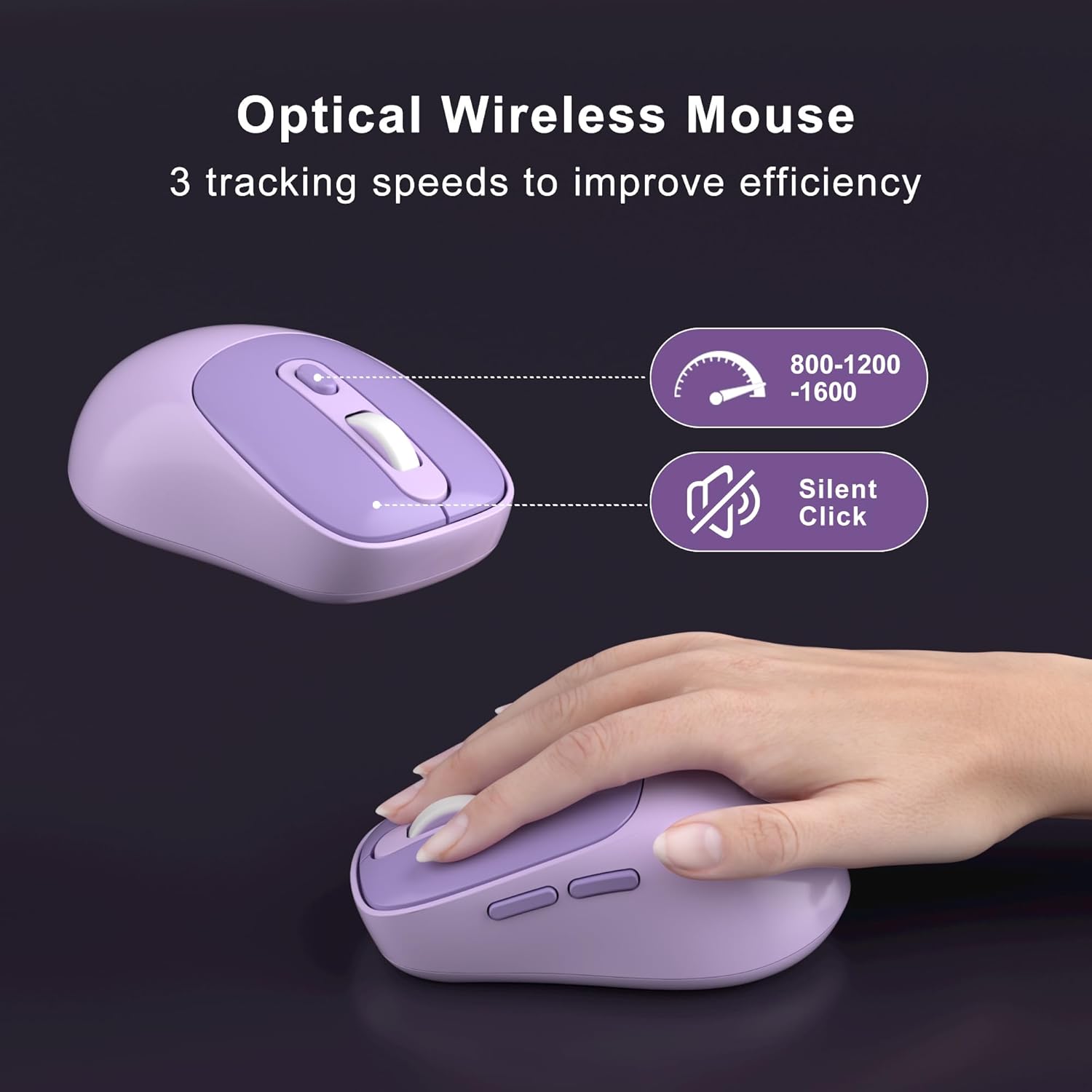
- 6 копчиња: The ergonomic mouse features 6 buttons for enhanced functionality.
- 3 Tracking Speed Levels (DPI): Adjust the mouse sensitivity to 800, 1200, or 1600 DPI to match your work demands and personal preference. Press the DPI button located behind the scroll wheel to cycle through the settings.
- Тивки кликови: Designed for quiet operation, ensuring you do not disturb others in shared environments.

Smart Auto-Sleep Mode
To conserve battery life, both the keyboard and mouse automatically enter an energy-saving sleep mode after 10 minutes of inactivity. To wake them up, simply double-click any key on the keyboard or any button on the mouse. The mouse also has an independent power switch for manual shutdown when not in use for extended periods.
Одржување
Чистење на тастатурата
The V920 keyboard features removable round keycaps, making cleaning simple:
- Нежно повлечете ги капачињата на копчињата нагоре за да ги отстраните.
- Use a soft brush or compressed air to remove dust and debris from under the keycaps and from the keyboard base.
- Wipe the keycaps with a damp cloth and mild cleaning solution if necessary. Ensure they are completely dry before reattaching.
- Align the keycaps with their respective switches and press down firmly until they click into place.

Замена на батеријата
When the keyboard or mouse becomes unresponsive or exhibits intermittent connection issues, it may be time to replace the batteries. Follow the battery installation steps outlined in the Setup Instructions section.
Решавање проблеми
- No Connection / Unresponsive Device:
- Проверете дали USB приемникот е безбедно поврзан со функционален USB порт на вашиот компјутер.
- Check if the batteries in both the keyboard and mouse are correctly installed and have sufficient charge. Replace them if necessary.
- Проверете дали прекинувачот за вклучување на глувчето е во положба „ВКЛУЧЕНО“.
- Поместете ја тастатурата и глувчето поблиску до USB приемникот за да исклучите проблеми со дометот.
- Обидете се да го вклучите USB приемникот во друг USB порт на вашиот компјутер.
- Рестартирајте го компјутерот.
- Доцнење или прекината врска:
- Намалете ги пречките со оддалечување на други безжични уреди (на пр., Wi-Fi рутери, безжични телефони) од приемникот.
- Уверете се дека нема големи метални предмети помеѓу тастатурата/глушецот и приемникот.
- Проверете го нивото на батеријата и заменете го ако е ниско.
- Курсорот на глувчето скока или е неточен:
- Исчистете го оптичкиот сензор на дното на глувчето.
- Уверете се дека го користите глувчето на соодветна површина. Избегнувајте површини што рефлектираат многу светлина или се проѕирни.
- Прилагодете ги поставките за DPI користејќи го копчето DPI на глувчето.
- Multimedia Keys Not Working on Mac:
- Some multimedia functions may not be fully supported on macOS due to system-specific configurations. This is expected behavior.
Спецификации
| Карактеристика | Детал |
|---|---|
| Број на модел | V920 |
| Технологија за поврзување | 2.4G безжичен |
| Опсег | До 33 стапки (10 метри) |
| Распоред на тастатура | Full-Sized (104 keys) |
| Keycap Style | Retro Round, Removable |
| Поставки за DPI на глувчето | 800/1200/1600 |
| Копчиња на глувчето | 6 копчиња |
| Извор на енергија | 1 x AA Battery (Keyboard), 1 x AA Battery (Mouse) |
| Режим за автоматско спиење | По 10 минути неактивност |
| Димензии на производот (тастатура) | 17.2 x 5.59 x 1.38 инчи |
| Тежина на ставката | 1.5 фунти |
| Компатибилни уреди | Лаптоп, персонален компјутер |
Гаранција и поддршка
MageGee products are designed for reliability and performance. This product comes with a standard manufacturer's warranty against defects in materials and workmanship. Please refer to the warranty card included in your package for specific terms and conditions.
For technical support, warranty claims, or any questions regarding your MageGee V920 Wireless Keyboard and Mouse Combo, please contact MageGee customer service through the retailer's platform or visit the official MageGee webсајт за информации за контакт.
Информации за безбедност
- Do not expose the device to liquids or excessive humidity.
- Избегнувајте екстремни температури.
- Do not attempt to disassemble or repair the device yourself. This may void the warranty.
- Фрлете ги батериите според локалните прописи.
- Да се чува подалеку од дофат на деца.


