1. Вовед
Thank you for choosing the HTC N15 Wireless Clip-On Earbuds. These open-ear earphones are designed to provide audio while allowing you to remain aware of your surroundings. This manual provides detailed instructions for setup, operation, and maintenance to ensure optimal performance and longevity of your device.

Image 1.1: HTC N15 Wireless Clip-On Earbuds and Charging Case.
2. Содржина на пакетот
Ве молиме проверете ја содржината на пакувањето по отпакувањето. Доколку недостасуваат или се оштетени некои артикли, контактирајте ја службата за корисници.
- 1 Pair HTC N15 Clip-On Earbuds
- 1 Случај за полнење
- 1 USB-C кабел за полнење
- 1 Упатство за употреба (овој документ)
Video 2.1: Unboxing the HTC N15 Wireless Clip-On Earbuds, showing the earbuds, charging case, and USB-C cable.
3. Производот завршиview
3.1 Earbud Features
- Дизајн со отворено уво: Овозможува свесност за околината.
- Clip-On Fit: Secure and comfortable for various activities.
- Контрола на допир: Intuitive control for audio and calls.
- Вграден микрофон: За јасна комуникација.
- Лесни: Each earbud weighs approximately 4.7g.
- 13мм драјвер: For enhanced sound quality.
3.2 Карактеристики на кутијата за полнење
- Приклучок за полнење USB-C: За удобно полнење.
- Индикатор за батерија: LEDs show charging status and battery level.

Слика 3.1: Готовоview of HTC N15 earbuds and charging case, highlighting battery life and Type-C charging port.
4. Поставување
4.1 Полнење на слушалките и футролата
Пред првата употреба, целосно наполнете ги слушалките и кутијата за полнење.
- Ставете ги слушалките во кутијата за полнење.
- Поврзете го USB-C кабелот за полнење со приклучокот за полнење на куќиштето и со извор на енергија.
- The LED indicators on the case will illuminate to show charging status. A full charge for the case takes approximately 1.5 hours.
- The earbuds provide up to 8 hours of playback on a single charge, and the charging case extends total playtime to 22 hours.

Image 4.1: Visual representation of charging times and battery life for the HTC N15 earbuds and case.
4.2 Спарување со уред
The HTC N15 earbuds use Bluetooth 6.0 for fast and stable connections.
- Проверете дали слушалките се наполнети и се во кутијата за полнење.
- Отворете ја кутијата за полнење. Слушалките автоматски ќе влезат во режим на спарување, што ќе биде означено со трепкачки LED светла.
- На вашиот уред (паметен телефон, таблет, лаптоп), одете во поставките за Bluetooth и вклучете го Bluetooth.
- Пребарај за available devices and select "HTC NE15" from the list.
- Once connected, the earbud LEDs will stop flashing, and you will hear a confirmation tone.
Слушалките автоматски ќе се поврзат повторно со последниот спарениот уред кога ќе се извадат од футролата, ако Bluetooth е овозможен на уредот.

Image 4.2: The HTC N15 earbuds offer flexible connectivity with various devices including notebooks, TVs, desktops, watches, phones, and iPads.
5. Упатства за носење
For optimal sound and comfort, ensure the earbuds are worn correctly.
- Идентификувајте ги левите (Л) и десните (Д) слушалки.
- Confirm the direction of the earbud, ensuring the clip is oriented to hook over the top of your ear.
- Gently clip the earbud onto the thinnest part of your ear, sliding it down until it feels secure.
- Adjust the earbud tip to align with your ear canal for the best sound experience and comfort.

Image 5.1: Step-by-step guide on how to properly wear the HTC N15 Clip-On Earbuds for a secure and comfortable fit.

Image 5.2: Illustration of the ergonomic open-ear clip design and wearing tips for optimal sound alignment.
6. Упатства за работа
The HTC N15 earbuds feature smart touch controls for easy management of audio and calls.

Image 6.1: Diagram illustrating the touch control functions for the HTC N15 earbuds.
6.1 Контрола на музика
- Пушти/Пауза: Кликнете двапати на која било слушалка.
- Следна песна: Triple-click the Right (R) earbud.
- Претходна песна: Triple-click the Left (L) earbud.
- Јачина на звук нагоре: Click the Right (R) earbud.
- Намалување на јачината на звукот: Click the Left (L) earbud.
6.2 Контрола на повици
- Одговори/заврши повик: Кликнете на која било слушалка.
- Одбијте го повикот: Притиснете и задржете ги двете слушалки 2 секунди.
6.3 Voice Assistant & Game Mode
- Активирајте го гласовниот асистент: Hold the Left (L) earbud for 2 seconds.
- Режим на игра: Hold the Right (R) earbud for 2 seconds to activate low-latency mode.

Image 6.2: The HTC N15 earbuds feature a low-latency Game Mode, reducing audio delay to 40ms for an improved gaming experience.
7. Одржување
7.1 Чистење
- Редовно чистете ги слушалките и кутијата за полнење со мека, сува крпа што не остава влакненца.
- Не користете абразивни средства за чистење, алкохол или хемиски растворувачи.
- Проверете дали контактите за полнење и на слушалките и на футролата се чисти и суви.
7.2 Складирање
- Чувајте ги слушалките во нивната кутија за полнење кога не се во употреба за да ги заштитите и да ги одржувате наполнети.
- Избегнувајте складирање на екстремни температури или висока влажност.
7.3 Отпорност на вода и прашина
The HTC N15 earbuds are rated IP45 for water and dust resistance. This means they are protected against dust ingress and low-pressure water jets from any direction. They are suitable for workouts and light rain but should not be submerged in water.
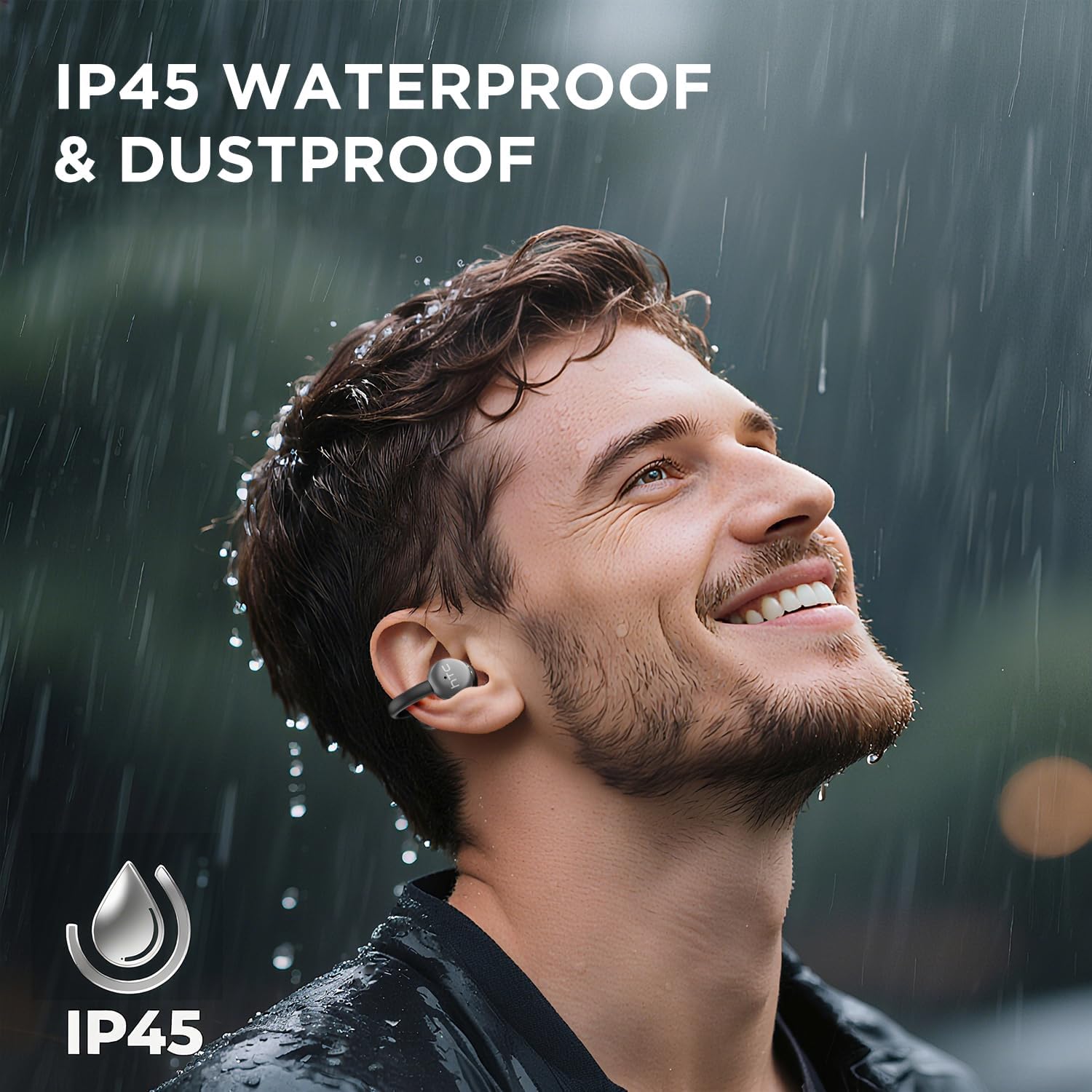
Image 7.1: The HTC N15 earbuds are IP45 rated, offering protection against dust and water splashes, making them suitable for outdoor activities.
8 Смена на проблеми
| Проблем | Можна причина | Решение |
|---|---|---|
| Ушни пупки не се спаруваат | Low battery; Bluetooth off on device; Earbuds not in pairing mode; Interference. | Charge earbuds and case. Ensure Bluetooth is enabled on your device. Place earbuds in case, close, then open to re-enter pairing mode. Move closer to your device. |
| Нема звук или слаб квалитет на звук | Volume too low; Earbuds not properly seated; Device not connected; Dirty earbuds. | Increase device volume. Adjust earbuds for a proper fit. Reconnect earbuds to your device. Clean earbuds as per maintenance section. |
| Слушалките не се полнат | Charging cable not connected properly; Dirty charging contacts; Faulty cable/adapter. | Ensure USB-C cable is securely connected. Clean charging contacts. Try a different USB-C cable or power adapter. |
| Контролите на допир не реагираат | Earbuds not active; Moisture on touch surface; Software glitch. | Ensure earbuds are active and connected. Wipe touch surface dry. Place earbuds back in case, close, then reopen to reset. |
9. Спецификации
| Карактеристика | Спецификација |
|---|---|
| Име на моделот | HTC NE15 |
| Bluetooth верзија | 6.0 |
| Технологија за поврзување | Безжичен (Bluetooth) |
| Earbud Type | Clip-On, Open-Ear |
| Големина на возачот | 13 мм |
| Контролен метод | Допрете |
| Микрофон | Вграден |
| Време за репродукција со едно полнење | До 8 часа |
| Вкупно време за играње (со кутија) | До 22 часа |
| Case Fast Charging | Прибл. 1.5 часа |
| Порта за полнење | USB-C |
| Отпорност на вода | IP45 (отпорен на вода и прашина) |
| Тежина на ушната маст | Приближно 4.7 г (секое) |
| Компатибилни уреди | Smartphones, Tablets, Bluetooth-enabled Devices (iOS, Android) |
| UPC | 768649989642 |
10. Гаранција и поддршка
HTC provides customer support for its products. If you encounter any issues or have questions not covered in this manual, please contact our support team.
- Поддршка за корисници: 7*24 Live Chat Support is available. Refer to the product packaging or official HTC webсајт за детали за контакт.
- Информации за гаранцијата: Please retain your proof of purchase for warranty claims. Specific warranty terms and conditions may vary by region. Refer to the warranty card included in your package or the official HTC webсајт за детални информации.