Вовед
This manual provides detailed instructions for the New Bee M53 Bluetooth Headset. Please read this manual carefully before using the product to ensure proper operation and to maximize its performance and lifespan. Keep this manual for future reference.
Содржина на пакетот
Проверете дали сите артикли се присутни во пакувањето:
- Bluetooth Earpiece (1 unit)
- 500mAh Charging Case (1 unit)
- Ear Tips (3 sizes: S/M/L)
- Type-C Cable (1 unit, AC adapter not included)
- Упатство за употреба (1 единица)
Производот завршиview
The New Bee M53 Bluetooth Headset features an ergonomic design for comfortable wear and intuitive controls. Below is a general view of the headset and its charging case.
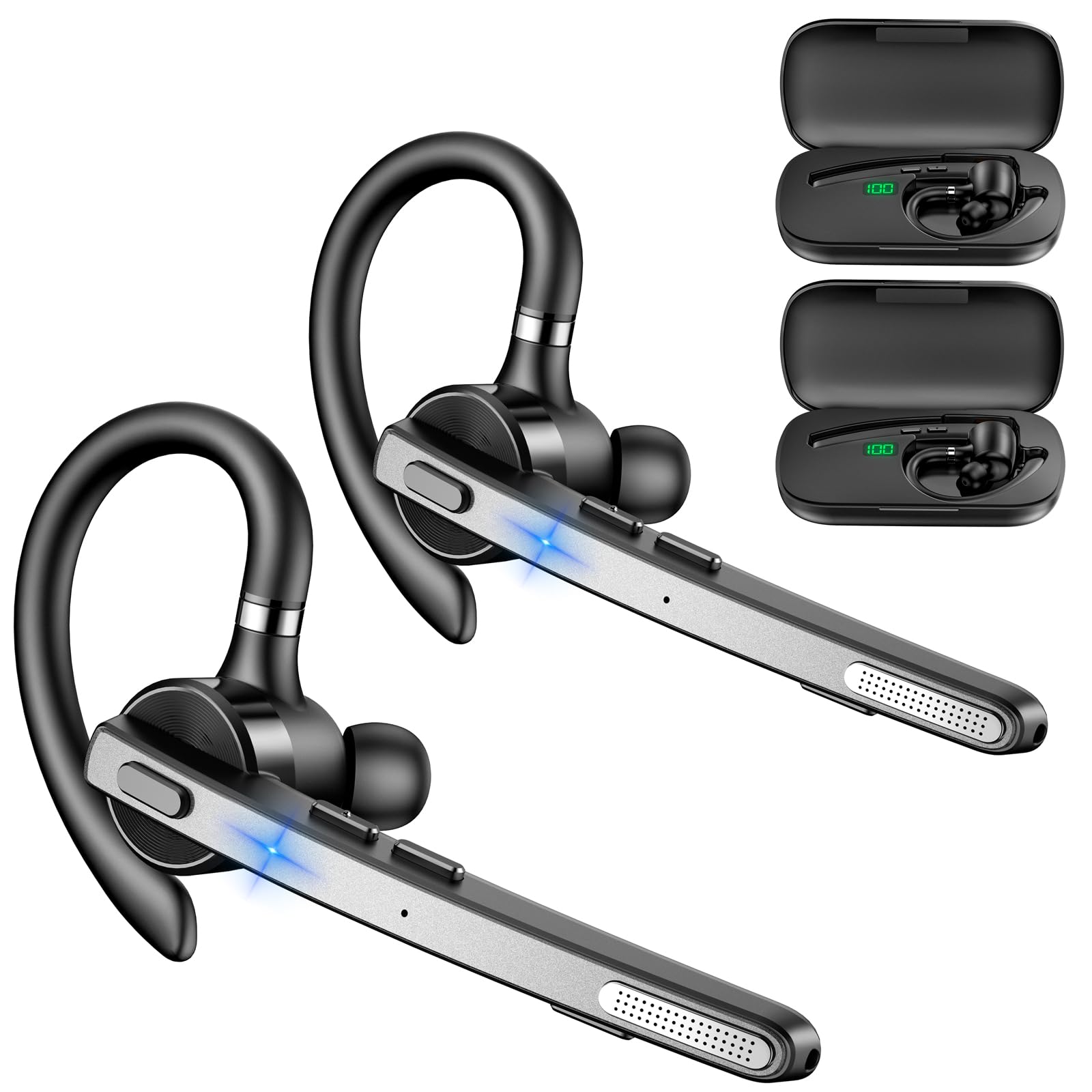
Image: New Bee M53 Bluetooth Headset with its charging case and included ear tips.

Image: Diagram illustrating the various buttons and their functions on the New Bee M53 Bluetooth Headset, including power, volume, call control, mute, and Type-C charging port.
Поставување
1. Полнење на слушалките и футролата
Before first use, fully charge the headset and its charging case. The charging case has a digital display to indicate the remaining power.
- Connect the provided Type-C cable to the charging port on the case and to a USB power source (e.g., computer, wall adapter).
- Place the headset into the charging case.
- Целосното полнење трае приближно 2 часа.
- The 500mAh charging case provides approximately 72 hours of total playtime for the headset.
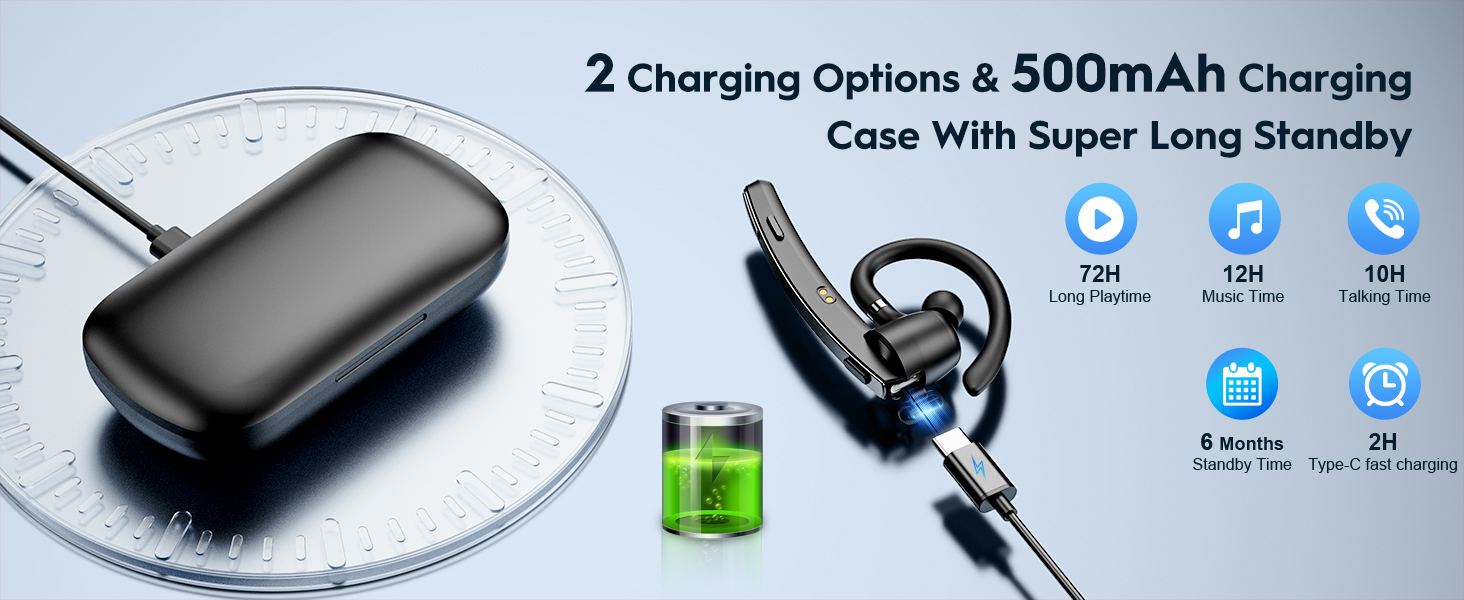
Image: The New Bee M53 charging case displaying battery level, with the headset inside, illustrating its long battery life capabilities.
2. Носење на слушалките
The headset is designed for comfortable and secure fit. It can be worn on either the left or right ear.
- The flexible ear hook can be rotated 180° to fit either ear.
- The earphone arm can be rotated 270° to adjust the microphone position.
- Choose from the three included ear tip sizes (S, M, L) for the best fit and comfort.
- The headset weighs only 13.6 grams, ensuring comfort during extended wear.

Image: Illustration of the headset's adjustable ear hook for left/right ear use and the three available ear tip sizes (S, M, L).
3. Bluetooth спарување
The headset uses Bluetooth 5.1 technology for quick and stable connections.
- Осигурајте се дека слушалките се наполнети и исклучени.
- Press and hold the Power button for 3-5 seconds until the indicator light flashes blue and red, indicating pairing mode.
- На вашиот уред (паметен телефон, лаптоп итн.), овозможете Bluetooth и пребарајте достапни уреди.
- Select "M53" from the list of devices.
- Откако ќе се поврзе, индикаторската ламбичка ќе трепка сино бавно.
The headset supports connecting to two devices simultaneously within a 15-meter (49 feet) range.

Image: The headset shown connecting to a mobile phone, demonstrating Bluetooth 5.1 quick connection and dual device capability.
Упатства за работа
Основни функции
- Вклучување/исклучување: Press and hold the Power button for 3 seconds to power on, 5 seconds to power off.
- Пушти/Пауза: Притиснете го копчето Play/Pause еднаш.
- Контрола на јачината на звукот: Користете ги копчињата за јачина на звук +/- за да го прилагодите нивото на звук.
- Следна/Претходна песна: Press and hold Volume + for next song, Volume - for previous song (3 seconds).
Управување со повици
- Одговори/прекини повик: Press the Answer/Hang Up button once.
- Одбијте го повикот: Press and hold the Answer/Hang Up button for 2 seconds.
- Повторно бирајте последен број: Double-press the Answer/Hang Up button.
- Исклучи звук на микрофон: Press the Mic Mute button once during a call to mute/unmute the microphone.
The headset features dual-mic noise reduction and CVC8.0 technology for clear calls by reducing ambient noise and echo.

Image: Illustration of the headset's one-button call answering and mute features for hands-free communication.

Image: Visual representation of the dual-mic noise cancelling technology, showing how external background noise is reduced for clear calls.
Одржување
To ensure the longevity and optimal performance of your New Bee M53 Bluetooth Headset, follow these maintenance guidelines:
- Чистење: Use a soft, dry, lint-free cloth to clean the headset and charging case. Do not use abrasive cleaners, solvents, or aerosol sprays.
- Складирање: Store the headset in its charging case when not in use to protect it from dust and damage. Avoid extreme temperatures.
- Изложеност на вода: The headset is not waterproof. Avoid exposure to water, moisture, or excessive humidity.
- Полнење: Always use the provided Type-C cable for charging. Do not attempt to disassemble or modify the device.
Решавање проблеми
Доколку наидете на проблеми со слушалките, погледнете ги следниве вообичаени решенија:
| Проблем | Решение |
|---|---|
| Слушалките не се вклучуваат. | Ensure the headset is fully charged. Place it in the charging case and connect the case to a power source. |
| Не може да се спари со уредот. |
|
| Нема звук или има ниска јачина на звук. |
|
| Квалитетот на повикот е слаб. |
|
Спецификации
| Карактеристика | Детал |
|---|---|
| Име на моделот | М53 |
| Bluetooth верзија | 5.1 |
| Опсег на Bluetooth | До 15 метри (49 стапки) |
| Battery Life (Talktime/Music) | Приближно 12 часа по полнење |
| Вкупно време за играње со футрола за полнење | До 72 часа |
| Капацитет на кутијата за полнење | 500 mAh |
| Време на полнење | Approximately 2 hours (Type-C) |
| Тежина | 13.6 grams (earpiece) |
| Контрола на бучава | Dual-Mic Noise Reduction, CVC8.0 |
| Компатибилност | iOS, Android, Windows (Cellphones, Laptops, Desktops) |
| Тип на контрола | Контрола на копче |

Image: The headset demonstrating its wide compatibility with devices such as tablets, cellphones, laptops, PCs, and Kindles.
Гаранција и поддршка
New Bee provides a 3-year customer support service for this product. If you encounter any issues or have questions, please contact our customer support team. Refer to the contact information provided with your purchase or visit the official New Bee webсајт за помош.
За гаранциски барања, ве молиме задржете го доказот за купување.


