1. Вовед
Welcome to the user manual for your XINLEI Mobile TV Stand, model ML70A. This stand is designed to provide a versatile and stable mounting solution for most 32-75 inch flat or curved screen televisions. Please read this manual thoroughly before assembly and use to ensure proper installation and safe operation.
2. Важни безбедносни информации
Please observe the following safety precautions to prevent injury or damage to your product:
- Не го надминувајте максималниот капацитет на тежина од 88 фунти (40 кг).
- Ensure the VESA mounting pattern of your TV is compatible (Min 100x100mm, Max 600x400mm).
- Секогаш заклучувајте ги тркалата кога држачот е во стационарна положба за да спречите случајно движење.
- Assemble the stand on a soft, clean surface to avoid scratches.
- Држете ги децата и миленичињата подалеку за време на склопувањето.
- Доколку недостасуваат или се оштетени делови, не обидувајте се да ги склопите. Контактирајте ја службата за корисници.
3. Содржина на пакетот
Verify that all components are present before beginning assembly. While a detailed parts list is not provided, typical components include:
- X-shaped base components
- Dual support columns
- TV mounting brackets
- Lockable casters (wheels)
- Assembly hardware (screws, washers, nuts, Allen wrench)
- Упатство за употреба
4. Спецификации на производот
| Карактеристика | Детал |
|---|---|
| Модел | ML70A |
| Бренд | XINLEI |
| Компатибилни големини на ТВ | 32-75 инчи |
| Максимална тежина капацитет | 88 фунти (40 кг) |
| Компатибилност со VESA | Мин. 100x100mm, Макс. 600x400mm |
| Опсег за прилагодување на висината | 40.91" до 49.76" (4 нивоа) |
| Основен тип | X-shaped with dual columns |
| Мобилност | 360° Lockable Casters |
| Материјал | Метал |
| Тежина на ставката | 17.22 фунти |
| Димензии на пакетот | 17.24 x 11.97 x 5.87 инчи |
5. Поставување и склопување
Внимателно следете ги овие чекори за правилно склопување. Препорачливо е да имате двајца за одредени чекори, особено при монтирање на телевизорот.
Чекор 1: Соберете ја основата
Connect the X-shaped base components and attach the dual columns. Ensure all screws are tightened securely.

Image description: This image shows the X-shaped base of the TV stand with dual columns attached, highlighting its stability and large bearing area.
Чекор 2: Прикачете тркалца
Screw the lockable casters into the designated holes on the base.

Опис на сликата: Крупен план view of the lockable casters on the TV stand's base, indicating their 360-degree rotation and locking mechanism. This image also shows cable management features.
Step 3: Install TV Mounting Brackets
Attach the TV mounting brackets to the back of your television using the appropriate screws and spacers for your TV's VESA pattern. Ensure the brackets are centered and level.
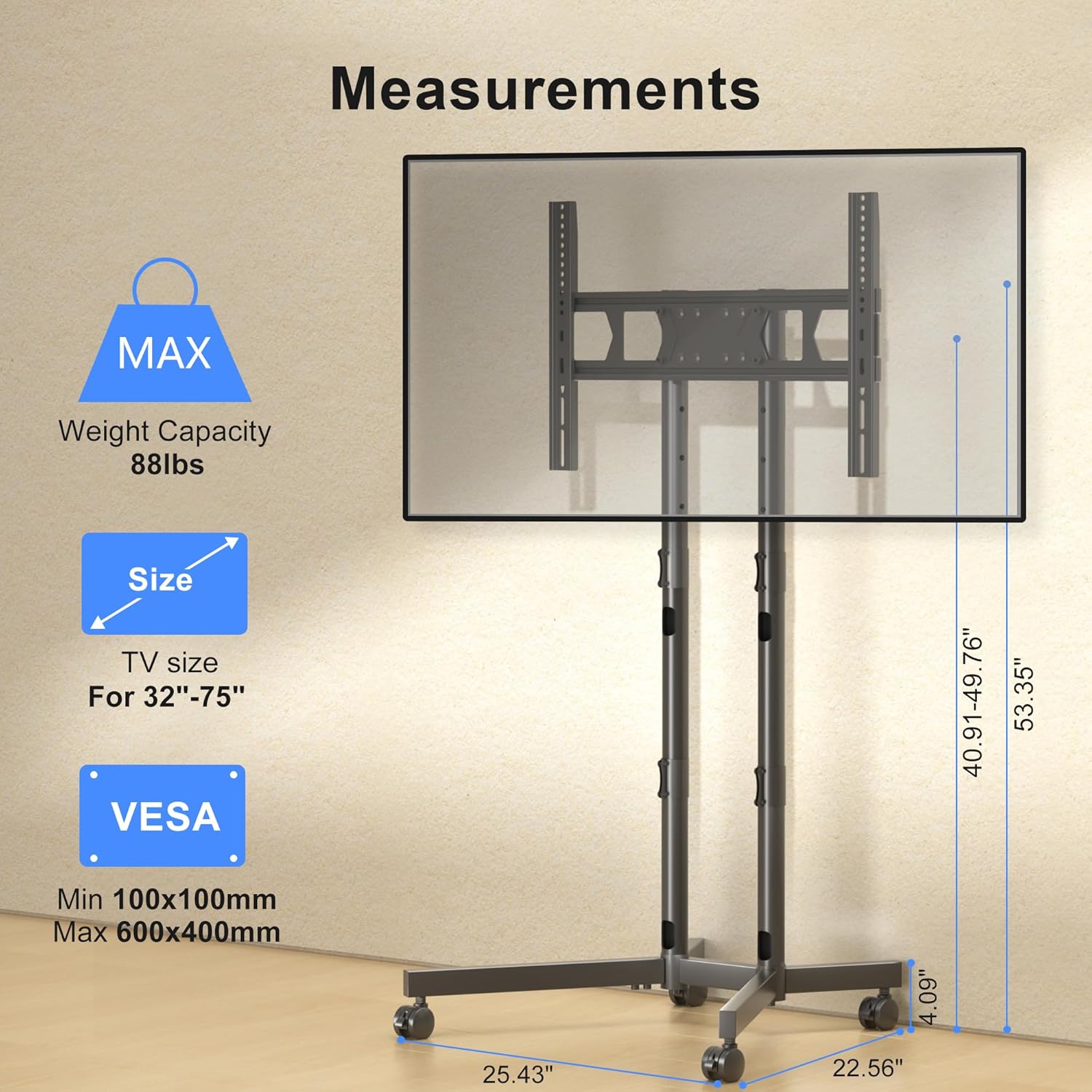
Image description: This diagram illustrates the TV mounting brackets and provides key measurements, VESA compatibility, and maximum weight capacity for the stand.
Чекор 4: Монтирајте го телевизорот на држачот
Carefully lift the television and hook the mounting brackets onto the dual columns of the stand. Secure the TV using the safety lock mechanism.
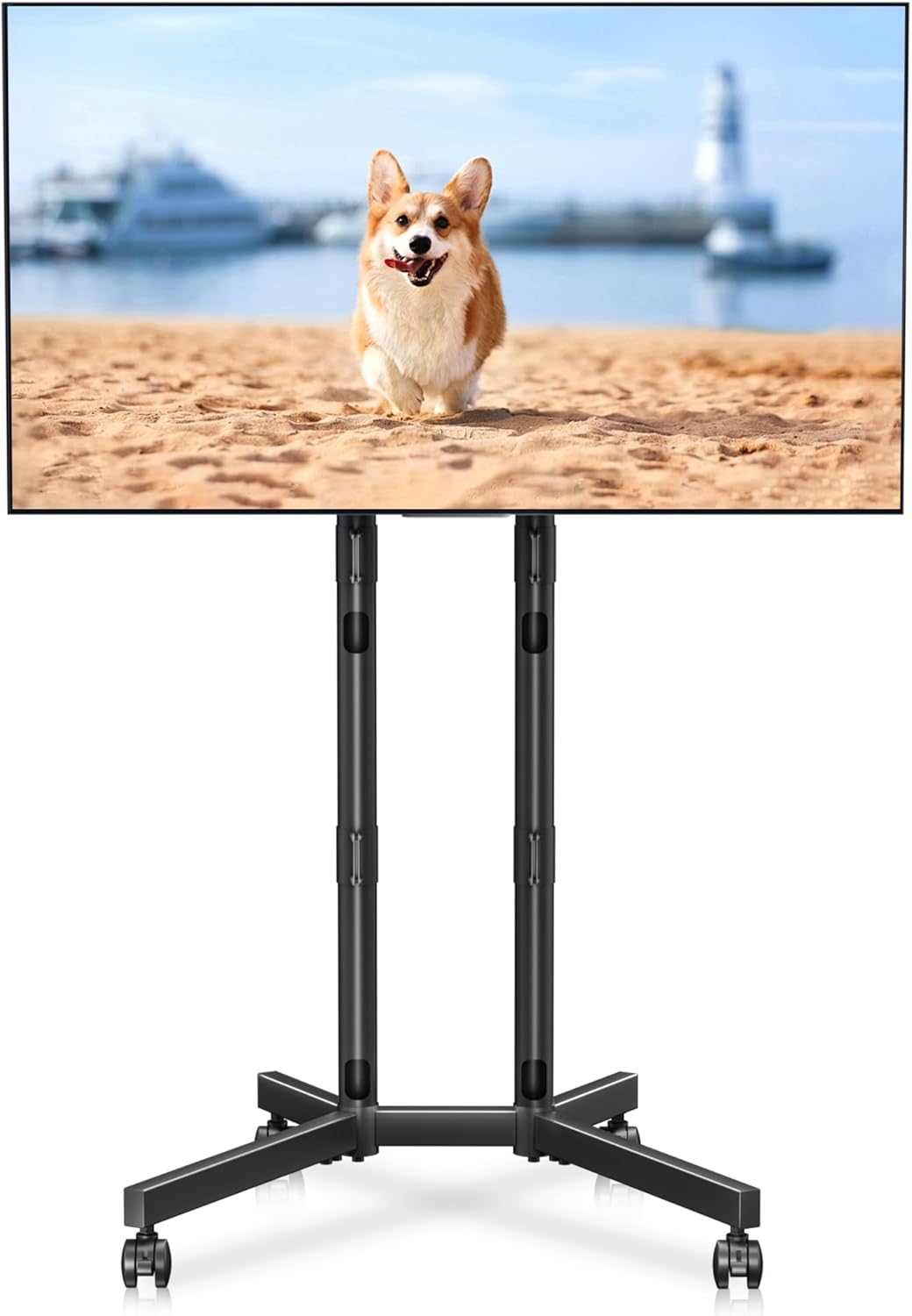
Image description: A fully assembled XINLEI Mobile TV Stand with a large screen television mounted, demonstrating the product's overall appearance and function.
Чекор 5: Управување со кабли
Route TV cables through the integrated cable management holes in the columns for a tidy appearance.
Опис на сликата: Детално view highlighting the cable management feature, showing cables neatly routed through the stand's support columns.
6. Упатства за работа
Прилагодување на висината
The stand offers 4 levels of height adjustment. To adjust, unlock the safety pins on the columns, raise or lower the TV to the desired height, and re-insert the safety pins securely.

Image description: An illustration demonstrating the four levels of height adjustment available on the TV stand, allowing users to optimize viewing height for different seating positions.
Поместување на штандот
To move the stand, unlock all four casters. Gently push the stand to its new location. Once positioned, lock all casters to prevent unintended movement.
Image description: A close-up of the lockable casters on the X-shaped base, essential for safely moving and securing the TV stand.
7. Одржување
To ensure the longevity and proper function of your TV stand:
- Редовно проверувајте ги сите завртки и врски за да бидете сигурни дека се цврсто затегнати.
- Чистете го држачот со мека, сува крпа. Избегнувајте абразивни средства за чистење или растворувачи.
- Inspect casters periodically for debris and ensure they roll smoothly.
8 Смена на проблеми
- Problem: The TV stand is unstable.
- Решение: Ensure all assembly screws are fully tightened. Verify that the TV weight and VESA pattern are within the specified limits. Make sure the casters are locked when the stand is stationary.
- Problem: Difficulty moving the stand.
- Решение: Check that all four casters are unlocked. Clear any obstructions from the caster wheels.
- Проблем: Телевизорот не е нивелиран по монтирањето.
- Решение: Re-check the installation of the TV mounting brackets on the back of the TV. Adjust the height of the columns if necessary to ensure the TV is level.
9. Гаранција и корисничка поддршка
For warranty information or technical assistance, please refer to the contact details provided with your purchase documentation or visit the official XINLEI webсајт. Чувајте ја вашата потврда за купување за барања за гаранција.


