1. Вовед
This manual provides detailed instructions for the JTEMAN L41 Cell Phone Stand, which integrates a Bluetooth speaker and wireless charging functionality. Please read this manual thoroughly before use to ensure proper operation and to maximize the product's features.
2. Содржина на пакетот
Проверете дали сите артикли наведени подолу се вклучени во вашиот пакет:
- Audio Wireless Charger (Main Unit)
- USB-C Adapter (Power Adapter)
- Кабел USB-C на USB-C
- Упатство за употреба
3. Производот завршиview
The JTEMAN L41 is a versatile 3-in-1 device designed to streamline your desktop. It combines a stable phone stand, a wireless charging station, and a Bluetooth speaker into one compact unit.
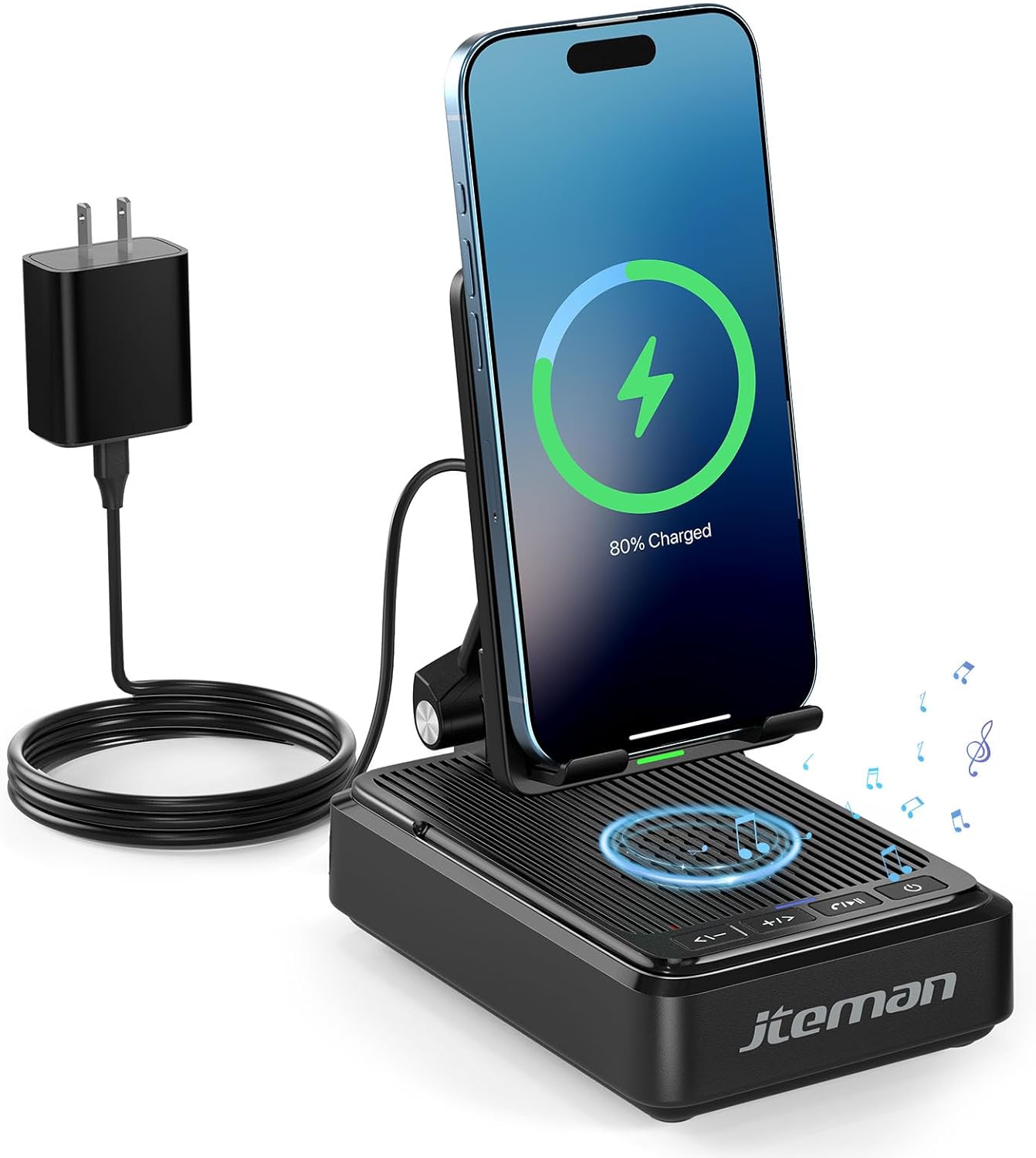
Слика 1: JTEMAN L41 Main Unit with Phone Charging
This image displays the JTEMAN L41 device in black, with a smartphone placed vertically on its stand, actively wirelessly charging. The device is connected to a power adapter via a USB-C cable. Musical notes are depicted around the speaker area, indicating its audio function.
Клучни карактеристики:
- Функционалност 3-во-1: Integrates a phone stand, wireless charger, and Bluetooth speaker.
- Прилагодлив држач за телефон: Овозможува оптимално viewing angles and supports both horizontal and vertical phone placement.
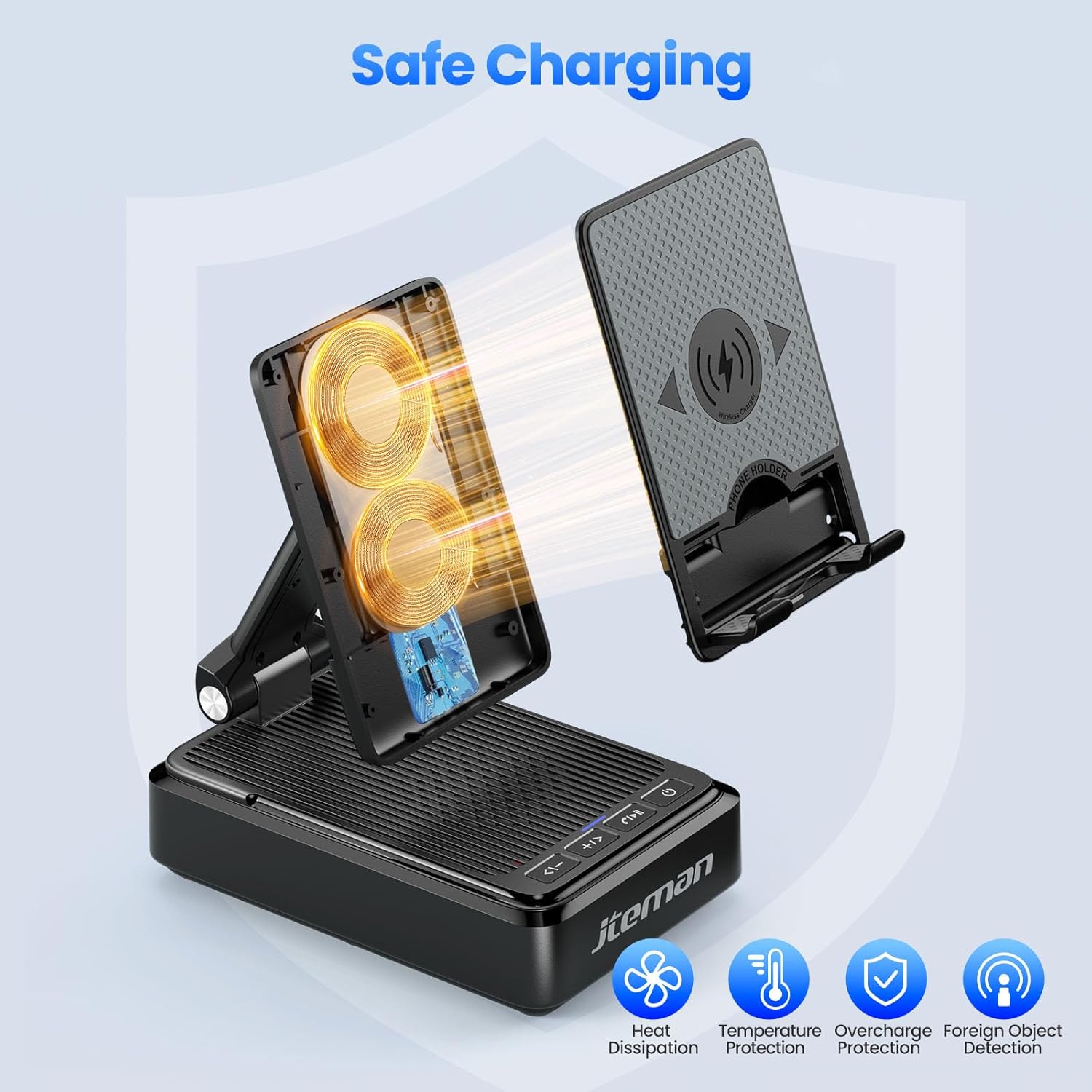
- Stable Wireless Charging: Features dual-coil design for flexible phone positioning and multiple safety protections.
- Bluetooth 5.3 звучник: Provides clear sound quality and stable connection for audio playback and hands-free calls.
- Дизајн што може да се преклопи: Enhances portability and saves space.
4. Упатства за поставување
- Отпакувајте го уредот: Внимателно отстранете ги сите компоненти од пакувањето.
- Поврзете напојување:
- Connect one end of the provided USB-C to USB-C cable to the USB-C port on the back of the JTEMAN L41 unit.
- Connect the other end of the USB-C cable to the provided USB-C power adapter.
- Приклучете го адаптерот за напојување во стандарден ѕиден штекер.
Забелешка: For optimal wireless charging performance, always use the included 9V2A adapter and USB-C cable.
- Adjust Phone Stand: Unfold the phone stand to your desired viewing angle. The stand is designed to be adjustable for comfortable viewинг.
5. Упатства за работа
5.1 Безжично полнење
- Ensure the JTEMAN L41 is connected to a power source.
- Place your wireless charging-compatible smartphone onto the phone stand. The phone can be placed either horizontally or vertically.
- Align your phone's wireless charging coil with the charging area on the stand. Charging will begin automatically, indicated by a charging icon on your phone's screen.

Слика 2: Компатибилност за безжично полнење
This image illustrates the wireless charging function and its compatibility. It shows a smartphone in a case being wirelessly charged on the stand. Important notes indicate that cases should be ≤ 0.15 inches thick, and cases with metal rings, pockets, or magnets should be avoided for proper charging.
Important Notes for Wireless Charging:
- Supports phone cases with a thickness of ≤ 0.15 inches (approximately 3.8mm).
- Avoid using cases with metal rings, pop sockets, credit cards, or magnets, as these can interfere with wireless charging.
- The dual-coil design allows for flexible placement, but ensure proper alignment for efficient charging.
5.2 Работа со Bluetooth звучник
- Вклучување: Притиснете и задржете го копчето за вклучување (⏻) on the front of the unit to turn on the speaker. A voice prompt or indicator light will confirm it's in pairing mode.
- Спарување:
- На вашиот паметен телефон или друг уред со Bluetooth, одете во поставките за Bluetooth.
- Пребарај за available devices and select "JTEMAN41" (or similar name) from the list.
- Once connected, a confirmation sound will be heard.
- Репродукција на аудио: Play music or audio from your connected device. Use the volume controls on the JTEMAN L41 or your device to adjust the sound level.
- Повикување без раце: When a call comes in, press the Play/Pause button (⏸) to answer. Press again to end the call.

Слика 3: Enjoying Music with the Bluetooth Speaker
This image shows a woman in a kitchen setting, holding a mug and smiling while a smartphone plays music on the JTEMAN L41 stand. Musical notes emanate from the speaker, highlighting its audio playback capability.
5.3 Phone Stand Functionality
The integrated phone stand is adjustable to provide optimal viewагли за разни активности.
- Прилагодлив агол: Gently pivot the phone rest up or down to achieve your preferred viewинголен агол.
- Ориентација: The stand supports both vertical and horizontal placement of your smartphone, ideal for video calls, watching movies, or browsing.
- Стабилност: The stable, non-slip base and weighted structure prevent tipping, ensuring your device remains secure.
Слика 4: Adjustable Desktop Charging Stand
This image depicts a man sitting at a desk, interacting with a smartphone placed on the JTEMAN L41 stand. The stand is shown with an adjustable angle feature, and a diagram illustrates how the USB-C charging cable connects to the phone while on the stand.
5.4 Функции на копчињата
The control buttons are located on the front of the unit:
| Икона на копче | Функција |
|---|---|
| <- | Намалување на јачината на звукот / Претходна песна |
| + / > | Јачина на звук / следна песна |
| ⏸ | Репродуцирај / Паузирај / Одговарај на повик / Заврши повик |
| ⏻ | ВКЛУЧУВАЊЕ / ИСКЛУЧУВАЊЕ |
6. Важни безбедносни информации
- Не го изложувајте уредот на вода или прекумерна влага.
- Avoid extreme temperatures, direct sunlight, or heat sources.
- Не расклопувајте, не поправајте или не модифицирајте го уредот. Ова ќе ја поништи гаранцијата.
- Да се чува подалеку од дофат на деца.
- Use only the provided power adapter and cable to prevent damage and ensure safe operation.
- Обезбедете соодветна вентилација околу уредот за време на употреба.
7. Одржување
- Чистење: Избришете го уредот со мека, сува крпа. Не користете абразивни средства за чистење или растворувачи.
- Складирање: When not in use for extended periods, store the device in a cool, dry place. The foldable design allows for compact storage.
8 Смена на проблеми
| Проблем | Можна причина | Решение |
|---|---|---|
| Уредот не се вклучува. | Not connected to power; Power button not pressed. | Ensure the power adapter is securely plugged into the unit and a working outlet. Press and hold the Power button. |
| Безжичното полнење не работи. | Phone not aligned; Case too thick; Foreign object; Phone not wireless charging compatible. | Re-align phone; Remove thick/metal cases; Remove foreign objects; Verify phone supports wireless charging. Use the included power adapter. |
| Bluetooth звучникот не се поврзува. | Speaker not in pairing mode; Bluetooth off on device; Device too far. | Ensure speaker is on and in pairing mode; Enable Bluetooth on your device; Move device closer to the speaker (within 10 meters). |
| Лош квалитет на звукот. | Слаба батерија; Уредот е премногу далеку; Пречки. | Ensure the unit is powered; Move device closer; Remove obstructions between device and speaker. |
9. Спецификации
| Карактеристика | Детал |
|---|---|
| Број на модел | L41 |
| Димензии на производот | 5.59 x 3.78 x 2.32 инчи |
| Тежина на ставката | 14.9 унци |
| Влез волуменtage | 9 волти |
| Излезна струја | 2 Amps |
| Тип на конектор | USB тип C |
| Bluetooth верзија | 5.3 |
| Материјал | Акрилонитрил Бутадиен Стирен |
| Компатибилни уреди | Smartphones, Tablets (with wireless charging capability) |
| Wireless Charging Case Thickness | ≤ 0.15 inches (3.8mm) |
10. Гаранција и поддршка
JTEMAN provides the following support for this product:
- Замена за 12 месеци: The product is covered by a 12-month replacement policy from the date of purchase.
- 24-Hour Support: For any inquiries or assistance, please contact JTEMAN customer support.
To contact support, please refer to the contact information provided on the product packaging or the official JTEMAN webсајт.


