1. Вовед
The Ulefone Armor 34 is a robust 5G rugged smartphone designed for demanding environments. It features a large battery, advanced camera system, powerful processor, and a durable construction to withstand harsh conditions. This manual provides essential information to help you get the most out of your device.
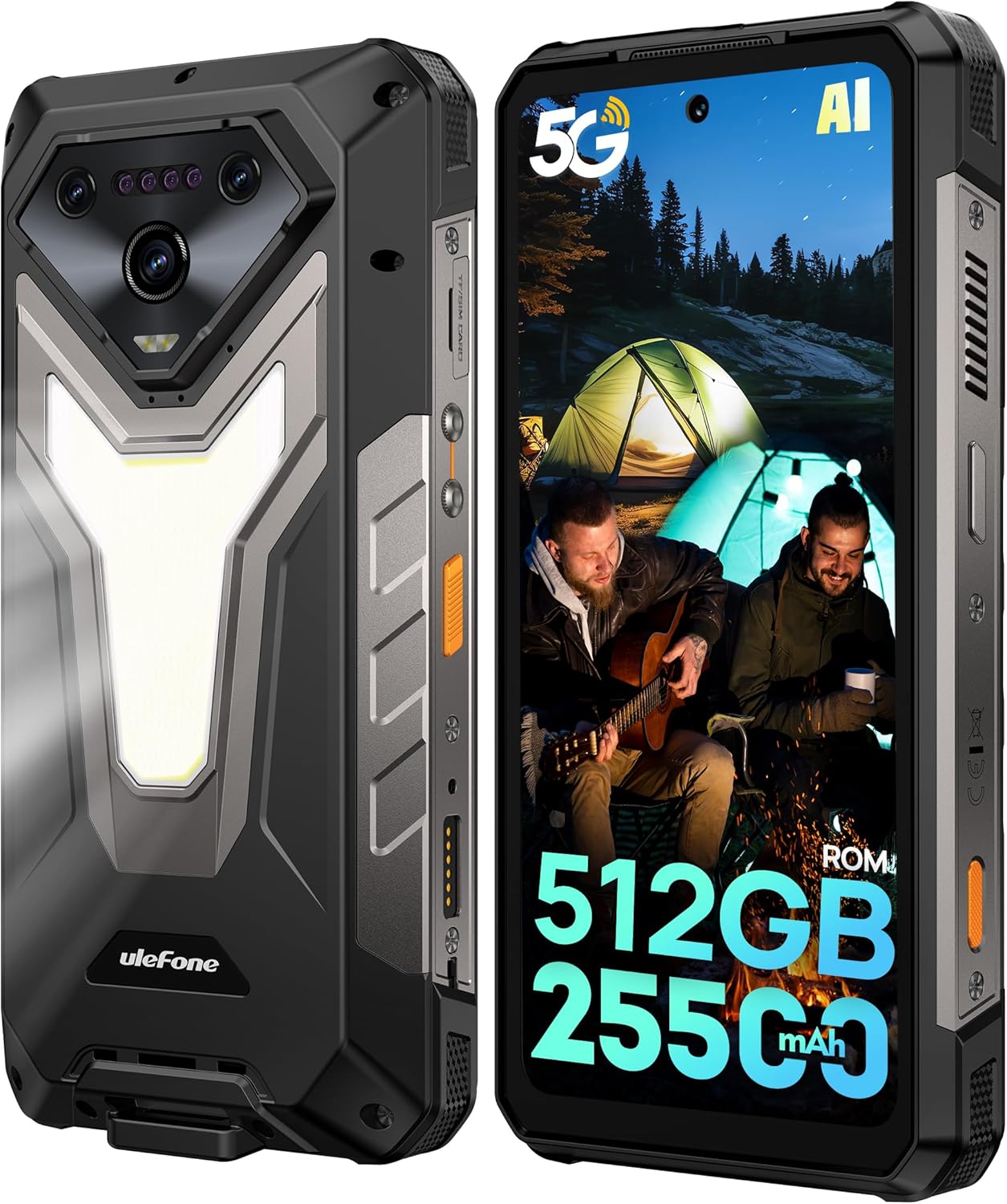
Слика: Напред и назад view of the Ulefone Armor 34 5G Rugged Phone, highlighting its robust design and rear LED light panel.
2. Што има во кутијата
Upon unboxing your Ulefone Armor 34, please verify that all the following items are included:
- Ulefone Armor 34 5G Rugged Phone
- 66W Power Charger
- USB-C податочен кабел
- Упатство за употреба на повеќе јазици
- Картичка со инструкции за полнење
- Картичка за безбедносно известување
- Гарантна картичка
- Заштитник за екран од калено стакло
- Ланјард
- SIM игла
Video: Ulefone Armor 34 Pro Unboxing. This video demonstrates the contents of the retail package and the initial unboxing experience.
3. Поставување
3.1 Вметнување на SIM/SD картичка
- Пронајдете го држачот за SIM-картичка од страната на телефонот.
- Вметнете ја приложената SIM-игла во малата дупка до фиоката за да ја извадите.
- Ставете ја/ги вашата/ги Nano-SIM картичка/ите и/или microSD картичката во лежиштето според дијаграмот.
- Внимателно вратете го држачот во телефонот, осигурувајќи се дека е во рамна положба со телото на уредот.
3.2 Вклучување/исклучување
- To power on: Press and hold the Power button until the Ulefone logo appears.
- За исклучување: Притиснете го и задржете го копчето за вклучување, а потоа изберете „Исклучи“ од опциите.
3.3 Почетно поставување
Следете ги упатствата на екранот за да го завршите почетното поставување, вклучувајќи го изборот на јазик, Wi-Fi конекцијата, најавувањето на сметката на Google и безбедносните поставки.
4. Упатства за работа
4.1 Екран
The Armor 34 features a 6.95-inch FHD+ display with a 120Hz refresh rate, protected by Corning Gorilla Glass 5. Adjust brightness and display settings via the Settings menu.

Image: The Ulefone Armor 34 displaying vibrant content on its 6.95-inch FHD+ 120Hz screen.
4.2 Систем за камери
The phone is equipped with a versatile camera setup:
- Задни камери: 50MP Primary Sensor, 50MP Ultra-wide Sensor (117.3° FOV), 64MP Night Vision Camera with 4 IR LEDs.
- Предна камера: 32MP за селфи фотографии и видео повици.
Access various camera modes like Night Vision, Photo, Video, and more through the camera application.

Слика: Детална view of the Ulefone Armor 34's triple rear camera module, including the 64MP Night Vision camera with IR LEDs, and examples of photos taken with the device.
4.3 Батерија и полнење
The Armor 34 features a massive 25500mAh battery, supporting up to 10 days of standby time. It supports 66W fast charging for quick power-ups and 10W reverse charging, allowing the phone to act as a power bank for other devices.

Image: Visual representation of the Ulefone Armor 34's 25500mAh battery capacity, 66W fast charging, and 10W reverse charging capabilities, showing it charging a drone.
4.4 Карактеристики на робусност
The Armor 34 is built to endure. It is certified with IP68/IP69K ratings for water and dust resistance, and MIL-STD-810H for drop resistance, ensuring durability in challenging environments.
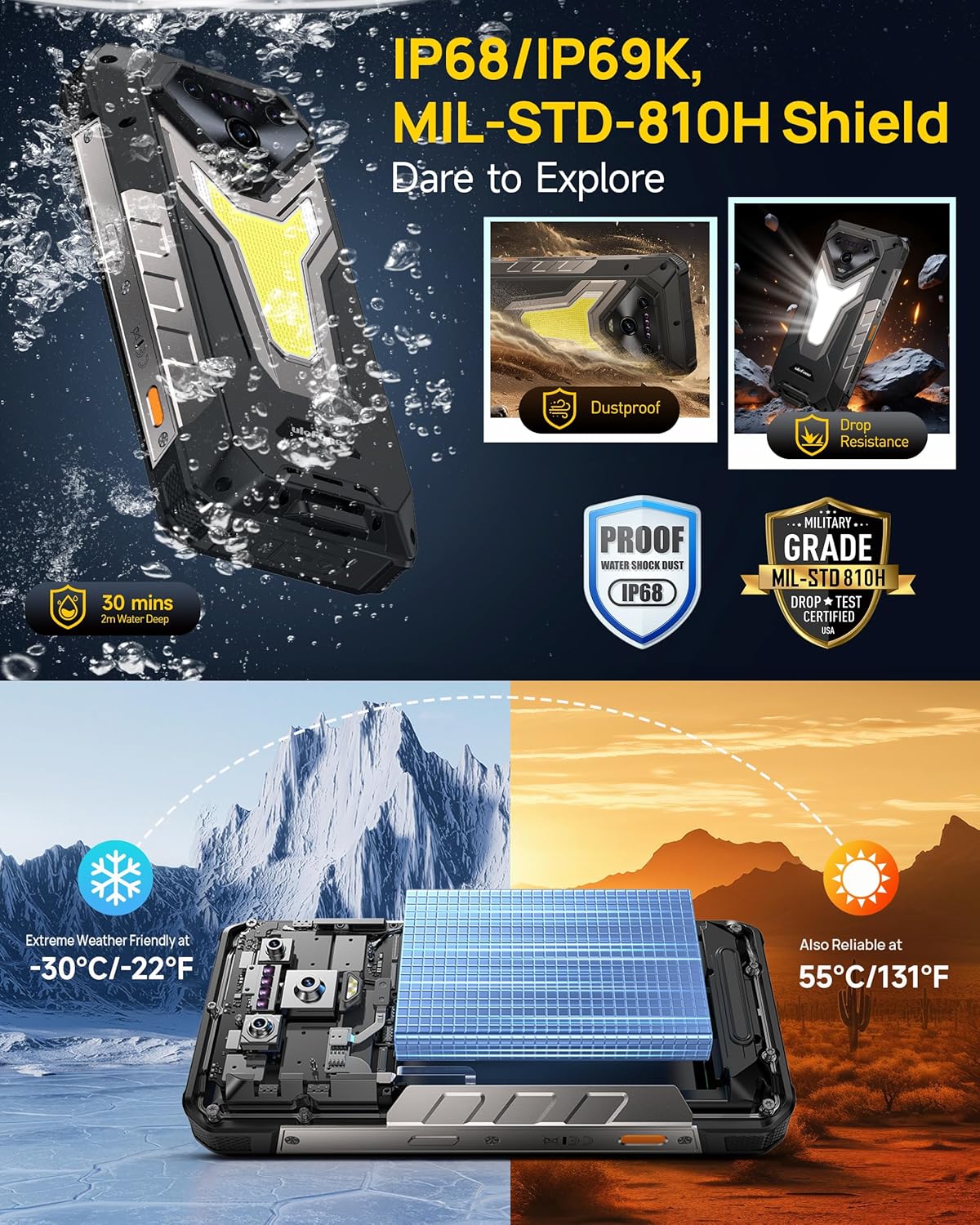
Image: The Ulefone Armor 34 submerged in water and being dropped, illustrating its IP68/IP69K and MIL-STD-810H certifications for water, dust, and drop resistance.
4.5 Versatile LED and Warning Lights
The device includes an 1100 Lumens camping light for illumination and red and blue warning lights for emergencies. These can be activated and controlled via the phone's interface.
Video: Ulefone Armor 34 Pro Versatile LED Light & Warning Light. This video demonstrates the functionality of the phone's integrated camping light and emergency warning lights.
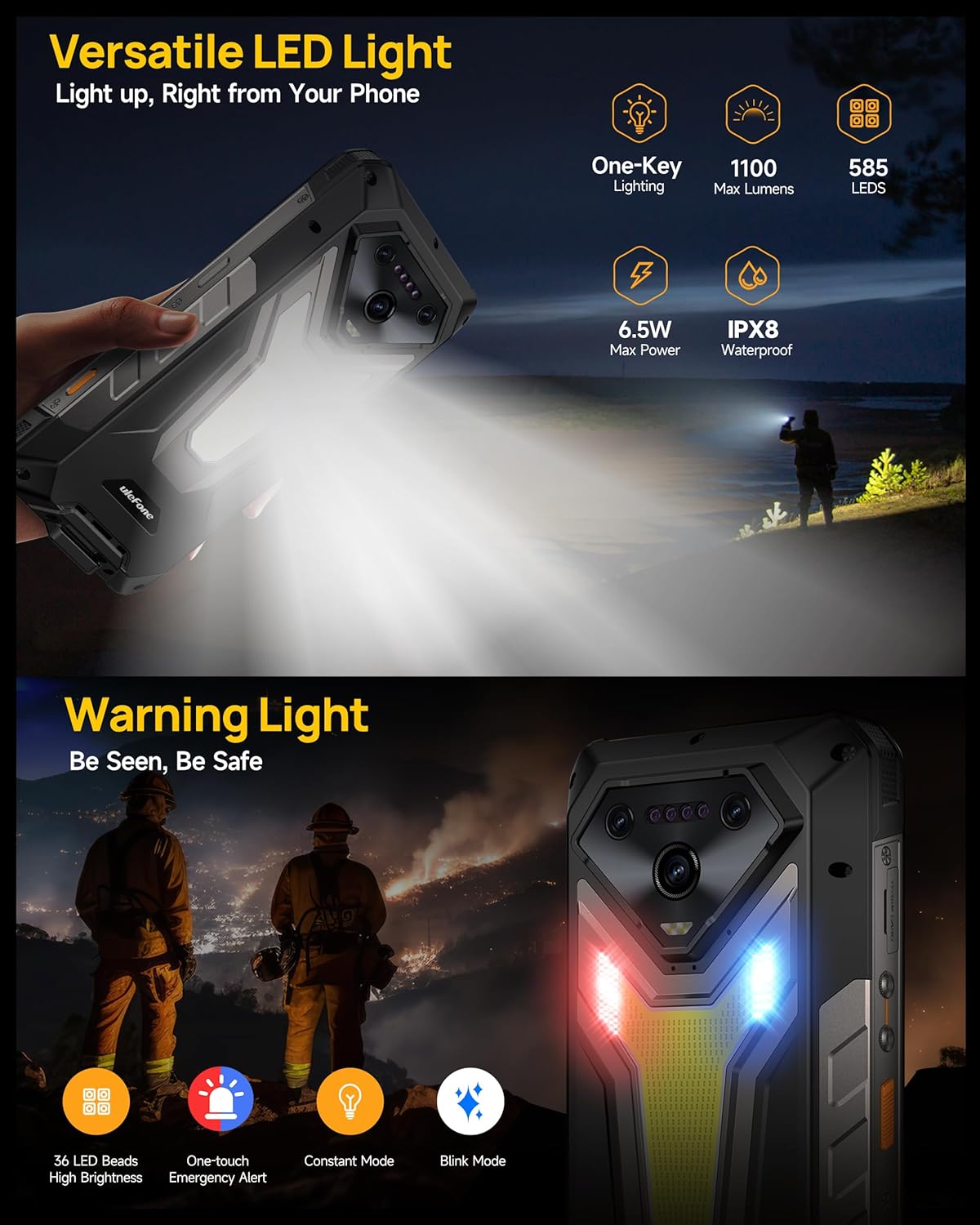
Image: The Ulefone Armor 34 showcasing its powerful 1100 Lumens camping light and the red and blue warning lights in action.
4.6 uSmart Expansion Connector
The uSmart Expansion Connector allows for integration with various external accessories, such as endoscopes and microscopes, enhancing the phone's utility for specialized tasks. These accessories are sold separately.
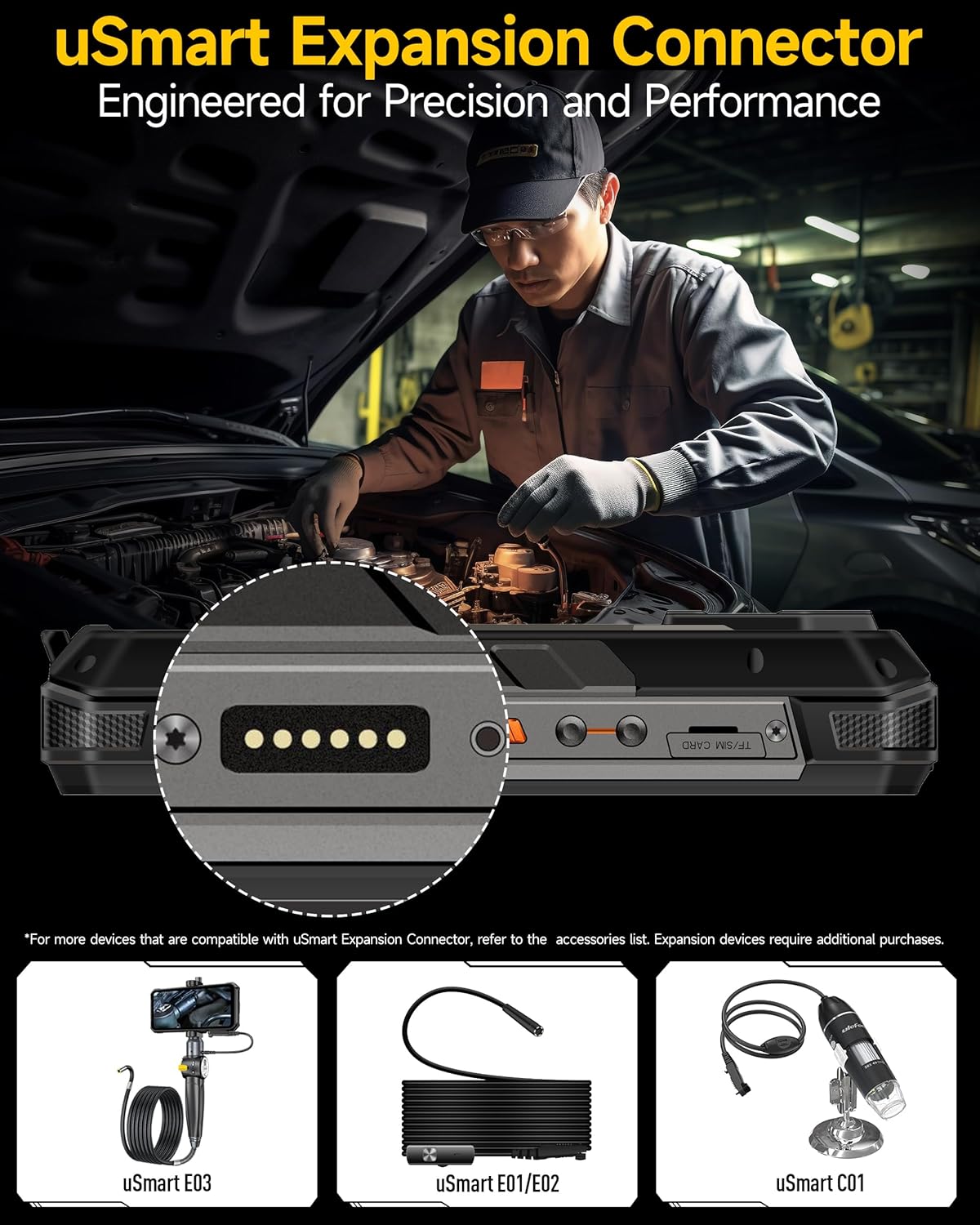
Image: A close-up of the Ulefone Armor 34's uSmart Expansion Connector, demonstrating its use with an external endoscope accessory.
Video: Ulefone Armor 34 Pro Accessory Ecosystem Showcase. This video highlights various accessories compatible with the uSmart Expansion Connector, such as the Molle Holster, Endoscope, and Microscope.
4.7 Карактеристики на вештачката интелигенција
Powered by the MediaTek Dimensity 7300 and MediaTek NPU 655, the Armor 34 offers enhanced AI performance, including AI Chat with Google Gemini and an AI Pet feature for interactive experiences.
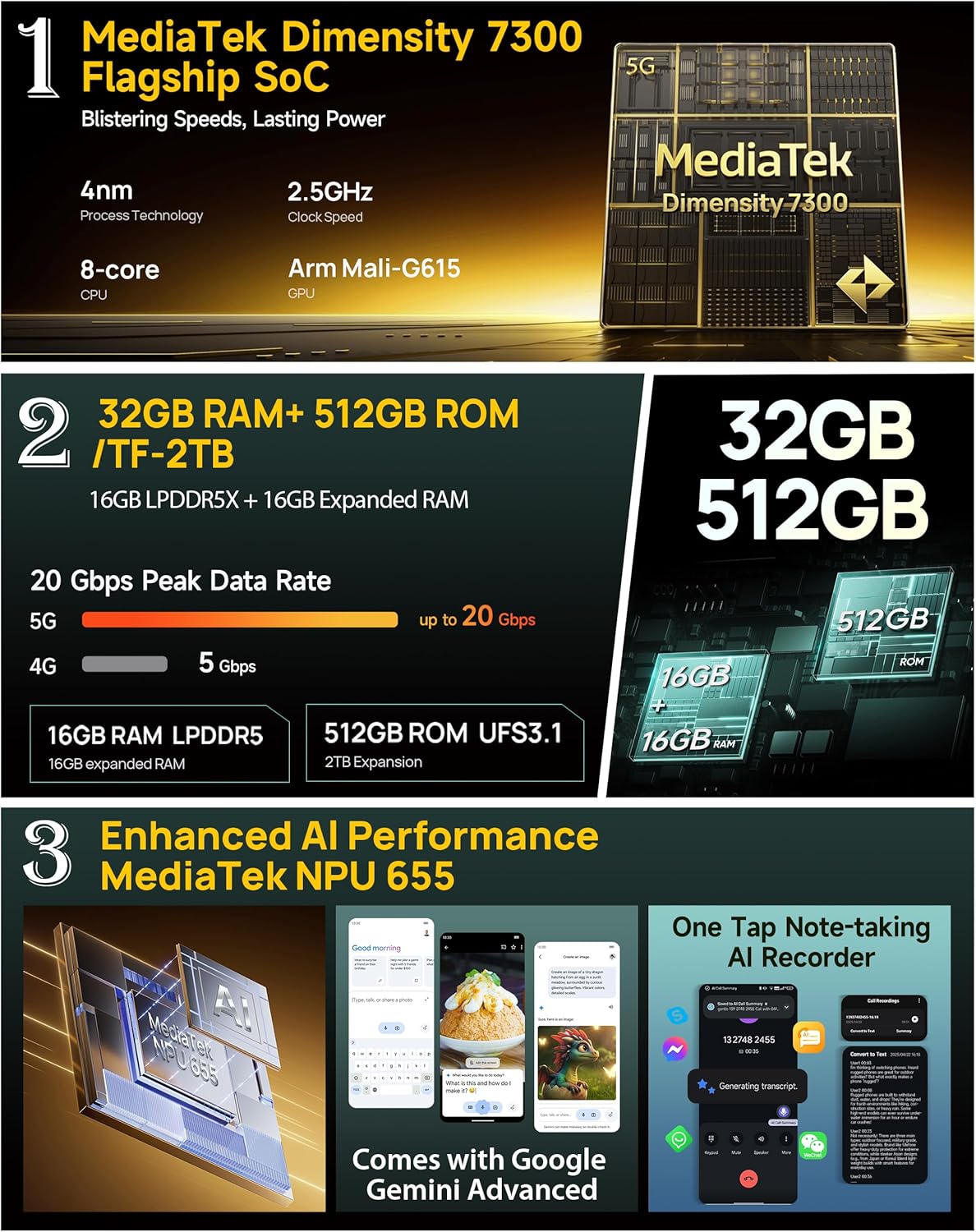
Image: Infographic detailing the MediaTek Dimensity 7300 processor, 32GB RAM, 512GB ROM, and enhanced AI performance with MediaTek NPU 655, including Google Gemini Advanced integration.
5. Спецификации
| Карактеристика | Спецификација |
|---|---|
| Бренд | Улефоне |
| Име на моделот | Оклоп 34 |
| Оперативен систем | Андроид 15 |
| Големина на инсталирана RAM меморија | 32 GB (16GB + 16GB прилагодлива) |
| Капацитет за складирање на меморија | 512 GB (може да се прошири до 2TB) |
| Брзина на процесорот | 2.5 GHz (MediaTek Dimensity 7300) |
| Големина на екранот | 6.95 инчи |
| Резолуција | 4K |
| Стапка на освежување | 120 Hz |
| Безжичен носач | Отклучен |
| Капацитет на батеријата | 25500 mAh |
| Полнење | Брзо полнење од 66W, обратно полнење од 10W |
| Задна камера | 64MP Night Vision + 50MP Primary + 50MP Ultra-wide |
| Предна камера | 32 MP |
| Грубоста | IP68/IP69K, MIL-STD-810H сертифициран |
| Поврзување | Global 5G Network, Dual SIM Dual Standby, Wi-Fi 6E |
| Други карактеристики | 1100LM LED & Warning Light, uSmart Expansion Connector, Widevine L1, IR Blaster, Fingerprint Unlock, NFC, Headset-Free FM Radio, Custom Key, Outdoor Toolbox, 3-Card Slot, GPS + GLONASS + Beidou + Galileo, Gloves Mode |
6. Одржување
- Чистење: Користете мека, гamp крпа за чистење на телефонот. Избегнувајте груби хемикалии или абразивни материјали.
- Отпорност на вода: Ensure all port covers are securely closed before exposing the phone to water. After exposure to water, dry the phone thoroughly before charging or opening any ports.
- Температура: Избегнувајте изложување на телефонот на екстремни температури (многу топли или многу ладни) подолг временски период.
- Ажурирања на софтверот: Редовно проверувајте и инсталирајте ажурирања на софтверот за да обезбедите оптимални перформанси и безбедност.
7 Смена на проблеми
7.1 Phone Not Turning On
- Проверете дали батеријата е наполнета. Поврзете го телефонот со полначот најмалку 10 минути.
- Притиснете го и држете го копчето за вклучување 10-15 секунди за да го натерате рестартирањето.
7.2 Слаб мрежен сигнал
- Проверете дали вашата SIM картичка е правилно вметната.
- Осигурајте се дека сте во област со мрежна покриеност.
- Рестартирајте го телефонот.
7.3 Паѓање/замрзнување на апликации
- Исчистете го кешот и податоците на проблематичната апликација во Поставки > Апликации.
- Деинсталирајте ја и повторно инсталирајте ја апликацијата.
- Ensure your phone's software is up to date.
7.4 Water Damage (Despite Ratings)
While the phone is highly water-resistant, extreme conditions or improper sealing can lead to issues. If water enters the device, power it off immediately, dry it thoroughly, and seek professional assistance.
8. Гаранција и поддршка
The Ulefone Armor 34 comes with a 12-month manufacturer warranty service in the US. For any product-related inquiries, technical support, or warranty claims, please contact Ulefone customer service through their official webлокацијата или продавачот од каде што сте го купиле уредот.
Ве молиме погледнете ја приложената гарантна картичка за детални услови и одредби.


