Вовед
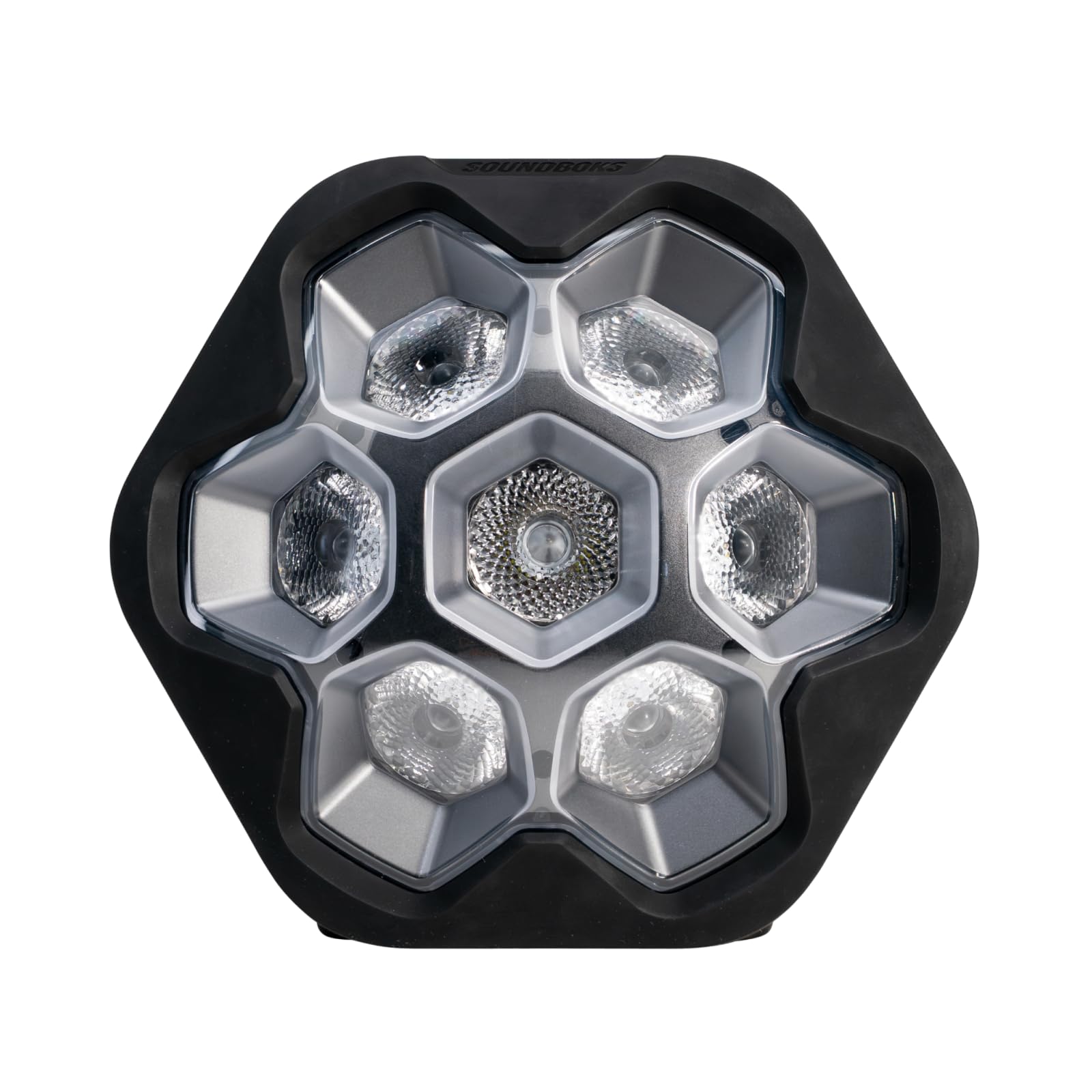
The SOUNDBOKS Lightboks is a portable, audio-reactive party light designed to enhance any event with dynamic light shows. It features a durable, weatherproof design and can be controlled via a dedicated app. This manual provides essential information for setting up, operating, maintaining, and troubleshooting your Lightboks.
The SOUNDBOKS Lightboks in operation, projecting a vibrant green light, demonstrating its illumination capabilities.
Што има во кутијата
Upon unpacking your Lightboks, please ensure all items are present:
- SOUNDBOKS Lightboks Unit
- USB-C кабел за полнење
- Водич за брз почеток (доколку е вклучен)
Поставување
Почетно полнење
Before first use, fully charge your Lightboks. Connect the provided USB-C charging cable to the Lightboks' charging port and plug the other end into a compatible USB power adapter (not included). The charging indicator will show the charging status.

Крупен кадар view of the Lightboks' USB-C charging port with a cable connected, emphasizing its battery-powered operation and up to 14 hours of use at full brightness.
Вклучување/исклучување
Locate the power button on the Lightboks. Press and hold the power button for a few seconds to turn the unit on or off. The lights will illuminate or extinguish to indicate status.
Преземање на апликација и поврзување
For full control and customization, download the official SOUNDBOKS app from your device's app store. Follow the in-app instructions to connect your Lightboks. The app allows for advanced settings and features.
Упатства за работа
Audio-Reactive Mode (TrackSync)
The Lightboks features integrated microphones that detect ambient music and synchronize light effects to the beat. This TrackSync technology works with any speaker, requiring no Bluetooth connection to the audio source.

The Lightboks positioned on a speaker, showcasing its TrackSync audio-reactive technology, which synchronizes light effects with music from any speaker without Bluetooth.
Контрола и прилагодување на апликацијата
Use the SOUNDBOKS app to customize your light experience. You can adjust energy levels (3 settings) and choose from 10 curated color palettes to match your mood or event theme.

A smartphone displaying the SOUNDBOKS app interface, illustrating the customization options for light effects, including 10 color palettes and three energy levels.
TeamUp Function
For a more expansive light show, multiple Lightboks units can be connected using the TeamUp function. This allows for synchronized light play across several devices, creating a unified visual experience. Refer to the app for specific instructions on enabling TeamUp.
Одржување
Чистење
To clean your Lightboks, use a soft, damp cloth. Avoid abrasive cleaners or solvents that could damage the finish or internal components. Ensure the USB-C port cover is securely closed before cleaning.
Водоотпорност (IP65)
The Lightboks is rated IP65, meaning it is protected against dust ingress and low-pressure water jets from any direction. While it can withstand rain and splashes, it is not designed for submersion. Always ensure the USB-C port cover is sealed when exposed to moisture.
Складирање
Store the Lightboks in a cool, dry place away from direct sunlight and extreme temperatures. For long-term storage, it is recommended to charge the battery to approximately 50% to prolong its lifespan.
Решавање проблеми
- Lightboks not turning on: Ensure the unit is fully charged. Press and hold the power button for a longer duration (5-10 seconds).
- Lights not reacting to music: Verify that the Lightboks is in an environment with audible music. Check the app settings to ensure audio-reactive mode is enabled and sensitivity is appropriate.
- Проблеми со поврзувањето со апликацијата: Ensure Bluetooth is enabled on your device. Restart both the Lightboks and your mobile device. Try reinstalling the SOUNDBOKS app.
- TeamUp not working: Ensure all Lightboks units are within range and have sufficient battery. Follow the TeamUp instructions within the SOUNDBOKS app carefully.
If problems persist, consult the SOUNDBOKS support webсајт за понатамошна помош.
Спецификации

A diagram providing the physical dimensions (height, width, depth) and weight of the SOUNDBOKS Lightboks for reference.
| Карактеристика | Детал |
|---|---|
| Модел | Lightboks |
| Бренд | Звучни сандачиња |
| Боја | Црното |
| Материјал | Пластика, метал |
| Тип на извор на светлина | Диода што емитува светлина (LED) |
| Извор на енергија | Напојува со батерија (вклучена е 1 литиум-јонска батерија) |
| Траење на батеријата | Up to 14 hours at full brightness |
| Порта за полнење | USB-C |
| Оценка за заштита од навлегување (IP). | IP65 (непропустливо за прашина, заштитено од млазници со вода со низок притисок) |
| Тежина на ставката | 3.86 фунти (1.75 кг) |
| Димензии на пакетот | 11.56 x 10.71 x 7.28 инчи |
| Тип на монтирање | Монтирање на маса |
| Карактеристики | Sound activation, app control, synchronization with other lights (TeamUp) |
Информации за безбедност
Ве молиме прочитајте ги и следете ги овие безбедносни упатства за да обезбедите безбедно работење и да спречите оштетување:
- Do not attempt to open or modify the Lightboks. This may void the warranty and pose a safety risk.
- За полнење користете го само испорачаниот USB-C кабел.
- Avoid exposing the device to extreme temperatures, direct sunlight for prolonged periods, or open flames.
- Ensure the USB-C port cover is securely closed when the device is exposed to water or dust.
- Да се чува подалеку од дофат на деца.
Гаранција и поддршка
Specific warranty details and comprehensive support information for your SOUNDBOKS Lightboks are typically provided with your purchase documentation or can be found on the official SOUNDBOKS website. Please refer to these resources for information regarding warranty coverage, technical support, and service options.


