1. Вовед
Thank you for choosing the Parsonver G01 GPS Smart Watch. This manual provides essential information for the proper setup, operation, and maintenance of your device. Please read it carefully to ensure optimal performance and longevity of your smartwatch.

Image: The Parsonver G01 Smart Watch displayed with various outdoor activity scenes, highlighting its versatile use.
2. Содржина на пакетот
Откако ќе го отворите пакувањето, проверете дали се присутни сите елементи:
- 1x Parsonver G01 Smart Watch
- 1x магнетен кабел за полнење
- 1x Упатство за употреба

Image: An illustration detailing the package contents, including the smartwatch, charging cable, and user manual.
3. Водич за поставување
3.1 Полнење на паметниот часовник
Before initial use, fully charge your Parsonver G01 Smart Watch. The device features a 520mAh battery, providing extended usage time.
- Поврзете го магнетниот кабел за полнење со контактите за полнење на задната страна од часовникот.
- Приклучете го USB-A крајот од кабелот во стандарден USB адаптер за напојување (не е вклучен) или USB-порт на компјутерот.
- Екранот на часовникот ќе го покаже статусот на полнење. Целосното полнење обично трае приближно 2 часа.

Image: The smartwatch connected to its magnetic charging cable, illustrating the charging process and battery life indicators.
3.2 Инсталација и спарување на апликацијата
За да ја отклучите целосната функционалност на вашиот паметен часовник, преземете ја и инсталирајте ја придружната апликација на вашиот паметен телефон.
- Scan the QR code provided in the quick start guide or search for "Glory Fit" in your smartphone's app store (compatible with iOS 9.0/Android 5.0 or above).
- Install the "Glory Fit" application.
- Отворете ја апликацијата и следете ги упатствата на екранот за да креирате сметка или да се најавите.
- Проверете дали Bluetooth е овозможен на вашиот паметен телефон.
- In the app, navigate to the device pairing section and select your Parsonver G01 Smart Watch from the list of available devices.
- Потврдете го барањето за спарување и на вашиот паметен телефон и на часовникот.
4. Упатства за работа
4.1 Основна навигација
The Parsonver G01 features a 1.95-inch HD touchscreen for intuitive interaction.
- Повлечете нагоре/надолу: Пристап до брзи поставки или известувања.
- Повлечете лево/десно: Навигирајте низ виџетите и главните функции.
- Допрете: Изберете ставка или потврдете дејство.
- Притиснете го страничното копче: Вратете се на почетниот екран или вклучете/исклучете го напојувањето.
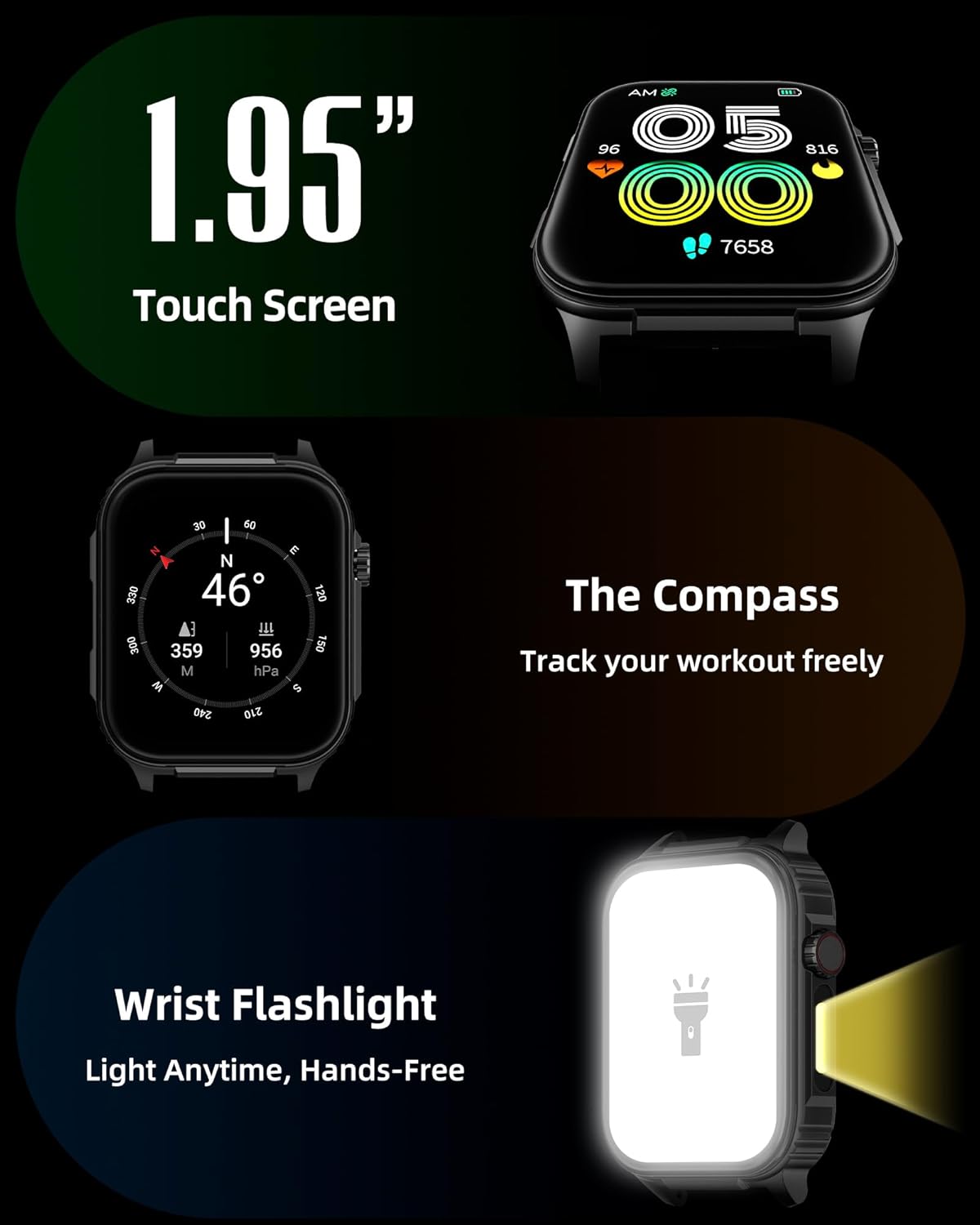
Слика: Детална view of the smartwatch screen, illustrating its 1.95-inch size, along with icons for compass and flashlight functions.
4.2 Bluetooth повици и паметни известувања
Stay connected by making and receiving calls directly from your wrist and receiving instant notifications.
- Остварување повици: Once paired via Bluetooth 5.3, access the call function on your watch to dial numbers or select contacts.
- Примање повици: Incoming calls will display on the watch screen, allowing you to answer or reject them.
- Известувања: The watch provides vibration alerts for SMS, WhatsApp, Facebook, and other app notifications. Note: Direct replies from the watch are not supported.

Image: A man on a mountain trail interacting with his Parsonver G01 Smart Watch to manage a Bluetooth call, with notification icons floating above.

Image: The smartwatch screen showing incoming messages and app notifications, demonstrating its smart notification feature.
4.3 Лица на часовникот
Персонализирајте го вашиот часовник со над 400 достапни изгледи на часовникот или креирајте свои сопствени дизајни.
- Access the watch face market through the "Glory Fit" app.
- Browse and download various styles, from classic to modern.
- Use the DIY function to upload custom photos and create unique watch faces.

Слика: Екранот на паметниот часовникasing a variety of watch face designs, illustrating the customization options.
4.4 Built-in GPS and Compass
Track your outdoor activities and navigate with precision, even without your phone.
- СЛЕДЕЕ ГПС: The built-in GPS accurately records your route, distance, and pace during outdoor workouts like running, hiking, and cycling. Ensure you are in an open area for optimal GPS signal acquisition.
- Компас: Utilize the integrated compass for navigation and orientation during your adventures.

Image: A cyclist wearing the Parsonver G01 Smart Watch, with the watch display showing GPS tracking data and a map.

Image: Hikers on a mountain trail, with the smartwatch displaying compass and GPS navigation features.
4.5 LED светилка
The integrated LED flashlight provides convenient illumination when needed.
- Access the flashlight function from the quick settings menu or a dedicated shortcut.
- The flashlight provides hands-free lighting for various situations.

Image: The smartwatch with its LED flashlight illuminated, demonstrating its utility in dark environments.
4.6 спортски режими
The watch supports over 100 built-in sports modes to track your physical activities.
- Select your desired sport from the activity menu.
- The watch will track metrics such as calories burned, steps, distance, and heart rate in real-time.
- Examples include running, cycling, yoga, hiking, football, and more.

Image: An athlete tying shoelaces, with the smartwatch displaying various sports tracking metrics like steps, calories, distance, and heart rate.

Image: A visual representation of the smartwatch's extensive range of over 100 built-in sports modes, including running, football, and cycling.
4.7 Мониторинг на здравјето
The Parsonver G01 provides comprehensive health monitoring features to help you maintain a healthy lifestyle.
- Мониторинг на отчукувањата на срцето: Континуирано следење на срцевиот ритам 24/7.
- Мониторинг на кислород во крвта (SpO2): Track your blood oxygen levels in real-time.
- Следење на сонот: Анализира спиењеtages (deep, light, awake) to provide insights into your sleep quality.
- Stress and Mood Monitoring: Ви помага да ги разберете и управувате со вашите нивоа на стрес.
- Седентарен потсетник: Ве поттикнува да се движите по периоди на неактивност.
- Вежби за дишење: Guided breathing sessions to help reduce stress.
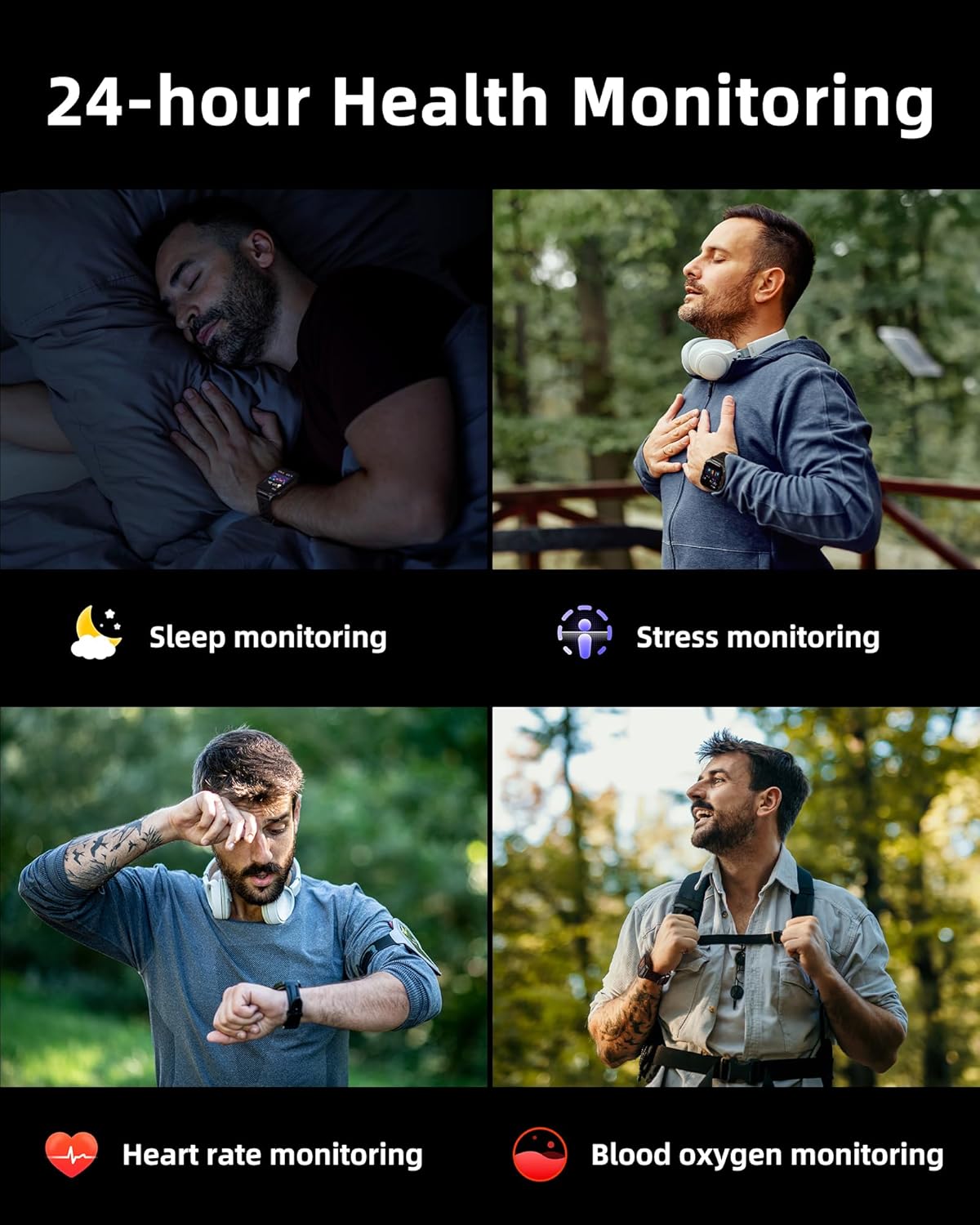
Image: A collage illustrating the smartwatch's 24-hour health monitoring capabilities, including sleep, stress, heart rate, and blood oxygen tracking.

Image: A man sleeping, with the smartwatch on his wrist, and a graphic showing detailed sleep analysis data.
4.8 Други практични функции
The Parsonver G01 includes a variety of additional features to assist with daily tasks:
- Аларм: Поставете повеќе аларми.
- Тајмер и стоперица: За прецизно темпирање.
- Калкулатор: Основни аритметички функции.
- Календар: View датуми и распоред.
- Контрола на музика: Play, pause, skip tracks on your connected phone.
- Временска прогноза: Добивајте ажурирања за времето во реално време.
- Гласовен асистент: Интеракција со гласовниот асистент на вашиот телефон.
- Далечинска контрола на камерата: Активирајте ја камерата на вашиот телефон од далечина.
- Најдете телефон: Пронајдете го вашиот изгубен паметен телефон.
- Raise-to-Wake: Автоматски активирај го екранот кога ќе го кренеш зглобот.

Image: A display of various practical functions on the smartwatch, including alarm, timer, stopwatch, calculator, calendar, music control, and weather.
5. Одржување
5.1 Водоотпорност
The Parsonver G01 Smart Watch has an IP68 waterproof rating, meaning it is resistant to dust and can withstand immersion in water up to 1.5 meters for 30 minutes. It is suitable for daily splashes, hand washing, and light rain.
Важна забелешка:
- The IP68 rating does not make the watch suitable for swimming, showering, or sauna use. Exposure to hot water, steam, or high-pressure water jets may compromise the water resistance.
- Избегнувајте притискање на копчиња под вода.
- If the watch gets wet, dry it thoroughly before charging or using the touchscreen.

Image: A hand wearing the smartwatch under running water, illustrating its IP68 waterproof capabilities for everyday use.
5.2 Чистење и нега
- Редовно чистете го часовникот и ременот со мека, сува крпа.
- Доколку е потребно, користете малку damp крпа со благ сапун, потоа исплакнете и темелно исушете.
- Избегнувајте употреба на груби хемикалии, абразивни средства за чистење или растворувачи, бидејќи тие можат да ја оштетат завршната обработка и компонентите на часовникот.
- Одржувајте ги контактите за полнење чисти и без остатоци за да обезбедите правилно полнење.
6 Смена на проблеми
If you encounter issues with your Parsonver G01 Smart Watch, refer to the following common solutions:
- Часовникот не се вклучува: Проверете дали часовникот е целосно наполнет. Поврзете го со полначот најмалку 30 минути.
- Не може да се спари со паметен телефон:
- Проверете дали Bluetooth е овозможен на вашиот телефон и часовник.
- Проверете дали часовникот е во опсегот на Bluetooth на вашиот телефон.
- Рестартирајте ги и часовникот и телефонот.
- Check if the "Glory Fit" app has necessary permissions on your phone.
- Inaccurate GPS data:
- Осигурајте се дека сте на отворено со чист простор view на небото за подобар сателитски прием.
- Allow sufficient time for the watch to acquire a GPS signal before starting an activity.
- Screen lights up during sleep: This can be caused by wrist movements activating the raise-to-wake feature. You may be able to disable or adjust the sensitivity of the raise-to-wake feature in the watch settings or the companion app.
- Кратко траење на батеријата:
- Frequent use of GPS, Bluetooth calls, and continuous health monitoring can consume more battery.
- Reduce screen brightness or shorten screen-on time.
- Оневозможете ги непотребните известувања.
- Compass inaccuracy: Calibrate the compass if available in the watch settings or app. Ensure no strong magnetic fields are nearby.
If the issue persists, consult the FAQ section within the "Glory Fit" app or contact customer support.
7. Спецификации
| Карактеристика | Спецификација |
|---|---|
| Број на модел | G01 |
| Големина на екранот | 1.95 инчи |
| Тип на дисплеј | Full Touch Screen HD |
| Капацитет на батеријата | Литиум полимер од 520 mAh |
| Типичен век на траење на батеријата | 7-10 дена |
| Време на мирување | До 40 дена |
| Време на полнење | Approx. 2 Hours (Magnetic Fast Charging) |
| Поврзување | Bluetooth 5.3 |
| Компатибилност на оперативниот систем | iOS 9.0 / Android 5.0 или понов |
| Оценка за отпорност на вода | IP68 |
| Вградени карактеристики | GPS, Compass, LED Flashlight |
| Здравствен мониторинг | Heart Rate, Blood Oxygen, Sleep, Stress, Mood |
| Спортски режими | 100+ |
| Тежина на ставката | 47 грама (1.66 унци) |
| Капацитет за складирање на меморија | 256 MB |
8. Гаранција и поддршка
Parsonver is committed to providing reliable products and dedicated customer support. For any questions, technical assistance, or warranty inquiries, please refer to the contact information provided with your purchase or visit the official Parsonver webсајт.


